> For the complete documentation index, see [llms.txt](https://docs.digit.org/llms.txt). Markdown versions of documentation pages are available by appending `.md` to page URLs; this page is available as [Markdown](https://docs.digit.org/complaints-management/cms-v2.11/deploy/configure/aws-s3-bucket.md).
# AWS S3 Bucket
Configure AWS S3 Bucket
## Overview
The AWS S3 bucket is used to configure logos and global configuration files in Complaint Management.
## Steps
{% stepper %}
{% step %}
### Configure AWS S3 Bucket
The UI assets, like logos and global config files, are hosted in an S3 bucket.
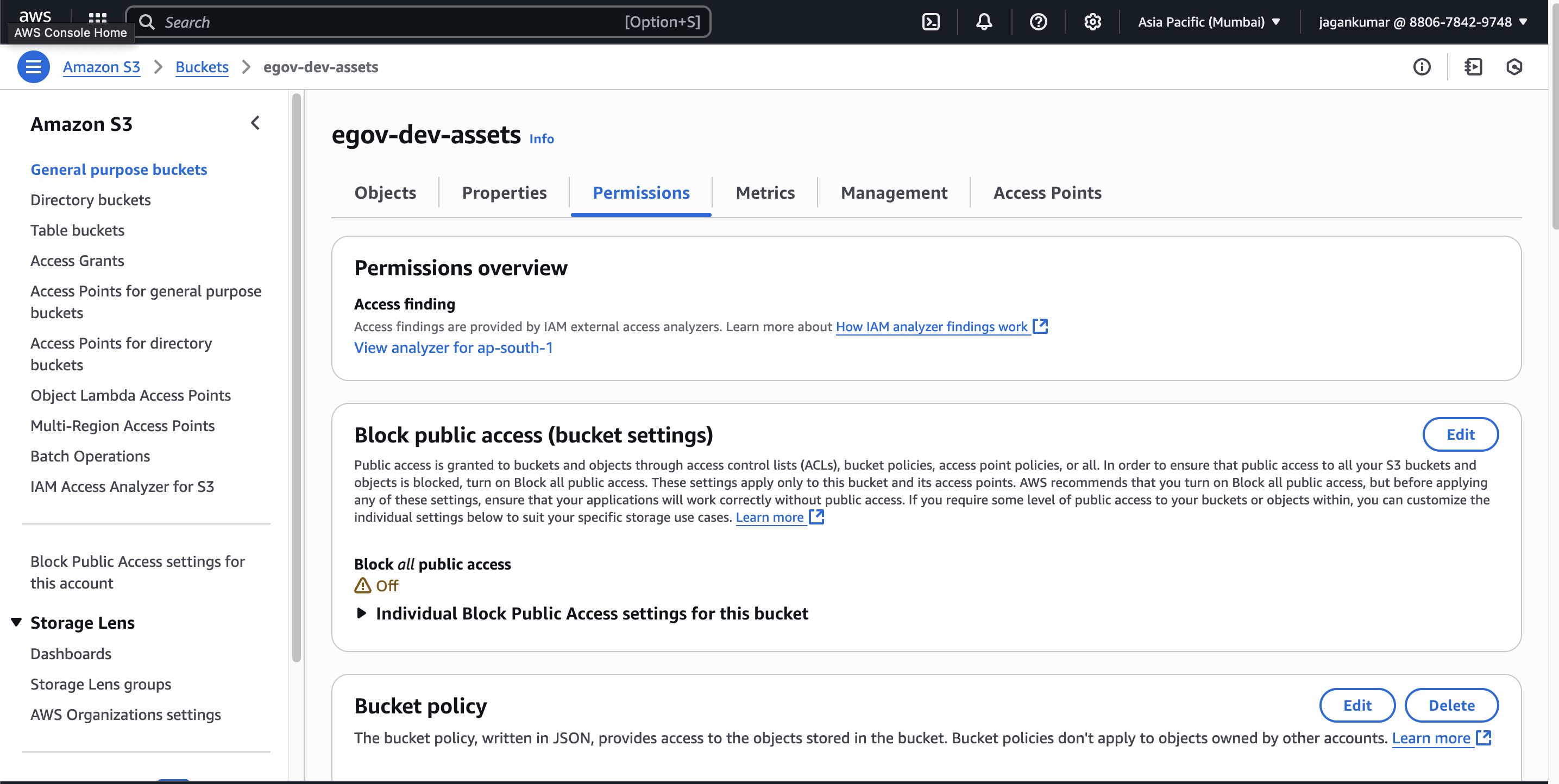
* **Create a new S3 bucket**
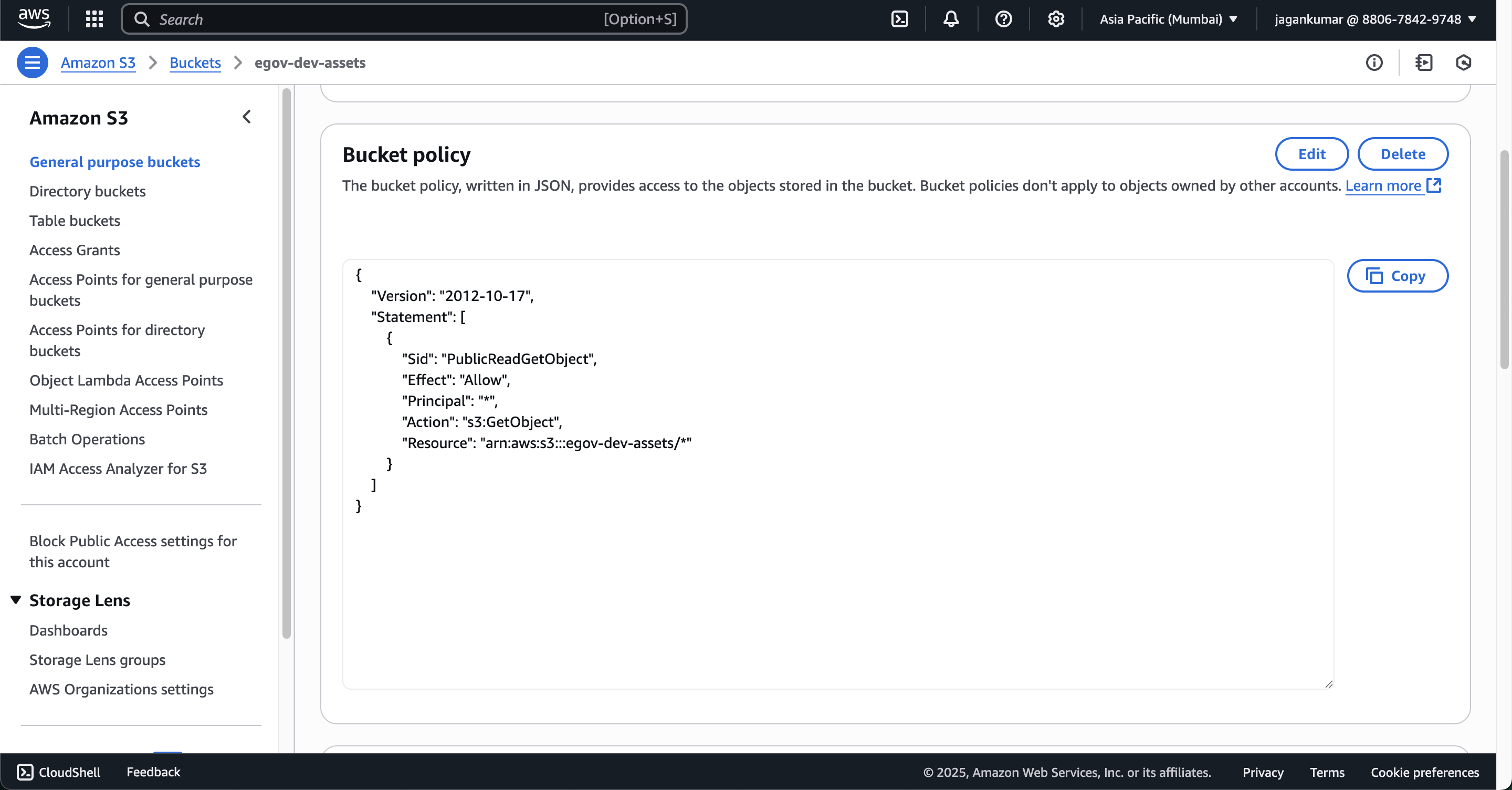
* **Add this Bucket Policy** to make the contents public:
```json
{
"Version": "2012-10-17",
"Statement": [
{
"Sid": "PublicReadGetObject",
"Effect": "Allow",
"Principal": "*",
"Action": "s3:GetObject",
"Resource": "arn:aws:s3:::works-dev-asset/*"
}
]
}
```
* Add the following CORS configuration:
```json
[
{
"AllowedHeaders": [
"*"
],
"AllowedMethods": [
"GET",
"PUT",
"POST",
"DELETE"
],
"AllowedOrigins": [
"*"
],
"ExposeHeaders": [
"x-amz-server-side-encryption",
"x-amz-request-id",
"x-amz-id-2"
],
"MaxAgeSeconds": 3000
}
]
```
{% endstep %}
{% step %}
### Link S3 Bucket in Your Environment Config
To access assets from the S3 bucket in your deployment environment:
* Update `environment.yaml` file
```
configmaps:
egov-config:
data:
s3-assets-bucket: "(pg-egov-assets|egov-playground-assets|egov-uat-assets)"
```
* Possible values: `pg-egov-assets`, `egov-playground-assets`, `egov-uat-assets`, etc.
* Restart the **s3-proxy build** after making these changes.
{% endstep %}
{% endstepper %}
### **Other viable options in the CMS context**
1. **Azure Blob Storage**
* Works similarly to S3.
* Can be configured with public access or via signed URLs.
* Would require updating the `s3-proxy` or using an Azure CDN endpoint in the environment configuration.
2. **Google Cloud Storage (GCS)**
* Also supports static asset hosting.
* Public bucket policy or signed URLs are possible.
* Integration changes needed in the configmaps.
3. **Self-hosted HTTP/HTTPS static server**
* Assets are placed in an Nginx/Apache/static-file server inside your infra.
* No cloud dependency, but you need to manage uptime, scaling, and cache headers.
4. **GitHub Pages or similar static site hosting**
* For purely static assets (logos, configs), you can use GitHub Pages, Netlify, or Vercel.
* Would require adjusting the asset URLs in `environment.yaml`.
5. **Kubernetes ConfigMaps or PVC (Persistent Volume Claim)**
* Small static files can be mounted directly from ConfigMaps.
* Good for a few KBs of data, but not ideal for large or frequently updated assets.
***
#### **Key consideration in CMS**
If you replace AWS S3:
* You must ensure **public accessibility** or proper authentication.
* Update `s3-assets-bucket` (or equivalent) in `environment.yaml` to point to the new hosting location.
* If using `s3-proxy` it may need to be replaced with a generic proxy or direct asset URL.
---
# Agent Instructions
This documentation is published with GitBook. GitBook is the documentation platform designed so that both humans and AI agents can read, navigate, and reason over technical content effectively. Learn more at gitbook.com.
## Querying This Documentation
If you need additional information that is not directly available in this page, you can query the documentation by asking a question.
Perform an HTTP GET request on the following URL with the `ask` and `goal` query parameters:
```
GET https://docs.digit.org/complaints-management/cms-v2.11/deploy/configure/aws-s3-bucket.md?ask=&goal=
```
`ask` is the immediate question: it should be specific, self-contained, and written in natural language.
`goal` is what the user is ultimately trying to achieve, the reason they need the answer. Sharing it helps GitBook give you a better, more relevant answer. A goal is most helpful when it describes the outcome the user wants rather than restating the question. For example, with `ask=how do I create an API token`, a goal like `automate deployments from our CI pipeline` lets GitBook tailor the answer to that use case.
The response will contain a direct answer to the question and relevant excerpts and sources from the documentation.
Use this mechanism when the answer is not explicitly present in the current page, you need clarification or additional context, or you want to retrieve related documentation sections.