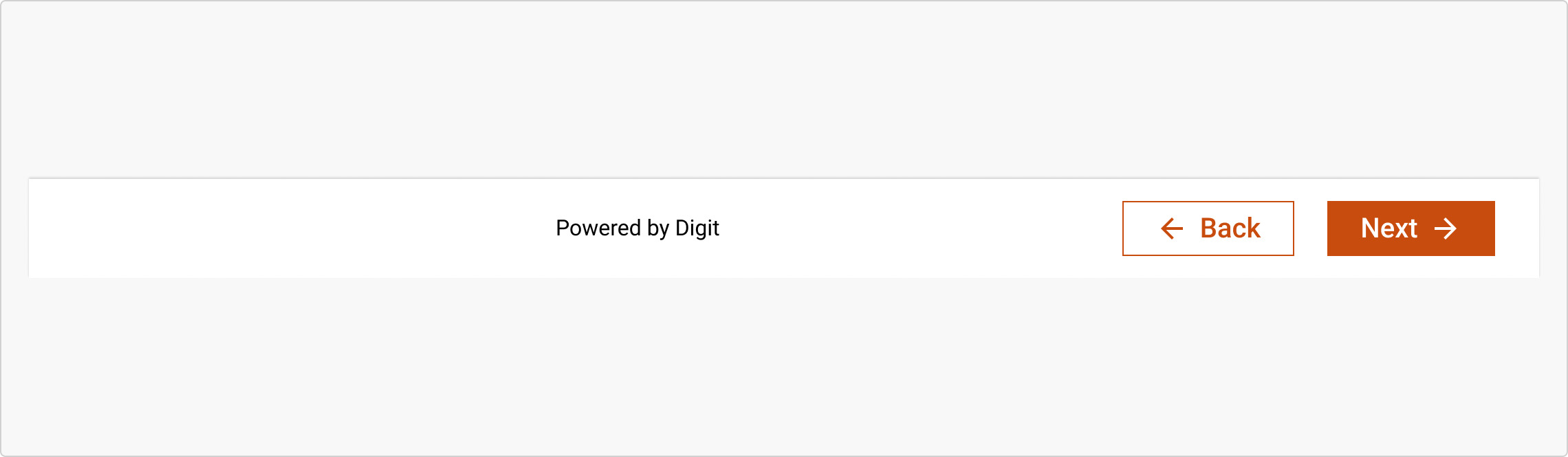
# Footer

The Footer component provides navigational actions or supplementary content at the bottom of pages. It serves as a closing control panel for tasks or flows, ensuring alignment with accessibility, responsiveness, and contextual clarity across applications.

<figure><img src="https://2796820426-files.gitbook.io/~/files/v0/b/gitbook-x-prod.appspot.com/o/spaces%2Fqv3BfwsgDlxxZoSTquMs%2Fuploads%2F8GF5zdesnmx1F7nHJwlB%2Fimage.png?alt=media&#x26;token=d2b627a7-9a21-4d63-9d7e-2c8fec92b7ef" alt=""><figcaption></figcaption></figure>

{% tabs %}
{% tab title="Component React" %}

```
// Sample code

<Footer
  actionFields={[
    <Button icon="ArrowBack" label="Back" onClick={()=>{}} type="button" variation="secondary"/>,
    <Button icon="ArrowForward" isSuffix label="Next" onClick={()=>{}} type="button"/>
  ]}
  className=""
  maxActionFieldsAllowed={5}
  sortActionFields
  style={{}}
/>
```

{% endtab %}

{% tab title="Component Flutter" %}

```
// Sample code

FooterAction(
            buttons: DigitButton(
              label: 'back',
              onPressed: () {
                print('back pressed');
              },
              type: DigitButtonType.primary,
              size: DigitButtonSize.large,
              prefixIcon: Icons.arrow_back,
            ),
          ),
          FooterAction(
            buttons: DigitButton(
              label: 'Actions   ',
              onPressed: () {
                print('next button pressed');
              },
              type: DigitButtonType.primary,
              size: DigitButtonSize.large,
              suffixIcon: Icons.arrow_forward,
            ),
          ),
        ],
        footerContent: Text(
              'This is extra content for the footer',
              style: TextStyle(color: Colors.grey, fontSize: 12),
            ),
      ),
```

{% endtab %}

{% tab title="Component Design" %}

{% endtab %}
{% endtabs %}

## Anatomy

<figure><img src="https://2796820426-files.gitbook.io/~/files/v0/b/gitbook-x-prod.appspot.com/o/spaces%2Fqv3BfwsgDlxxZoSTquMs%2Fuploads%2Fc8CbpYFGUKoGX69Tnc8j%2Fimage.png?alt=media&#x26;token=0b2dabf0-cc32-4836-8910-f77cb7f41bed" alt=""><figcaption></figcaption></figure>

***

## Variants

***

<table data-header-hidden><thead><tr><th width="321"></th><th></th></tr></thead><tbody><tr><td><div><figure><img src="https://2796820426-files.gitbook.io/~/files/v0/b/gitbook-x-prod.appspot.com/o/spaces%2Fqv3BfwsgDlxxZoSTquMs%2Fuploads%2FGjxPUzLw75PbXOtXbfUz%2Fimage.png?alt=media&#x26;token=a57003ce-49a1-40c9-ba02-4f13d2b5ac88" alt=""><figcaption></figcaption></figure></div></td><td><p><strong>Default</strong></p><p>A straightforward footer with clearly defined action buttons like "Back" and "Next," used in linear flows or form-based screens.</p></td></tr><tr><td><div><figure><img src="https://2796820426-files.gitbook.io/~/files/v0/b/gitbook-x-prod.appspot.com/o/spaces%2Fqv3BfwsgDlxxZoSTquMs%2Fuploads%2Fpcjs6WrZaxt4kmoPrg7p%2Fimage.png?alt=media&#x26;token=b4c6c843-e379-470b-a8e7-a2244db7475b" alt=""><figcaption></figcaption></figure></div></td><td><strong>Flex</strong><br>A more dynamic variant that allows flexible content like dropdown menus, dynamic button alignment, and custom text</td></tr></tbody></table>

## Properties

<table data-header-hidden data-full-width="false"><thead><tr><th></th><th></th></tr></thead><tbody><tr><td><strong>Button</strong><br>Supports multiple button styles, including:<br>Primary (e.g., “Next”)<br>Secondary (e.g., “Back”)<br>Tertiary (optional actions)<br>Dropdown / Dropup menus (used to group multiple actions)<br></td><td><div><figure><img src="https://2796820426-files.gitbook.io/~/files/v0/b/gitbook-x-prod.appspot.com/o/spaces%2Fqv3BfwsgDlxxZoSTquMs%2Fuploads%2FWtLvy7Q0KUwIjuUOWno6%2Fimage.png?alt=media&#x26;token=a530c100-ea08-4568-be71-ff62cae0136d" alt=""><figcaption></figcaption></figure></div></td></tr><tr><td><strong>Extra Content</strong><br>Allows inclusion of helper or legal text beneath or between buttons, offering context or attribution.</td><td><div><figure><img src="https://2796820426-files.gitbook.io/~/files/v0/b/gitbook-x-prod.appspot.com/o/spaces%2Fqv3BfwsgDlxxZoSTquMs%2Fuploads%2F5nAekIu5uCyWOz78JUQv%2Fimage.png?alt=media&#x26;token=65727d40-e7d6-4d6b-b0c5-111121f8b901" alt=""><figcaption></figcaption></figure></div></td></tr></tbody></table>

## Property Configuration Table

Each design component offers a range of configurable options. These options are intentionally platform-agnostic, allowing implementations to adapt and tailor them to align with the specific requirements of the chosen framework.

{% tabs %}
{% tab title="React" %}

<table><thead><tr><th width="257">Property</th><th>Value</th><th>Default</th></tr></thead><tbody><tr><td>className</td><td>text</td><td>-</td></tr><tr><td>style</td><td>text</td><td>-</td></tr><tr><td>actionFields</td><td>yes/no</td><td>no</td></tr><tr><td>maxActionFieldsAllowed</td><td>yes/no</td><td>no</td></tr><tr><td>sortActionFields</td><td>number</td><td>-</td></tr><tr><td>setactionFieldsToRight</td><td>yes/no</td><td>-</td></tr><tr><td>setactionFieldsToLeft</td><td>yes/no</td><td>no</td></tr><tr><td>children</td><td>yes/no</td><td>no</td></tr></tbody></table>
{% endtab %}

{% tab title="Flutter" %}

<table><thead><tr><th>Property</th><th width="209">Value</th><th>Default</th></tr></thead><tbody><tr><td>actions</td><td>List&#x3C;FooterAction></td><td>required</td></tr><tr><td>actionSpacing</td><td>double</td><td>-</td></tr><tr><td>actionAlignment</td><td>MainAxisAlignment</td><td>-</td></tr><tr><td>inlineAction</td><td>bool</td><td>true</td></tr><tr><td>footerContent</td><td>Widget</td><td>required</td></tr></tbody></table>
{% endtab %}
{% endtabs %}

## Usage Guide

***

| <div><figure><img src="https://2796820426-files.gitbook.io/~/files/v0/b/gitbook-x-prod.appspot.com/o/spaces%2Fqv3BfwsgDlxxZoSTquMs%2Fuploads%2FcvOrPbrywOv0KhszuYJA%2Fimage.png?alt=media&#x26;token=83f3da35-eecb-4940-98c0-1d4f45da0b46" alt=""><figcaption></figcaption></figure></div> | <p><strong>Button Labeling</strong></p><p>Clearly label all buttons with actionable language like “Next,” “Submit,” or “Save”.  Avoid using vague or unclear labels like “Click” or “Okay” that provide no guidance on the action.</p> |
| ------------------------------------------------------------------------------------------------------------------------------------------------------------------------------------------------------------------------------------------------------------------------------------------ | -------------------------------------------------------------------------------------------------------------------------------------------------------------------------------------------------------------------------------------- |
| <div><figure><img src="https://2796820426-files.gitbook.io/~/files/v0/b/gitbook-x-prod.appspot.com/o/spaces%2Fqv3BfwsgDlxxZoSTquMs%2Fuploads%2F8kIsMdyl3T1JiPF0iJKp%2Fimage.png?alt=media&#x26;token=e67dd09d-026e-476d-9459-33d4a8245406" alt=""><figcaption></figcaption></figure></div> |                                                                                                                                                                                                                                        |

## Change log

***

| Date         | Number  | Notes                                                                                           |
| ------------ | ------- | ----------------------------------------------------------------------------------------------- |
| Dec 15, 2024 | v-0.0.2 | <p>This component is added to the website.<br>This component is now individually versioned.</p> |

## Design Checklist

***

<table data-header-hidden><thead><tr><th width="129" data-type="checkbox"></th><th></th></tr></thead><tbody><tr><td>true</td><td><strong>All interactive states</strong> - Includes all interactive states that are applicable (hover, down, focus, keyboard focus, disabled).</td></tr><tr><td>true</td><td><strong>Accessible use of colours</strong> - Colour is not used as the only visual means of conveying information (WCAG 2.1 1.4.1)</td></tr><tr><td>true</td><td><strong>Accessible contrast for text</strong> - Text has a contrast ratio of at least 4.5:1 for small text and at least 3:1 for large text (WCAG 2.0 1.4.3).</td></tr><tr><td>true</td><td><strong>Accessible contrast for UI components</strong> - Visual information required to identify components and states (except inactive components) has a contrast ratio of at least 3:1 (WCAG 2.1 1.4.11).</td></tr><tr><td>true</td><td><strong>Keyboard interactions</strong> - Includes all interactive states that are applicable (hover, down, focus, keyboard focus, disabled).</td></tr><tr><td>false</td><td><strong>Screen reader accessible</strong> - All content, including headings, labels, and descriptions, is meaningful, concise, contextual and accessible by screen readers.</td></tr><tr><td>true</td><td><strong>Responsive for all breakpoints</strong> - Responsiveness for 3 breakpoints - Mobile, Tablet and Desktop</td></tr><tr><td>true</td><td><strong>Usage guidelines</strong> - Includes a list of dos and don'ts that highlight best practices and common mistakes.</td></tr><tr><td>false</td><td><strong>Content guidelines</strong> - Content standards and usage guidelines for writing and formatting in-product content for the component.</td></tr><tr><td>true</td><td><strong>Defined variants and properties</strong> - Includes relevant variants and properties (style, size, orientation, optional iconography, decorative elements, selection states, error states, etc.)</td></tr><tr><td>true</td><td><strong>Defined behaviours</strong> - Guidelines for keyboard navigation and focus, layout management (including wrapping, truncation, and overflow), animations, and user interactions.</td></tr><tr><td>true</td><td><strong>Design Kit</strong> - Access to the design file for the component in Figma, multiple options, states, colour themes, and platform scales.</td></tr></tbody></table>