> For the complete documentation index, see [llms.txt](https://docs.digit.org/llms.txt). Markdown versions of documentation pages are available by appending `.md` to page URLs; this page is available as [Markdown](https://docs.digit.org/health/deploy/installation/setup-project-data.md).
# Setup Project Data
## Overview
This step involves the execution of the Postman collection for the minimum setup data required to run a campaign from the field worker app.
## Steps
{% stepper %}
{% step %}
### Restart Spring Cloud Gateway
* Execute the below command to restart the Spring Cloud Gateway.
* Check if all the services are up and running by using the following command:
```
kubectl get pods -n egov
```
* If all the services are running with Ready 1/1, restart the Spring Cloud Gateway service using the command given below:
```
kubectl delete pods {gateway-pod-name} -n egov
```
{% endstep %}
{% step %}
### Load project data
{% hint style="info" %}
All file examples in this document refer to the default branches in the health campaign DevOps and configuration repositories for example purposes. Once you have forked or cloned these repositories, refer to the forked or cloned repositories.
{% endhint %}
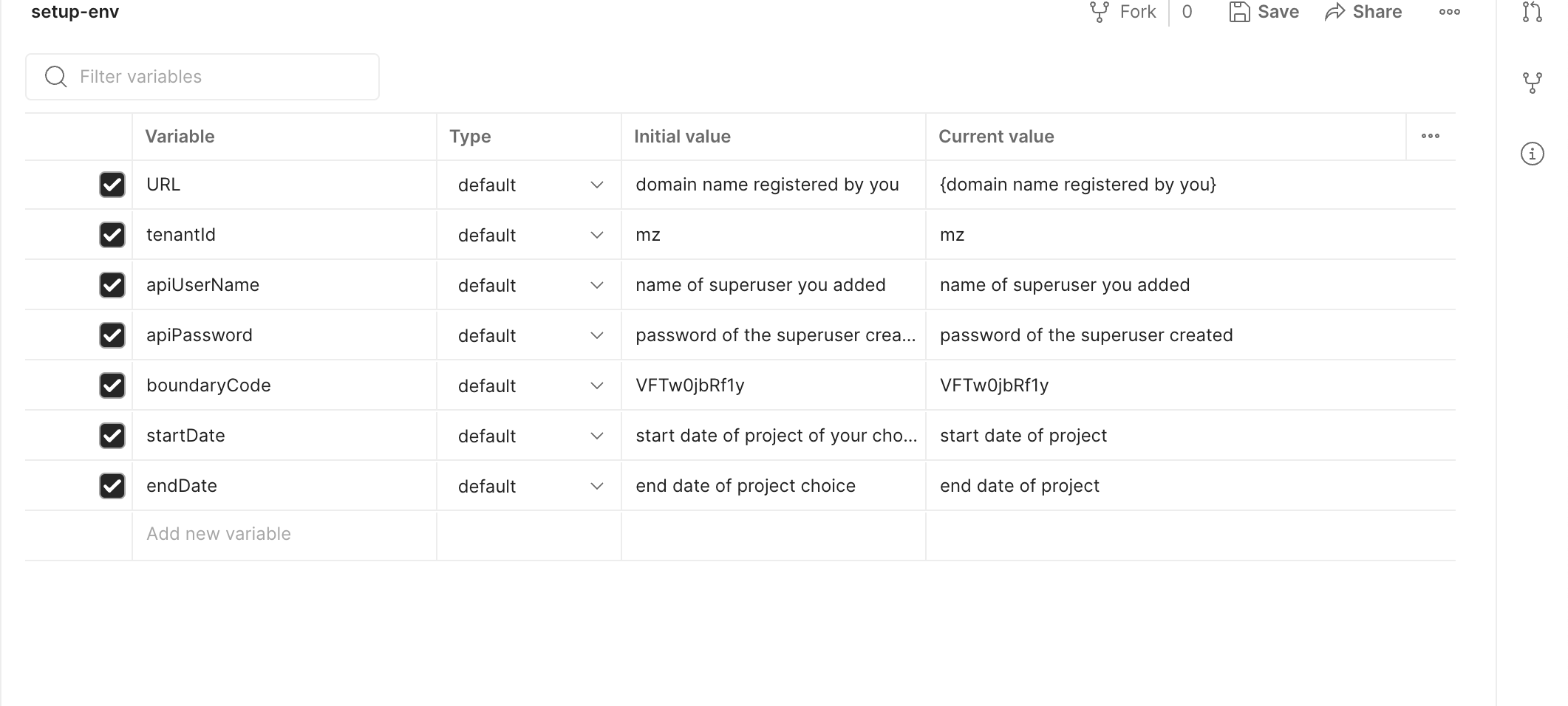
Create an environment variable file and add the following variables in Postman:
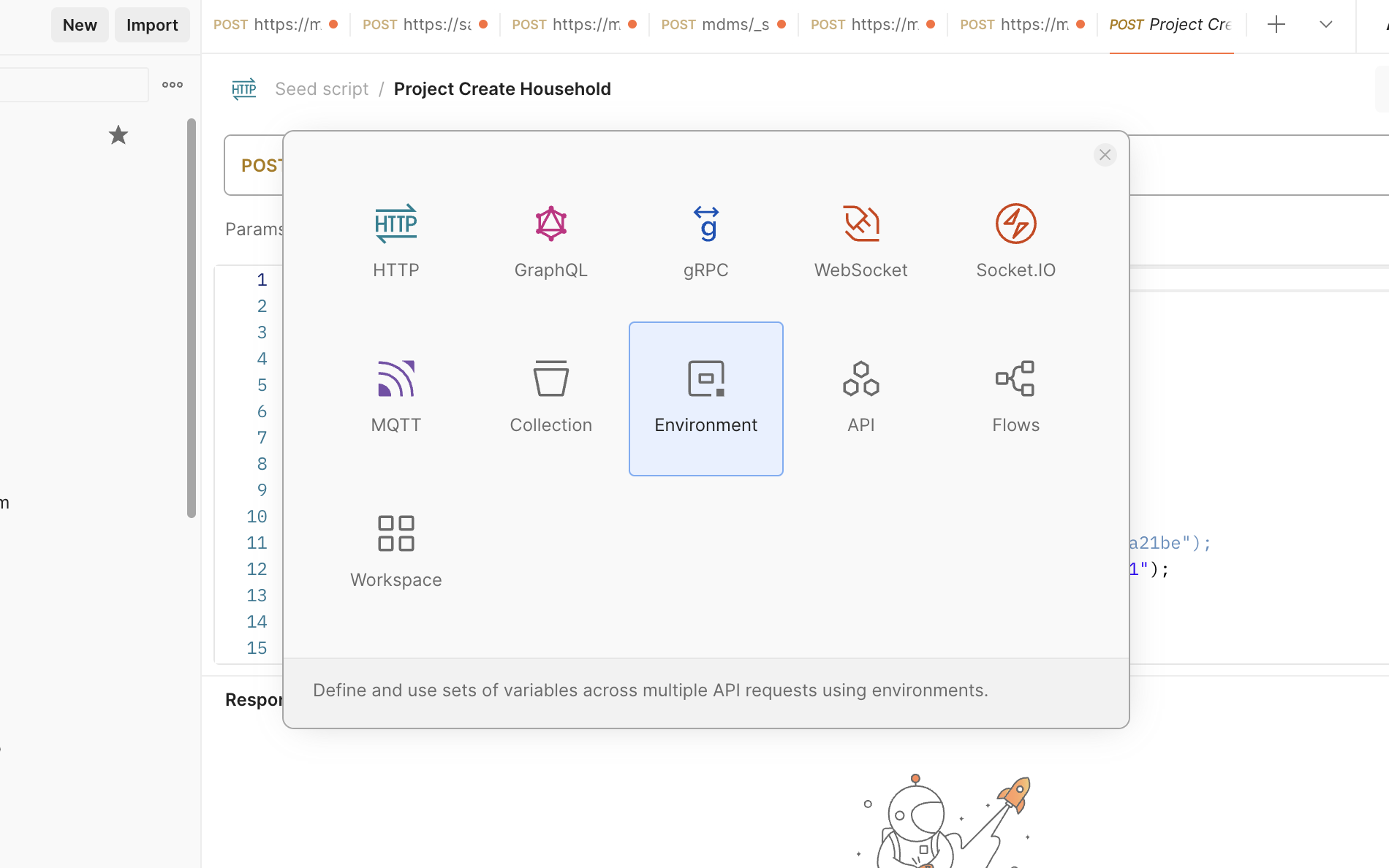
* Click on **New > Environment** and add the following variables:
* **URL -** domain\_name provided in infra-as-code/terraform/sample-aws/input.yaml
* Example: https\://{**domain\_name**}
* **tenantId** - mz
* **apiUserName** and **apiPassword** - newly created superuser credentials
* **startDate** and **endDate** in epoch format - [`epoch converter`](https://www.epochconverter.com/)
* **boundaryCode** - use the default value (**VFTw0jbRf1y**) if Master data is unchanged
* Import the seed data script
{% endstep %}
{% step %}
### Seed data in the Postman script
{% file src="/files/DUlDYu4qgbwXQchqaxoi" %}
* This collection includes all the scripts to create users, projects, staff, and product variants.
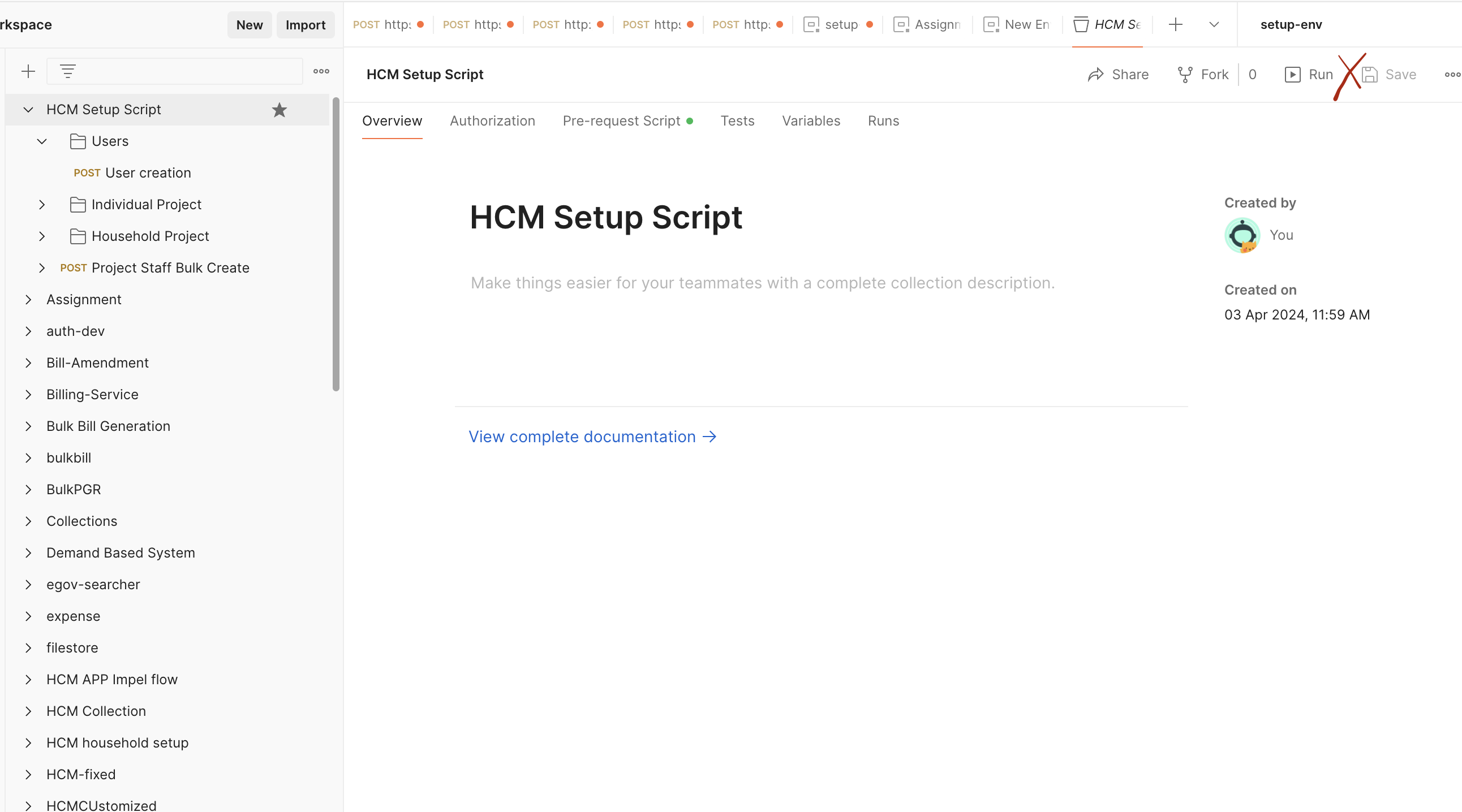
* Import the HCM setup script in Postman - [import guide](https://learning.postman.com/docs/getting-started/importing-and-exporting/importing-data/)
* Choose the new environment created in the environment tab.

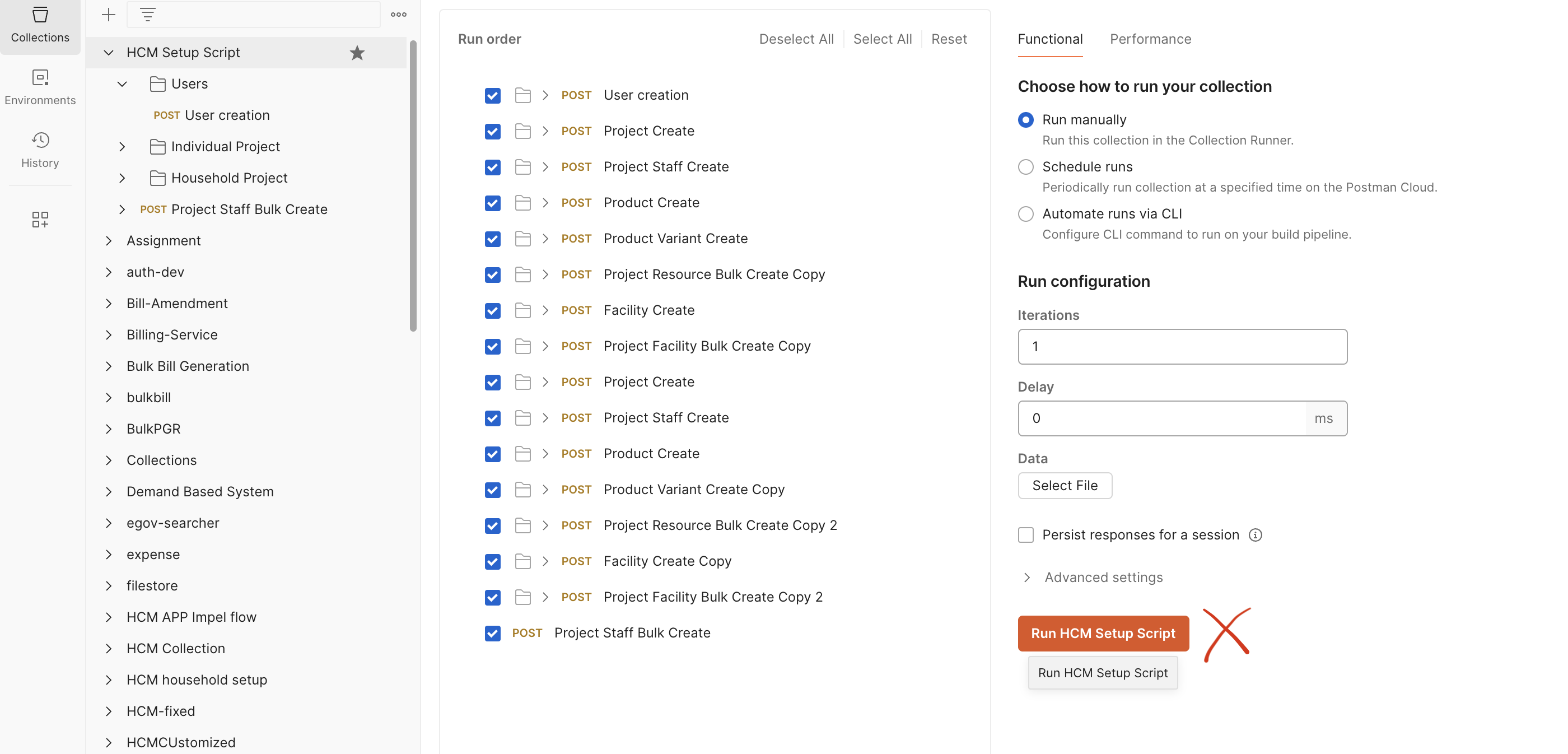
* Click on the imported HCM setup collection, and click run.
{% endstep %}
{% step %}
### Load localisation
{% hint style="info" %}
**Localisation is required to load and show data in different available languages. You can add localisation for English, French, and Portuguese languages by following the instructions given below. If only one specific language is required, download that language-specific collection and run it.**
{% endhint %}
* Prepare to set up
* Create a port forward to the localisation pod by executing the following command:
```shell
kubectl port-forward svc/egov-localization -n egov 8080:8080
```
* Replace the **URL** variable in the Postman Environment with
#### **All Languages (English, French, Portuguese)**
* Define locale code for localeEnglish, localeFrench, and localePortuguese in the environment file.
* localeEnglish - en\_MZ
* localeFrench - fr\_MZ
* localePortuguese - pt\_MZ
* Download the file below for all localisations - English, French, and Portuguese. Data has to be loaded at once:
{% file src="/files/sS2btNiUXKIcp7phgjjU" %}
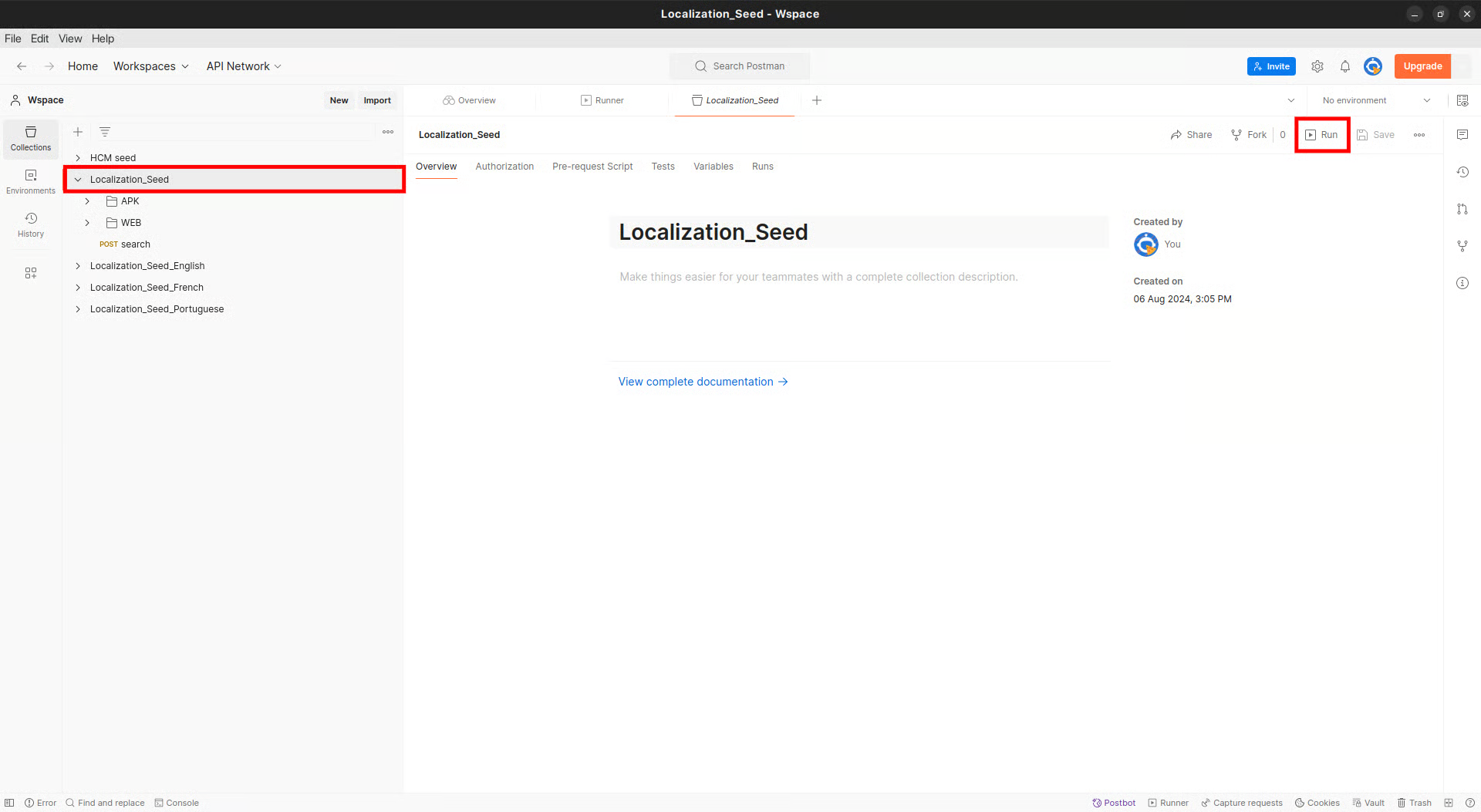
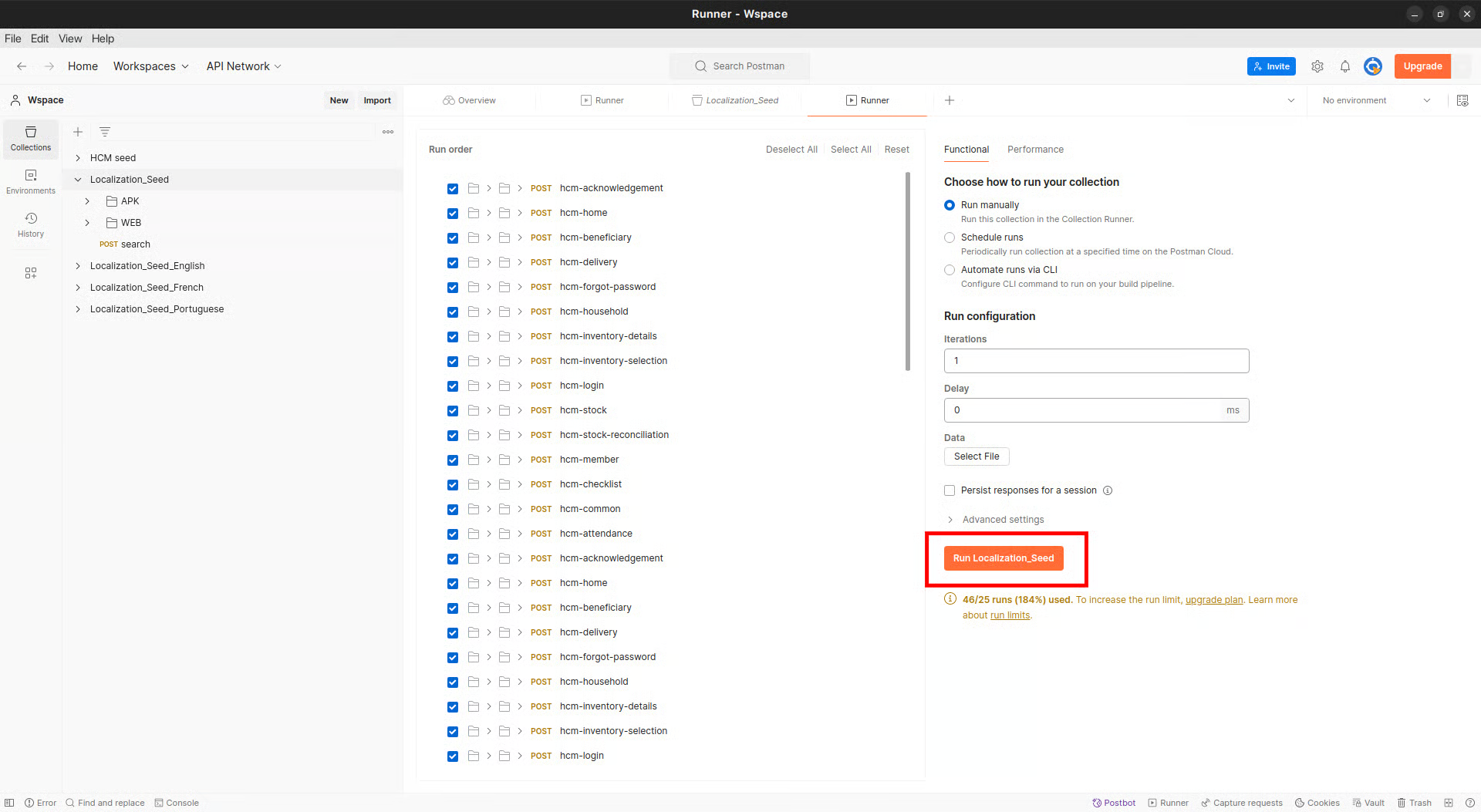
* Import the downloaded file into Postman, select all language localisation collections, and click on run. See the screenshot below for reference:
{% tabs %}
{% tab title="Localisation - English" %}
Instructions for the installation of HCM in English
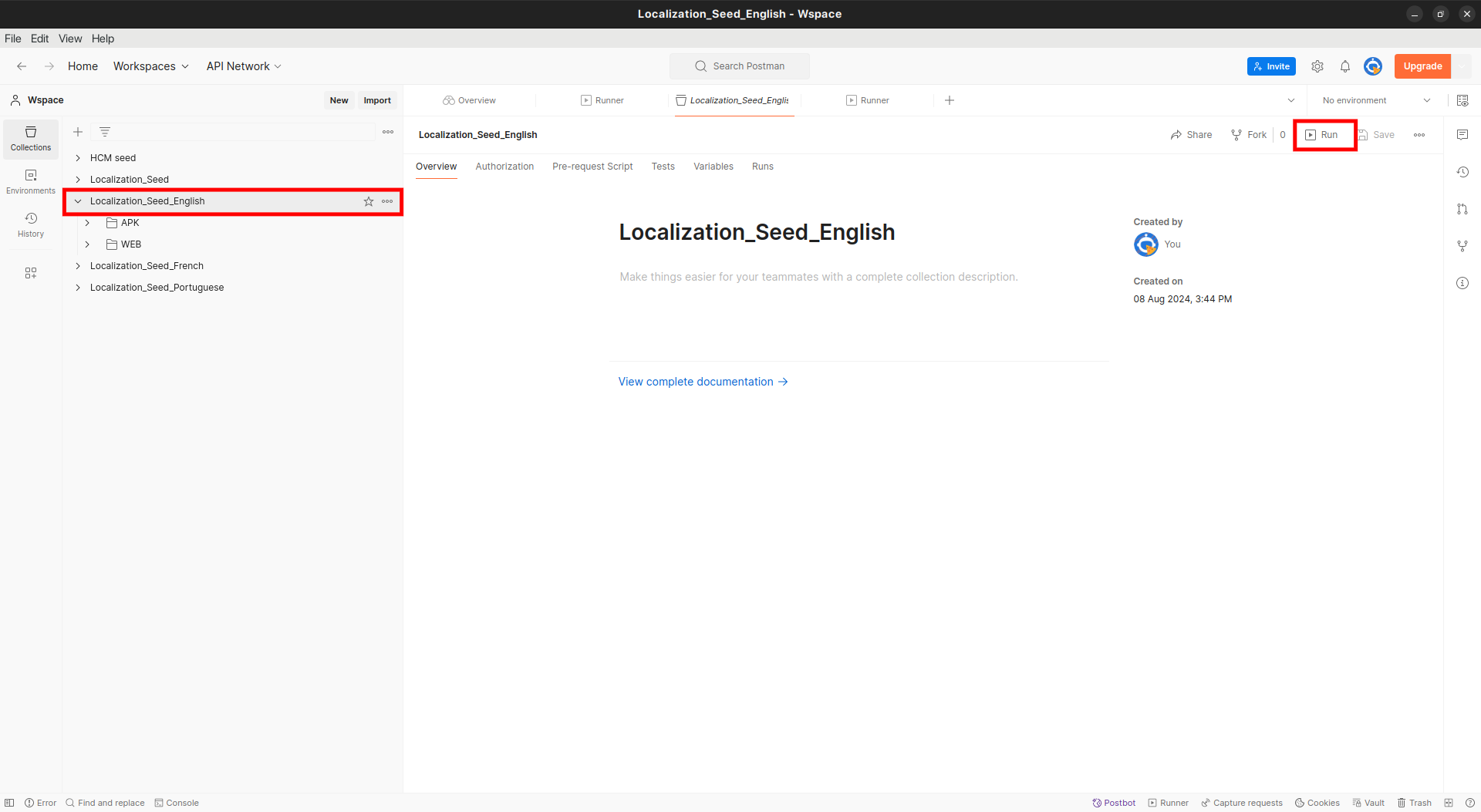
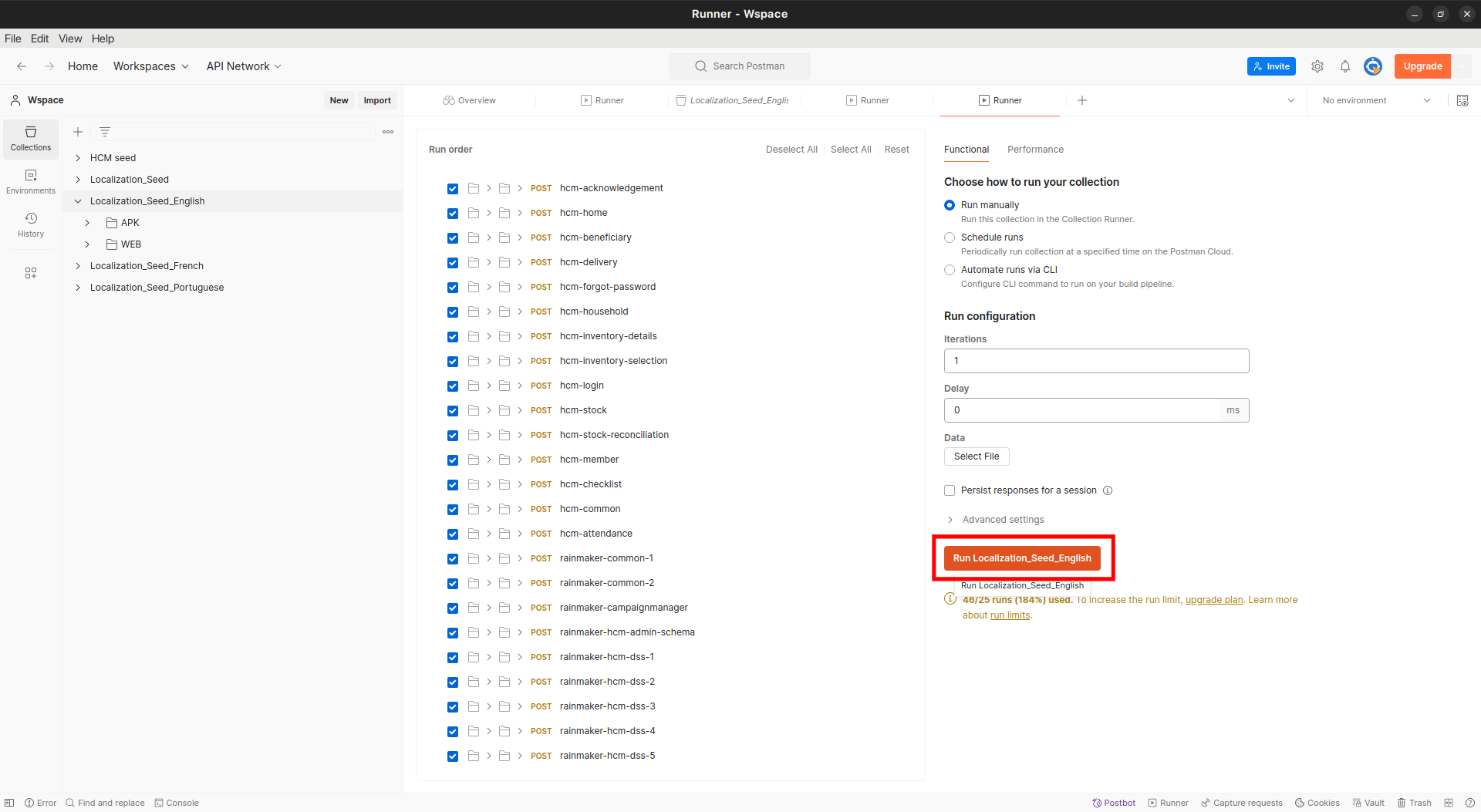
* **To add localisations specific to the English language only, download the file given below:**
Import the downloaded file into Postman, select the English collection, and click on run. See the screenshot below for reference:
{% endtab %}
{% tab title="Localisation - French" %}
Instructions for the installation of HCM in French
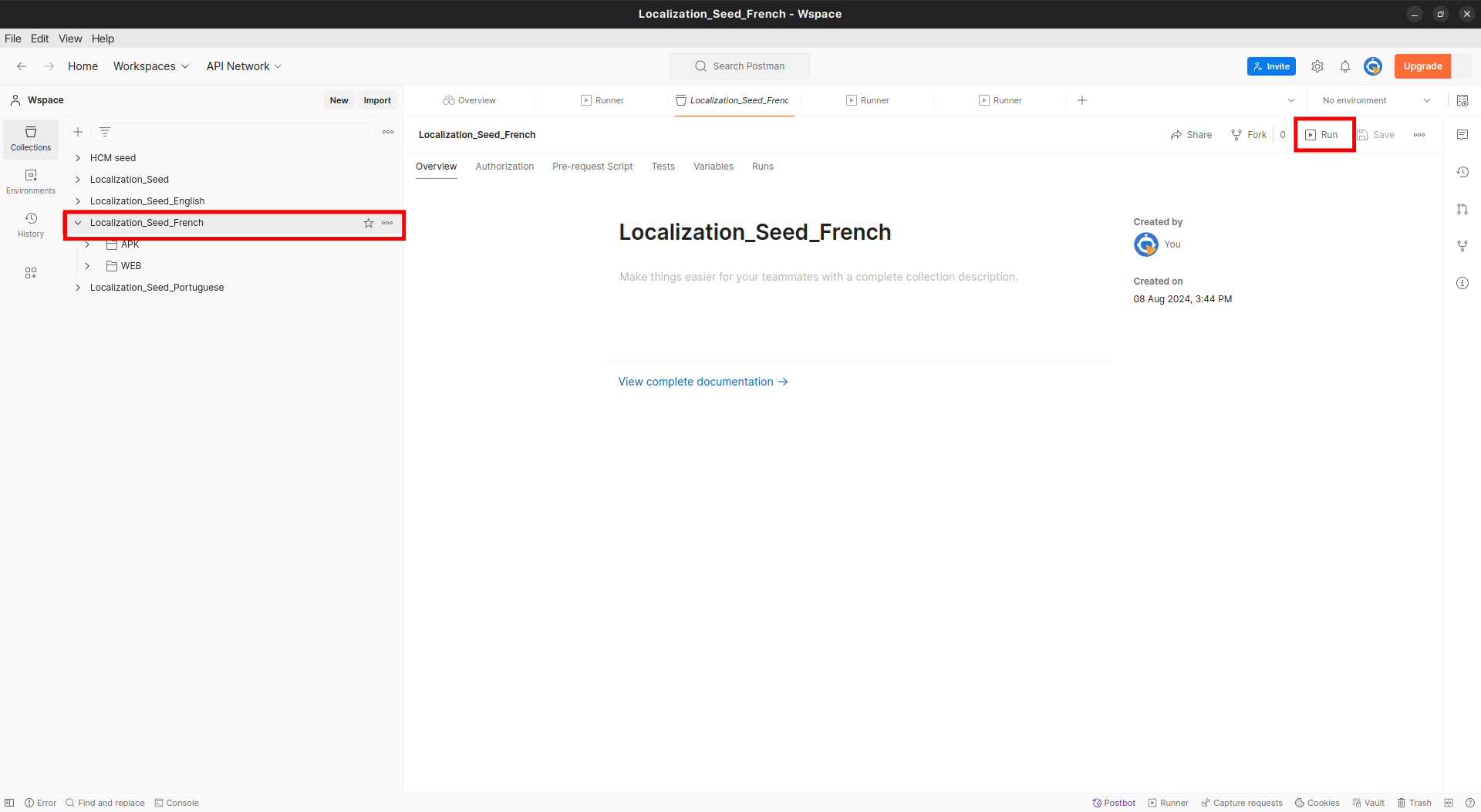
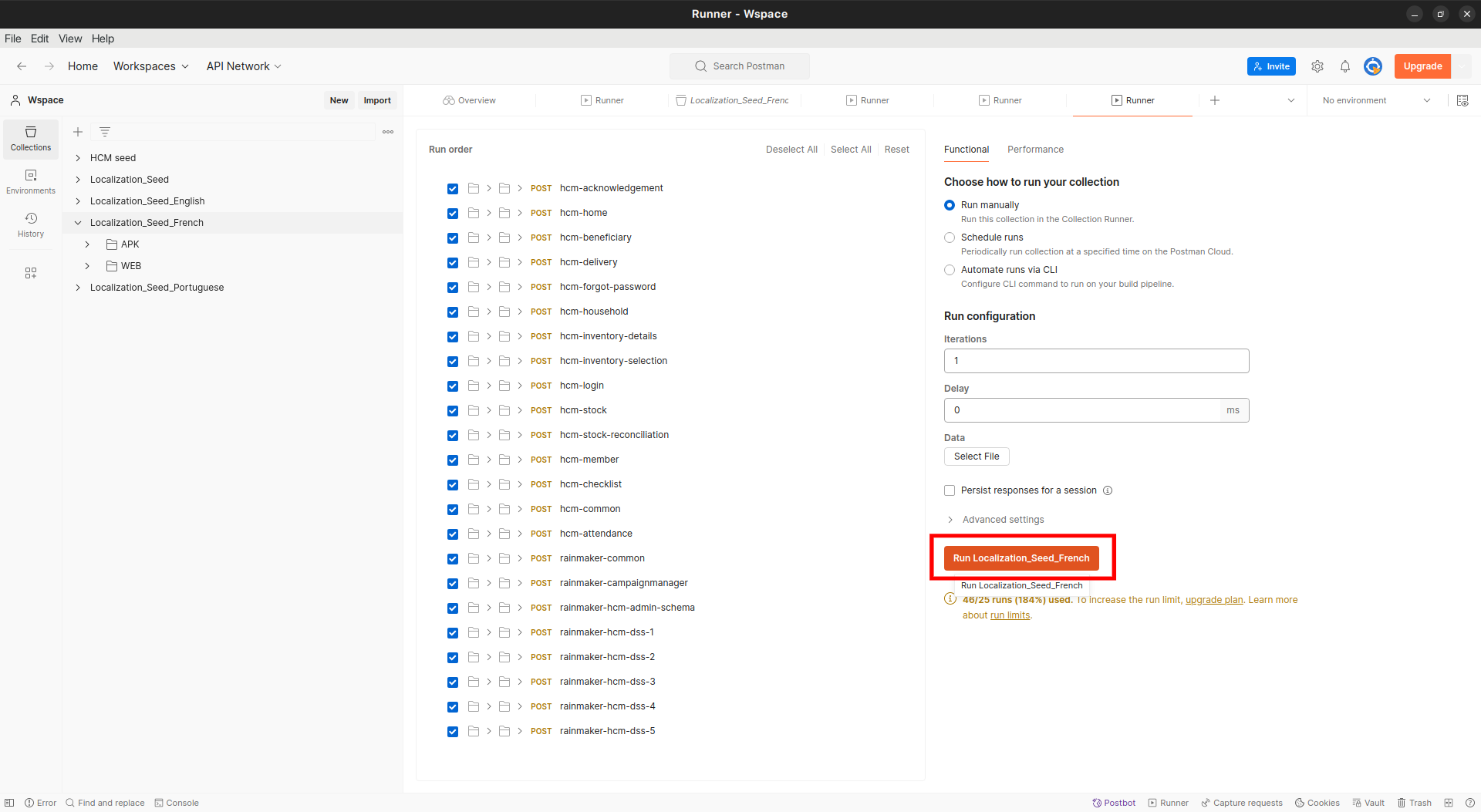
* **To add localisations specific to the French language only, download the file given below:**
Import the downloaded file into Postman, select the French collection, and click on run. See the screenshot below for reference:
{% endtab %}
{% tab title="Localisation - Portugese" %}
Instructions for the installation of HCM in Portuguese:
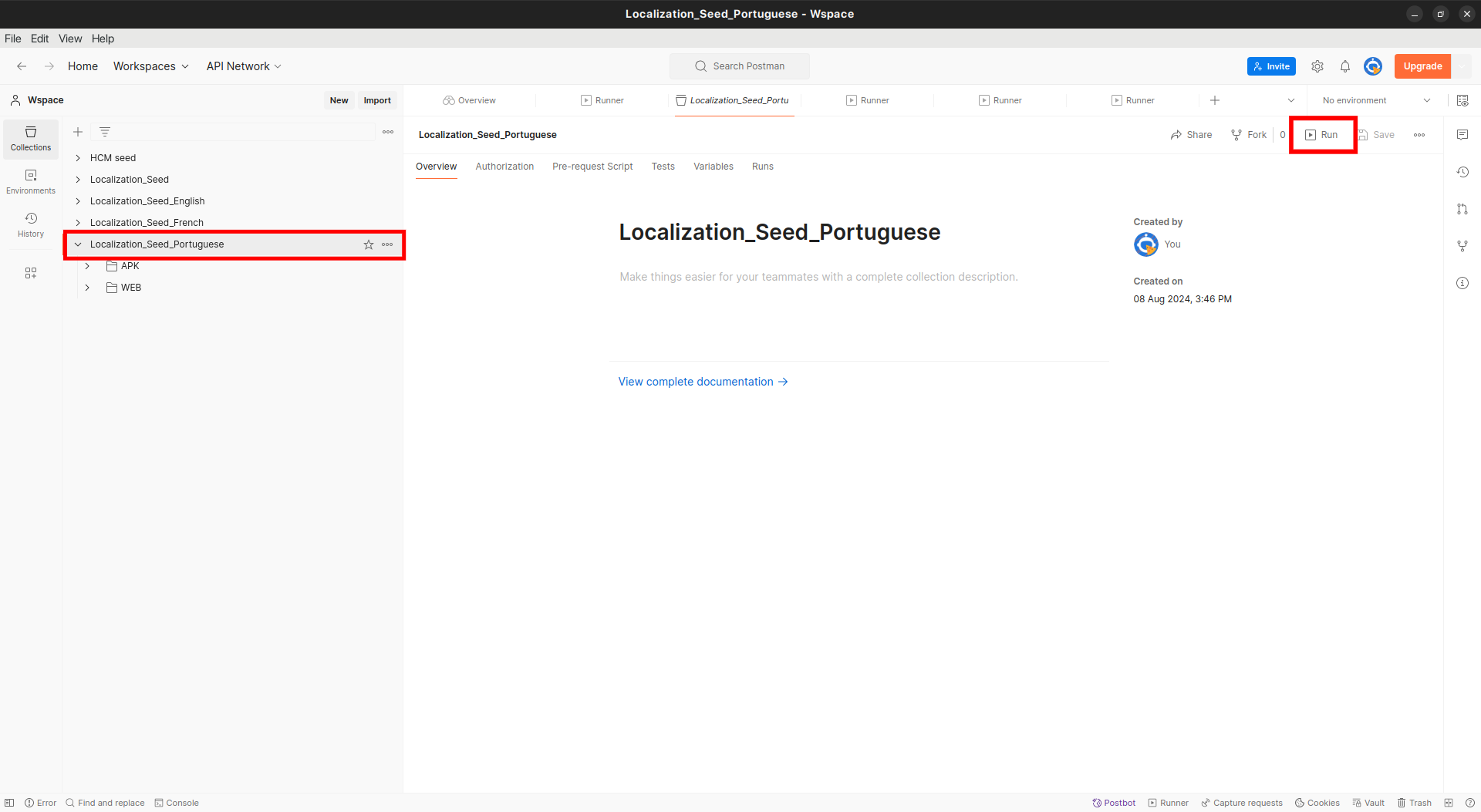
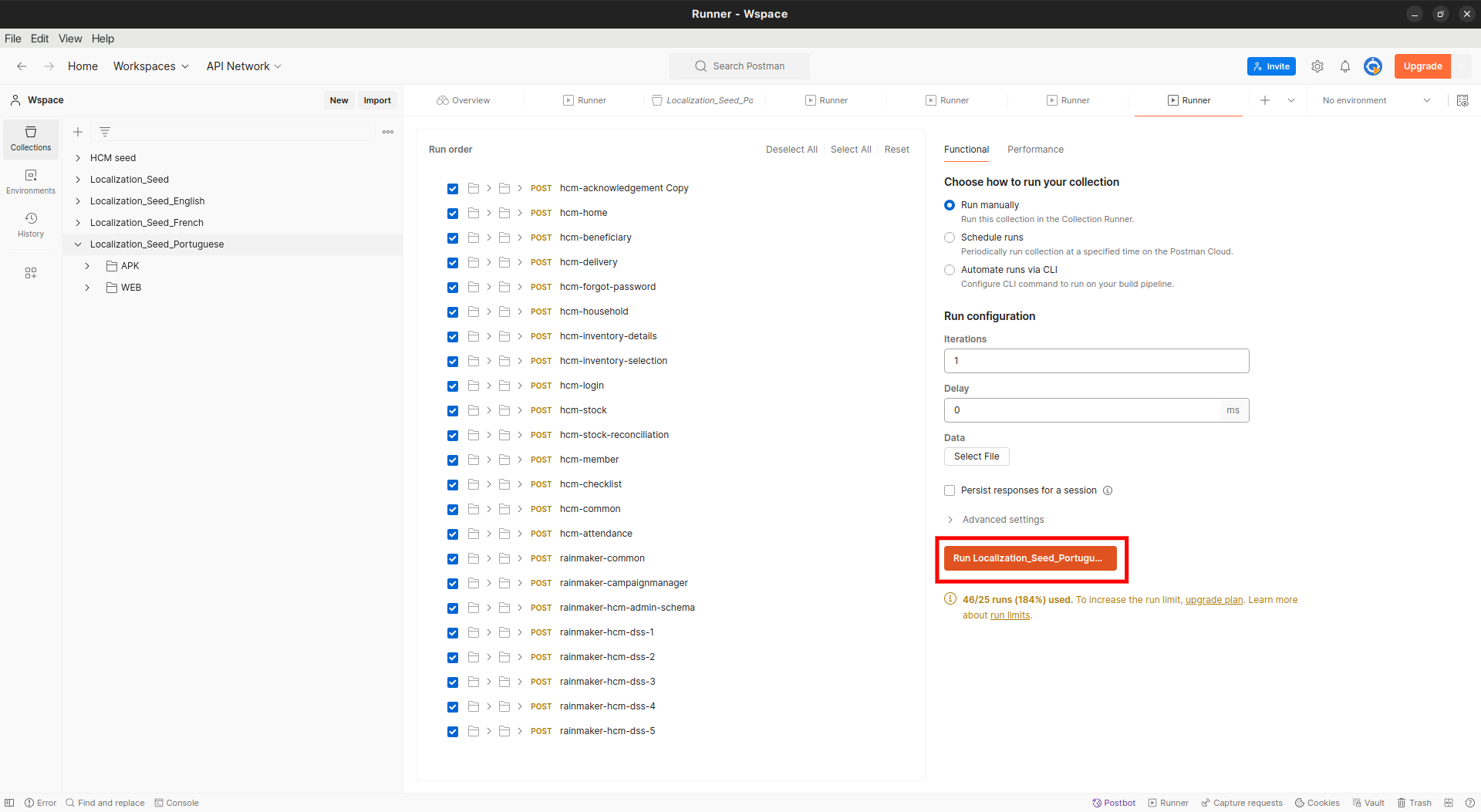
* **To add localisations specific to the Portuguese language only, download the file given below:**
Import the downloaded file into Postman, select the Portuguese collection, and click on run. See the screenshot below for reference:
{% endtab %}
{% endtabs %}
{% endstep %}
{% endstepper %}
---
# Agent Instructions
This documentation is published with GitBook. GitBook is the documentation platform designed so that both humans and AI agents can read, navigate, and reason over technical content effectively. Learn more at gitbook.com.
## Querying This Documentation
If you need additional information that is not directly available in this page, you can query the documentation by asking a question.
Perform an HTTP GET request on the following URL with the `ask` and `goal` query parameters:
```
GET https://docs.digit.org/health/deploy/installation/setup-project-data.md?ask=&goal=
```
`ask` is the immediate question: it should be specific, self-contained, and written in natural language.
`goal` is what the user is ultimately trying to achieve, the reason they need the answer. Sharing it helps GitBook give you a better, more relevant answer. A goal is most helpful when it describes the outcome the user wants rather than restating the question. For example, with `ask=how do I create an API token`, a goal like `automate deployments from our CI pipeline` lets GitBook tailor the answer to that use case.
The response will contain a direct answer to the question and relevant excerpts and sources from the documentation.
Use this mechanism when the answer is not explicitly present in the current page, you need clarification or additional context, or you want to retrieve related documentation sections.