> For the complete documentation index, see [llms.txt](https://docs.digit.org/llms.txt). Markdown versions of documentation pages are available by appending `.md` to page URLs; this page is available as [Markdown](https://docs.digit.org/health/ph-v1.7/access/public-health-product-suite/health-campaign-management-hcm/user-manual/common-functions/track-beneficiary-referrals.md).
# Track Beneficiary Referrals
An illustrative guide to using the Beneficiary Referral feature
## Overview
This feature allows a distributor to refer a beneficiary to a health worker. The referral can happen before or after the drug administration by the distributor.
## Key Features
* Allow a distributor to refer a beneficiary to the correct health facility and mark the correct health facility for the referral.
* Referrals can be done both before and after drug administration.
## User Roles
User Role
Scope of Action
Role Description
Distributor
Refer beneficiaries to the health facilities
The user goes from house-to-house for drug administration and refers beneficiaries, who require treatment, to the health facilities.
## Steps
* On the **Household Details** screen, you can see the list of beneficiaries who are supposed to receive the drug in that cycle. If the beneficiary is experiencing significant discomfort/sickness, due to which you could not administer the drug.
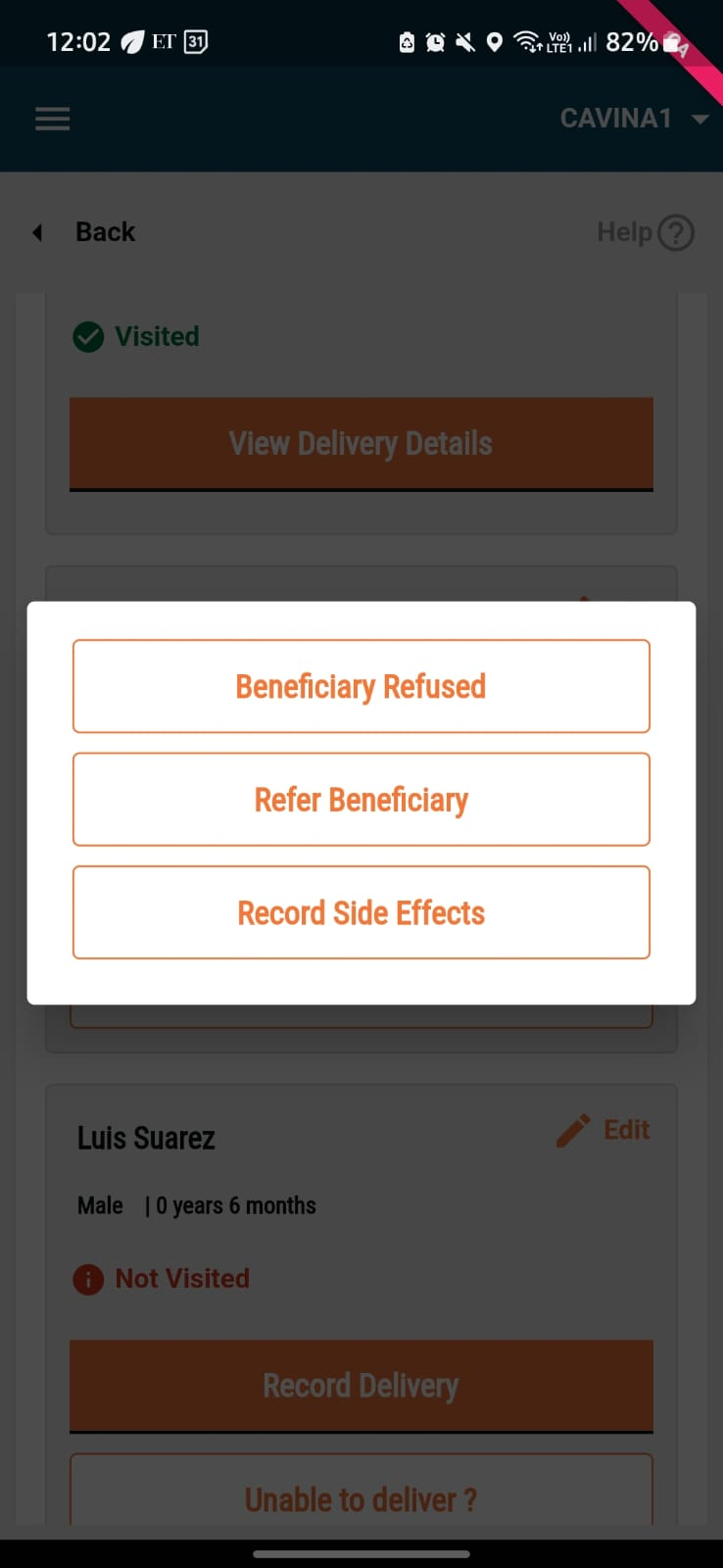
* Click on the **Unable To Deliver?** button for that specific beneficiary.
* Click on **Refer Beneficiary**.
{% columns %}
{% column %}
{% endcolumn %}
{% column %}
{% endcolumn %}
{% endcolumns %}
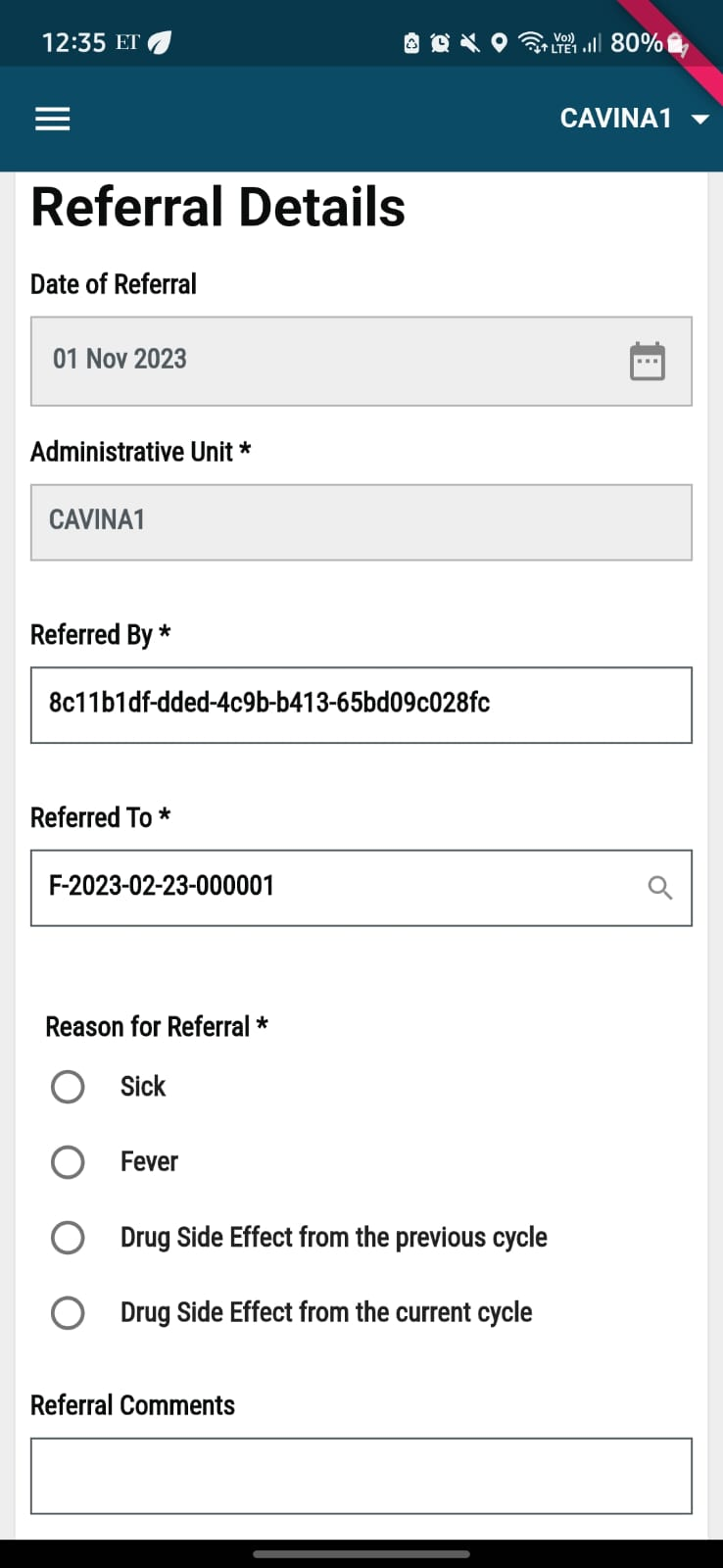
Input the following details:
* **Date For Referral:** This will be a non-editable field and will capture the date of referral, which is picked directly from the system.
* **Administrative Unit:** This will be a non-editable field and will be captured based on your user login, which will define the "Administrative Unit".
* **Referred By:** This field will contain the unique ID for the distributor who has referred the beneficiary and is an editable field.
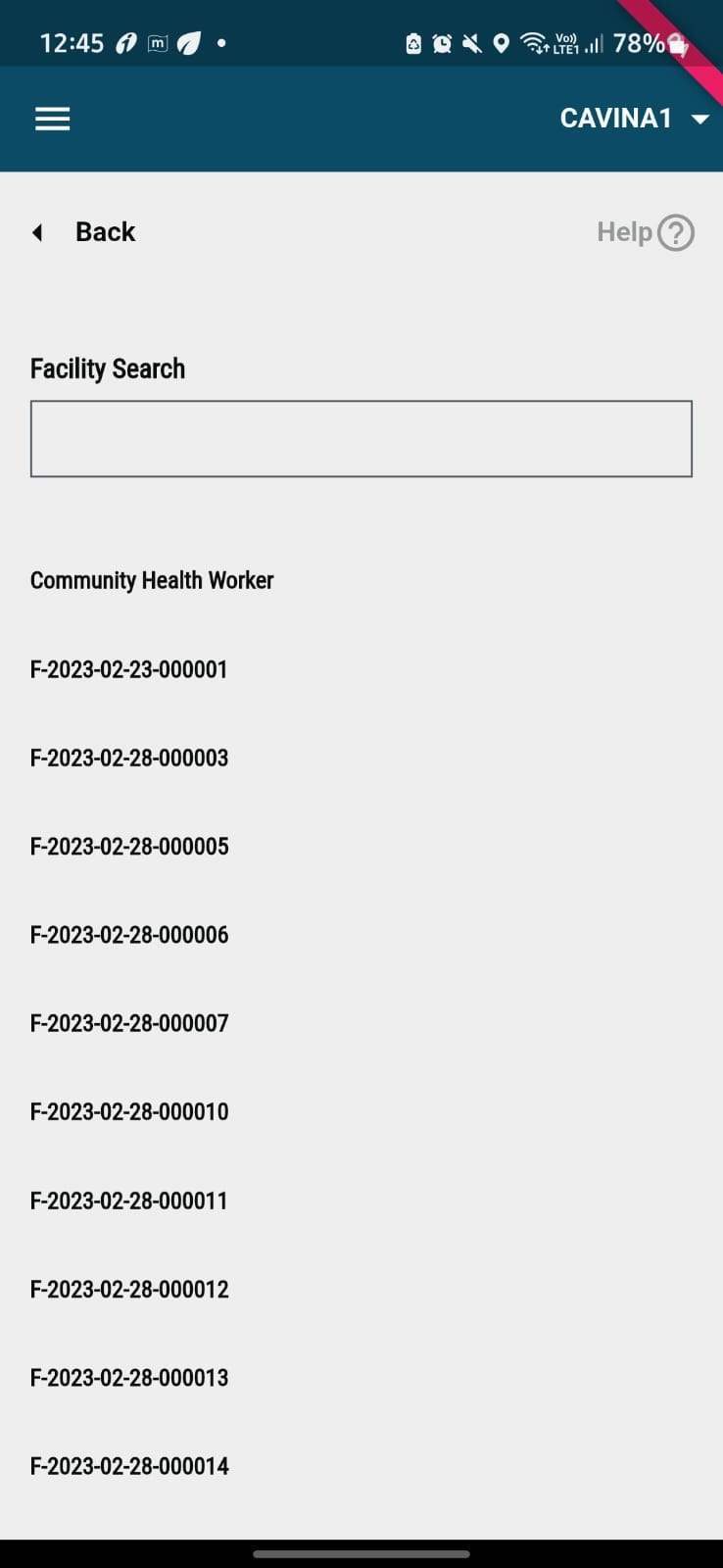
* **Referred To:** This field will have a search ability, which can be used by clicking on the search lens icon on the field. The following screen will load, where you can search for the ID of the facility where the beneficiary is being referred to.
* **Reason for Referral:** This is a mandatory field which will have all the reasons for referral based on the configuration set for the specific household.
* **Referral Comment:** This is a non-mandatory field that allows you some custom comments regarding the referral being made for the beneficiary.
* After you populate all the required fields, click on the **Submit** button. The system displays the **Data Successfully Recorded** screen.
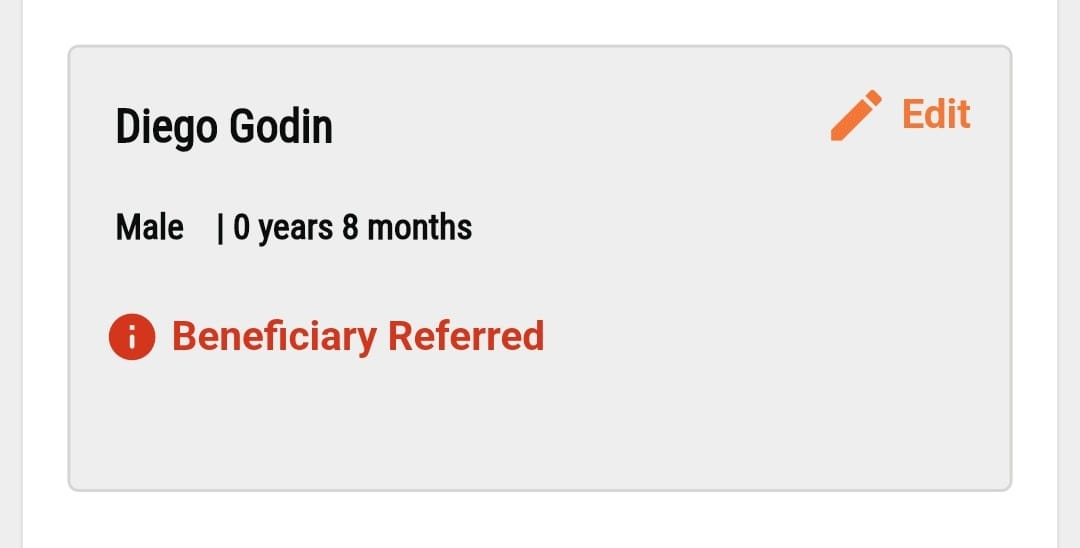
Once the beneficiary is referred successfully, they are marked as Beneficiary Referred in the household details screen.
---
# Agent Instructions
This documentation is published with GitBook. GitBook is the documentation platform designed so that both humans and AI agents can read, navigate, and reason over technical content effectively. Learn more at gitbook.com.
## Querying This Documentation
If you need additional information that is not directly available in this page, you can query the documentation dynamically by asking a question.
Perform an HTTP GET request on the current page URL with the `ask` query parameter, and the optional `goal` query parameter:
```
GET https://docs.digit.org/health/ph-v1.7/access/public-health-product-suite/health-campaign-management-hcm/user-manual/common-functions/track-beneficiary-referrals.md?ask=&goal=
```
`ask` is the immediate question: it should be specific, self-contained, and written in natural language.
`goal` is optional and describes the broader end goal you are ultimately trying to accomplish on behalf of the user. GitBook uses it to tailor the answer towards what is most useful for that goal.
The response will contain a direct answer to the question and relevant excerpts and sources from the documentation.
Use this mechanism when the answer is not explicitly present in the current page, you need clarification or additional context, or you want to retrieve related documentation sections.