> For the complete documentation index, see [llms.txt](https://docs.digit.org/llms.txt). Markdown versions of documentation pages are available by appending `.md` to page URLs; this page is available as [Markdown](https://docs.digit.org/health/ph-v1.7/access/public-health-product-suite/health-campaign-management-hcm/user-manual/common-functions/track-side-effects.md).

# Track Side-Effects

Steps to track side effects for beneficiaries

## Overview

A distributor can record the side effects experienced by a beneficiary after consuming the drug. The list of side effects can be configured based on the specific campaign being conducted.

## Key Features

* Allows administrators to record side effects for drugs delivered to the beneficiaries after every dose consumed by the beneficiary.
* The distributor can record the side-effects for both direct delivery, where all the doses of the drug is administered directly to the beneficiary, as well as for indirect deliver,y where the beneficiary is provided with all the remaining doses by the distributor at the same time and is asked to administer the drug on their own.&#x20;

## User Roles

<table><thead><tr><th width="140">User Role</th><th width="229">Scope of Action</th><th>Role Description</th></tr></thead><tbody><tr><td>Distributor</td><td><ul><li>Administer drug to the beneficiaries and observe the effect of drug</li><li>Record side effects observed due to administration</li></ul></td><td>The user goes from house-to-house for drug administration and records any side-effects observed in the beneficiary for previous doses of drugs for indirect delivery as well as for current dose during direct delivery.</td></tr></tbody></table>

## **Steps**

**If you replied 'No' (Recording side-effects when the distributor does direct delivery for all rounds):**

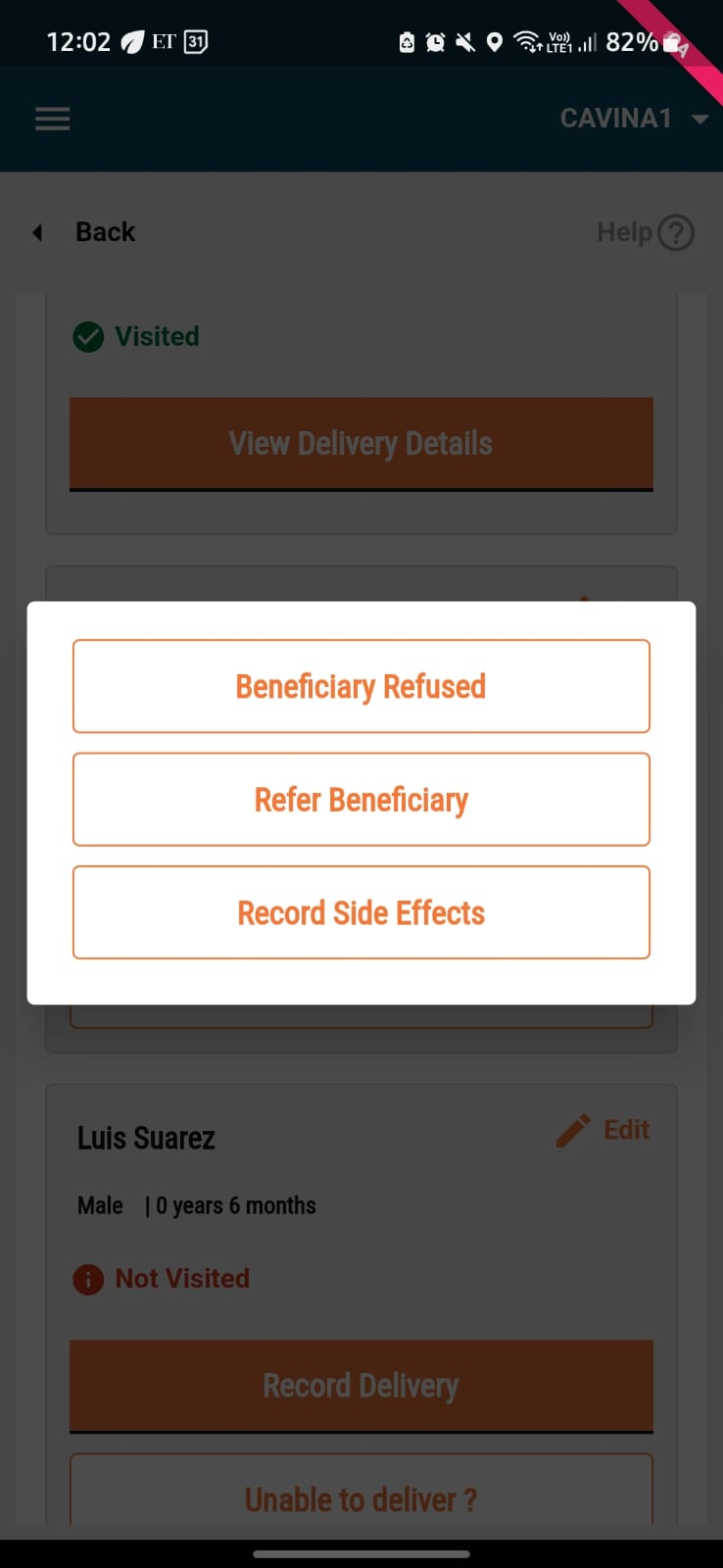
* After completing the delivery of the first dose, the list of beneficiaries who are eligible for the next round of drug delivery is displayed. If the beneficiary experienced any side effects, click on the **Unable to Deliver?** button. This displays 3 options. Click on **Record Side Effects**.

{% columns %}
{% column %}

<figure><img src="https://content.gitbook.com/content/ugLvZh3s3IGcc8JYqNN7/blobs/FZ1BjpjoroYbgRhPO4AI/image.png" alt="" width="185"><figcaption></figcaption></figure>
{% endcolumn %}

{% column %}

<figure><img src="https://content.gitbook.com/content/ugLvZh3s3IGcc8JYqNN7/blobs/NY9cQNj5iGWsfBOyZY4p/image.png" alt="" width="185"><figcaption></figcaption></figure>
{% endcolumn %}
{% endcolumns %}

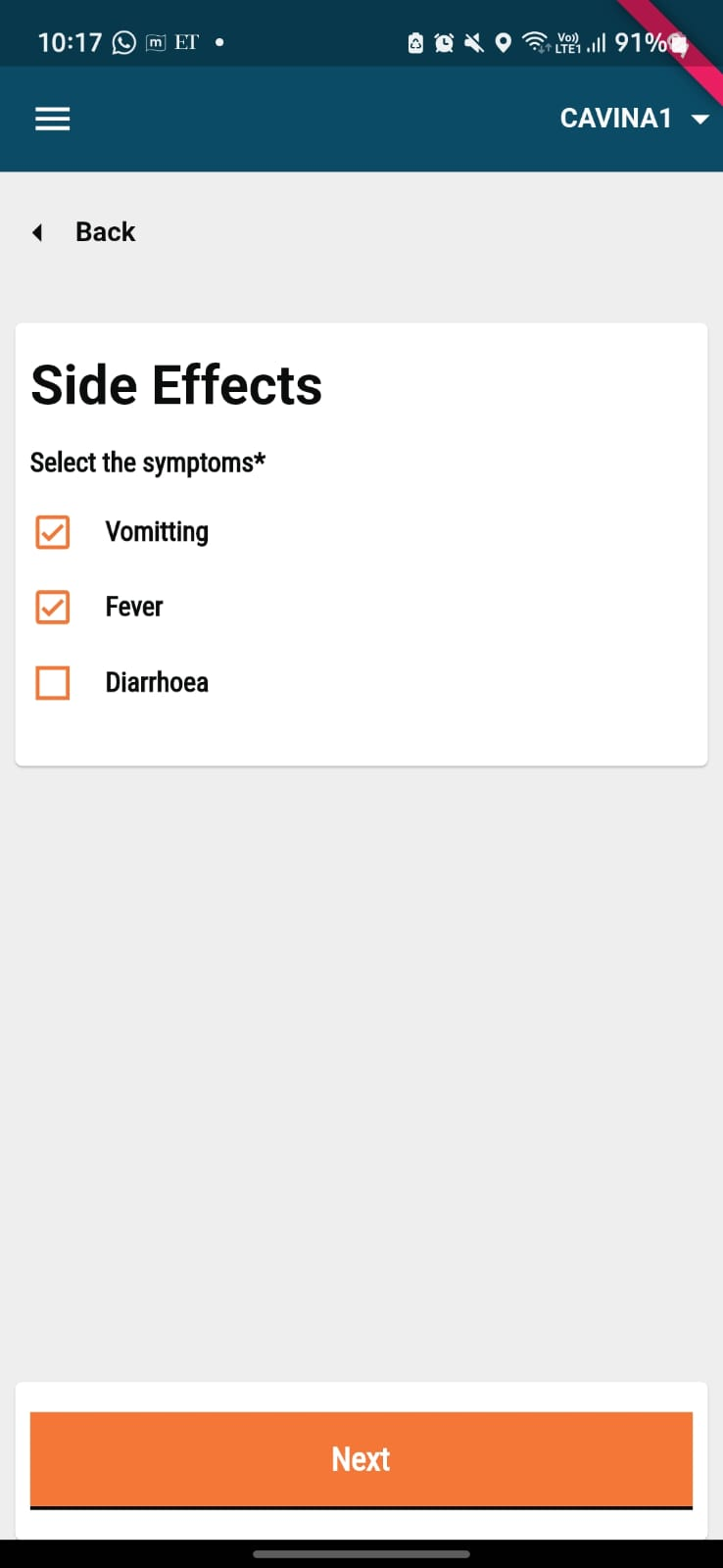
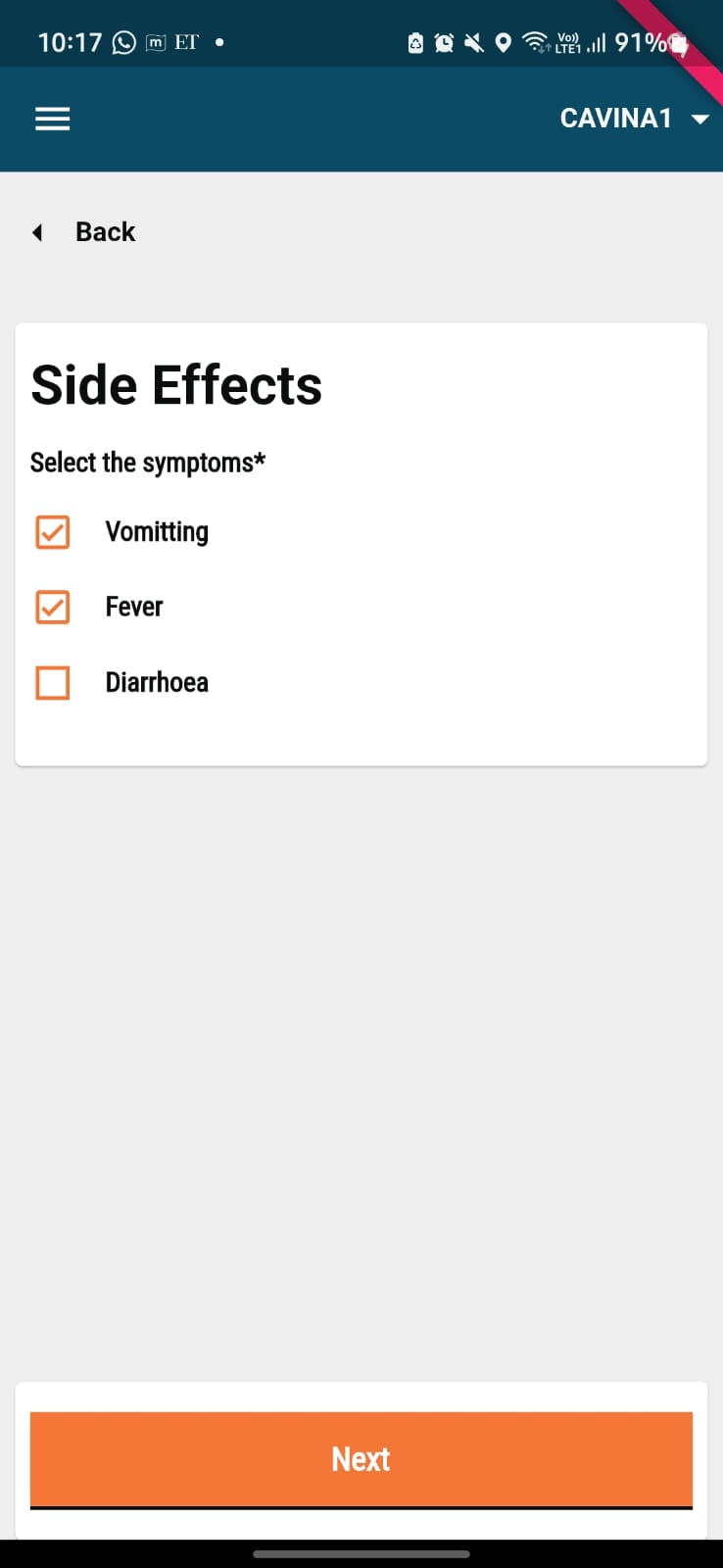
* Record the side effects experienced by the beneficiary. Once you have selected the relevant side effects, click on **Next.**

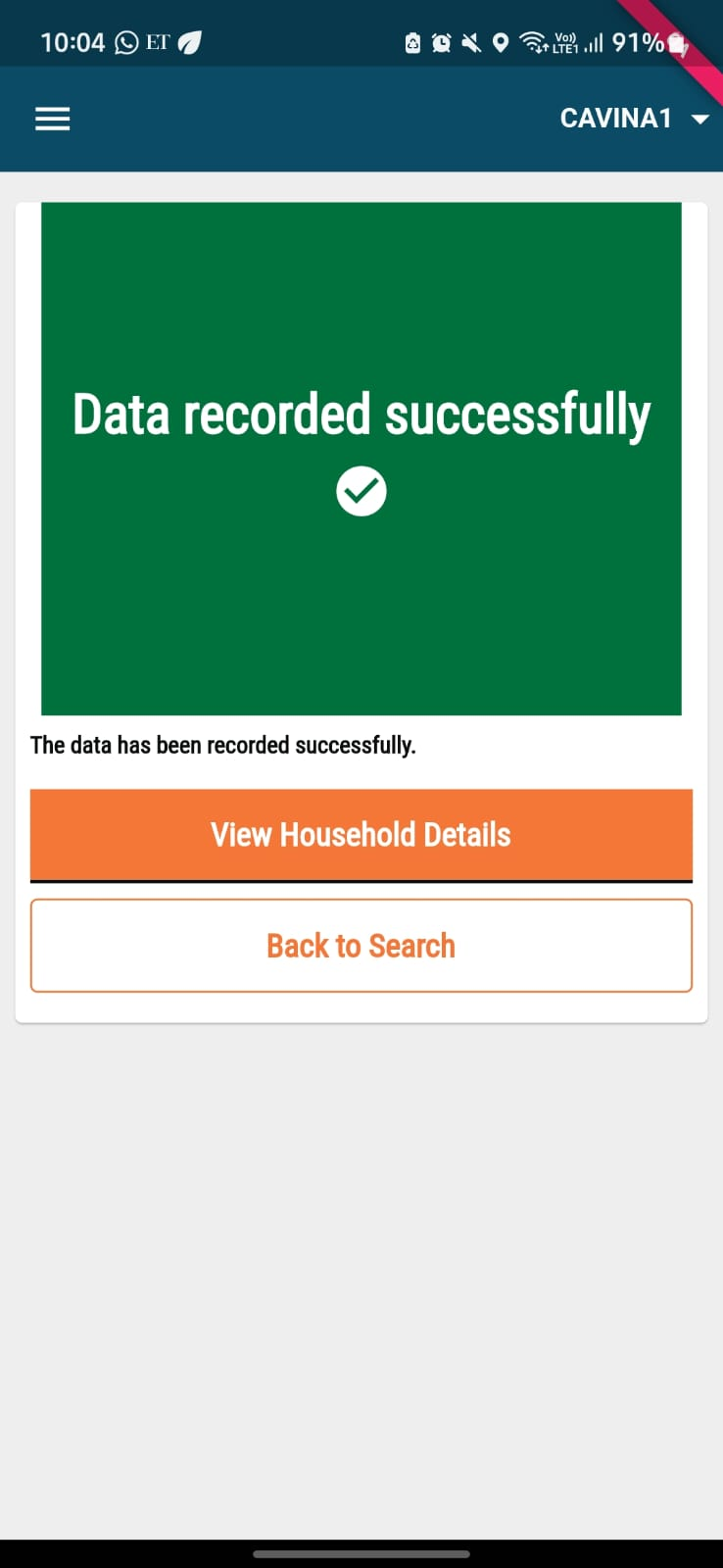
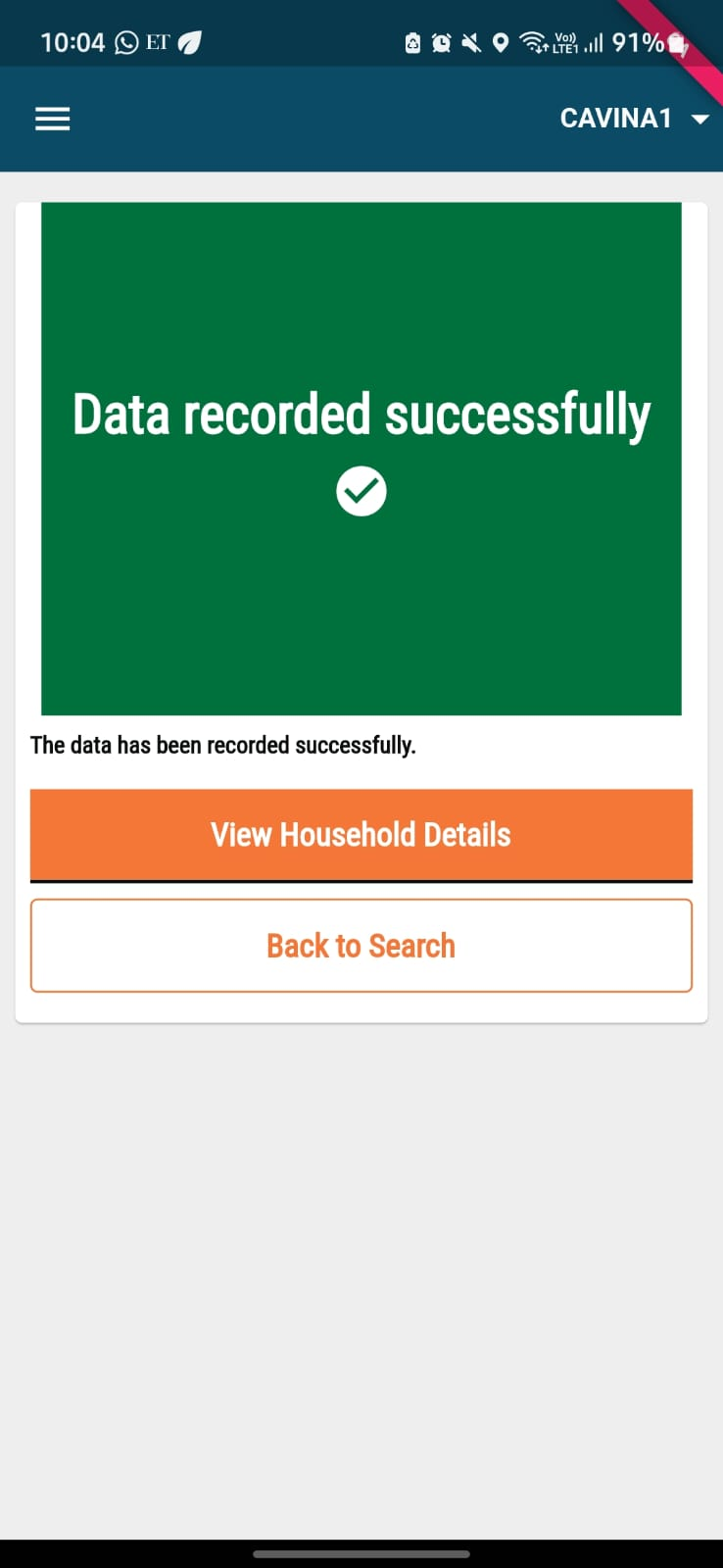
The data is recorded successfully. &#x20;

{% columns %}
{% column %}

<figure><img src="https://content.gitbook.com/content/ugLvZh3s3IGcc8JYqNN7/blobs/NY9cQNj5iGWsfBOyZY4p/image.png" alt="" width="185"><figcaption></figcaption></figure>
{% endcolumn %}

{% column %}

<figure><img src="https://content.gitbook.com/content/ugLvZh3s3IGcc8JYqNN7/blobs/wlTQtO4n0Xw66spSMNId/image.png" alt="" width="185"><figcaption></figcaption></figure>
{% endcolumn %}
{% endcolumns %}

**If you replied 'Yes' (Recording side-effects when the distributor does indirect delivery for subsequent deliveries):**

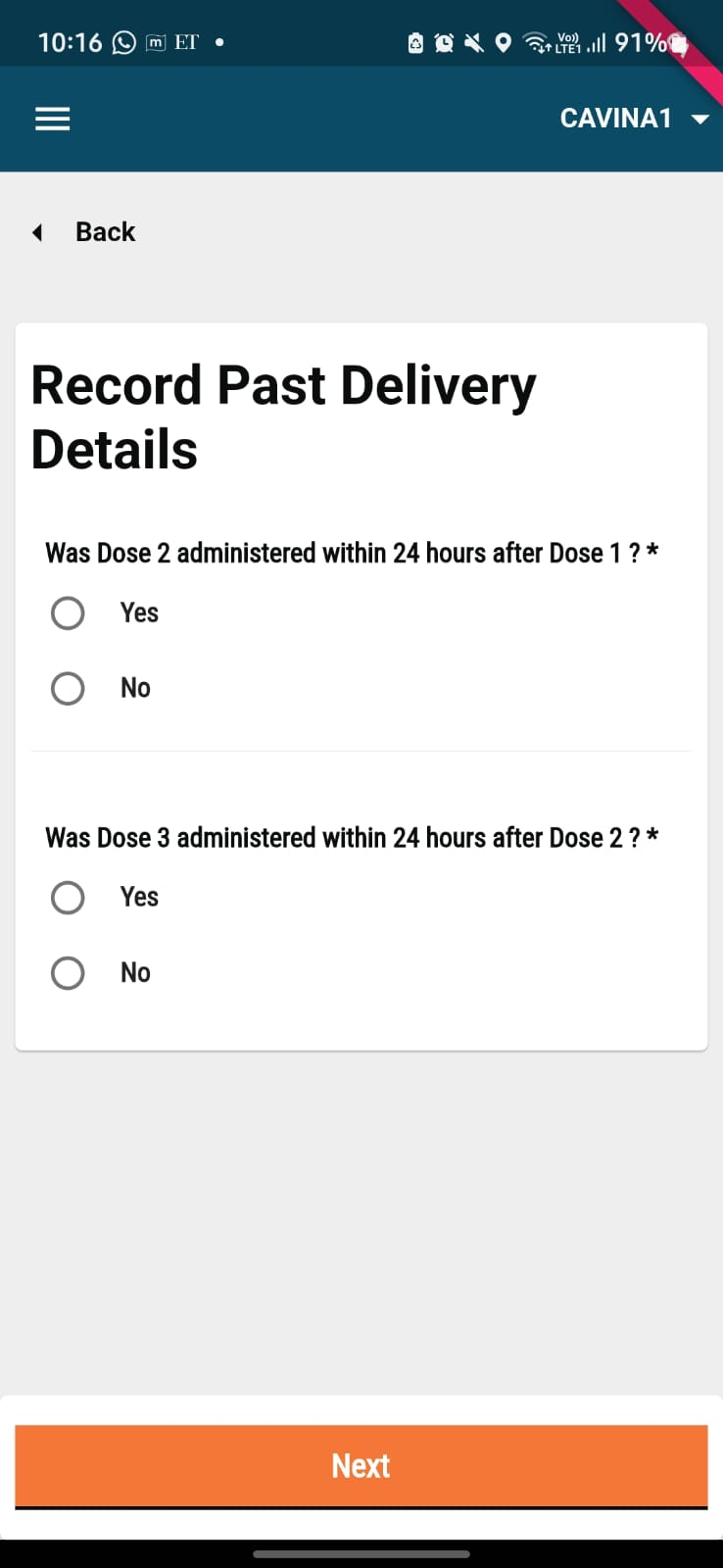
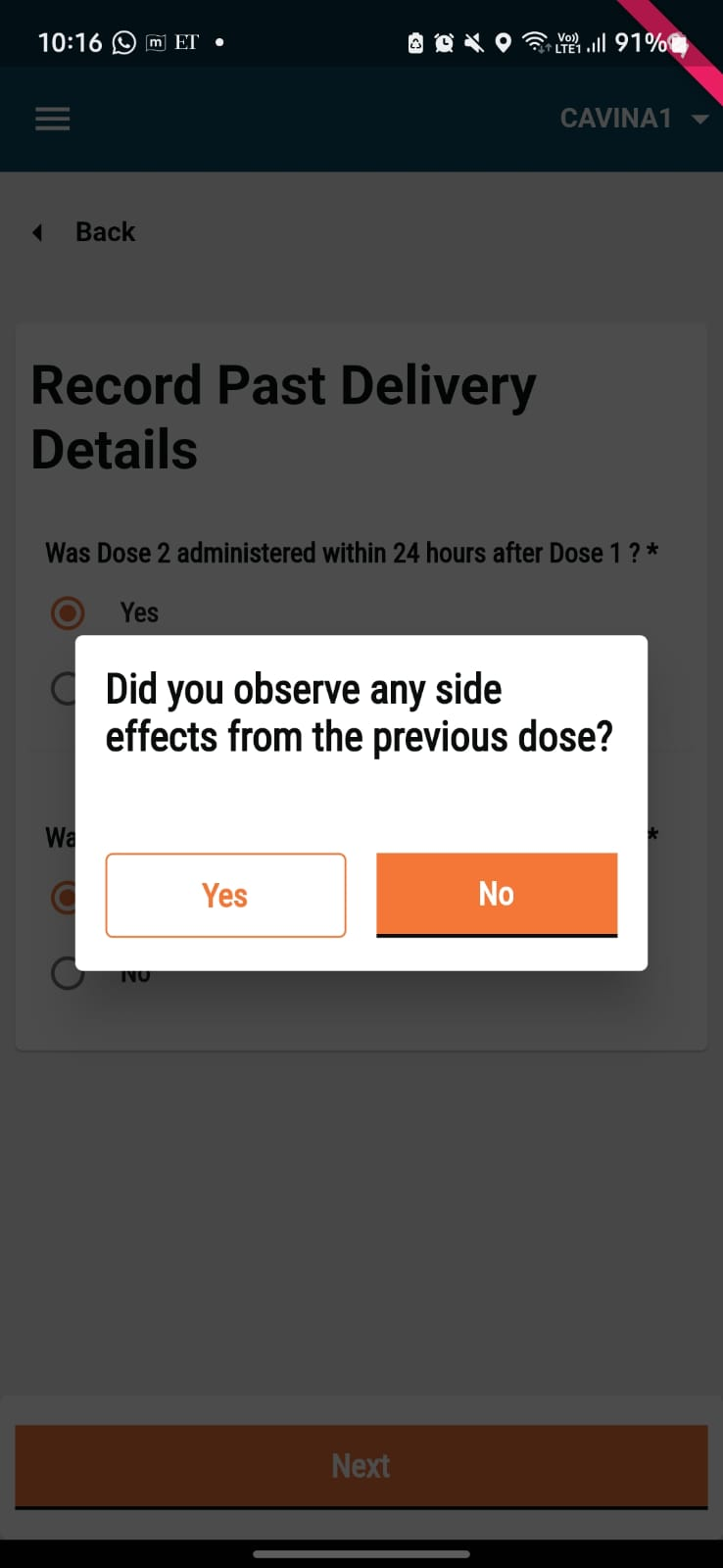
* If you replied Yes, the next time you visit the beneficiary and click on **Record Delivery** against that beneficiary in the household details page.

{% columns %}
{% column %}

<figure><img src="https://content.gitbook.com/content/ugLvZh3s3IGcc8JYqNN7/blobs/IRkKkTvxrUrEEUNMUX3o/image.png" alt="" width="185"><figcaption><p>These Questions are specific to our SMC Campaign in Mozambique and can be Customised based on the needs and processes set for a specific campaign.</p></figcaption></figure>
{% endcolumn %}

{% column %}

<figure><img src="https://content.gitbook.com/content/ugLvZh3s3IGcc8JYqNN7/blobs/fbb55ZEddvg1Xh2ZoIro/image.png" alt="" width="185"><figcaption></figcaption></figure>
{% endcolumn %}
{% endcolumns %}

* Once you submit the answers, you can record the side effects for the beneficiary. If no side effects were reported, select No to move on to the beneficiary details screen, and the delivery status for all cycles reflects as **Completed**.
* If you select Yes, record the side effect. Click on Next.&#x20;

{% columns %}
{% column %}

<figure><img src="https://content.gitbook.com/content/ugLvZh3s3IGcc8JYqNN7/blobs/pSg718dLHx61uqZLRC0x/image.png" alt="" width="185"><figcaption></figcaption></figure>
{% endcolumn %}

{% column %}

<figure><img src="https://content.gitbook.com/content/ugLvZh3s3IGcc8JYqNN7/blobs/B1oWcepz78izUjpFBFyX/image.png" alt="" width="185"><figcaption></figcaption></figure>
{% endcolumn %}
{% endcolumns %}

* In case of no observed side effects, the system displays the Data recorded successfully screen.&#x20;

{% hint style="info" %}
**Note:** If the Distributor answered 'No' on the "Record Past Delivery" page, the delivery status will be changed to 'Visited' on the household details page for that specific beneficiary.
{% endhint %}


---

# Agent Instructions
This documentation is published with GitBook. GitBook is the documentation platform designed so that both humans and AI agents can read, navigate, and reason over technical content effectively. Learn more at gitbook.com.

## Querying This Documentation
If you need additional information that is not directly available in this page, you can query the documentation dynamically by asking a question.

Perform an HTTP GET request on the current page URL with the `ask` query parameter, and the optional `goal` query parameter:

```
GET https://docs.digit.org/health/ph-v1.7/access/public-health-product-suite/health-campaign-management-hcm/user-manual/common-functions/track-side-effects.md?ask=<question>&goal=<endgoal>
```

`ask` is the immediate question: it should be specific, self-contained, and written in natural language.
`goal` is optional and describes the broader end goal you are ultimately trying to accomplish on behalf of the user. GitBook uses it to tailor the answer towards what is most useful for that goal.

The response will contain a direct answer to the question and relevant excerpts and sources from the documentation.

Use this mechanism when the answer is not explicitly present in the current page, you need clarification or additional context, or you want to retrieve related documentation sections.