> For the complete documentation index, see [llms.txt](https://docs.digit.org/llms.txt). Markdown versions of documentation pages are available by appending `.md` to page URLs; this page is available as [Markdown](https://docs.digit.org/health/v1.5/hcm-product-suite/health-products/digit-hcm-app/user-manual/multi-round-campaigns/download-beneficiary-data.md).

# Download Beneficiary Data

This feature allows the distributors to download all the boundary data along with data for beneficiaries which will be covered by the distributor on a given day of a campaign. For this process, the distributor must select all the levels of boundary data till the lowest level of boundary hierarchy so that he/she only need to download limited data at one go, which would aid for device memory and data bandwidth constraints.

## Key Features

* Distributor has to select the boundary hierarchy to the lowest level and then download the latest beneficiary data from the server to start their drug delivery.
* Once the data is found, the data can be downloaded and the distributor can choose to download data for other boundaries if they plan to use it.
* This feature can only be done in areas where a stable internet connection is available.

## User Roles

<table><thead><tr><th width="169">User Role</th><th width="166">Scope of Action</th><th>Role Description</th></tr></thead><tbody><tr><td>Distributor and Registrar</td><td><ul><li>Select the assigned boundary till the lowest level</li><li>Download the beneficiary data</li><li>Repeat the process to download for multiple boundaries</li></ul></td><td>The user downloads the village-level data from the server which can be used for both registration and drug delivery.</td></tr></tbody></table>

## Steps to Download Beneficiary Data for Longitudinal Tracking

**Step 1**

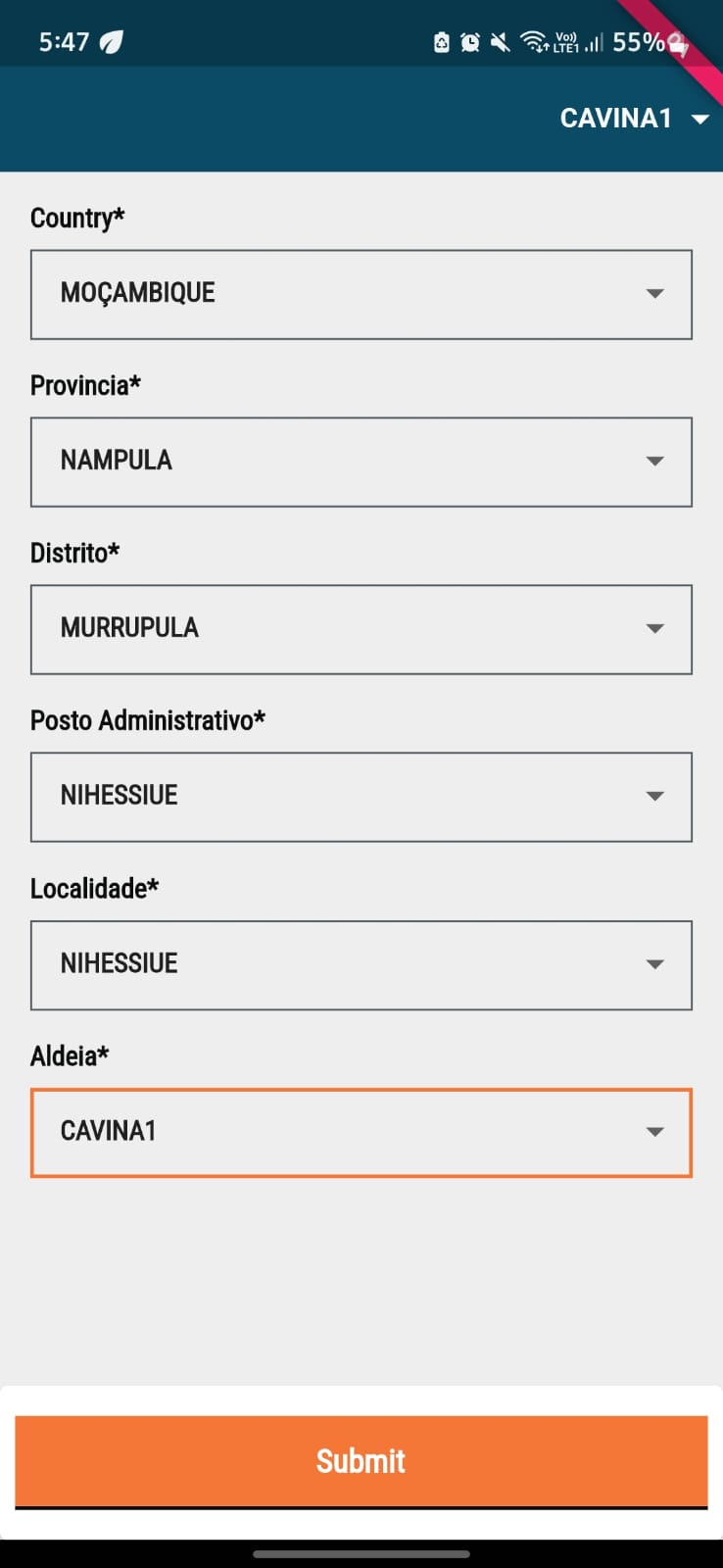
When you login to the app, you will arrive on the "Boundary Selection" screen once the micro-planning data is synced. You will have to select all hierarchies of boundary till the last level of boundary hierarchy before you can click on 'Submit' and download any data onto your devices.

<img src="https://content.gitbook.com/content/GYQEda2SOh4goA6Ee2d2/blobs/7WXayZWS1oKLIhIhTle6/image.png" alt="" data-size="original">

**Step 2**

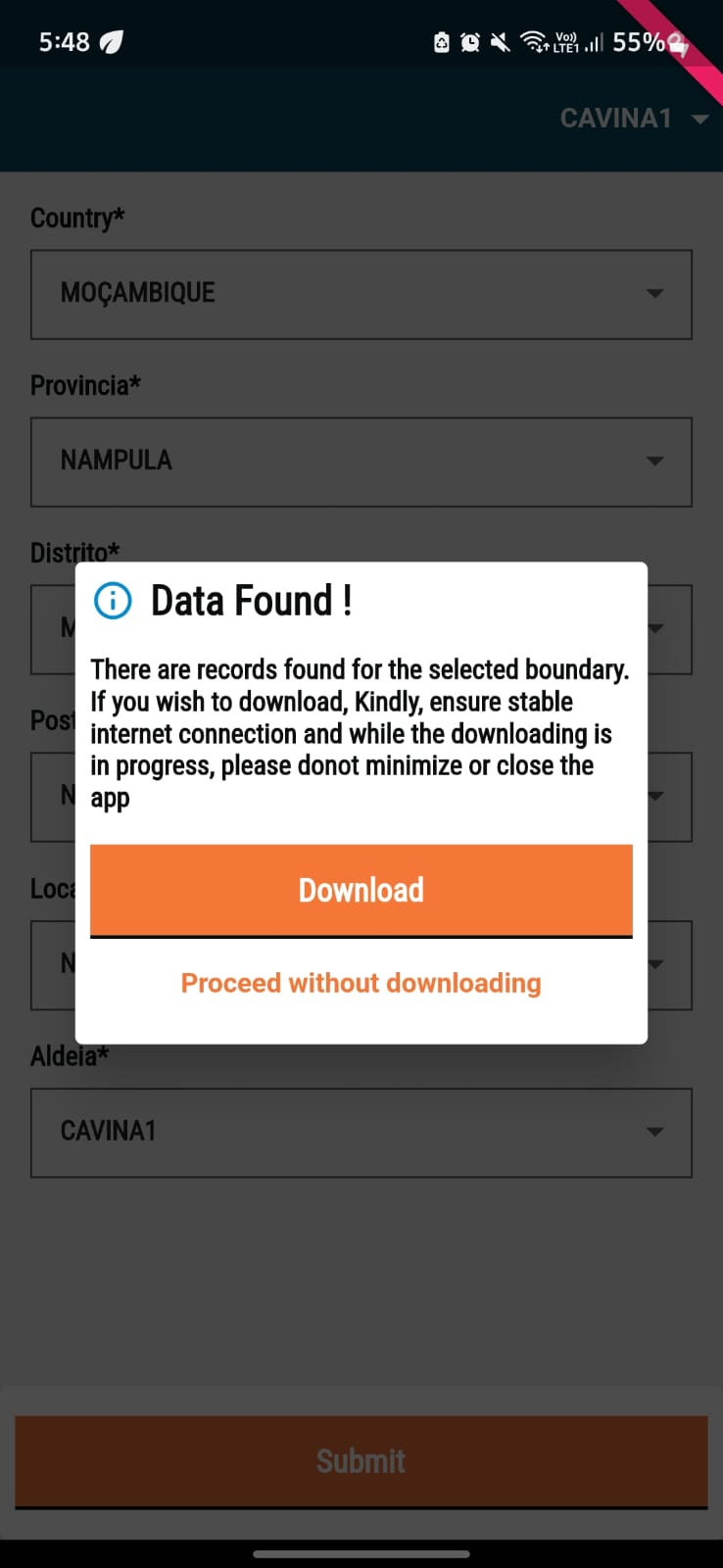
Once you click on 'Submit', the app checks with the server if the selected boundary has any new data associated with it which needs to be downloaded on to the device. If new data is found, the following screen will appear and you click the 'Download' button or click on "Proceed without downloading" the data.
<figure><img src="https://content.gitbook.com/content/GYQEda2SOh4goA6Ee2d2/blobs/E4b6iMRDTkUaD5VCkjDo/image.png" alt="" width="185"><figcaption></figcaption></figure>

**Step 3**

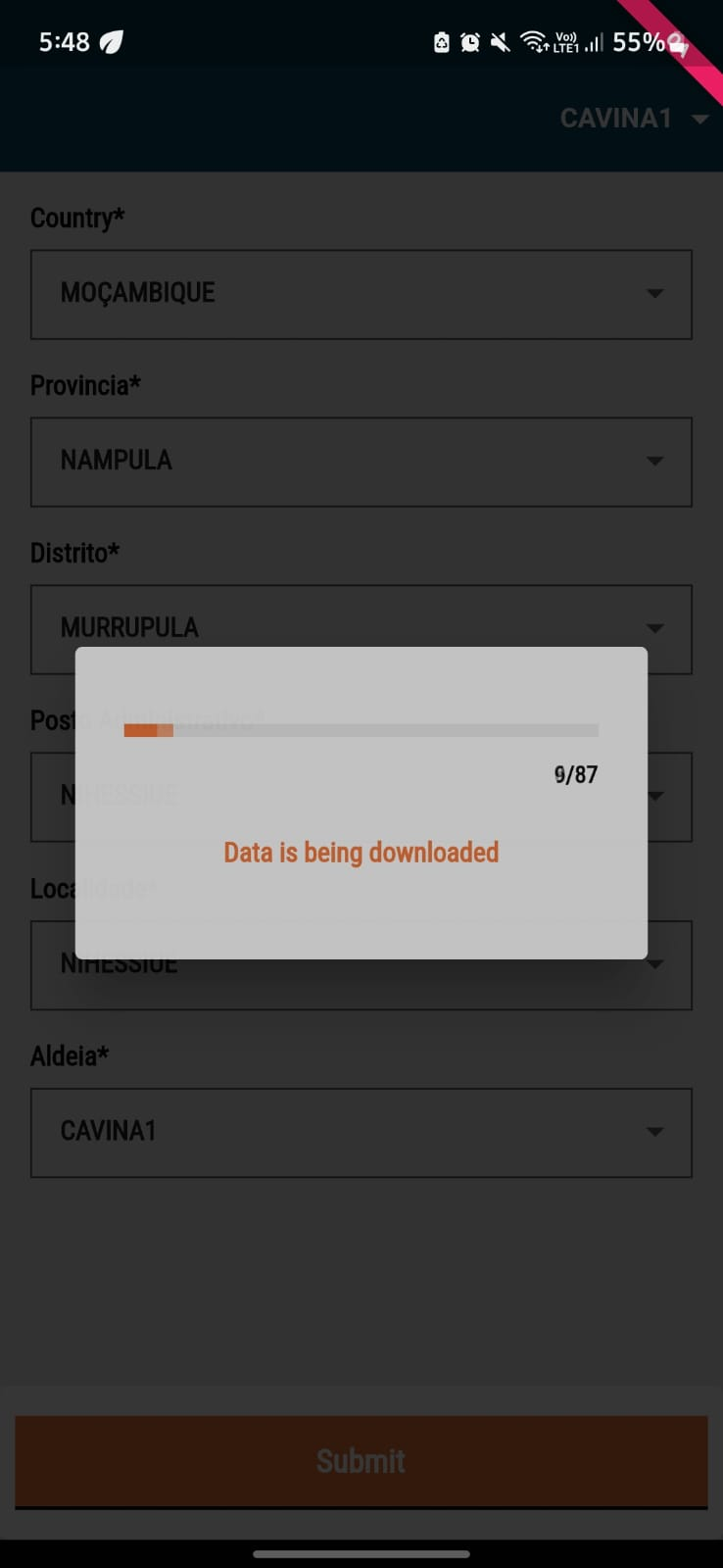
If you click on 'Download' the download will start if the internet is available on the device.&#x20;

<figure><img src="https://content.gitbook.com/content/GYQEda2SOh4goA6Ee2d2/blobs/NSAnbPU793GcjdHRWjlC/image.png" alt="" width="185"><figcaption></figcaption></figure>

**Step 4**

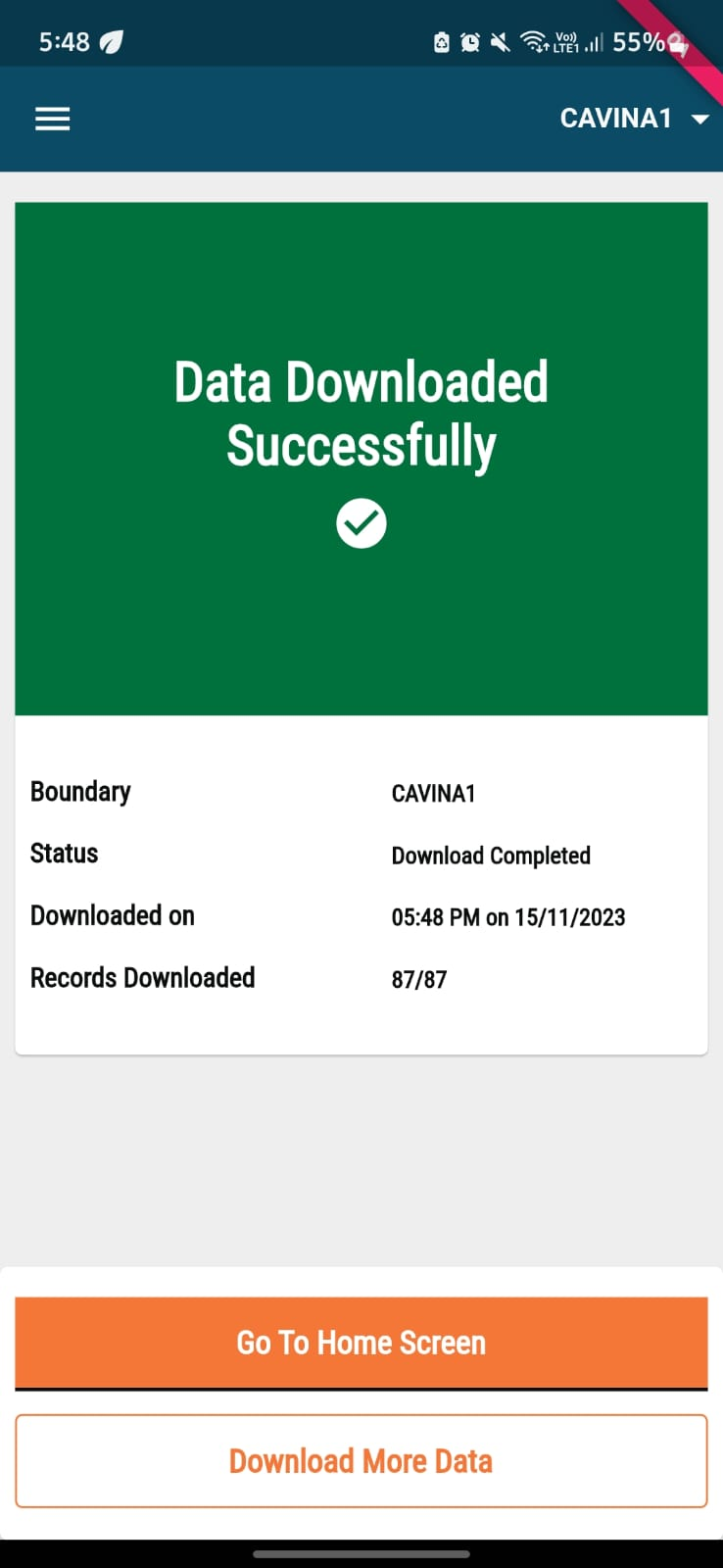
Once the download is completed, a success screen with two buttons will be shown. The "Go To Home Screen" button will take you to the app home screen and you can continue with the deliveries. If you click on the "Download More Data" button, you will be taken to the hierarchy selection screen (shown in Step 1) again.&#x20;

<figure><img src="https://content.gitbook.com/content/GYQEda2SOh4goA6Ee2d2/blobs/WznbkKrLz2DejY1u1uaN/image.png" alt="" width="185"><figcaption></figcaption></figure>


---

# Agent Instructions
This documentation is published with GitBook. GitBook is the documentation platform designed so that both humans and AI agents can read, navigate, and reason over technical content effectively. Learn more at gitbook.com.

## Querying This Documentation
If you need additional information that is not directly available in this page, you can query the documentation by asking a question.

Perform an HTTP GET request on the following URL with the `ask` and `goal` query parameters:

```
GET https://docs.digit.org/health/v1.5/hcm-product-suite/health-products/digit-hcm-app/user-manual/multi-round-campaigns/download-beneficiary-data.md?ask=<question>&goal=<user_goal>
```

`ask` is the immediate question: it should be specific, self-contained, and written in natural language.
`goal` is what the user is ultimately trying to achieve, the reason they need the answer. Sharing it helps GitBook give you a better, more relevant answer. A goal is most helpful when it describes the outcome the user wants rather than restating the question. For example, with `ask=how do I create an API token`, a goal like `automate deployments from our CI pipeline` lets GitBook tailor the answer to that use case.

The response will contain a direct answer to the question and relevant excerpts and sources from the documentation.

Use this mechanism when the answer is not explicitly present in the current page, you need clarification or additional context, or you want to retrieve related documentation sections.