> For the complete documentation index, see [llms.txt](https://docs.digit.org/llms.txt). Markdown versions of documentation pages are available by appending `.md` to page URLs; this page is available as [Markdown](https://docs.digit.org/health/v2.0/deploy/configuration/microplan-service-configuration/microplan-web-service-configuration/setup-microplan/microplan-assumptions.md).
# Microplan Assumptions
## Overview
The **Microplan Assumptions** step helps define campaign-specific hypotheses that drive planning and calculations. The assumptions shown to users are dynamically determined based on the **Campaign Type** and **Resource Distribution Strategy** selected earlier.
This configuration is completed in **two substeps**.
## **Steps**
### **Step 1: Registration and Distribution Process Selection**
This screen adapts automatically based on the **Resource Distribution Strategy** chosen in the Campaign Details step.
#### 1. If the Resource Distribution Strategy is **Mixed**
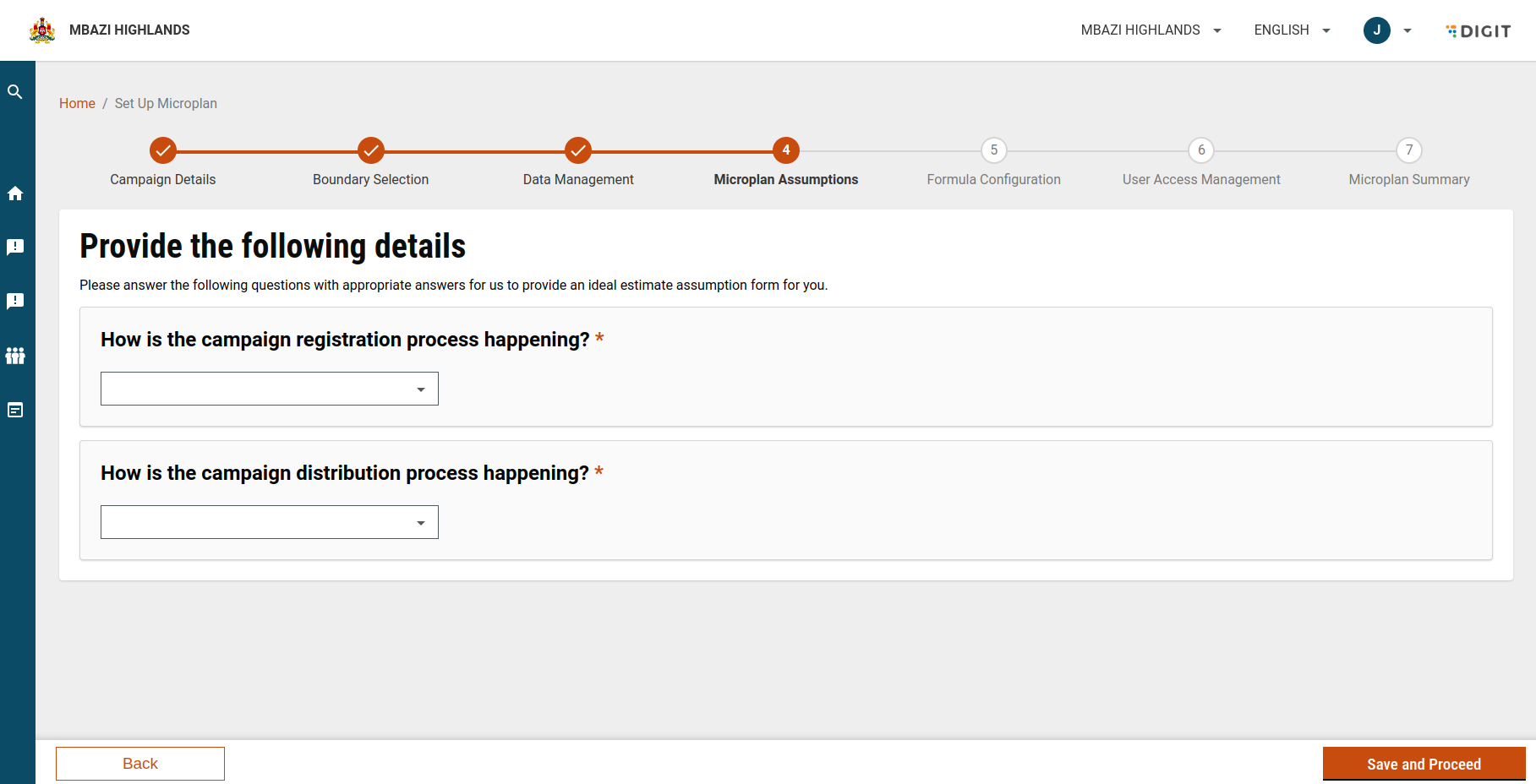
You must define **both** the registration and distribution processes.
**Registration Process**
* Question: **How is the campaign registration process happening?**
* Options:
* House-to-House
* Fixed Post
* Mixed
**Distribution Process**
* Question: **How is the campaign distribution process happening?**
* Options:
* House-to-House
* Fixed Post
* Mixed
**Selection Rules**
* Both registration and distribution **can be mixed**.
* **House-to-House** and **Fixed Post** cannot be selected together for registration and distribution.
* This ensures the two processes are clearly differentiated and correctly configured.
#### 2. If the Resource Distribution Strategy is **Fixed Post** or **House-to-House**
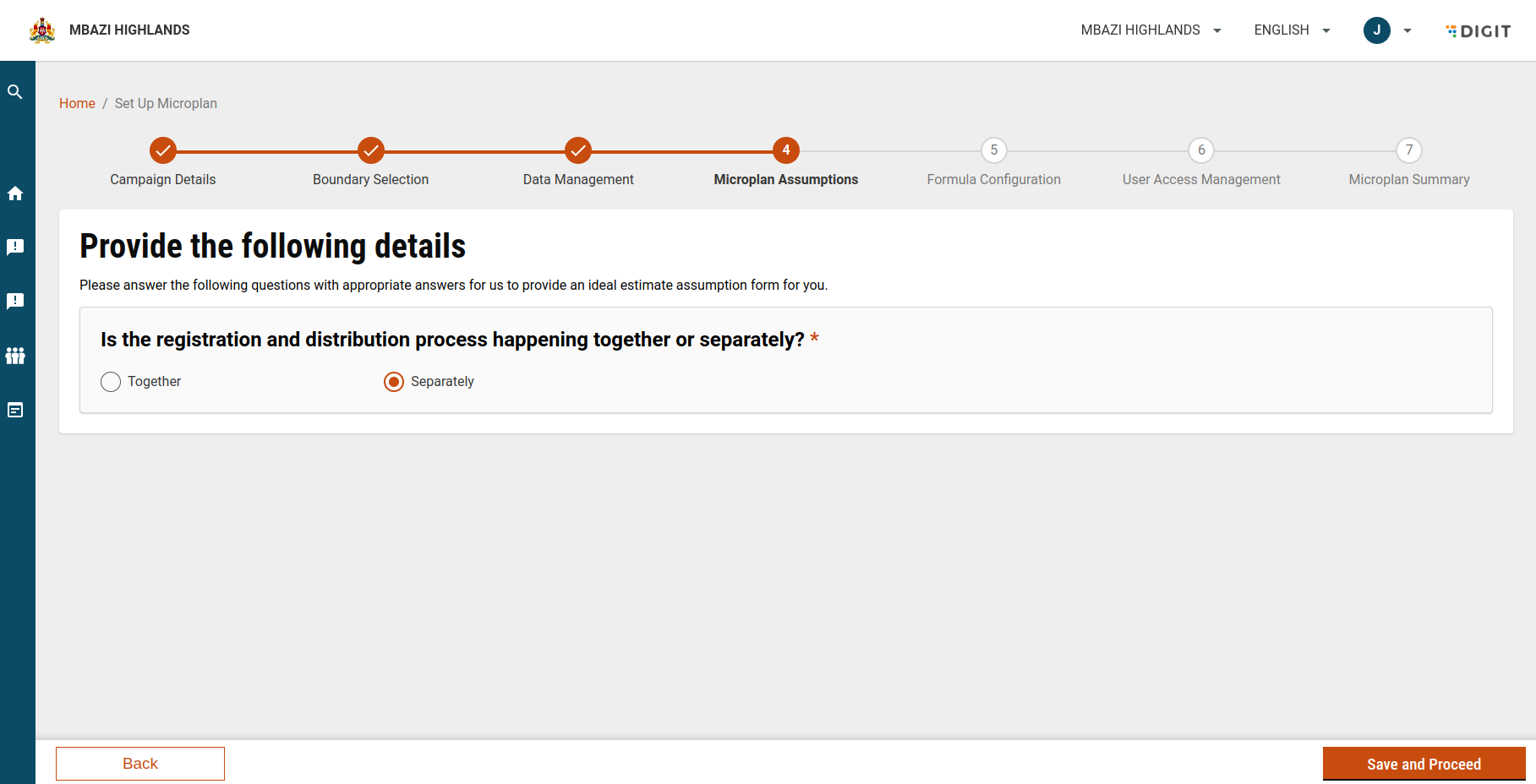
You must define how registration and distribution are related.
**Question**
* **Is the registration and distribution process happening together or separately?**
**Options**
* Together
* Separately
The selected option determines how the system pre-configures the assumptions in the next step.
### Step 2: Configure Assumptions Using the Assumptions Form
After defining the registration and distribution flow, you proceed to the **Assumptions Form**.
The form is **dynamically generated from MDMS**, based on:
* Selected **Campaign Type** (for example, Bednet, SMC)
* Selected **Resource Distribution Strategy** (House-to-House, Fixed Post, Mixed)
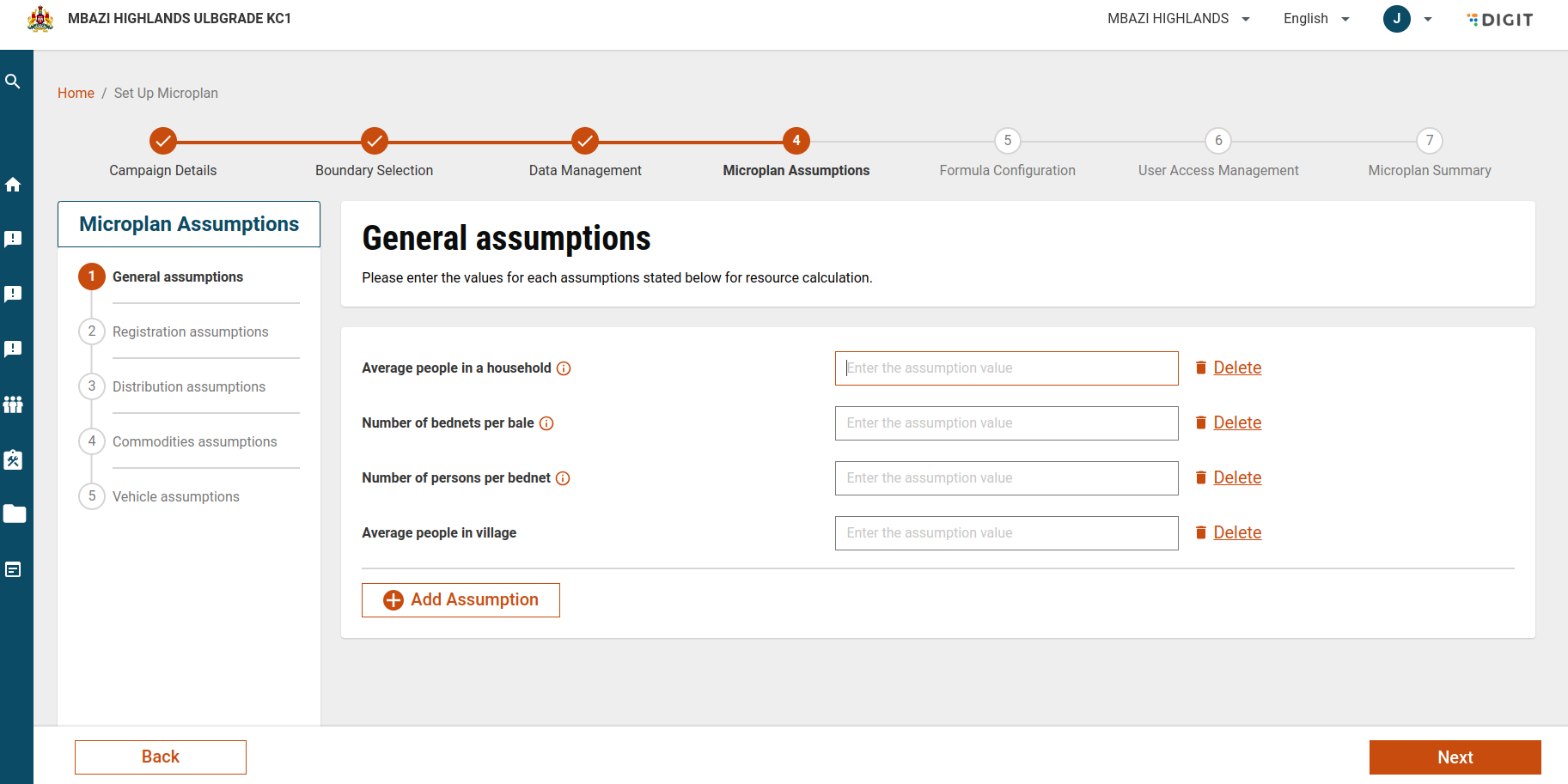
#### Assumption Categories
Depending on the campaign configuration, the form may include the following categories:
* **General Assumptions**\
High-level parameters that apply to the overall campaign.
* **Registration Assumptions**\
Assumptions related to how and where registration activities are conducted.
* **Distribution Assumptions**\
Parameters defining distribution methods and operational logistics.
* **Commodities Assumptions**\
Details related to items being distributed (for example, number of bednets per household).
#### Entering Assumption Values
* Users must enter values for each assumption.
* All assumption fields are **mandatory**.
**Validation Rules**
* Values must be **numeric**.
* Allowed range: **0 to 1000**.
* Maximum of **two decimal places**\
(for example, `12.34` is valid, `12.345` is not).
* Must follow a valid number format (whole number or decimal).
#### Tooltips and Guidance
* Each assumption field includes a **tooltip**.
* Hovering over a field displays additional information to help users understand the parameter and expected input.
### Managing Assumptions
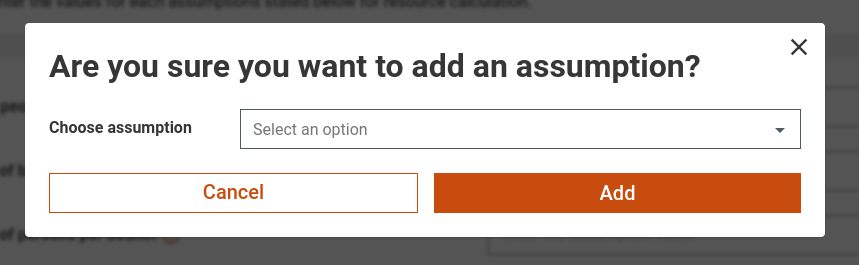
#### Add a New Assumption
1. Click **Add New Assumption**.
2. A popup/modal appears.
3. Provide the following:
* **Choose Assumption**: Select an existing assumption or create a new one.
* **Assumption Name**: Enter a name for the new assumption.
4. Choose:
* **Add**: Saves the assumption after validation.
* **Cancel**: Discards changes and closes the popup.
#### Delete an Assumption
1. Click **Delete** next to the assumption.
2. Confirm your action:
* **Yes**: Deletes the assumption.
* **No**: Cancels the action.
**Recover a Deleted Assumption**
* Click **Add New Assumption**.
* Select the deleted assumption from the **Choose Assumption** dropdown.
*
```
```
*
```
```
### Key Behaviour
* Assumption categories and parameters are **fully dynamic**.
* They change automatically based on:
* Campaign Type
* Resource Distribution Strategy
* This ensures assumptions remain relevant, consistent, and aligned with the campaign design.
---
# Agent Instructions
This documentation is published with GitBook. GitBook is the documentation platform designed so that both humans and AI agents can read, navigate, and reason over technical content effectively. Learn more at gitbook.com.
## Querying This Documentation
If you need additional information that is not directly available in this page, you can query the documentation dynamically by asking a question.
Perform an HTTP GET request on the current page URL with the `ask` query parameter, and the optional `goal` query parameter:
```
GET https://docs.digit.org/health/v2.0/deploy/configuration/microplan-service-configuration/microplan-web-service-configuration/setup-microplan/microplan-assumptions.md?ask=&goal=
```
`ask` is the immediate question: it should be specific, self-contained, and written in natural language.
`goal` is optional and describes the broader end goal you are ultimately trying to accomplish on behalf of the user. GitBook uses it to tailor the answer towards what is most useful for that goal.
The response will contain a direct answer to the question and relevant excerpts and sources from the documentation.
Use this mechanism when the answer is not explicitly present in the current page, you need clarification or additional context, or you want to retrieve related documentation sections.