> For the complete documentation index, see [llms.txt](https://docs.digit.org/llms.txt). Markdown versions of documentation pages are available by appending `.md` to page URLs; this page is available as [Markdown](https://docs.digit.org/health/v2.0/deploy/configuration/microplan-service-configuration/microplan-web-service-configuration/setup-microplan/summary-screen.md).
# Summary Screen
## Overview
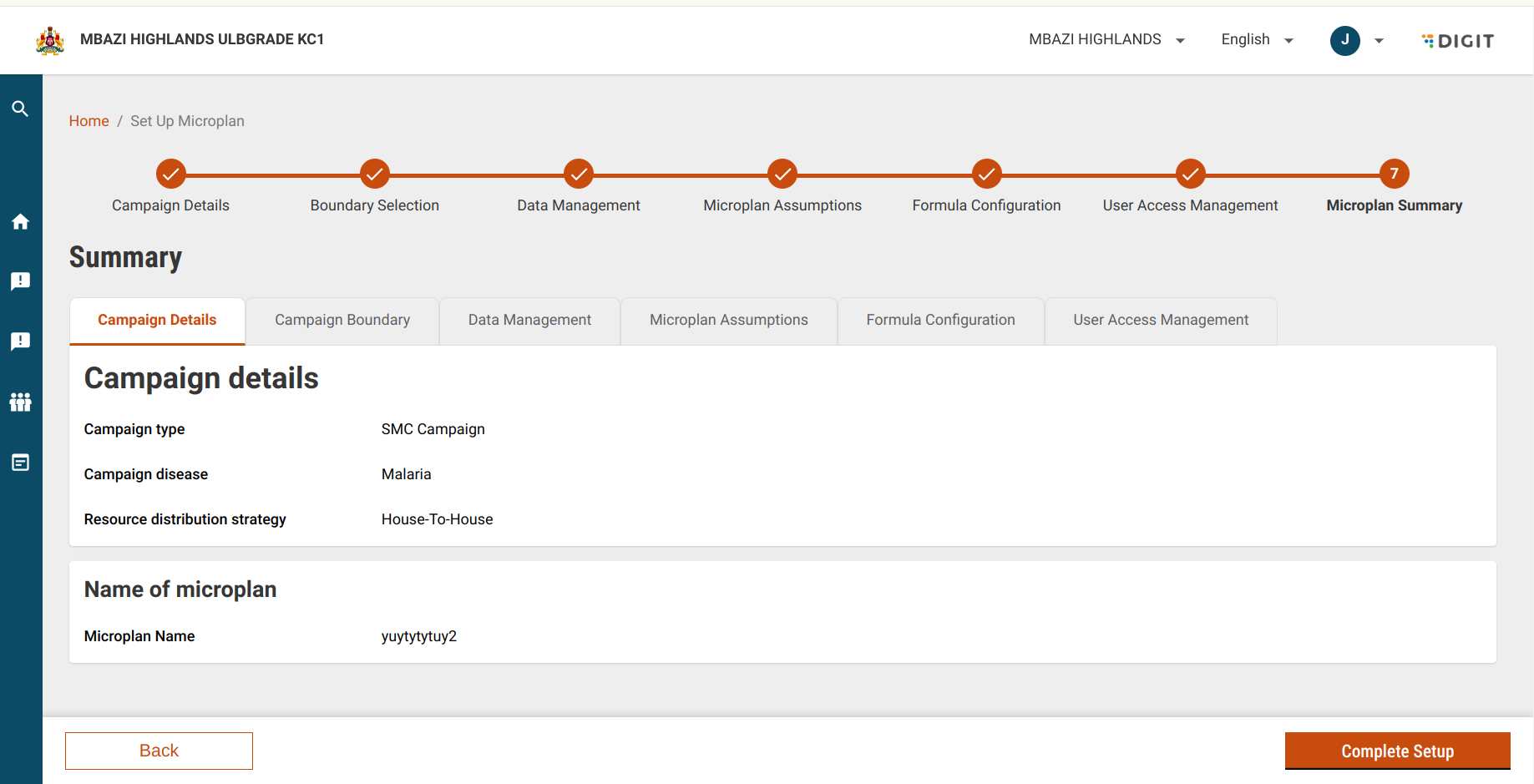
The **Summary Screen** is the final review stage of the microplan setup process. It allows the **System Administrator** or **Program Manager** (at the National/Country level) to review, validate, edit, and finalise all configured microplan data before completion.
## Steps
After completing all configuration steps (details, boundaries, assumptions, formulas, user tagging, etc.), navigate to the **Summary** section.
This screen consolidates all previously entered data into structured modules for final verification.
### Review Summary Screen Modules
The summary screen consists of the following modules:
1. **Microplan Details**\
Displays the core information about the microplan, such as the campaign name, disease, and resource distribution strategy. The user can review the details and make necessary edits.
2. **Campaign Boundary**\
Shows the geographical administrative boundaries, including the country, province, district, administrative post, locality, and village levels. Users can review and edit the boundary data for each geographical level.
3. **Data Management**\
Displays data templates for population and facilities. Users can download the templates or edit the uploaded files.
4. **Microplan Assumptions**\
Shows the assumptions used in the microplan setup. Users can review and adjust these assumptions as necessary.
5. **Formula Configuration**\
Displays the configured formulas used in the microplan. Users can modify the formulas if required.
6. **Data Validation**\
Ensures that the data entered meets all the required criteria and can be validated before proceeding with the microplan.
7. **User Access Management**\
Displays the users and their roles in the microplan setup. Users can manage who has access to the microplan.
### Tab-Based Implementation
* The Summary Screen uses tab filtering.
* Each tab displays a specific configuration section.
* Pages are rendered dynamically using a card-based structure.
* As users complete each configuration stage, their inputs are stored and reflected here.
It is implemented by using ViewComposer and passing in the pages as cards in an array called Cards.
{% embed url="" %}
#### Page data
The data displayed on the pages is retrieved from the `sessionData` . This is created whenever the user inputs data during the microplan setup process. As the user progresses through the setup, each section of the form that they complete is captured and stored as `formData`.
### Key Functionalities
**Edit Data**
* **Description**: Each section of the summary screen can be edited by clicking the **Edit** button. This will redirect the user to the corresponding section in the microplan setup for further configuration.
* **Implementation**: The system sets the key value for the selected section and redirects the user to the relevant page based on that key.
**Download Files**
* **Description**: The user can download files (e.g., population and facility data templates) by clicking the **Download** button where applicable.
* **Implementation**: This functionality is described in the **Data Management** page, where users can access and download the uploaded templates and files.
### Finalise the Microplan
Once all sections are reviewed and validated:
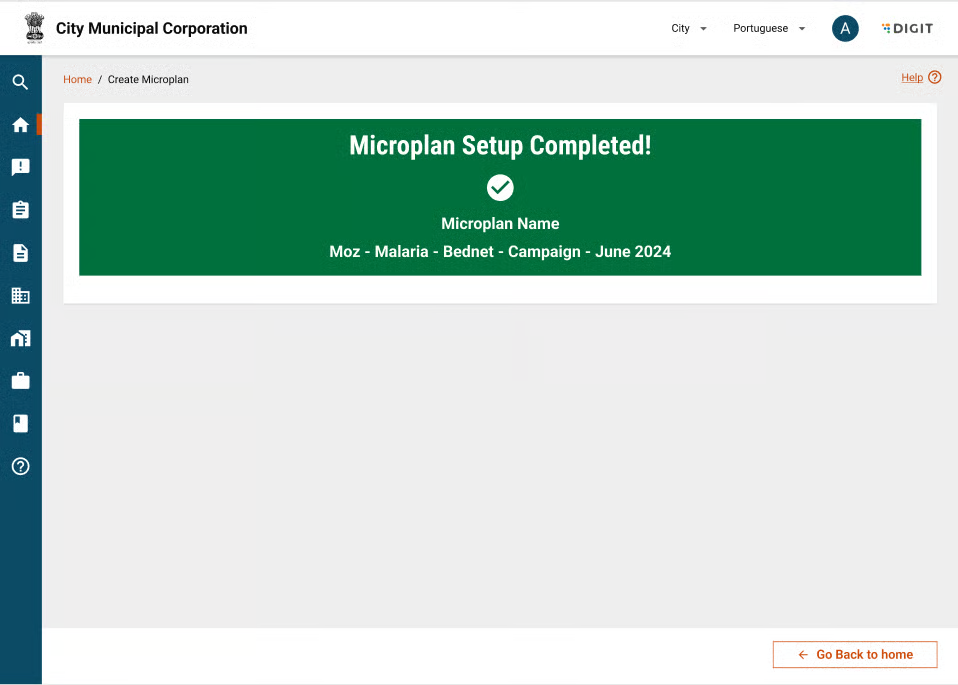
1. Click **Complete Setup**.
2. The system:
* Triggers the /plan-service/config/\_update process.
* Initiates the "workflow:initiate" for the microplan.
3. The microplan moves from the configuration stage to the active workflow state.
| API | Roles |
| ----------------------------- | ---------------- |
| /plan-service/config/\_update | MICROPLAN\_ADMIN |
---
# Agent Instructions
This documentation is published with GitBook. GitBook is the documentation platform designed so that both humans and AI agents can read, navigate, and reason over technical content effectively. Learn more at gitbook.com.
## Querying This Documentation
If you need additional information that is not directly available in this page, you can query the documentation dynamically by asking a question.
Perform an HTTP GET request on the current page URL with the `ask` query parameter, and the optional `goal` query parameter:
```
GET https://docs.digit.org/health/v2.0/deploy/configuration/microplan-service-configuration/microplan-web-service-configuration/setup-microplan/summary-screen.md?ask=&goal=
```
`ask` is the immediate question: it should be specific, self-contained, and written in natural language.
`goal` is optional and describes the broader end goal you are ultimately trying to accomplish on behalf of the user. GitBook uses it to tailor the answer towards what is most useful for that goal.
The response will contain a direct answer to the question and relevant excerpts and sources from the documentation.
Use this mechanism when the answer is not explicitly present in the current page, you need clarification or additional context, or you want to retrieve related documentation sections.