> For the complete documentation index, see [llms.txt](https://docs.digit.org/llms.txt). Markdown versions of documentation pages are available by appending `.md` to page URLs; this page is available as [Markdown](https://docs.digit.org/local-governance/access/local-governance-stack/online-building-plan-approval-system-obpas/obpas-service-configuration/obpas-digit-ui/obps-bpa-oc-bpa-employee-flow.md).
# OBPS-BPA/OC-BPA Employee Flow
## Overview
To provide the facility for the employee users to update the BPA application state.
## Workflow Details
### Application Details
The application details page is used to display the details of the application and also showcase all the actions that can be taken on the application.

The various step for the application:
#### Document Verification
In this step, the user can upload multiple documents and/or approve the already uploaded documents.
#### NOC Verification
The user approves the uploaded NOC documents.
#### Inspection Report
The user fills in the inspection details (date, time, question, remarks) and submits.
#### Permit Condition
Here the user approves the required permit conditions and can also add new conditions.
## Technical Implementation
All the screens are developed using the new-UI structure followed previously in FSM, PGR, PT, and TL. Certain new components have been introduced such as Multi-Document Upload, Approval Checks, etc.
## MDMS Data
Throughout the flow, some data is imported from the MDMS. Following is the list of MDMS data:
1. Checklist
2. RiskTypeComputation
Below is the MDMS config used to fetch MDMS data:
```
curl 'https://qa.digit.org/egov-mdms-service/v1/_search?tenantId=pb' \
-H 'authority: qa.digit.org' \
-H 'sec-ch-ua: "Chromium";v="94", "Google Chrome";v="94", ";Not A Brand";v="99"' \
-H 'accept: application/json, text/plain, */*' \
-H 'content-type: application/json;charset=UTF-8' \
-H 'sec-ch-ua-mobile: ?0' \
-H 'user-agent: Mozilla/5.0 (X11; Linux x86_64) AppleWebKit/537.36 (KHTML, like Gecko) Chrome/94.0.4606.81 Safari/537.36' \
-H 'sec-ch-ua-platform: "Linux"' \
-H 'origin: https://qa.digit.org' \
-H 'sec-fetch-site: same-origin' \
-H 'sec-fetch-mode: cors' \
-H 'sec-fetch-dest: empty' \
-H 'referer: https://qa.digit.org/digit-ui/employee/obps/bpa/PB-BP-2021-10-19-002931' \
-H 'accept-language: en-GB,en-US;q=0.9,en;q=0.8' \
-H 'cookie: amplitude_id_fef1e872c952688acd962d30aa545b9edigit.org=eyJkZXZpY2VJZCI6IjYxMDYxMWFjLTY5MjMtNDQ1Yi04ZWZlLTUxNGVkMmE5MzRjOFIiLCJ1c2VySWQiOm51bGwsIm9wdE91dCI6ZmFsc2UsInNlc3Npb25JZCI6MTYzMzA4NTYwNzE5MiwibGFzdEV2ZW50VGltZSI6MTYzMzA4NTYwNzk2OCwiZXZlbnRJZCI6MSwiaWRlbnRpZnlJZCI6MSwic2VxdWVuY2VOdW1iZXIiOjJ9; _ga=GA1.2.1811666557.1633085608' \
--data-raw '{"MdmsCriteria":{"tenantId":"pb","moduleDetails":[{"moduleName":"BPA","masterDetails":[{"name":"RiskTypeComputation"}]}]},"RequestInfo":{"apiId":"Rainmaker"}}' \
--compressed
```
## Localization
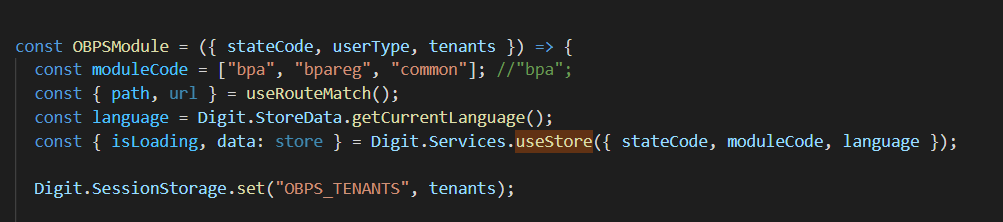
The localization module used across the OBPS module was rainmaker-bpa and rainmaker-common, out of which we initialized rainmaker-bpa with module initialization.
---
# Agent Instructions
This documentation is published with GitBook. GitBook is the documentation platform designed so that both humans and AI agents can read, navigate, and reason over technical content effectively. Learn more at gitbook.com.
## Querying This Documentation
If you need additional information that is not directly available in this page, you can query the documentation dynamically by asking a question.
Perform an HTTP GET request on the current page URL with the `ask` query parameter, and the optional `goal` query parameter:
```
GET https://docs.digit.org/local-governance/access/local-governance-stack/online-building-plan-approval-system-obpas/obpas-service-configuration/obpas-digit-ui/obps-bpa-oc-bpa-employee-flow.md?ask=&goal=
```
`ask` is the immediate question: it should be specific, self-contained, and written in natural language.
`goal` is optional and describes the broader end goal you are ultimately trying to accomplish on behalf of the user. GitBook uses it to tailor the answer towards what is most useful for that goal.
The response will contain a direct answer to the question and relevant excerpts and sources from the documentation.
Use this mechanism when the answer is not explicitly present in the current page, you need clarification or additional context, or you want to retrieve related documentation sections.