 |
|  |
| -------------------------------------------------------------------------------------------------------------------------------------------------------------------------- | --------------------------------------------------------------------------------------------------------------------------------------------------------------------------------------------------------------------------------------------------------------------------------- |
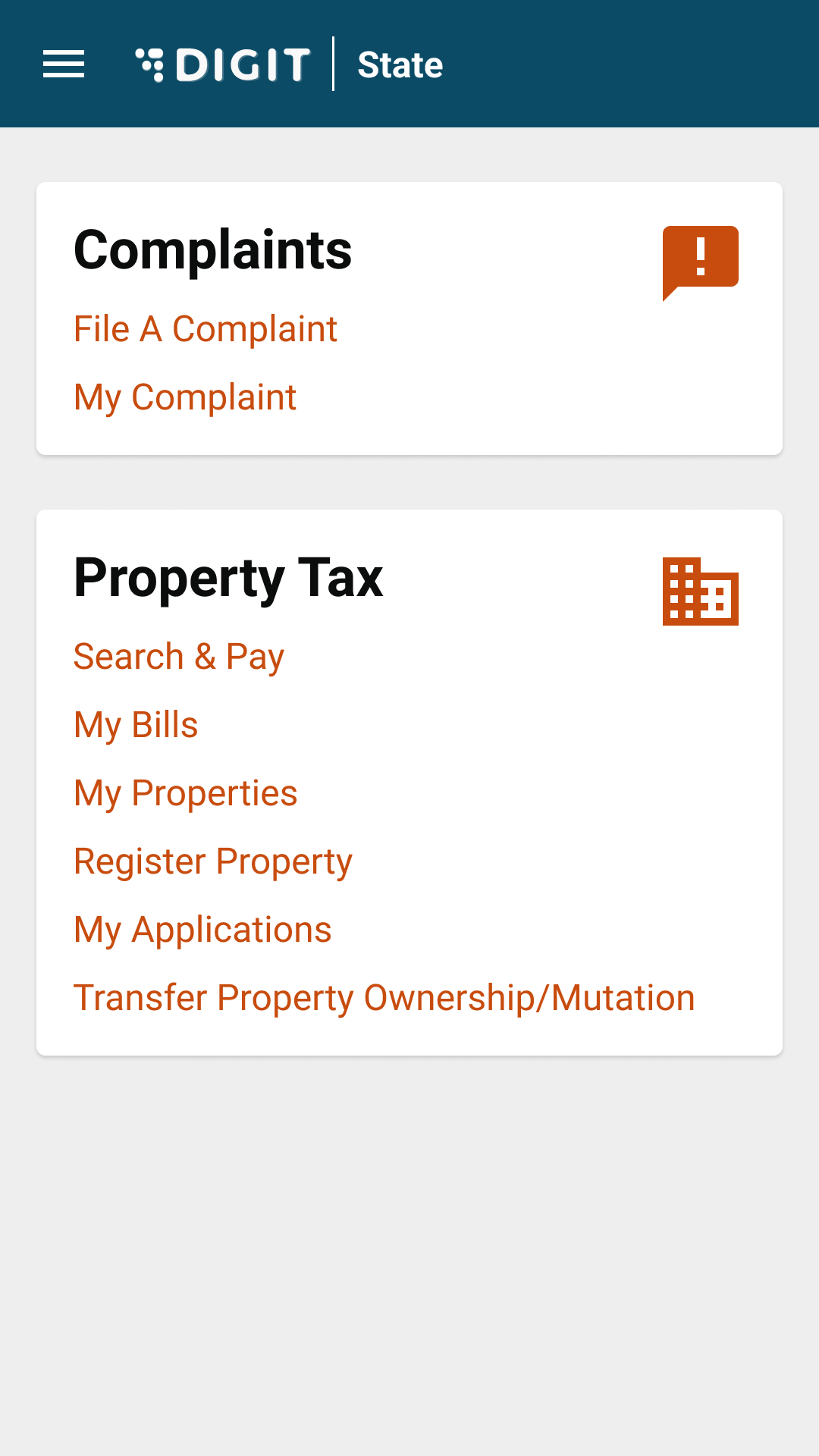
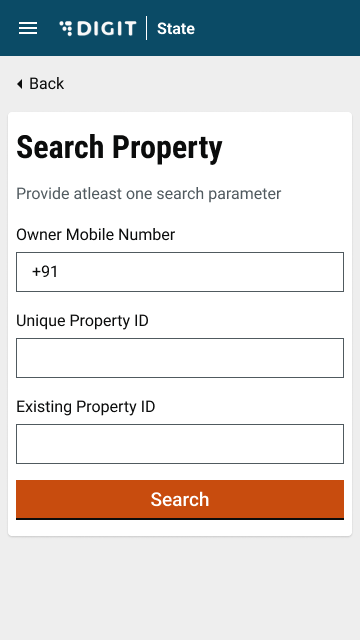
| To apply for a transfer of property ownership, click on the **Transfer Property Ownership/Mutation** option on the home page. | This redirects users to the **Search Property** screen. Enter the required parameters to search for the property. |
|
|
| -------------------------------------------------------------------------------------------------------------------------------------------------------------------------- | --------------------------------------------------------------------------------------------------------------------------------------------------------------------------------------------------------------------------------------------------------------------------------- |
| To apply for a transfer of property ownership, click on the **Transfer Property Ownership/Mutation** option on the home page. | This redirects users to the **Search Property** screen. Enter the required parameters to search for the property. |
|  |
| 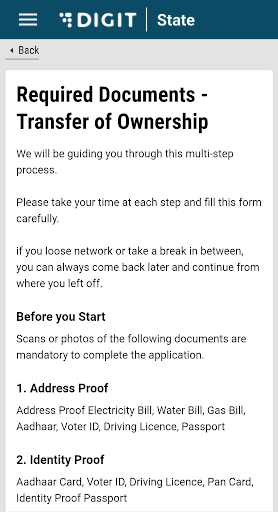 |
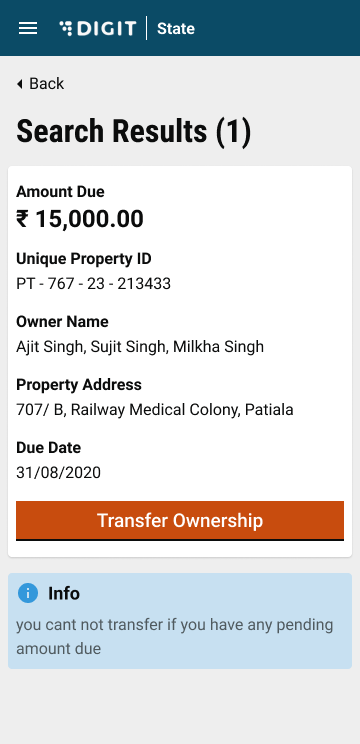
| Click on the **Transfer Ownership** button. | The **Required Documents - Transfer of Ownership** provides the list of documents required for the application. Make sure these documents are scanned before proceeding with the application. |
|
|
| Click on the **Transfer Ownership** button. | The **Required Documents - Transfer of Ownership** provides the list of documents required for the application. Make sure these documents are scanned before proceeding with the application. |
|  |
| 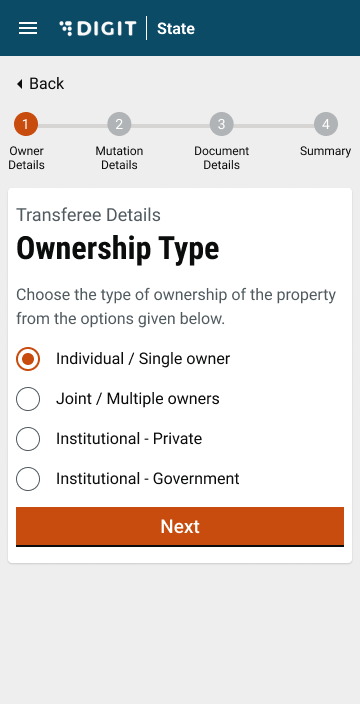 |
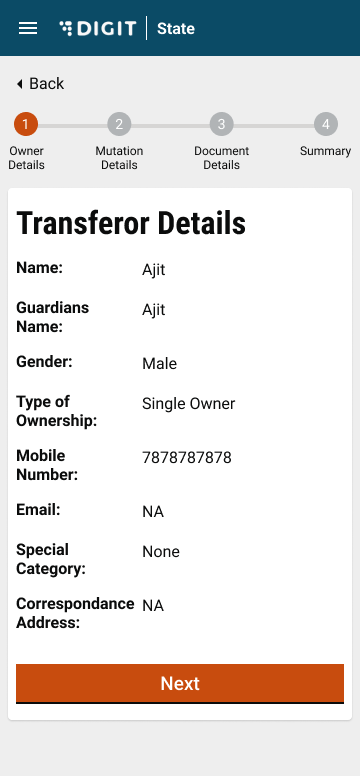
| The **Transferor Details** show the current ownership details. Click on the **Next** button to proceed. | Enter **Transferee Details.** For the **Provide Ownership Details** section, select the applicable option to indicate the type of ownership. |
|
|
| The **Transferor Details** show the current ownership details. Click on the **Next** button to proceed. | Enter **Transferee Details.** For the **Provide Ownership Details** section, select the applicable option to indicate the type of ownership. |
|  |
| 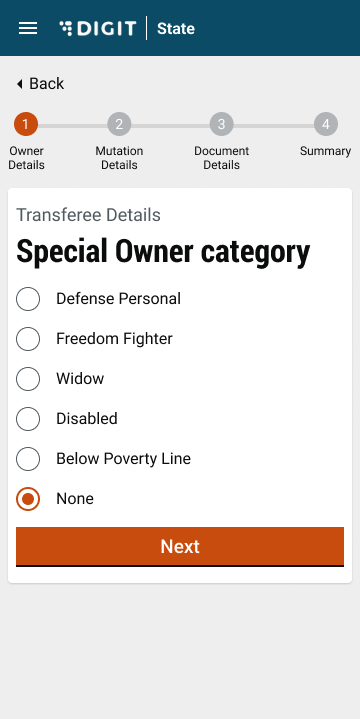 |
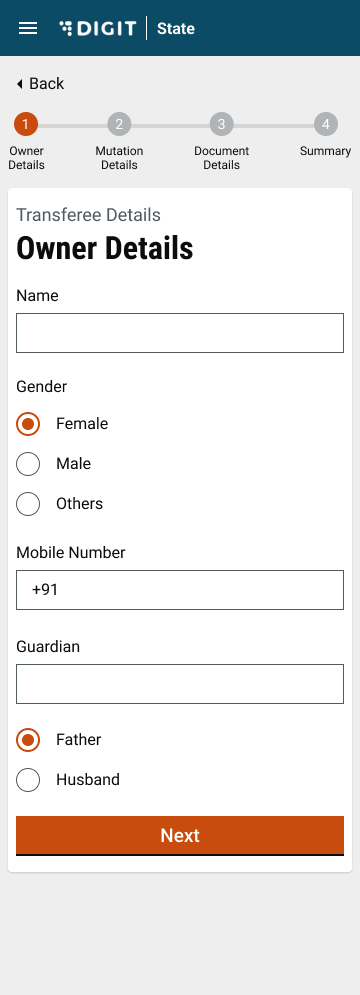
| In the **Owner Details** screen enter the owner's **Name**, **Gender**, **Mobile Number**, **Guardian** and **Relationship** (relationship with the guardian) information. | Select the applicable option in the **Special Owner Category** screen. |
|
|
| In the **Owner Details** screen enter the owner's **Name**, **Gender**, **Mobile Number**, **Guardian** and **Relationship** (relationship with the guardian) information. | Select the applicable option in the **Special Owner Category** screen. |
|  |
| 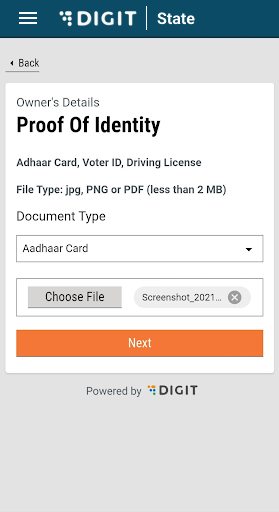 |
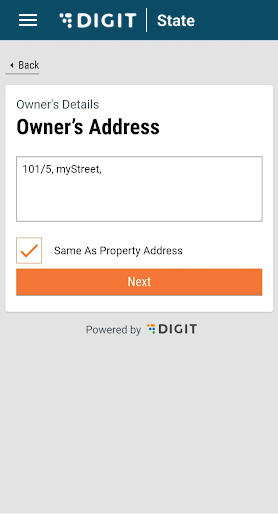
| Enter the correspondence address of the transferee in the **Owner’s Address** screen. Checkmark the **Same As Property Address** box if both addresses are the same. | Select the applicable **Document Type** in the **Proof Of Identity** screen. Click on **Choose File** button to attach the scanned copy of the document chosen above. |
|
|
| Enter the correspondence address of the transferee in the **Owner’s Address** screen. Checkmark the **Same As Property Address** box if both addresses are the same. | Select the applicable **Document Type** in the **Proof Of Identity** screen. Click on **Choose File** button to attach the scanned copy of the document chosen above. |
|  |
| 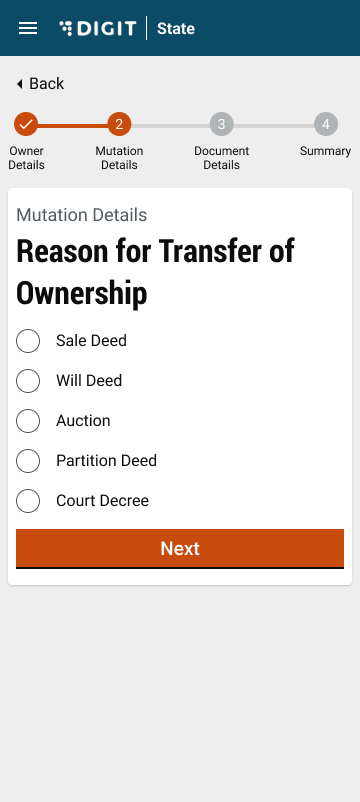 |
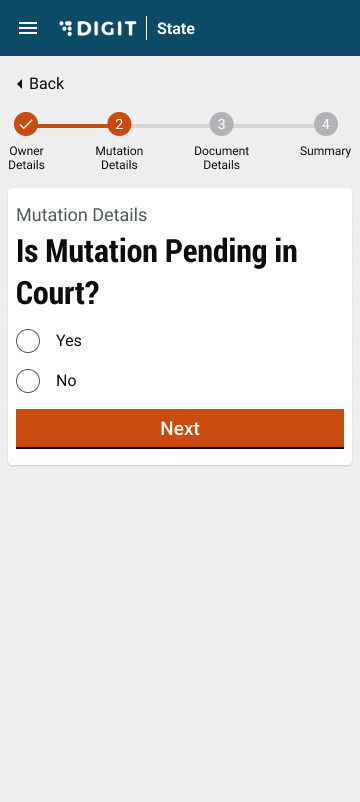
| Select **Yes** or **No** to answer the question **Is Mutation Pending In Court?** If yes, enter the **Details of Court Case**. | Select the applicable **Reason for Property Transfer**. |
|
|
| Select **Yes** or **No** to answer the question **Is Mutation Pending In Court?** If yes, enter the **Details of Court Case**. | Select the applicable **Reason for Property Transfer**. |
|  |
| 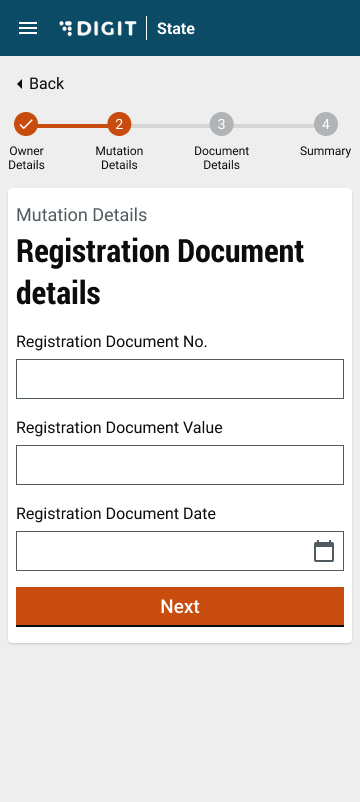 |
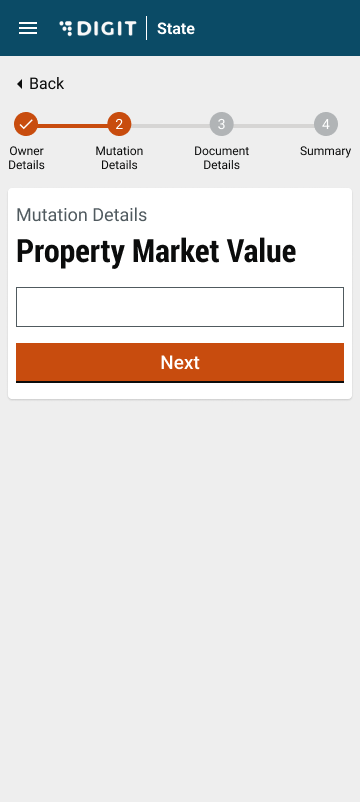
| Enter the **Property Market Value**. | Enter the **Registration Document No.,** the **Registration Document Value,** and the **Registration Document Issue Date** in the **Registration Document Details** screen. |
|
|
| Enter the **Property Market Value**. | Enter the **Registration Document No.,** the **Registration Document Value,** and the **Registration Document Issue Date** in the **Registration Document Details** screen. |
|  |
| 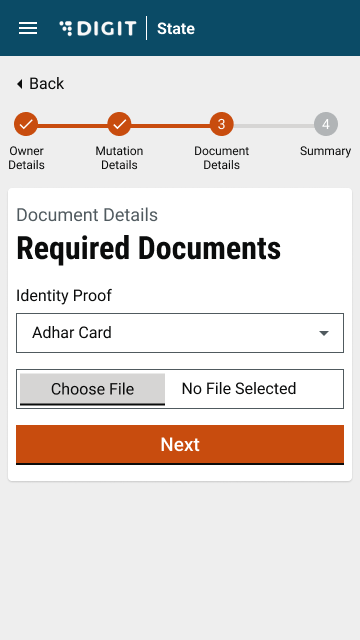 |
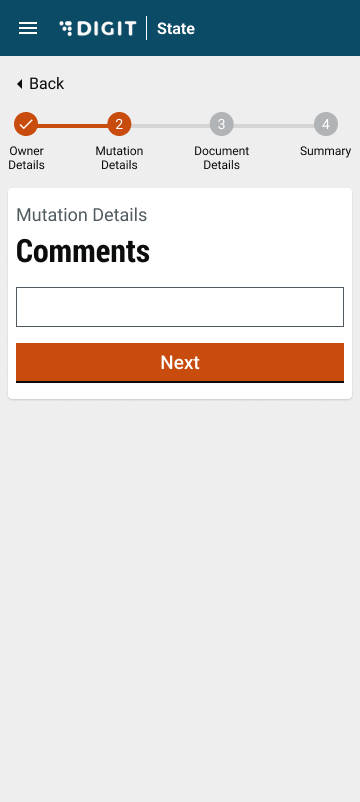
| Enter any additional **Remarks** (if required). | In the **Registration Document Details** screen, select the applicable **Document Type**. Click on the **Choose File** button to attach and upload the scanned copy of the selected document. Click on **Next**. The application is submitted and a success message is displayed. |
|
|
| Enter any additional **Remarks** (if required). | In the **Registration Document Details** screen, select the applicable **Document Type**. Click on the **Choose File** button to attach and upload the scanned copy of the selected document. Click on **Next**. The application is submitted and a success message is displayed. |
| 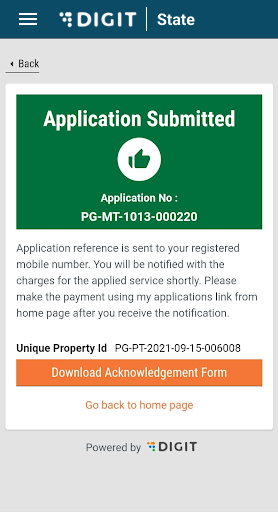 |
| Click on the Download Acknowledgement Form button to download the acknowledgement form.
| --- # Agent Instructions This documentation is published with GitBook. GitBook is the documentation platform designed so that both humans and AI agents can read, navigate, and reason over technical content effectively. Learn more at gitbook.com. ## Querying This Documentation If you need additional information that is not directly available in this page, you can query the documentation by asking a question. Perform an HTTP GET request on the following URL with the `ask` and `goal` query parameters: ``` GET https://docs.digit.org/local-governance/access/local-governance-stack/property-tax/pt-user-manual/citizen-user-manual/transfer-property-ownership.md?ask=