 |
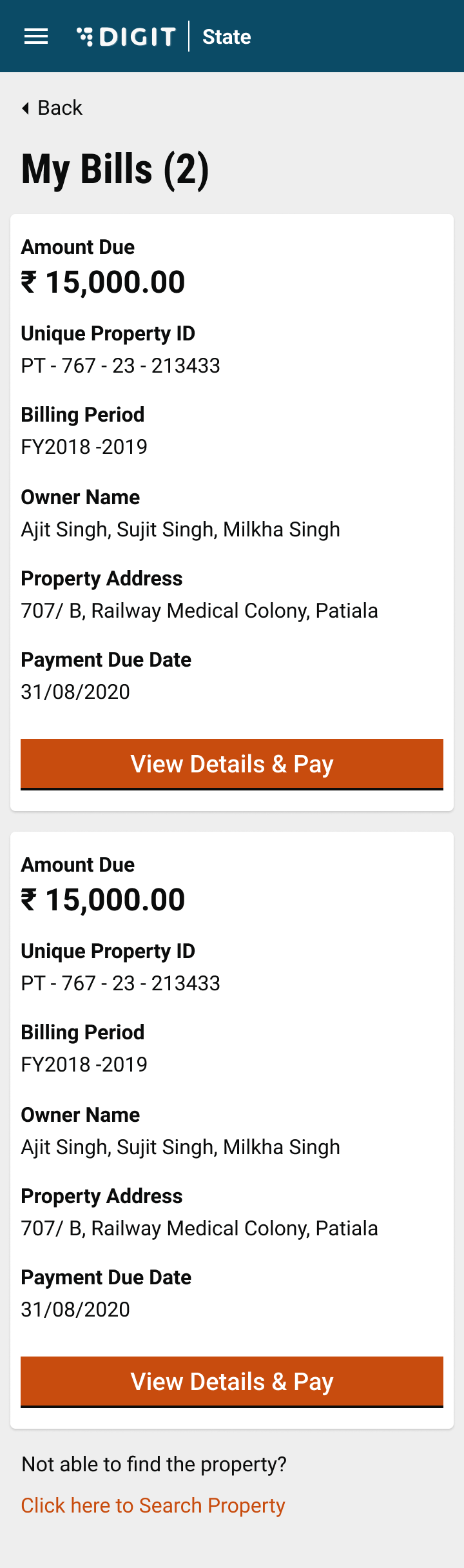
| Log in to the system to land on the home page and click on My Bills. All bills pending payment are displayed.
Click on View Details to see the tax details for the selected bill.
Click on the Proceed to Pay button to make the payment (refer to the Search & Pay page for details on how to make the payment).
| | ------------------------------------------------------------------------------------------------------------------------------------- | ------------------------------------------------------------------------------------------------------------------------------------------------------------------------------------------------------------------------------------------------------------------------------------------------------------------------------------------------------------------------------------------------------------------------------------------------------------------------------------------------------------------------- | --- # Agent Instructions This documentation is published with GitBook. GitBook is the documentation platform designed so that both humans and AI agents can read, navigate, and reason over technical content effectively. Learn more at gitbook.com. ## Querying This Documentation If you need additional information that is not directly available in this page, you can query the documentation by asking a question. Perform an HTTP GET request on the following URL with the `ask` and `goal` query parameters: ``` GET https://docs.digit.org/local-governance/access/local-governance-stack/property-tax/pt-user-manual/citizen-user-manual/view-my-bills.md?ask=