 |
|  |
| ---------------------------------------------------------------------------------------------------------------------------------------------------------------------------------------------------------------------------------------- | --------------------------------------------------------------------------------------------------------------------------------------------------------------------------------------------------------------------------------------------------------------------------------- |
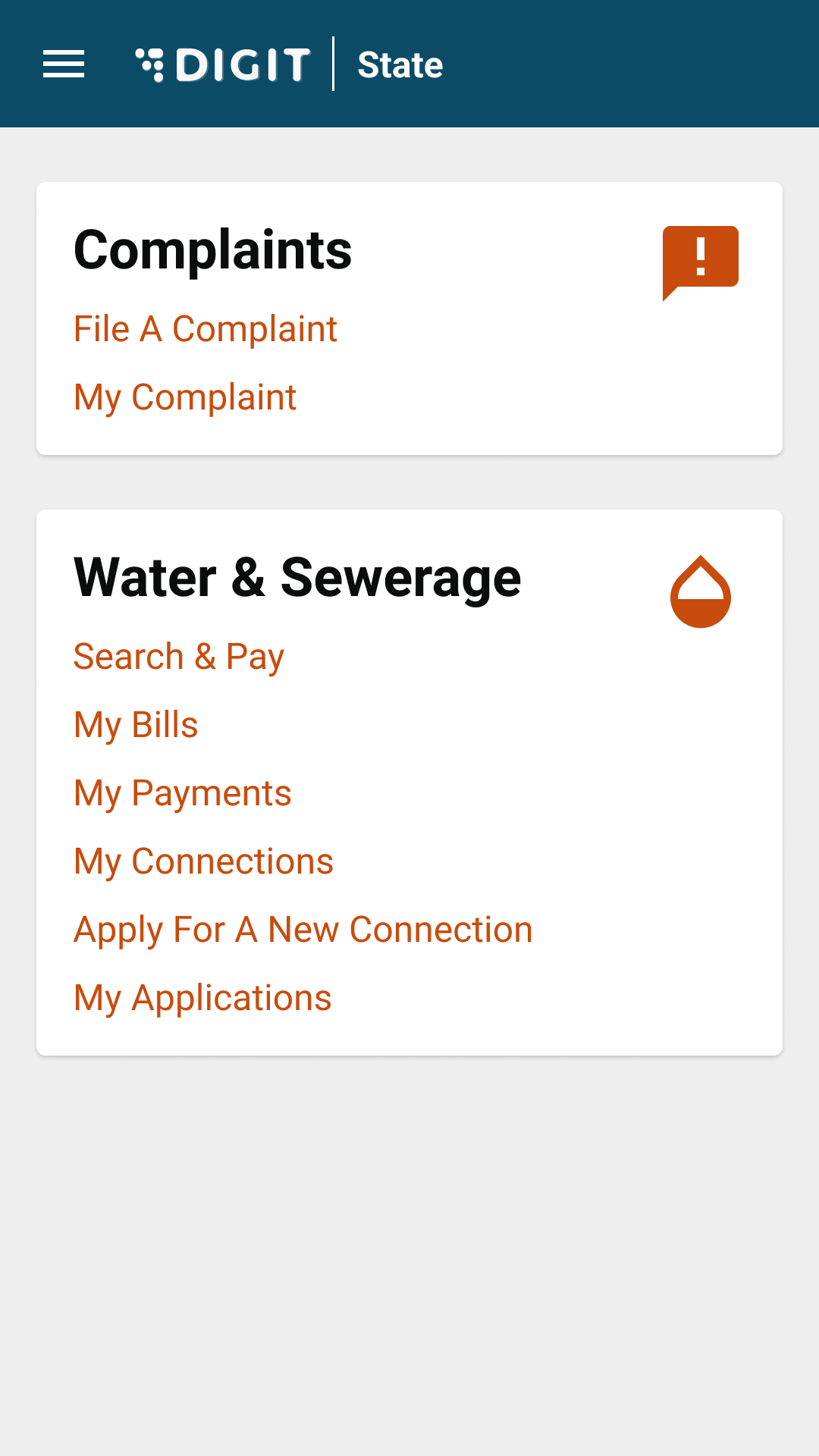
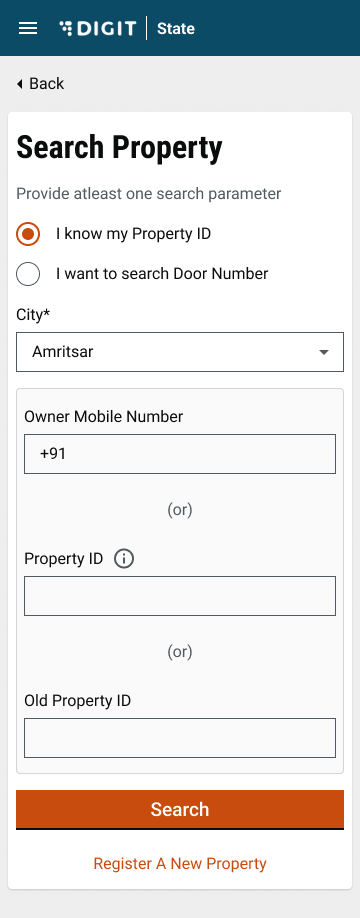
| To apply click on **Apply for new connection** option in the Water & Sewerage service list. | Enter the required parameters in the **Search Property** page to find the property for which a new connection is to be applied. |
|
|
| ---------------------------------------------------------------------------------------------------------------------------------------------------------------------------------------------------------------------------------------- | --------------------------------------------------------------------------------------------------------------------------------------------------------------------------------------------------------------------------------------------------------------------------------- |
| To apply click on **Apply for new connection** option in the Water & Sewerage service list. | Enter the required parameters in the **Search Property** page to find the property for which a new connection is to be applied. |
|  |
|  |
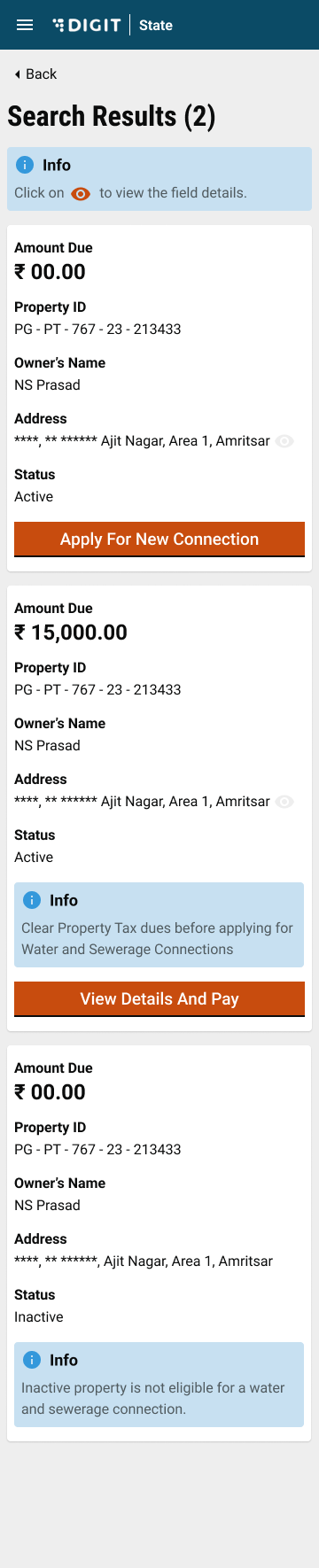
| Click on the **Apply For New Connection** button to proceed with a new connection |
|
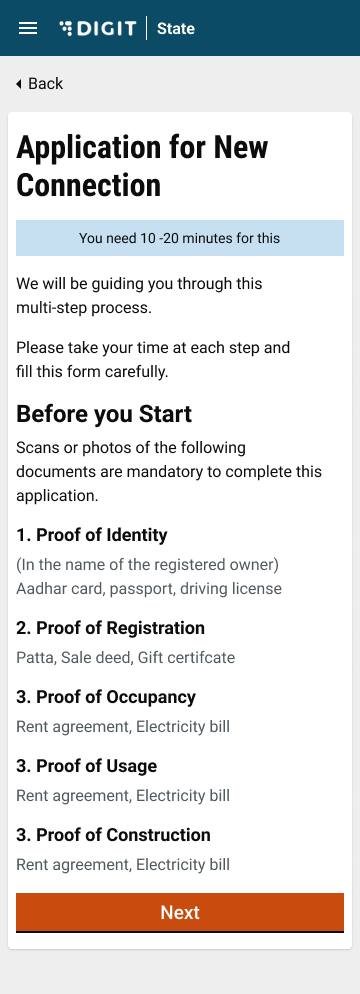
| Click on the **Apply For New Connection** button to proceed with a new connection | The system displays a page with the information on the documents required to apply for a new connection. Make sure these documents are available before proceeding with the application.
Click on the Next button to move to the application form.
| | |
| 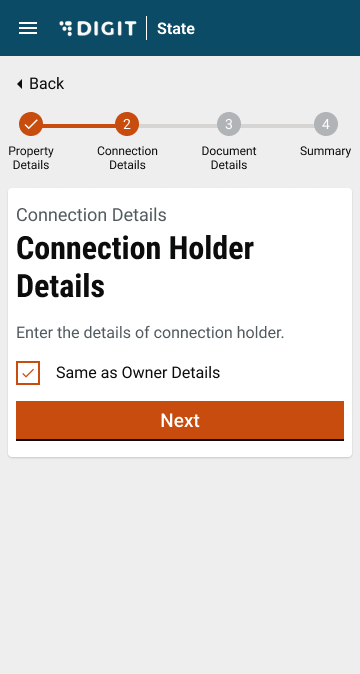 |
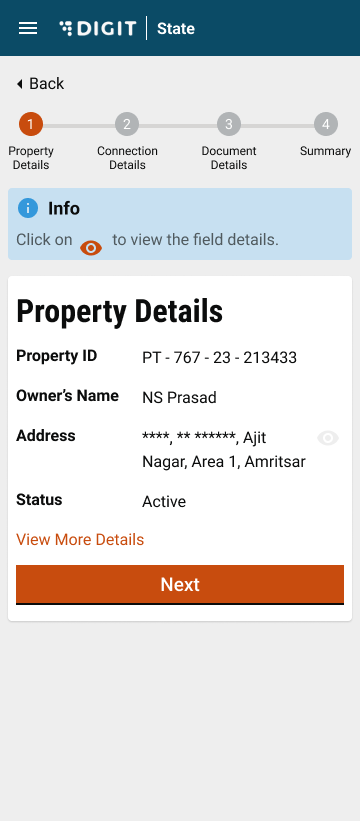
| **Property Details** of the selected property are displayed. Click on **View More Details** to find additional details. | Check the **Same as Owner Details** box if the connection holder is the same as the property owner. This will auto-fill the owner details in the **Connection Holder Details** section. |
|
|
| **Property Details** of the selected property are displayed. Click on **View More Details** to find additional details. | Check the **Same as Owner Details** box if the connection holder is the same as the property owner. This will auto-fill the owner details in the **Connection Holder Details** section. |
|  |
| 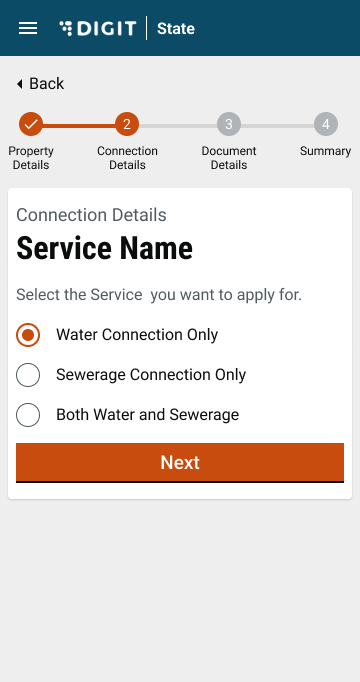 |
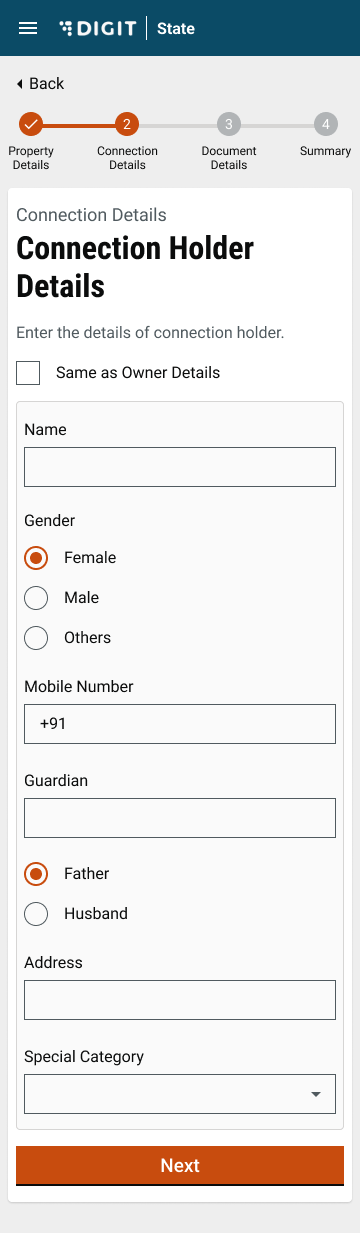
| In case the property owner is not the same as the applicant for the connection, enter the **Name**, **Gender**, **Mobile Number**, **Guardian Name**, **Relationship**, **Address**, and **Special Category** details for the applicant. | Select the relevant **Service Name**. Click on the **Next** button. |
|
|
| In case the property owner is not the same as the applicant for the connection, enter the **Name**, **Gender**, **Mobile Number**, **Guardian Name**, **Relationship**, **Address**, and **Special Category** details for the applicant. | Select the relevant **Service Name**. Click on the **Next** button. |
|  |
| 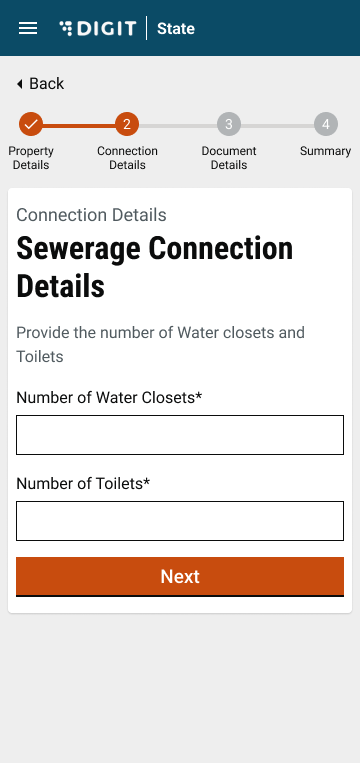 |
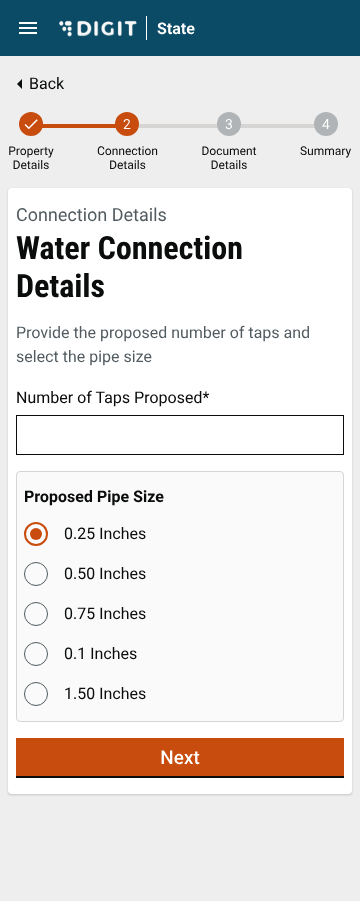
| Enter the **Water Connection Details** as applicable. Click on the **Next** button to proceed. | Enter the **Sewerage Connection Details** as applicable. |
|
|
| Enter the **Water Connection Details** as applicable. Click on the **Next** button to proceed. | Enter the **Sewerage Connection Details** as applicable. |
|  |
|  |
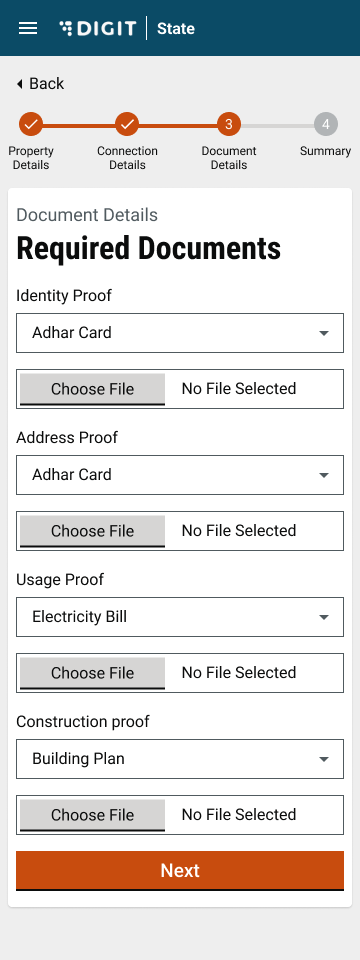
| Attach the required documents. Click on the **Next** button to proceed. | Review the application details on the **Summary** page before clicking on the **Submit** button. Click on the edit icon for the relevant section to make any changes. |
|
|
| Attach the required documents. Click on the **Next** button to proceed. | Review the application details on the **Summary** page before clicking on the **Submit** button. Click on the edit icon for the relevant section to make any changes. |
| 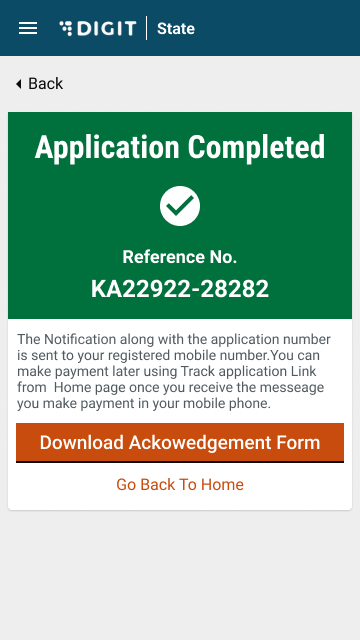 | |
| The application is submitted and the success page is displayed. Click on the **Print Water Application** option to download and print the application. | |
{% hint style="info" %}
**Note:** The application is processed by the ULB employees who verify the attached documents and carry out field inspections before the final approval. The citizen is allotted a unique consumer number once the application is processed and approved.
{% endhint %}
---
# Agent Instructions
This documentation is published with GitBook. GitBook is the documentation platform designed so that both humans and AI agents can read, navigate, and reason over technical content effectively. Learn more at gitbook.com.
## Querying This Documentation
If you need additional information that is not directly available in this page, you can query the documentation by asking a question.
Perform an HTTP GET request on the following URL with the `ask` and `goal` query parameters:
```
GET https://docs.digit.org/local-governance/access/local-governance-stack/water-and-sewerage/w-and-s-user-manual/w-and-s-citizen-user-manual/apply-for-new-connection.md?ask=
| |
| The application is submitted and the success page is displayed. Click on the **Print Water Application** option to download and print the application. | |
{% hint style="info" %}
**Note:** The application is processed by the ULB employees who verify the attached documents and carry out field inspections before the final approval. The citizen is allotted a unique consumer number once the application is processed and approved.
{% endhint %}
---
# Agent Instructions
This documentation is published with GitBook. GitBook is the documentation platform designed so that both humans and AI agents can read, navigate, and reason over technical content effectively. Learn more at gitbook.com.
## Querying This Documentation
If you need additional information that is not directly available in this page, you can query the documentation by asking a question.
Perform an HTTP GET request on the following URL with the `ask` and `goal` query parameters:
```
GET https://docs.digit.org/local-governance/access/local-governance-stack/water-and-sewerage/w-and-s-user-manual/w-and-s-citizen-user-manual/apply-for-new-connection.md?ask=