Provide employees with the option to Cancel a Receipt for a specific receipt number.
Route -
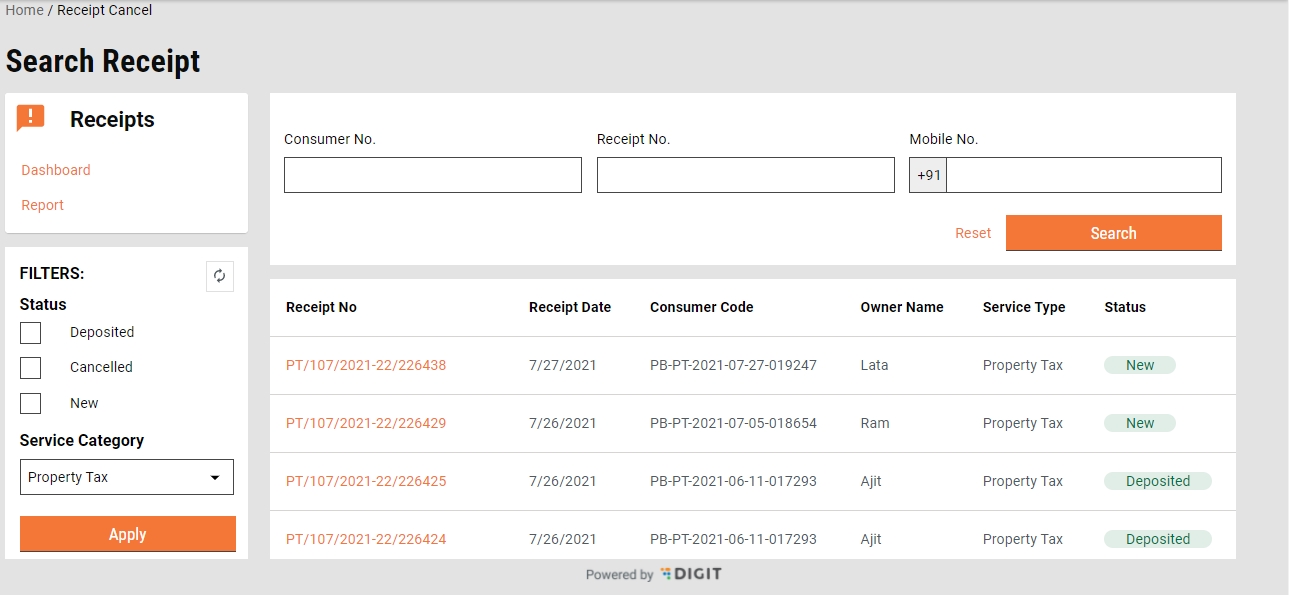
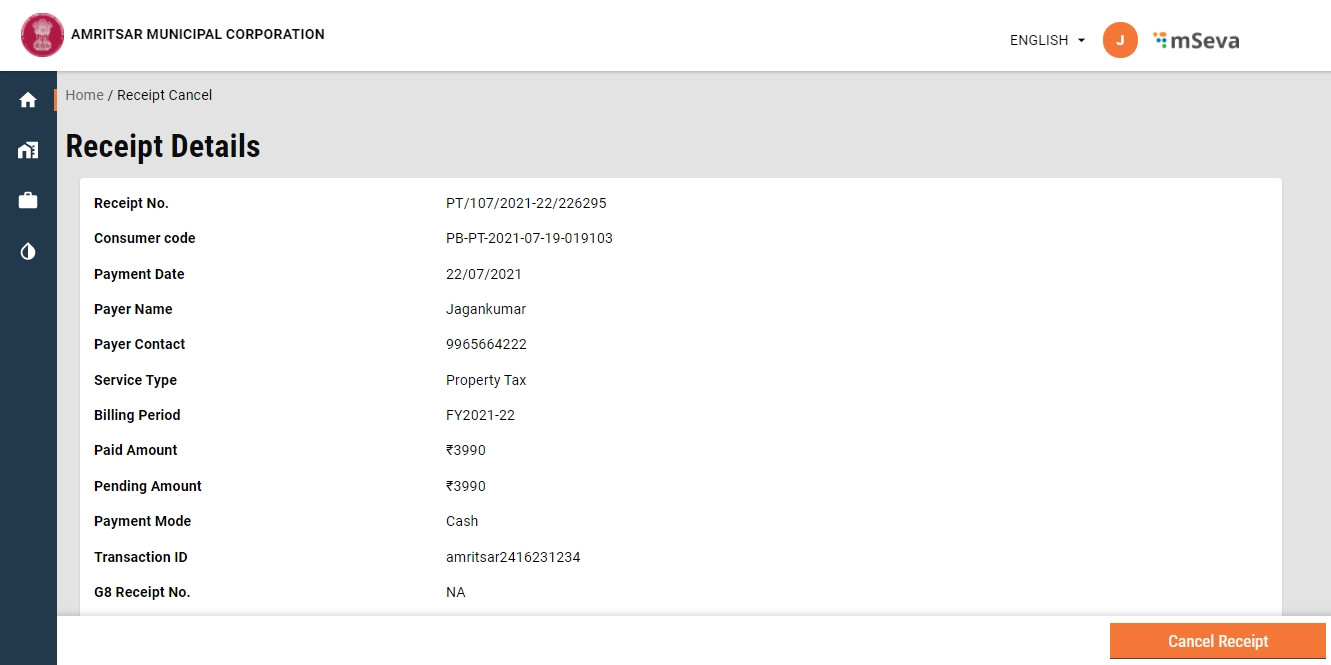
The search page displays the receipts. Click on the specific receipt number navigates the user to view the receipt details.
View receipt details are available here
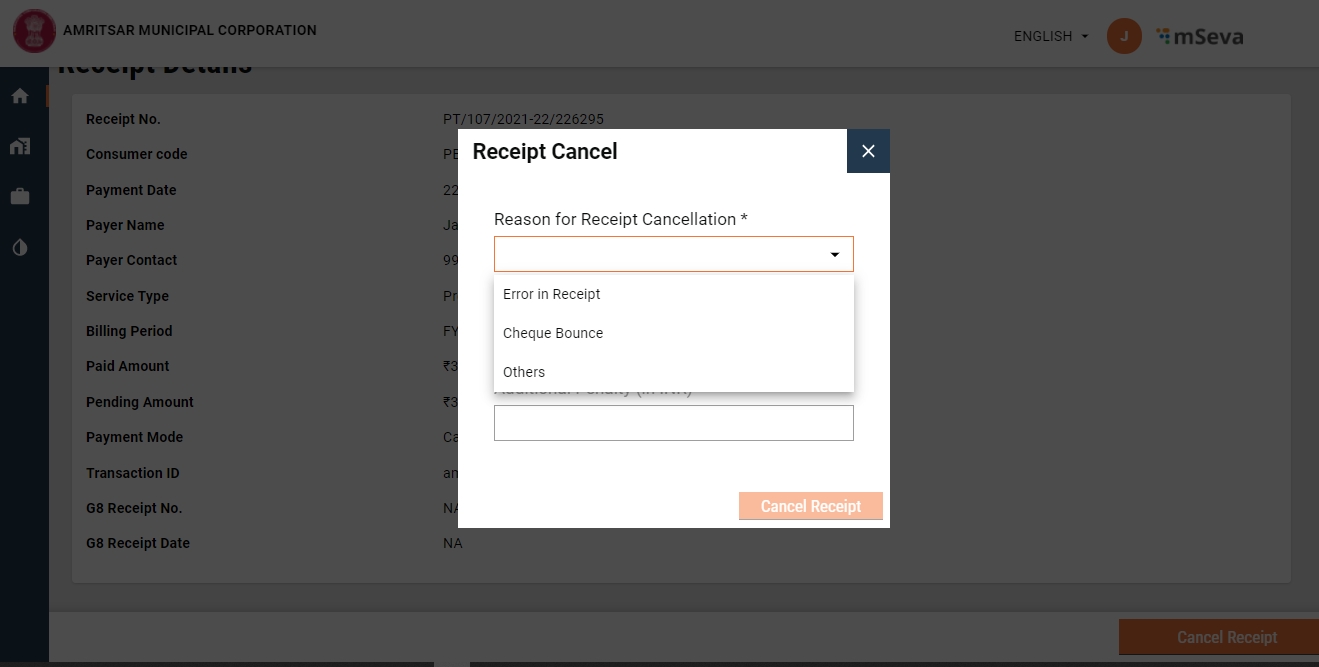
The initial MDMS call is made on page load. CancelReceiptReason MDMS is used to display multiple reasons for cancelling.
Action modal - This appears with the click of Cancel Receipt. The cancel receipt action is shown only for the following state of receipt.
Receipt?.paymentStatus !== "CANCELLED" && Receipt?.paymentStatus !== "DEPOSITED" && (Receipt?.instrumentStatus == "APPROVED" || Receipt?.instrumentStatus == "REMITTED"
Data fetch, load and render
Once the Receipt is searched using collection-services/payments/{selectedbusinessService}/_search API, the user can cancel the receipt using /collection-services/payments/{selectedbusinessService}/_workflow API
Acknowledgement screen It gets shown once the cancel receipt is clicked. File details -
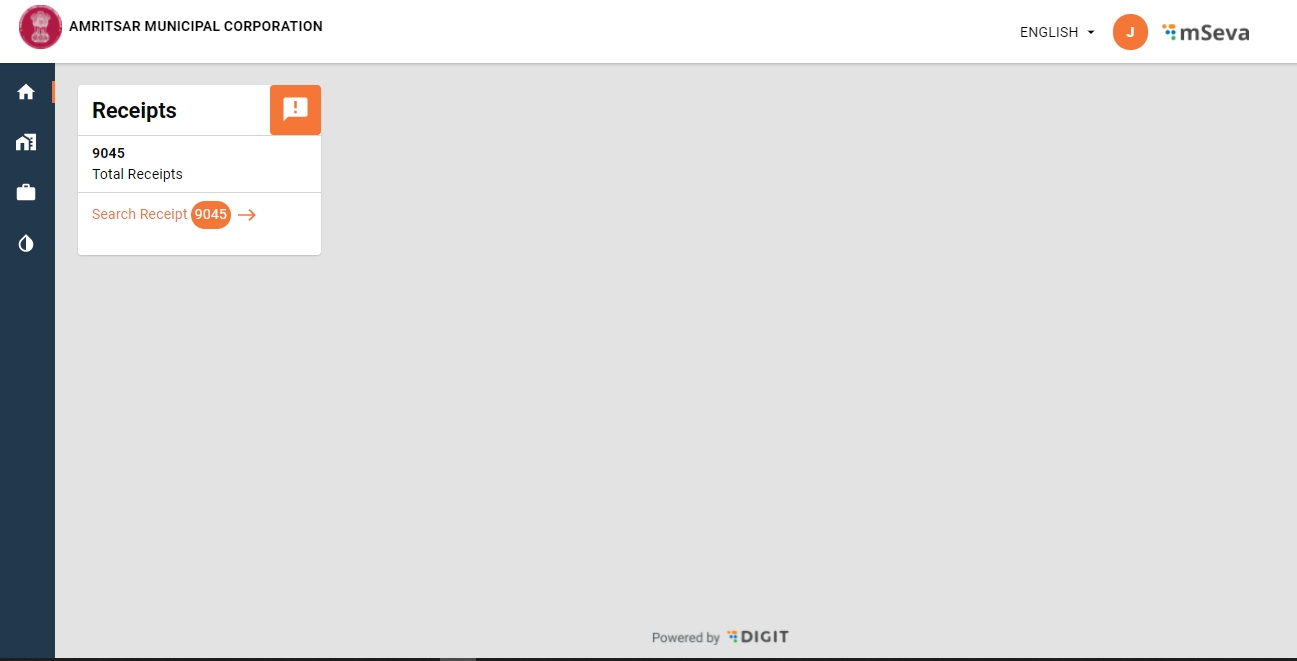
Once the user logins with the CR_PT role, the system displays the Receipts module card along with the Total Receipts count.
Clicking on the Search Receipts redirects users to the Inbox/search receipt screen.
Route - mSeva
Inbox File details https://github.com/egovernments/digit-ui-internals/blob/main/packages/modules/receipts/src/pages/ReceiptInbox.js
MDMS Configs used in this inbox screen ReceiptStatus show the required status in the inbox similarly uiCommonPay fetches the service categories.
The Search and Cancel Receipts option is available only for enabled services. This is configured in uiCommonPay config by setting true the cancelReceipt.
Table Structure
Uses the same table component similar to other modules.
Once the data is fetched using collection-services/payments/{selectedbusinessService}/_search API is used to search and get the required receipt details.
The Same API collection-services/payments/{selectedbusinessService}/_search with a flag isCountRequest to get the required count of total receipts.
On the search results page, users can click on the receipt number to cancel any receipt. The details of this are available in the following document - View Receipt and Cancel
Localisation Modules used
rainmaker-common rainmaker-receipts
To enable multiple business services -
MDMS needs to be updated ascancelReceipt : truefor that specific business service.
Role Actions, update the payment search and workflow API for the new USER Role.
Function logic should be updated to support multiple services. getDefaultReceiptService = () => { return RECEIPTS_DEFAULT_SERVICE;} https://github.com/egovernments/digit-ui-internals/blob/main/packages/modules/receipts/src/utils/index.js
Only the CR_PT role is allowed to use this module.
egov-mdms-service/v1/_search
CR_PT
954
collection-services/payments/PT/_search
CR_PT
2029
egov-mdms-service/v1/_search
CR_PT
954
collection-services/payments/PT/_search
CR_PT
2029
/collection-services/payments/PT/_workflow
CR_PT
2028
    MdmsCriteria: {
      tenantId: tenantId,
      moduleDetails: [
        {
          moduleName: "common-masters",
          masterDetails: [
            {
              name: "uiCommonPay"
            }
            {
              name: "ReceiptStatus"
            }
           ]
        },
      ]
}arrears: true
billKey: "property-bill"
cancelReceipt: true
code: "PT"
headerBandLabel: "PT_COMMON_TABLE_COL_PT_ID"
receiptKey: "property-receipt" moduleDetails: [
{
moduleName: "common-masters",
masterDetails: [
{
name: "CancelReceiptReason"
}
]
}
]