> For the complete documentation index, see [llms.txt](https://docs.digit.org/llms.txt). Markdown versions of documentation pages are available by appending `.md` to page URLs; this page is available as [Markdown](https://docs.digit.org/platform/guides/developer-guide/ui-developer-guide/android-web-view-and-how-to-generate-apk.md).
# Android Web View & How To Generate APK
## Overview
This document will help us generate the APK for Citizen and Employee applications.
## Steps
### 1. Android Web View
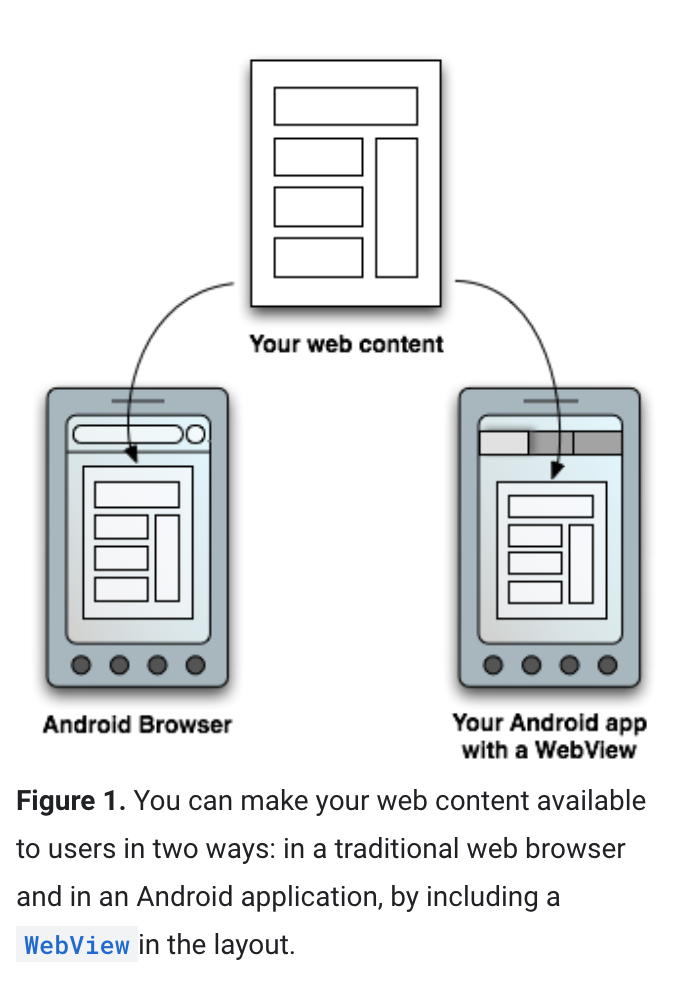
Android offers a variety of ways to present content to a user. To provide a user experience that’s consistent with the rest of the platform, it’s usually best to build a native app that incorporates framework-provided experiences, such as [Android App Links](https://developer.android.com/training/app-links) or [Search](https://developer.android.com/guide/topics/search). Additionally, you can use Google Play-based experiences, such as [App Actions](https://developer.android.com/guide/actions) and [Slices](https://developer.android.com/guide/slices), where Google Play services are available. Some apps, however, may need increased control over the UI. In this case, a `WebView` is a good option for displaying trusted first-party content.
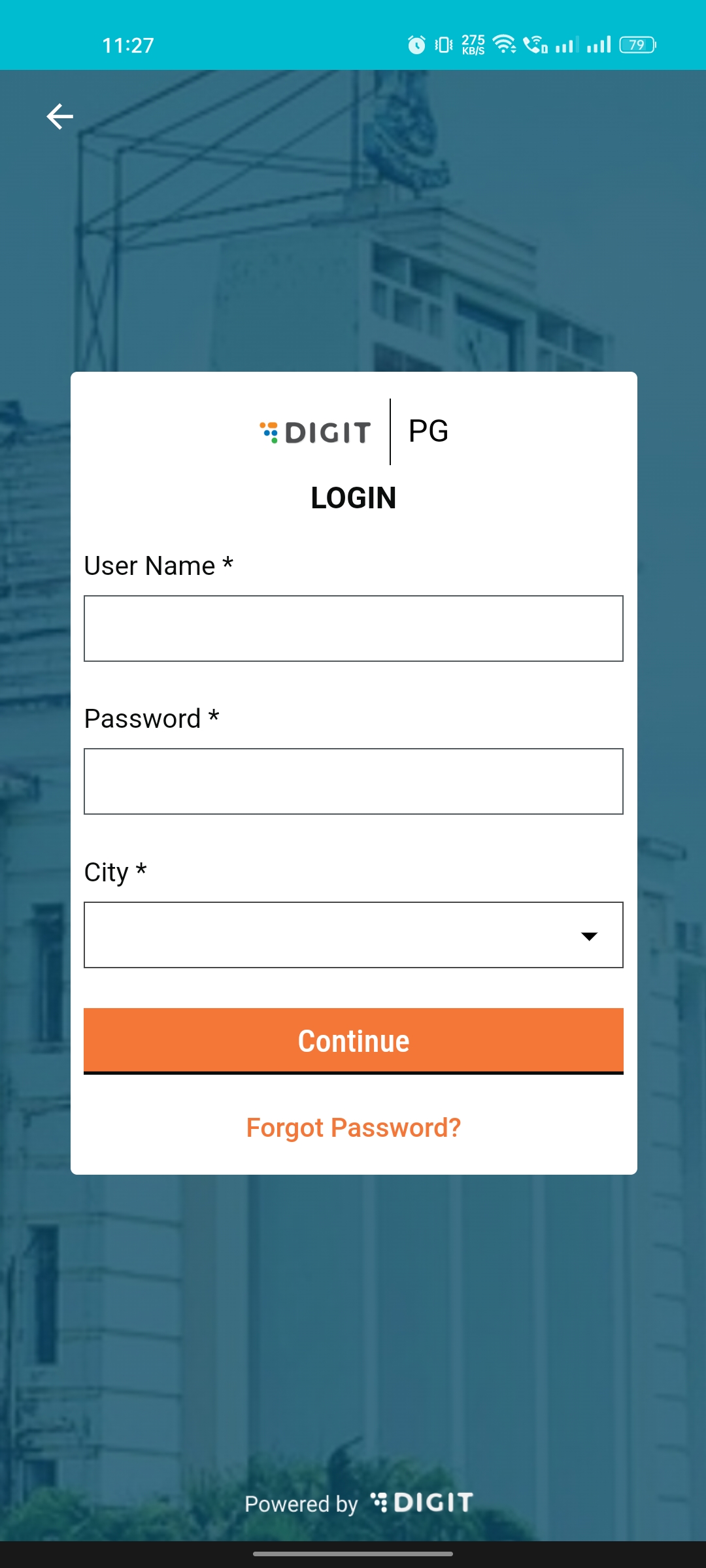
In Egov we create only responsive web apps instead of native apps (Android, IOS). The Android web view is used to render the out web application.
### 2. Generate APK For Citizen & Employee Applications
1. Clone the [GitHub - egovernments/DIGIT-OSS: eGov Foundation's Open source repository of the DIGIT](https://github.com/egovernments/DIGIT-OSS) repo.
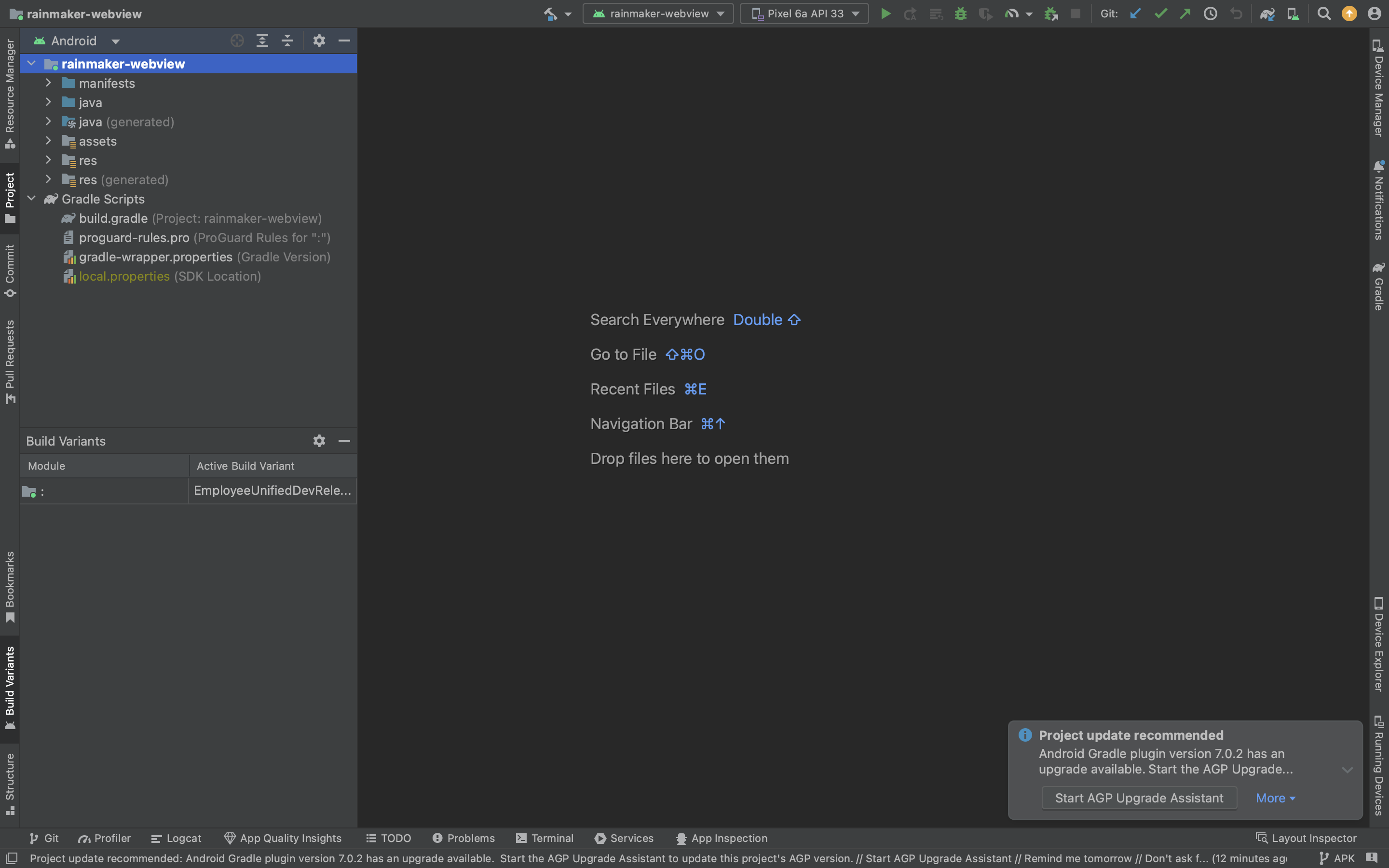
2. Open the below location in the [Android studio](https://developer.android.com/studio).
{% embed url="" %}
**Generate APK for citizen application**
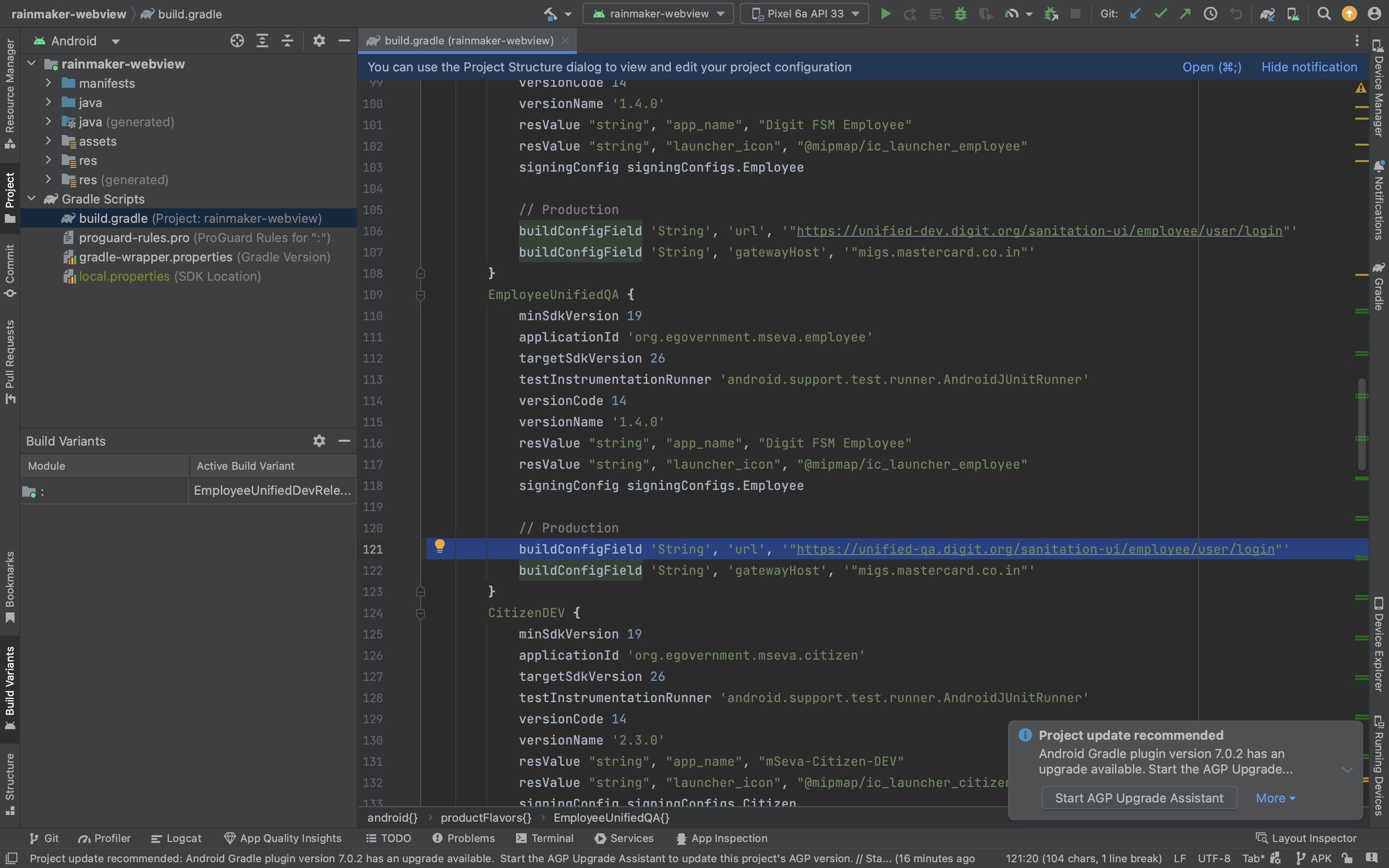
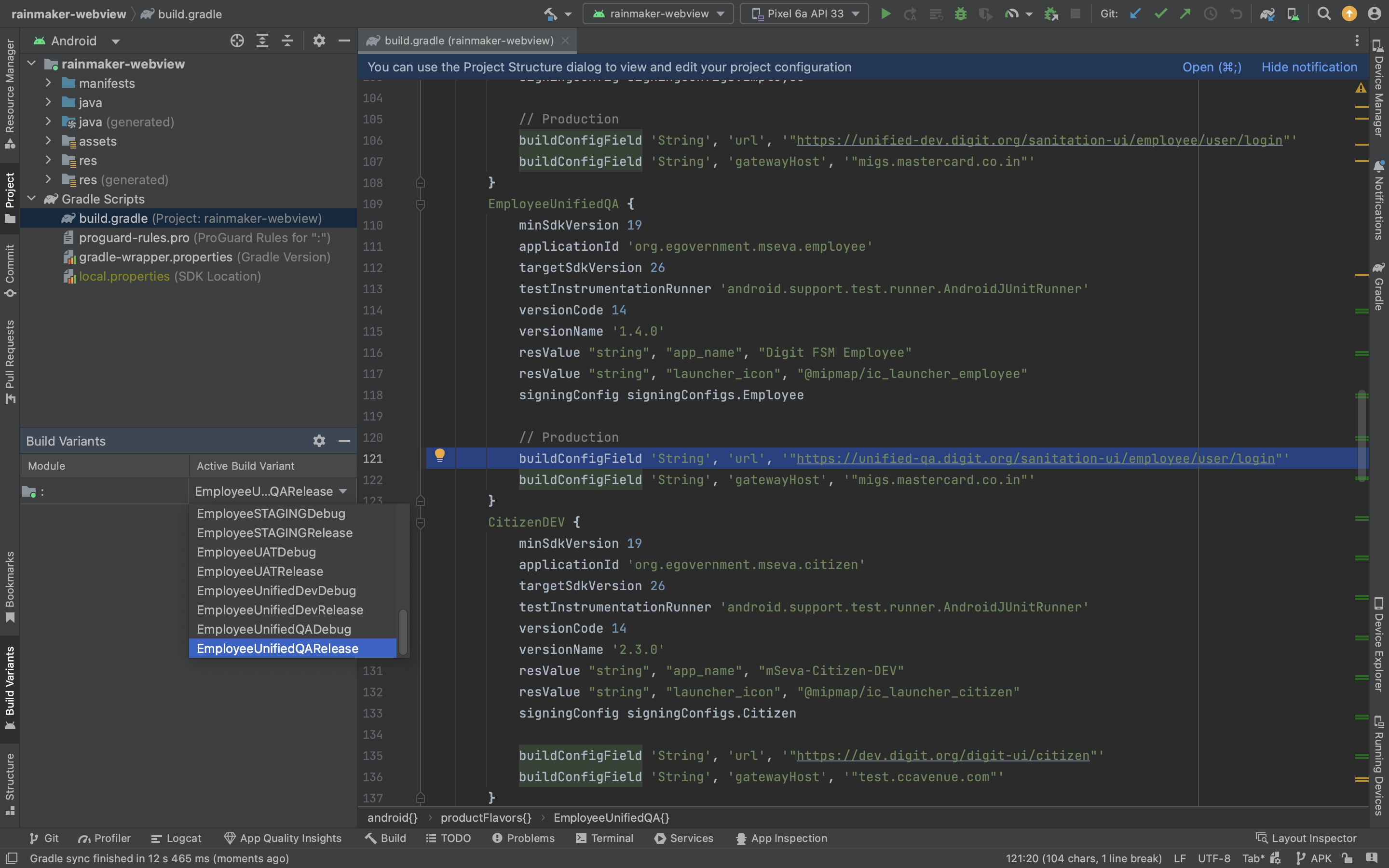
1. Go to build. Gradle file there we have created multiple environments(UAT and PROD), please select the environment where you want to generate APK and put your web application URL.
2. Update the web application URL as required Application URL.
`buildConfigField 'String', 'url', '"https://uat.digit.org/citizen/user/register"'`
also, specify the citizen gateway hostname if not using Mastercard,
`buildConfigField 'String', 'gatewayHost', '"migs.mastercard.co.in"'`
3\. Save the file on the left side of the Android studio. Click Build Variants and select the applicable build variant.
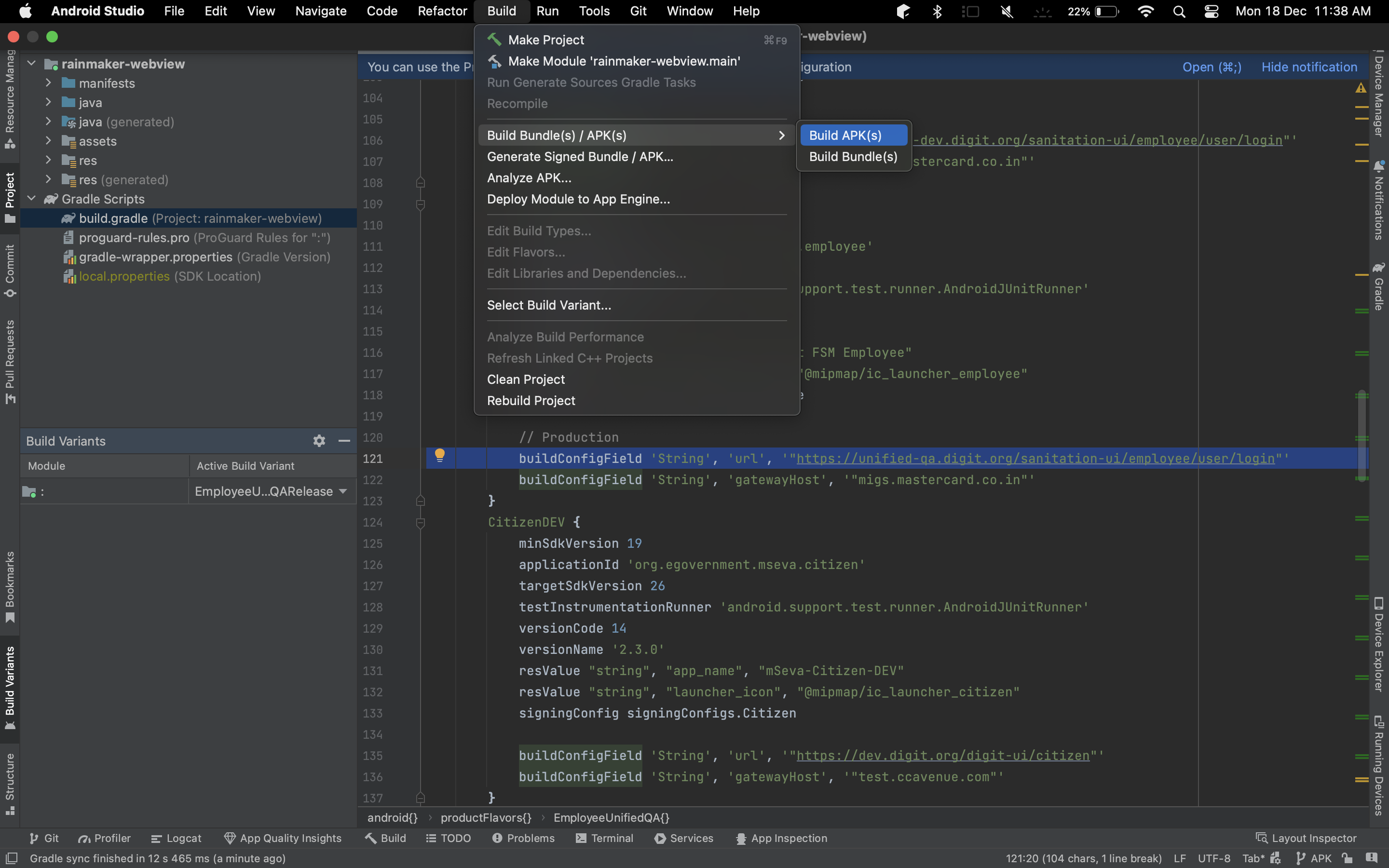
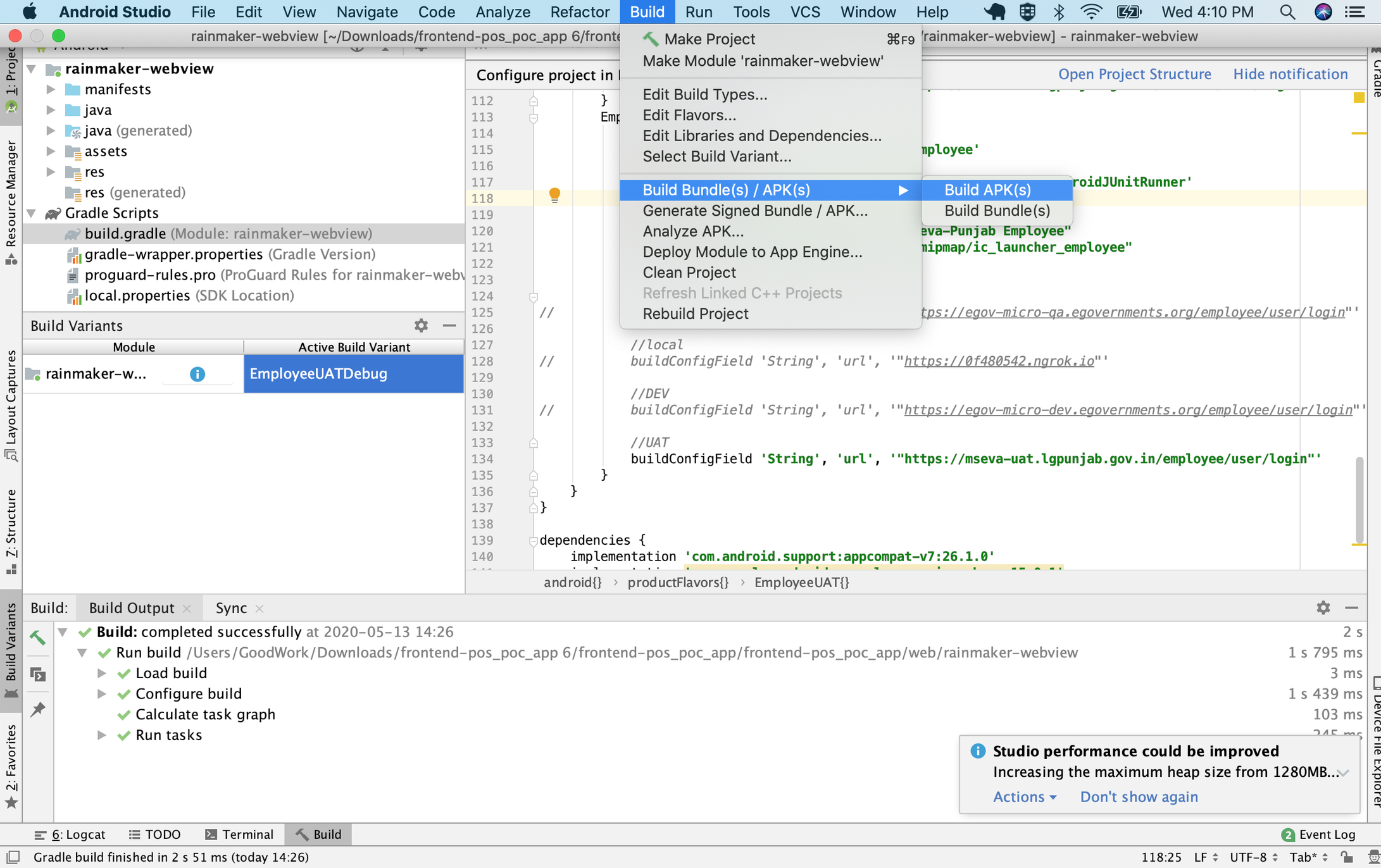
4\. Click on **Build** menu, select **Build APK(s)** submenu.
It will take some time to generate and it will show generated location.
**Generating APK for employee application**
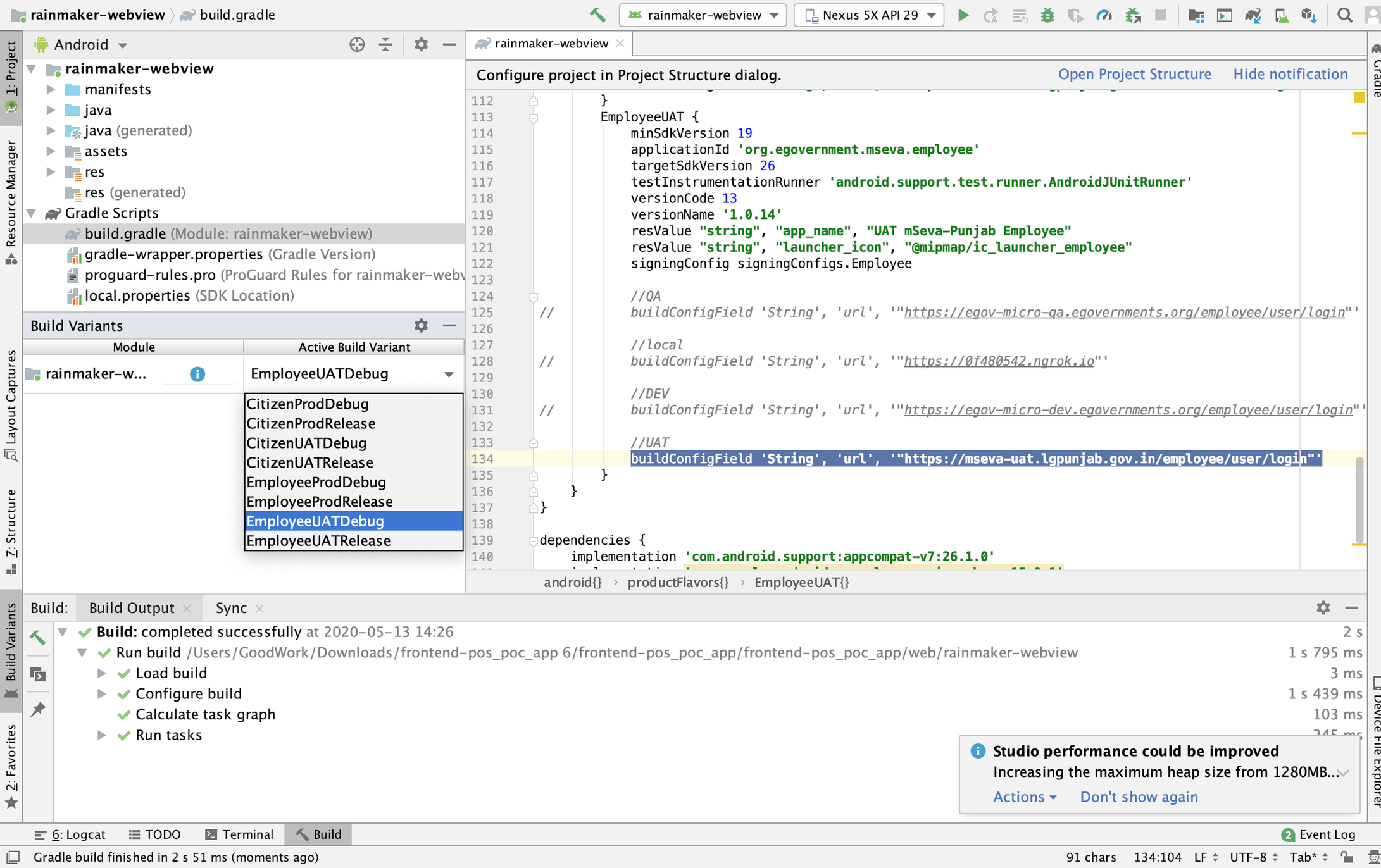
1\. Go to build. Gradle file there we have created multiple environments (UAT and PROD), please select the environment where you want to generate APK and put your web application URL.
2\. Save the file, left side of the android studio click Build variants, and select build variant.
3\. Click on the build menu, and select Build APK(s) submenu.
It will take some time to generate and it will show generated location.
### 3. Generate APK For Production
1. Follow the 3rd and 4th steps mentioned above.
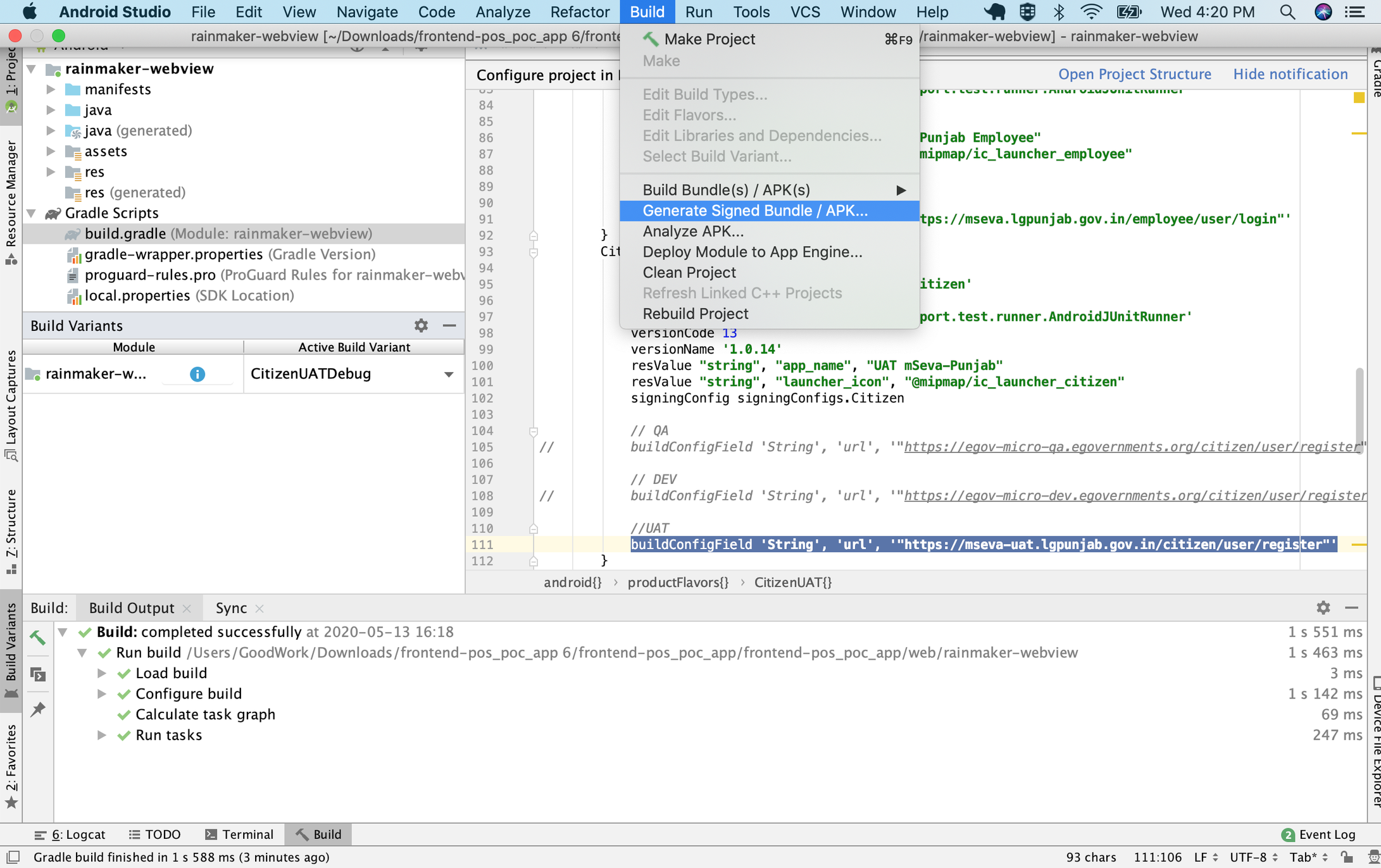
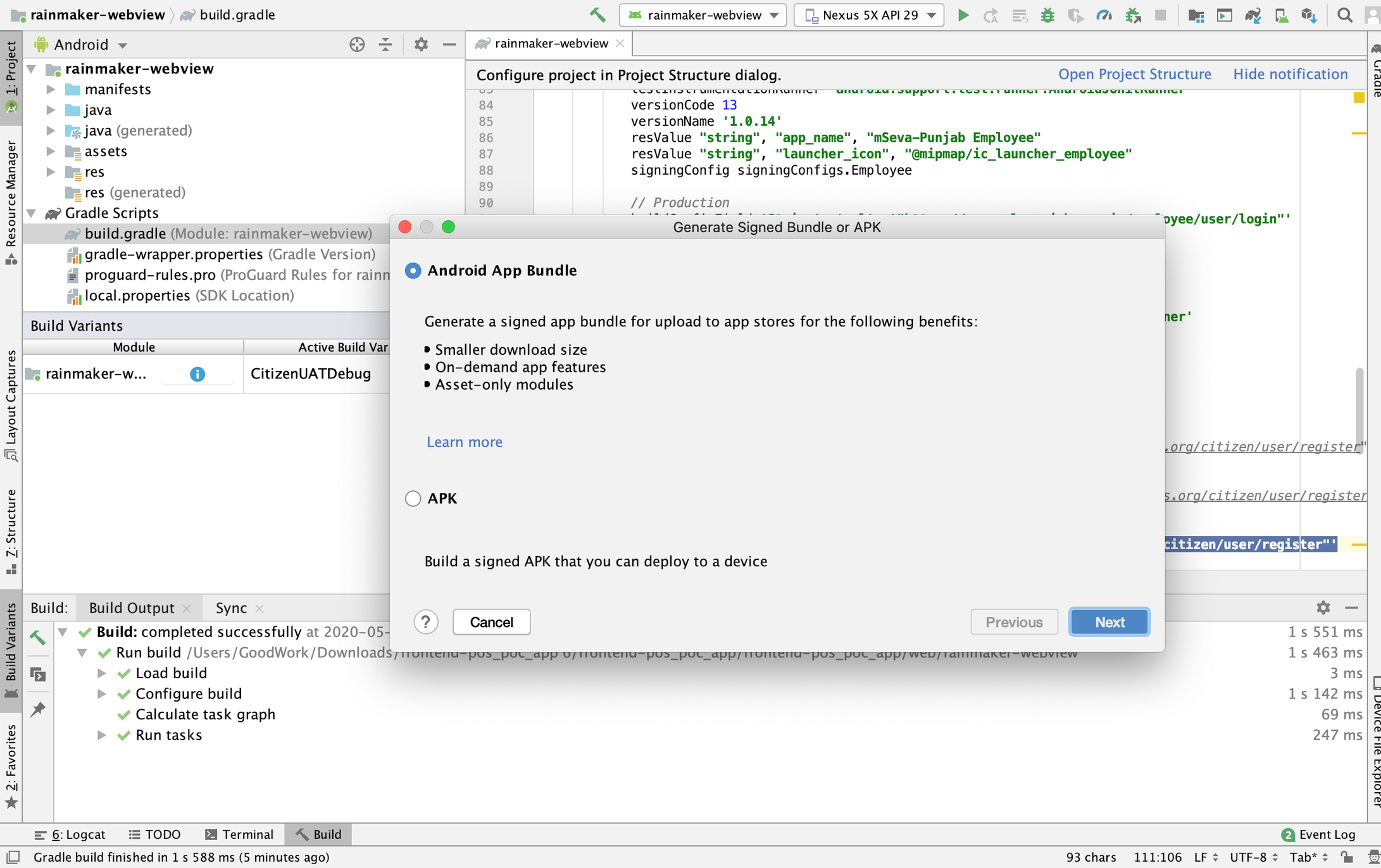
2. Click on the **Build** menu and select **Generate Signed Bundle / APK**.
3. Select 1st radio button - **Android App Bundle.**
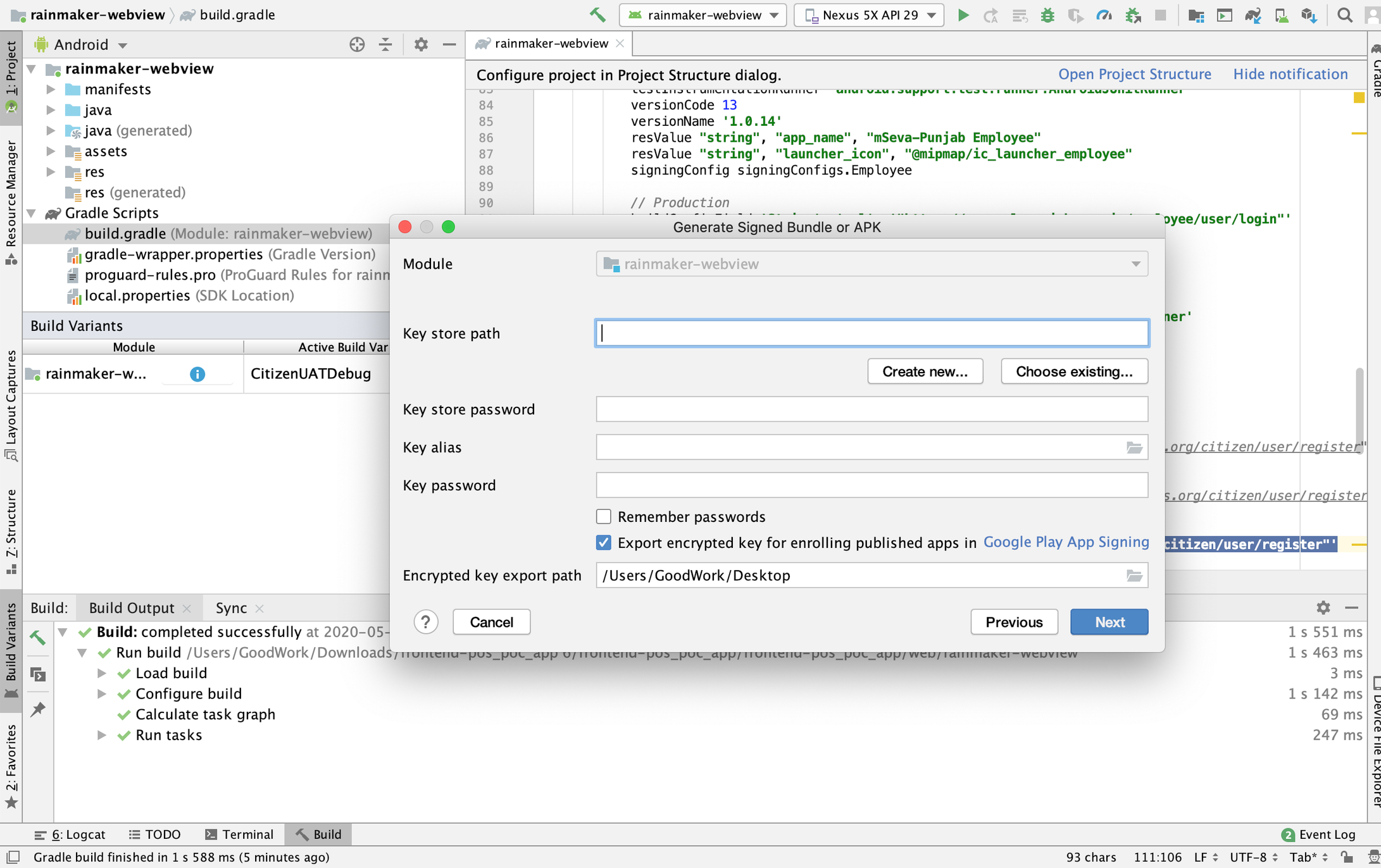
4. Enter the information presented in the form and click on **Next.**
5. Upload the APK generated by the 4th step and upload it to the play store.
## Related Links
[How to debug android app using Chrome browser](/platform/guides/developer-guide/ui-developer-guide/faqs/debug-android-app-using-chrome-browser.md)
---
# Agent Instructions
This documentation is published with GitBook. GitBook is the documentation platform designed so that both humans and AI agents can read, navigate, and reason over technical content effectively. Learn more at gitbook.com.
## Querying This Documentation
If you need additional information that is not directly available in this page, you can query the documentation by asking a question.
Perform an HTTP GET request on the following URL with the `ask` and `goal` query parameters:
```
GET https://docs.digit.org/platform/guides/developer-guide/ui-developer-guide/android-web-view-and-how-to-generate-apk.md?ask=&goal=
```
`ask` is the immediate question: it should be specific, self-contained, and written in natural language.
`goal` is what the user is ultimately trying to achieve, the reason they need the answer. Sharing it helps GitBook give you a better, more relevant answer. A goal is most helpful when it describes the outcome the user wants rather than restating the question. For example, with `ask=how do I create an API token`, a goal like `automate deployments from our CI pipeline` lets GitBook tailor the answer to that use case.
The response will contain a direct answer to the question and relevant excerpts and sources from the documentation.
Use this mechanism when the answer is not explicitly present in the current page, you need clarification or additional context, or you want to retrieve related documentation sections.