> For the complete documentation index, see [llms.txt](https://docs.digit.org/llms.txt). Markdown versions of documentation pages are available by appending `.md` to page URLs; this page is available as [Markdown](https://docs.digit.org/platform/guides/developer-guide/ui-developer-guide/digit-ui.md).
# DIGIT-UI Architecture
Key components of DIGIT-UI
## Overview
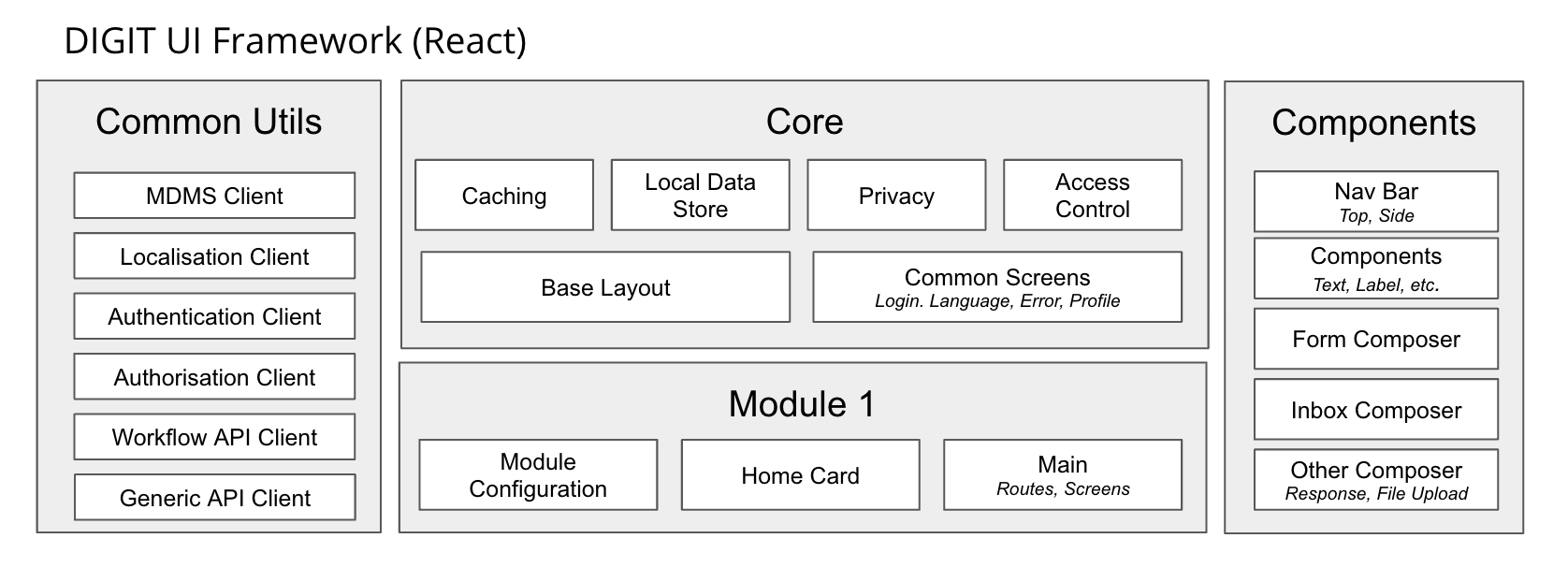
This page provides the architecture and key features of the DIGIT UI. Click on the broader headings below to find the details.
* [Frontend components](#frontend-components-1)
* [UI Architecture](#architecture)
* [Employee/Citizen App](#employee-citizen-app)
## Frontend Components
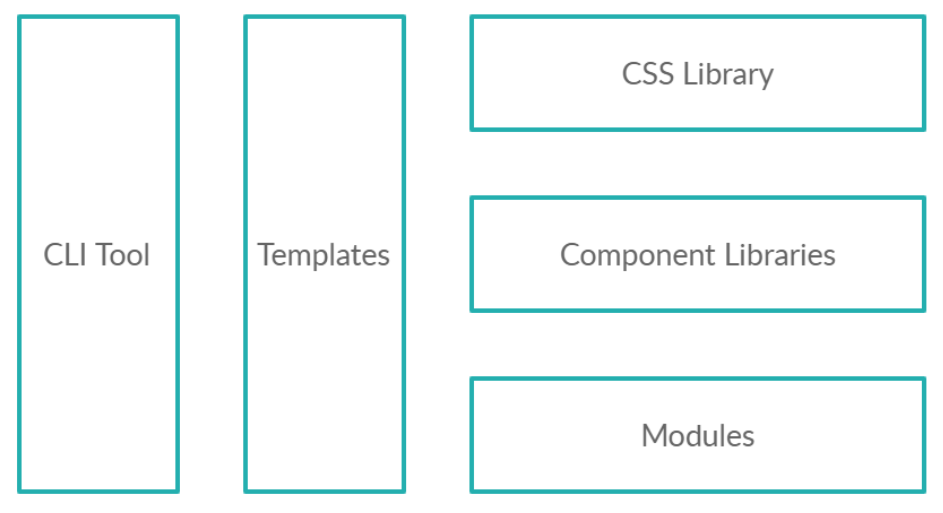
Broadly, the DIGIT UI frontend components are categorised as follows:
1. [Libraries](#css-library)
2. [CSS Library](#css-library)
3. [React Components](#component-libraries)
4. [UI Modules](#modules)
5. [Templates](#templates)
DIGIT UI
### CSS Library
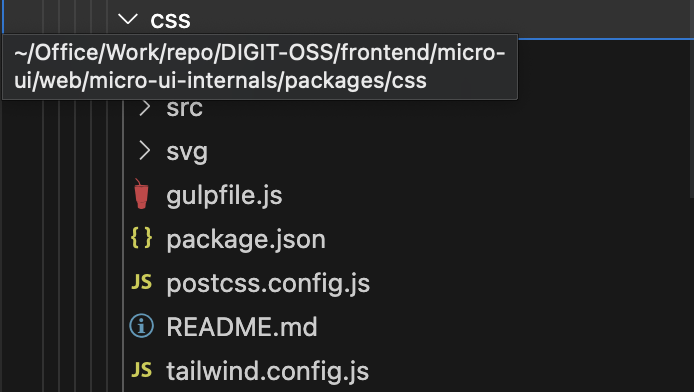
The CSS Library contains all the classes both in the module and compiled form.
css folder structure
This can be imported using `import "@egovernments/digit-ui.css/Button"`or full CSS import using `import "@egovernments/digit-ui.css"`
### Component Libraries
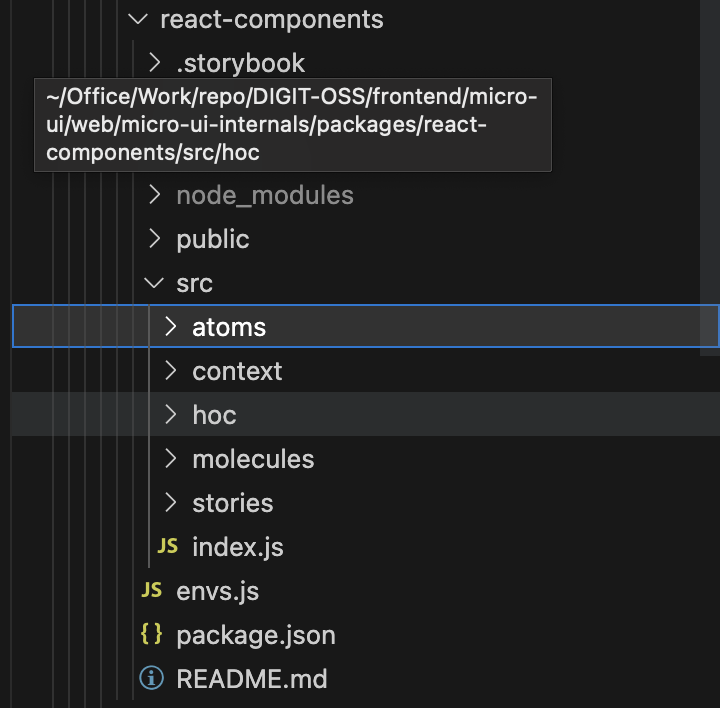
The Component Library contains a set of all required components defined in it.
react-components
### Libraries & Utils
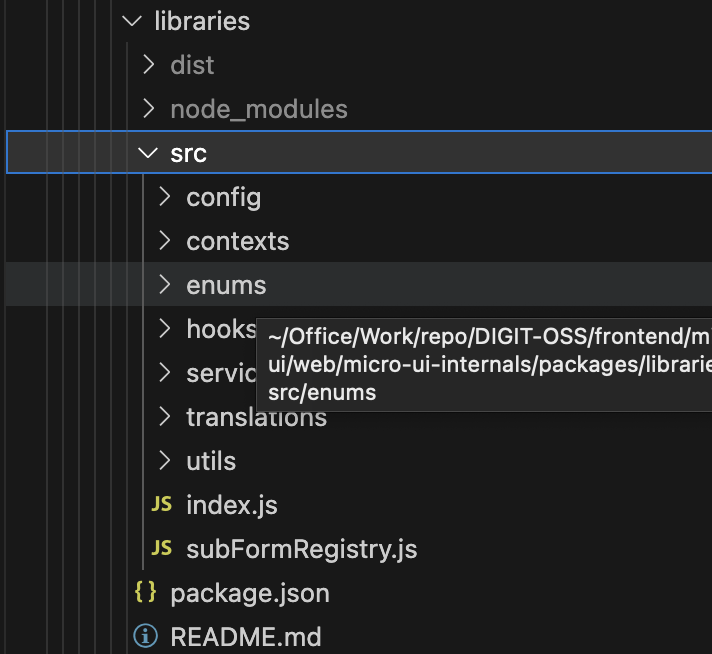
The libraries and utilities contain the following:
* Localization workflows
* API Handling Strategies - Centralise API caching and handling strategies within shared functions, accessible by all modules. This ensures consistency and efficiency across the application.
* Localisation
libraries
### Modules
The module is a closed system for states, allowing access only to node\_modules or CDNs. State-specific components can be provided during the module's initialisation in the employee or citizen application.
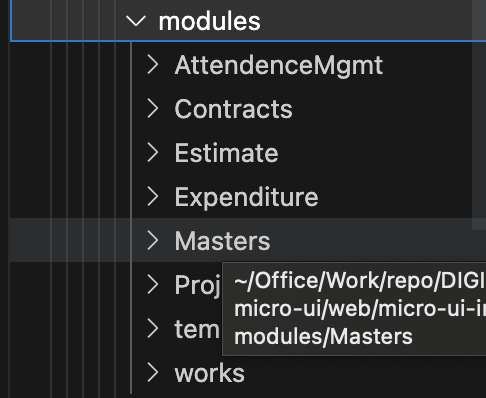
Below is an illustration of how the module structure looks:
modules
Modules contain the following inbuilt
* Theme - this may change if we later decide to use any `css-in-js` library, like `styled-components`.
* Components
* Routes
* State management
* Business logic
* API integrations
### Nomenclature
1. The first line contains the Architecture Component name or info
2. The second line contains an npm package and a template in brackets for creating the component.
module naming convention
### Features
* Easy-to-use CLI
* Handles all modern JS features
* Bundles `commonjs` and `es` module formats
* [create-react-app](https://github.com/facebookincubator/create-react-app) for example usage and local dev for React-based libraries
* [Rollup](https://rollupjs.org/) for bundling
* [Babel](https://babeljs.io/) for transpiling
* Supports complicated peer dependencies
* Supports CSS modules
### Templates
The templates have the following folder structure: Components related to the template are inside the `src` folder. An example is provided to demonstrate the app created by the template.
## Architecture
We have two main React Apps:
1. `micro-ui-internals`
* This is meant for the eGov development team to build components and default modules.
* It contains the following modules:
* CSS Library
* UI Components (presently `react-components`)
* Utils Library: Contains Services, Localisation handling and React Hooks.
* UI Modules
* Core - containing login, routing and global state.
* PGR
* FSM
* PT
* Payment
* etc ...
2. `micro-ui`
* This is meant for the state team to manage, make changes, and deploy
* It allows the import of `digit-ui-internals` modules
* Customizations
* View
* Services
* Build and deploy scripts
* Dockerfile & nginx.conf
* build-config.yaml
## Employee / Citizen App
The app imports the developed module.
```
import './index.css' import { initPGR } from '@egovernments/pgr-module'; import punjabLogo from './assets/logo.png' const theme = { "--primary-color": "#3f51b5", "--text-color": "#212121" } const PGRComponents = { "logo": punjabLogo } const initPunjabPGR = (onRouteChange) => initPGR({ state: "pb", element: "#appWrapper", components: PGRComponents, onRouteChange, theme }); export default initPunjabPGR;
```
In the next phase, we can merge the Employee and Citizen apps into one app with role-based permissions and content.
## Related Links
[Prerequisite reference study materials](/platform/guides/developer-guide/pre-requisites-training-resources.md)
[Troubleshoot using the Browser Network Tab](/platform/guides/developer-guide/ui-developer-guide/faqs/troubleshoot-using-browser-network-tab.md)
---
# Agent Instructions
This documentation is published with GitBook. GitBook is the documentation platform designed so that both humans and AI agents can read, navigate, and reason over technical content effectively. Learn more at gitbook.com.
## Querying This Documentation
If you need additional information that is not directly available in this page, you can query the documentation by asking a question.
Perform an HTTP GET request on the following URL with the `ask` and `goal` query parameters:
```
GET https://docs.digit.org/platform/guides/developer-guide/ui-developer-guide/digit-ui.md?ask=&goal=
```
`ask` is the immediate question: it should be specific, self-contained, and written in natural language.
`goal` is what the user is ultimately trying to achieve, the reason they need the answer. Sharing it helps GitBook give you a better, more relevant answer. A goal is most helpful when it describes the outcome the user wants rather than restating the question. For example, with `ask=how do I create an API token`, a goal like `automate deployments from our CI pipeline` lets GitBook tailor the answer to that use case.
The response will contain a direct answer to the question and relevant excerpts and sources from the documentation.
Use this mechanism when the answer is not explicitly present in the current page, you need clarification or additional context, or you want to retrieve related documentation sections.