# Toggles

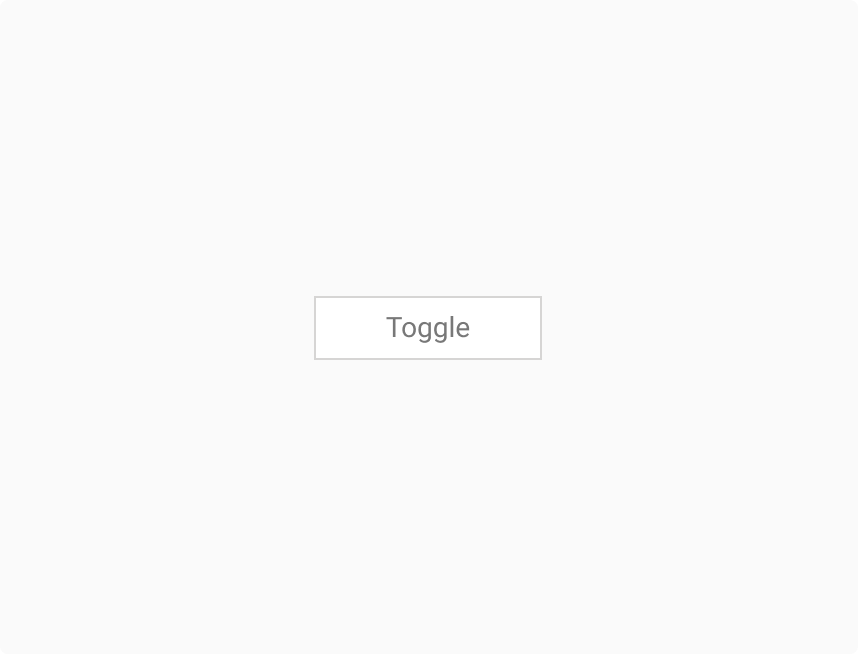
The Toggle component enables users to switch easily between two or more options. Consistent with DIGIT’s Design System, it prioritises clarity, responsiveness, and accessibility—assisting users in making quick, deliberate choices through visually distinct and intuitive controls.

<figure><img src="https://3868804918-files.gitbook.io/~/files/v0/b/gitbook-x-prod.appspot.com/o/spaces%2FegsIWleSdyH9rMLJ8ShI%2Fuploads%2FrBjJgd0lGZYzGE5vMFEp%2Fimage.png?alt=media&#x26;token=4ef52879-5aaa-4b04-aa7f-42ede2e7d5b9" alt=""><figcaption></figcaption></figure>

{% tabs %}
{% tab title="Component React" %}

```
// Sample code

<Toggle
  additionalWrapperClass=""
  errorStyle={null}
  innerStyles={{}}
  inputRef={null}
  label=""
  name="toggleOptions"
  numberOfToggleItems={3}
  onChange={function noRefCheck(){}}
  onSelect={function noRefCheck(){}}
  options={[
    {
      code: 'Toggle1',
      name: 'Toggle 1'
    },
    {
      code: 'Toggle2',
      name: 'Toggle 2'
    },
    {
      code: 'Toggle3',
      name: 'Toggle 3'
    }
  ]}
  optionsKey="name"
  selectedOption=""
  style={{}}
  t={()=>{}}
  type="toggle"
  value=""
/>

```

{% endtab %}

{% tab title="Component Flutter" %}

```
// Sample code

ToggleList(
        mainAxisAlignment: MainAxisAlignment.center,
        selectedIndex: 0,
        toggleDigitButtons: [
          ToggleButtonModel(
              name: Toggle1,
              code: 'key1'
              ),
          ToggleButtonModel(
              name: Toggle2,
              code: 'key1'
              ),
          ToggleButtonModel(
              name: Toggle3,
              code: 'key1'
              ),
        ],
        onChanged: (selectedValues) {
          print(selectedValues);
        },
      ),
```

{% endtab %}

{% tab title="Component Design" %}

{% endtab %}
{% endtabs %}

## Anatomy

***

<figure><img src="https://3868804918-files.gitbook.io/~/files/v0/b/gitbook-x-prod.appspot.com/o/spaces%2FegsIWleSdyH9rMLJ8ShI%2Fuploads%2FsSpDGEfaZwSgxAvzYjj8%2Fimage.png?alt=media&#x26;token=6a2394b1-6347-4ef0-9a5b-ec23f628556e" alt=""><figcaption></figcaption></figure>

## Variants

***

<table data-header-hidden><thead><tr><th width="321"></th><th></th></tr></thead><tbody><tr><td><div><figure><img src="https://3868804918-files.gitbook.io/~/files/v0/b/gitbook-x-prod.appspot.com/o/spaces%2FegsIWleSdyH9rMLJ8ShI%2Fuploads%2FoxkLtESFDLetE2k8JrlC%2Fimage.png?alt=media&#x26;token=1e3d6dcf-1b41-4575-8243-1e64b6e602d3" alt=""><figcaption></figcaption></figure></div></td><td><p><strong>Basic</strong></p><p>The Basic variant provides a clean, minimal toggle with clear labels, optimised for scenarios where the user needs to select one option from a small set. It appears with a neutral background and border by default.</p></td></tr></tbody></table>

## Properties

<table data-header-hidden data-full-width="false"><thead><tr><th></th><th></th></tr></thead><tbody><tr><td><strong>Label</strong><br>Describe the purpose of each toggle item, ensuring clarity of intent.<br></td><td><div><figure><img src="https://3868804918-files.gitbook.io/~/files/v0/b/gitbook-x-prod.appspot.com/o/spaces%2FegsIWleSdyH9rMLJ8ShI%2Fuploads%2FNWZqDw2lfAqGNmuZIWgP%2Fimage.png?alt=media&#x26;token=5bdc0439-3a8b-4900-a9d5-1b4a12a54178" alt=""><figcaption></figcaption></figure></div></td></tr><tr><td><strong>Number of toggle items</strong><br>Supports multiple items in a single row, typically used to offer 2–4 selectable choices.</td><td><div><figure><img src="https://3868804918-files.gitbook.io/~/files/v0/b/gitbook-x-prod.appspot.com/o/spaces%2FegsIWleSdyH9rMLJ8ShI%2Fuploads%2F03aMDmwDBwkGZedxSHjx%2Fimage.png?alt=media&#x26;token=58600b0f-7799-4e9a-a785-ec5d5606facf" alt=""><figcaption></figcaption></figure></div></td></tr></tbody></table>

## Property Configuration Table

Each design component offers a range of configurable options. These options are intentionally platform-agnostic, allowing implementations to adapt and tailor them to align with the specific requirements of the chosen framework.

{% tabs %}
{% tab title="React" %}

<table><thead><tr><th width="257">Property</th><th>Value</th><th>Default</th></tr></thead><tbody><tr><td>selectedOption</td><td>text</td><td>-</td></tr><tr><td>onSelect</td><td>text</td><td>no</td></tr><tr><td>options</td><td>yes/no</td><td>no</td></tr><tr><td>optionsKey</td><td>yes/no</td><td>-</td></tr><tr><td>additionalWrapperClass</td><td>number</td><td>-</td></tr><tr><td>disabled</td><td>yes/no</td><td>-</td></tr><tr><td>inputRef</td><td>yes/no</td><td>no</td></tr><tr><td>style</td><td>yes/no</td><td>no</td></tr><tr><td>name</td><td>yes/no</td><td>no</td></tr></tbody></table>
{% endtab %}

{% tab title="Flutter" %}

<table><thead><tr><th>Property</th><th width="209">Value</th><th>Default</th></tr></thead><tbody><tr><td>toggleDigitButtons</td><td>List&#x3C;ToggleButtonModel></td><td>required</td></tr><tr><td>onChanged</td><td>void Function(ToggleButtonModel)</td><td>-</td></tr><tr><td>contentPadding</td><td>EdgeInsets</td><td>-</td></tr><tr><td>selectedIndex</td><td>int</td><td>-</td></tr><tr><td>toggleWidth</td><td>double</td><td>-</td></tr><tr><td>mainAxisAlignment</td><td>MainAxisAlignment</td><td>-</td></tr><tr><td>crossAxisAlignment</td><td>CrossAxisAlignment</td><td>-</td></tr></tbody></table>
{% endtab %}
{% endtabs %}

## Interaction State

***

<table data-header-hidden data-full-width="false"><thead><tr><th></th><th></th></tr></thead><tbody><tr><td><strong>Default State</strong><br>Neutral styling; inactive and ready to be interacted with.<br></td><td><div><figure><img src="https://3868804918-files.gitbook.io/~/files/v0/b/gitbook-x-prod.appspot.com/o/spaces%2FegsIWleSdyH9rMLJ8ShI%2Fuploads%2FyhV6kqe28To13Zj2JhPn%2Fimage.png?alt=media&#x26;token=1ec5fd1b-4535-4d51-ab30-5bea2c19c5a4" alt=""><figcaption></figcaption></figure></div></td></tr><tr><td><p><strong>Hover State</strong> </p><p>Highlights the toggle boundary or text to indicate it’s interactive.</p></td><td><div><figure><img src="https://3868804918-files.gitbook.io/~/files/v0/b/gitbook-x-prod.appspot.com/o/spaces%2FegsIWleSdyH9rMLJ8ShI%2Fuploads%2FPCvQvIxEJsgms6gZvUd5%2Fimage.png?alt=media&#x26;token=8dc6b719-3242-4e58-8033-ac64c0281651" alt=""><figcaption></figcaption></figure></div></td></tr><tr><td><p><strong>Mousedown State</strong> </p><p>A pressed visual state indicating that the toggle is being clicked.</p></td><td><div><figure><img src="https://3868804918-files.gitbook.io/~/files/v0/b/gitbook-x-prod.appspot.com/o/spaces%2FegsIWleSdyH9rMLJ8ShI%2Fuploads%2FoB1iJeVHHPqQGdqHH81o%2Fimage.png?alt=media&#x26;token=00392101-30d1-492a-98f7-3b6f36ee84a7" alt=""><figcaption></figcaption></figure></div></td></tr><tr><td><p><strong>Active State</strong></p><p>Highlights the selected toggle with a strong fill color to show selection.</p></td><td><div><figure><img src="https://3868804918-files.gitbook.io/~/files/v0/b/gitbook-x-prod.appspot.com/o/spaces%2FegsIWleSdyH9rMLJ8ShI%2Fuploads%2FXLdnfYeynRhGqRLZTLWE%2Fimage.png?alt=media&#x26;token=a747a05d-e4c6-4266-bd7a-121b35266456" alt=""><figcaption></figcaption></figure></div></td></tr></tbody></table>

## Behaviours

|                                                                                                                                                                                                                                                                                            |                                                                                                                                                       |
| ------------------------------------------------------------------------------------------------------------------------------------------------------------------------------------------------------------------------------------------------------------------------------------------ | ----------------------------------------------------------------------------------------------------------------------------------------------------- |
| <div><figure><img src="https://3868804918-files.gitbook.io/~/files/v0/b/gitbook-x-prod.appspot.com/o/spaces%2FegsIWleSdyH9rMLJ8ShI%2Fuploads%2FfgHFIo020KMCFvAaKDAQ%2Fimage.png?alt=media&#x26;token=77e82a1a-6076-44c5-b37f-31873f38fe82" alt=""><figcaption></figcaption></figure></div> | <p><strong>Single Selection Logic</strong></p><p>Only one toggle item can be selected at a time. Selecting another will deselect the current one.</p> |
| <div><figure><img src="https://3868804918-files.gitbook.io/~/files/v0/b/gitbook-x-prod.appspot.com/o/spaces%2FegsIWleSdyH9rMLJ8ShI%2Fuploads%2FkvnZqwZ4BDnlcrxnzAGM%2Fimage.png?alt=media&#x26;token=70b4a0bc-61e9-4275-bc2e-37d152fe0ffc" alt=""><figcaption></figcaption></figure></div> | <p><strong>Responsive Layout</strong></p><p>Toggle items adjust spacing or wrap to fit various screen sizes.</p>                                      |

***

## Usage Guide

***

| <div><figure><img src="https://3868804918-files.gitbook.io/~/files/v0/b/gitbook-x-prod.appspot.com/o/spaces%2FegsIWleSdyH9rMLJ8ShI%2Fuploads%2FJk5TGiblbtwiDSeB3GKl%2Fimage.png?alt=media&#x26;token=14222c47-5347-438e-b58f-09c7879b61fb" alt=""><figcaption></figcaption></figure></div> | <p><strong>Use toggles for binary actions</strong></p><p>Use toggles when users need to quickly switch between options without needing additional confirmation. They should indicate the selected state and allow easy navigation between choices.  Avoid using toggles for critical actions. Since toggles are meant for quick, reversible selections, using them for irreversible actions can lead to accidental mistakes without a clear confirmation step.</p> |
| ------------------------------------------------------------------------------------------------------------------------------------------------------------------------------------------------------------------------------------------------------------------------------------------ | ------------------------------------------------------------------------------------------------------------------------------------------------------------------------------------------------------------------------------------------------------------------------------------------------------------------------------------------------------------------------------------------------------------------------------------------------------------------ |
| <div><figure><img src="https://3868804918-files.gitbook.io/~/files/v0/b/gitbook-x-prod.appspot.com/o/spaces%2FegsIWleSdyH9rMLJ8ShI%2Fuploads%2FlRxgmOoEnWPKAzUmZnDN%2Fimage.png?alt=media&#x26;token=63089a11-81cb-47a0-a387-9163dcf60ecc" alt=""><figcaption></figcaption></figure></div> |                                                                                                                                                                                                                                                                                                                                                                                                                                                                    |

## Changelog

***

| Date         | Number  | Notes                                                                                           |
| ------------ | ------- | ----------------------------------------------------------------------------------------------- |
| Dec 15, 2024 | v-0.0.2 | <p>This component is added to the website.<br>This component is now individually versioned.</p> |

## Design Checklist

***

<table data-header-hidden><thead><tr><th width="129" data-type="checkbox"></th><th></th></tr></thead><tbody><tr><td>true</td><td><strong>All interactive states</strong> - Includes all interactive states that are applicable (hover, down, focus, keyboard focus, disabled).</td></tr><tr><td>true</td><td><strong>Accessible use of colours</strong> - Colour is not used as the only visual means of conveying information (WCAG 2.1 1.4.1)</td></tr><tr><td>true</td><td><strong>Accessible contrast for text</strong> - Text has a contrast ratio of at least 4.5:1 for small text and at least 3:1 for large text (WCAG 2.0 1.4.3).</td></tr><tr><td>true</td><td><strong>Accessible contrast for UI components</strong> - Visual information required to identify components and states (except inactive components) has a contrast ratio of at least 3:1 (WCAG 2.1 1.4.11).</td></tr><tr><td>true</td><td><strong>Keyboard interactions</strong> - Includes all interactive states that are applicable (hover, down, focus, keyboard focus, disabled).</td></tr><tr><td>false</td><td><strong>Screen reader accessible</strong> - All content, including headings, labels, and descriptions, is meaningful, concise, contextual and accessible by screen readers.</td></tr><tr><td>true</td><td><strong>Responsive for all breakpoints</strong> - Responsiveness for 3 breakpoints - Mobile, Tablet and Desktop</td></tr><tr><td>true</td><td><strong>Usage guidelines</strong> - Includes a list of dos and don'ts that highlight best practices and common mistakes.</td></tr><tr><td>false</td><td><strong>Content guidelines</strong> - Content standards and usage guidelines for writing and formatting in-product content for the component.</td></tr><tr><td>true</td><td><strong>Defined variants and properties</strong> - Includes relevant variants and properties (style, size, orientation, optional iconography, decorative elements, selection states, error states, etc.)</td></tr><tr><td>true</td><td><strong>Defined behaviours</strong> - Guidelines for keyboard navigation and focus, layout management (including wrapping, truncation, and overflow), animations, and user interactions.</td></tr><tr><td>true</td><td><strong>Design Kit</strong> - Access to the design file for the component in Figma, multiple options, states, colour themes, and platform scales.</td></tr></tbody></table>