# Selection Tags

Selection Tags are compact, button-like elements that allow users to make single or multiple selections from a set of options. They offer a clean and intuitive interaction pattern, ensuring a smooth and responsive user experience across form elements, filters, and grouped choices.

<figure><img src="https://3868804918-files.gitbook.io/~/files/v0/b/gitbook-x-prod.appspot.com/o/spaces%2FegsIWleSdyH9rMLJ8ShI%2Fuploads%2FTKcgk7h4LQVTcFVjnuzI%2Fimage.png?alt=media&#x26;token=fcda3727-87c5-420a-add7-ed7febdef725" alt=""><figcaption></figcaption></figure>

{% tabs %}
{% tab title="Component React" %}

```
// Sample code

<SelectionTag
  allowMultipleSelection
  errorMessage=""
  onSelectionChanged={function noRefCheck(){}}
  options={[
    {
      code: 'option1',
      name: 'Option 1',
      prefixIcon: 'Edit',
      suffixIcon: 'Edit'
    },
    {
      code: 'option2',
      name: 'Option 2',
      prefixIcon: 'Edit',
      suffixIcon: 'Edit'
    },
    {
      code: 'option3',
      name: 'Option 3',
      prefixIcon: 'Edit',
      suffixIcon: 'Edit'
    }
  ]}
  selected={[]}
  width=""
/>


```

{% endtab %}

{% tab title="Component Flutter" %}

```
// Sample code

SelectionCard<String>(
                showParentContainer: withParentContainer,
                valueMapper: (item) => item,
                options: [
                  'Start',
                  'Middle',
                  'End',
                ],
                initialSelection: ['Start'],
                readOnly: true,
                onSelectionChanged: (newSelectedOptions) {
                  setState(() {
                    selectedOptions = List.from(newSelectedOptions);
                  });
                },
                equalWidthOptions: context.knobs
                    .boolean(label: 'Equal Width Options', initial: false),
                prefixIconBuilder: iconState != null
                    ? (value) {
                        if (iconState == 'iconAfterSelection') {
                          // Show icons only after selection
                          if (selectedOptions.contains(value)) {
                            if (value == 'Start') {
                              return Icons.star;
                            } else if (value == 'Middle') {
                              return Icons.favorite;
                            }
                            return Icons.thumb_down;
                          }
                          return null; // No icon if not selected
                        } else {
                          // Always show icons for each option
                          if (value == 'Start') {
                            return Icons.star;
                          } else if (value == 'Middle') {
                            return Icons.favorite;
                          }
                          return Icons.thumb_down;
                        }
                      }
                    : null,
                errorMessage: errorMessage.isNotEmpty ? errorMessage : null,
              );
```

{% endtab %}

{% tab title="Component Design" %}

{% endtab %}
{% endtabs %}

## Anatomy

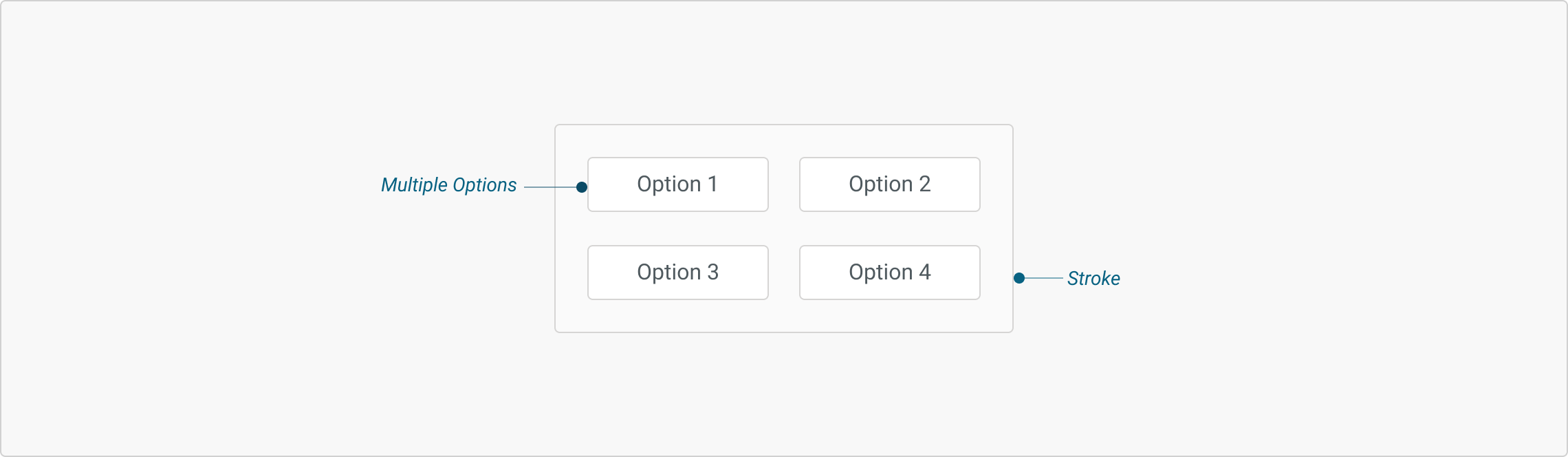
<figure><img src="https://3868804918-files.gitbook.io/~/files/v0/b/gitbook-x-prod.appspot.com/o/spaces%2FegsIWleSdyH9rMLJ8ShI%2Fuploads%2FPGrocwZFJ26rQTbmUQwh%2Fimage.png?alt=media&#x26;token=3b8cb5fa-362a-4443-a7c2-673cb42570db" alt=""><figcaption></figcaption></figure>

***

## Variants

***

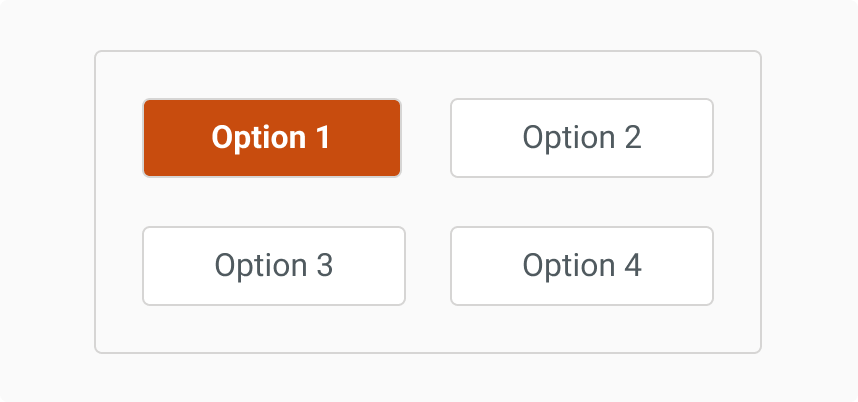
<table data-header-hidden><thead><tr><th width="321"></th><th></th></tr></thead><tbody><tr><td><div><figure><img src="https://3868804918-files.gitbook.io/~/files/v0/b/gitbook-x-prod.appspot.com/o/spaces%2FegsIWleSdyH9rMLJ8ShI%2Fuploads%2F6APk8huQM87CqAJasKRa%2Fimage.png?alt=media&#x26;token=7f596a29-4699-4018-9906-2ea36b66bb56" alt=""><figcaption></figcaption></figure></div></td><td><p><strong>Single Select</strong></p><p>Allows the user to choose only one option from the group. Once a selection is made, the previously selected option is deselected automatically. This variant is ideal for use cases like survey forms or filter selections.</p></td></tr><tr><td><div><figure><img src="https://3868804918-files.gitbook.io/~/files/v0/b/gitbook-x-prod.appspot.com/o/spaces%2FegsIWleSdyH9rMLJ8ShI%2Fuploads%2FIv064um8fGIGpuzSOIsP%2Fimage.png?alt=media&#x26;token=d704c7d8-8d7a-490e-822b-dea9fca454ca" alt=""><figcaption></figcaption></figure></div></td><td><p><strong>Multi Select</strong></p><p>Enables users to select multiple options simultaneously. Commonly used where more than one input or category applies, such as skill filters, tag selectors, or custom checklists.</p></td></tr></tbody></table>

***

## Interaction States

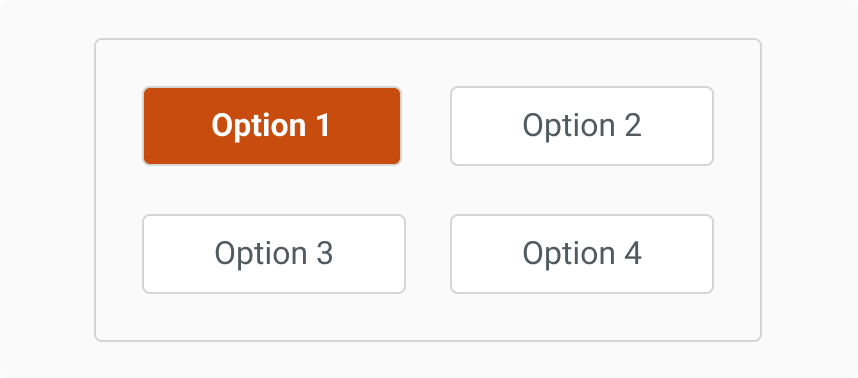
<table><thead><tr><th width="334.98046875"></th><th></th></tr></thead><tbody><tr><td><p><strong>Active State</strong> </p><p>When a tag is selected, the background colour changes to primary. This state clearly communicates which options are currently selected.</p></td><td><div><figure><img src="https://3868804918-files.gitbook.io/~/files/v0/b/gitbook-x-prod.appspot.com/o/spaces%2FegsIWleSdyH9rMLJ8ShI%2Fuploads%2F68zOll1e7DbKSzf9eUcD%2Fimage.png?alt=media&#x26;token=a950a5bd-5b5a-46a4-815a-169cab2e74ed" alt=""><figcaption></figcaption></figure></div></td></tr><tr><td><p><strong>Dismiss on Mouse Out</strong></p><p>Tooltips disappear when the user moves away or loses focus, maintaining a clean and distraction-free interface.</p></td><td><div><figure><img src="https://3868804918-files.gitbook.io/~/files/v0/b/gitbook-x-prod.appspot.com/o/spaces%2FegsIWleSdyH9rMLJ8ShI%2Fuploads%2FLaJmBO2jEkcK6Nqi1vXH%2Fimage.png?alt=media&#x26;token=8edc96d7-181f-4465-b91c-15d473642095" alt=""><figcaption></figcaption></figure></div></td></tr></tbody></table>

## Properties

|                                                                                                                                                                                                                                                     |                                                                                                                                                                                                                                                                                            |
| --------------------------------------------------------------------------------------------------------------------------------------------------------------------------------------------------------------------------------------------------- | ------------------------------------------------------------------------------------------------------------------------------------------------------------------------------------------------------------------------------------------------------------------------------------------ |
| <p><strong>Error</strong></p><p>It displays a red border around the tag container and shows a supporting error message below.<br>This is also used for validation states to indicate missing or incorrect selection(s).</p>                         | <div><figure><img src="https://3868804918-files.gitbook.io/~/files/v0/b/gitbook-x-prod.appspot.com/o/spaces%2FegsIWleSdyH9rMLJ8ShI%2Fuploads%2F41rdN95dc1mWDXtGXV2f%2Fimage.png?alt=media&#x26;token=04b6784c-bbcc-45ed-a3f5-d66ef7b10d99" alt=""><figcaption></figcaption></figure></div> |
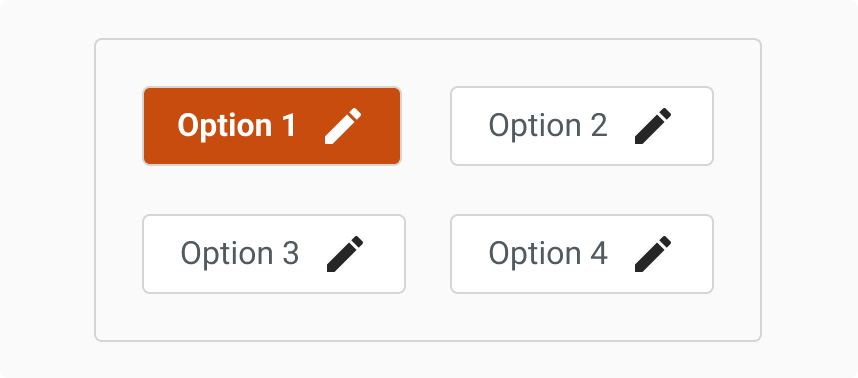
| <p><strong>Prefix Icon</strong> </p><p>An icon placed to the left of the label text that helps convey additional context or function visually (e.g., an edit or status indicator).</p>                                                              | <div><figure><img src="https://3868804918-files.gitbook.io/~/files/v0/b/gitbook-x-prod.appspot.com/o/spaces%2FegsIWleSdyH9rMLJ8ShI%2Fuploads%2FsL1K36IneQ5EC6S71Wak%2Fimage.png?alt=media&#x26;token=494a8967-2652-45f8-8032-a694e6544691" alt=""><figcaption></figcaption></figure></div> |
| <p><strong>Suffix Icon</strong></p><p>An icon placed to the right of the label text that is typically used for actions like removal, more options, or tagging.</p>                                                                                  | <div><figure><img src="https://3868804918-files.gitbook.io/~/files/v0/b/gitbook-x-prod.appspot.com/o/spaces%2FegsIWleSdyH9rMLJ8ShI%2Fuploads%2FYXstpq7iXXgpbDQF5ZHU%2Fimage.png?alt=media&#x26;token=a114d686-9880-4eda-b29d-b2d507653407" alt=""><figcaption></figcaption></figure></div> |
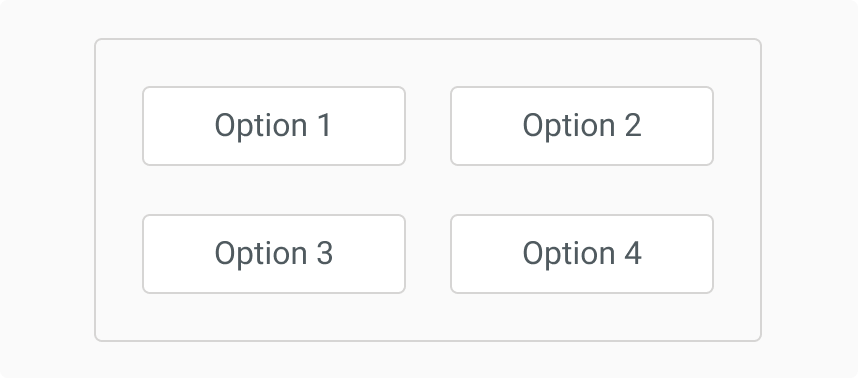
| <p><strong>Container Disabled</strong></p><p>Disables interaction with the entire selection group, and tags appear visually muted and do not respond to hover or click states. This is useful in forms where selection is conditionally locked.</p> | <div><figure><img src="https://3868804918-files.gitbook.io/~/files/v0/b/gitbook-x-prod.appspot.com/o/spaces%2FegsIWleSdyH9rMLJ8ShI%2Fuploads%2FQBSl25JuLc4Jo7YPG8qK%2Fimage.png?alt=media&#x26;token=50a1e863-6640-4736-b63e-d9de1ac0d799" alt=""><figcaption></figcaption></figure></div> |

## Property Configuration Table

Each design component offers a range of configurable options. These options are intentionally platform-agnostic, allowing implementations to adapt and tailor them to align with the specific requirements of the chosen framework.

{% tabs %}
{% tab title="React" %}

<table><thead><tr><th width="257">Property</th><th>Value</th><th>Default</th></tr></thead><tbody><tr><td>width</td><td>text</td><td></td></tr><tr><td>errorMessage</td><td>text</td><td></td></tr><tr><td>options</td><td>yes/no</td><td>no</td></tr><tr><td>onSelectionChanged</td><td>yes/no</td><td>no</td></tr><tr><td>allowMultipleSelection</td><td>number</td><td></td></tr><tr><td>selected</td><td>yes/no</td><td></td></tr><tr><td>withContainer</td><td>yes/no</td><td>no</td></tr></tbody></table>
{% endtab %}

{% tab title="Flutter" %}

<table><thead><tr><th>Property</th><th width="209">Value</th><th>Default</th></tr></thead><tbody><tr><td>width</td><td>double</td><td>-</td></tr><tr><td>options</td><td>List&#x3C;T></td><td>required</td></tr><tr><td>title</td><td>String</td><td>-</td></tr><tr><td>onSelectionChanged</td><td>Function(List&#x3C;T>)</td><td>-</td></tr><tr><td>initialSelection</td><td>List&#x3C;T></td><td>-</td></tr><tr><td>allowMultipleSelection</td><td>bool</td><td>false</td></tr><tr><td>readOnly</td><td>bool</td><td>false</td></tr><tr><td>equalWidthOptions</td><td>bool</td><td>false</td></tr><tr><td>valueMapper</td><td>String Function(T)</td><td>-</td></tr><tr><td>prefixIconBuilder</td><td>IconData? Function(T)</td><td></td></tr><tr><td>suffixIconBuilder</td><td>IconData? Function(T)</td><td></td></tr><tr><td>showParentContainer</td><td>bool</td><td>true</td></tr></tbody></table>
{% endtab %}
{% endtabs %}

***

## Behaviours

|                                                                                                                                                                                                                                                                                            |                                                                                                                                                                                                                                                                                                                                                                                                                                                                                                                           |
| ------------------------------------------------------------------------------------------------------------------------------------------------------------------------------------------------------------------------------------------------------------------------------------------ | ------------------------------------------------------------------------------------------------------------------------------------------------------------------------------------------------------------------------------------------------------------------------------------------------------------------------------------------------------------------------------------------------------------------------------------------------------------------------------------------------------------------------- |
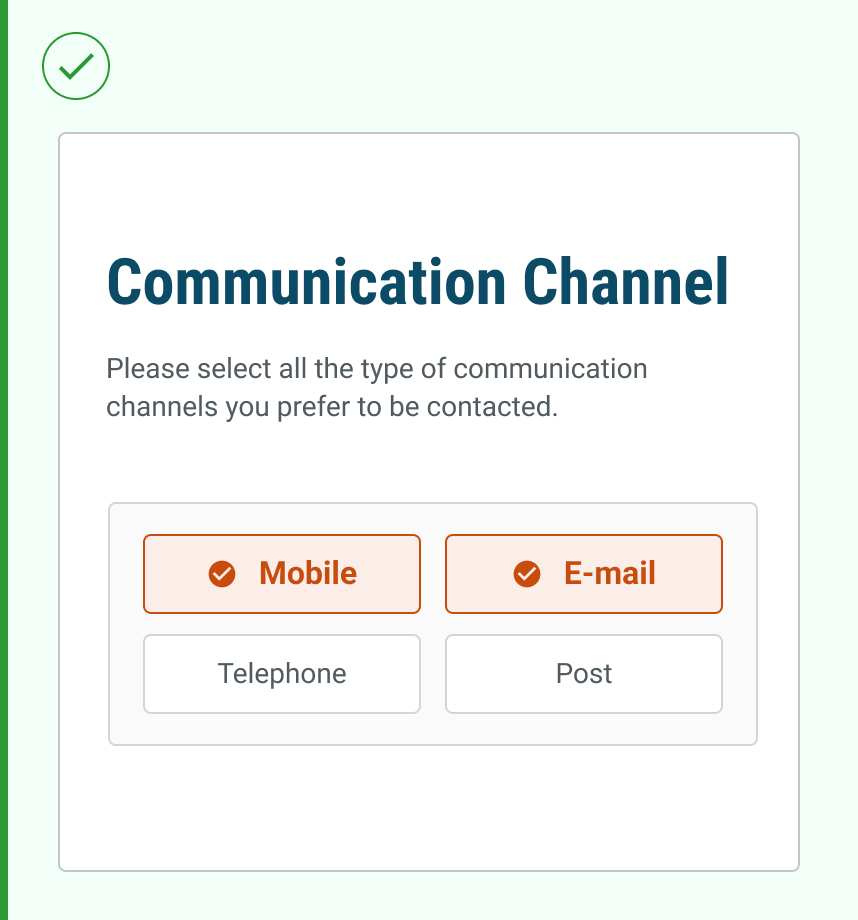
| <div><figure><img src="https://3868804918-files.gitbook.io/~/files/v0/b/gitbook-x-prod.appspot.com/o/spaces%2FegsIWleSdyH9rMLJ8ShI%2Fuploads%2FmtEK6kHovcYNfWkY7gpm%2Fimage.png?alt=media&#x26;token=9f3318f8-48ff-4dc2-b113-c6d6a0c5086f" alt=""><figcaption></figcaption></figure></div> | <p><strong>Use for exclusive choices</strong></p><p>Use selection tags when you need users to make clear, mutually exclusive choices or multiple selections. This ensures optimal visual hierarchy and helps users quickly understand their available options while maintaining a clean and organised interface layout.</p><p></p><p>Don't overcrowd the selection tag group with more than 4 options. Overwhelming users with too many choices makes it difficult for users to scan and compare options effectively.</p> |
| <div><figure><img src="https://3868804918-files.gitbook.io/~/files/v0/b/gitbook-x-prod.appspot.com/o/spaces%2FegsIWleSdyH9rMLJ8ShI%2Fuploads%2F6xuXbTcOAwosOGInIZiO%2Fimage.png?alt=media&#x26;token=0f300f1c-7b64-483c-93a5-5ce3eaf00632" alt=""><figcaption></figcaption></figure></div> |                                                                                                                                                                                                                                                                                                                                                                                                                                                                                                                           |

***

## Usage Guide

***

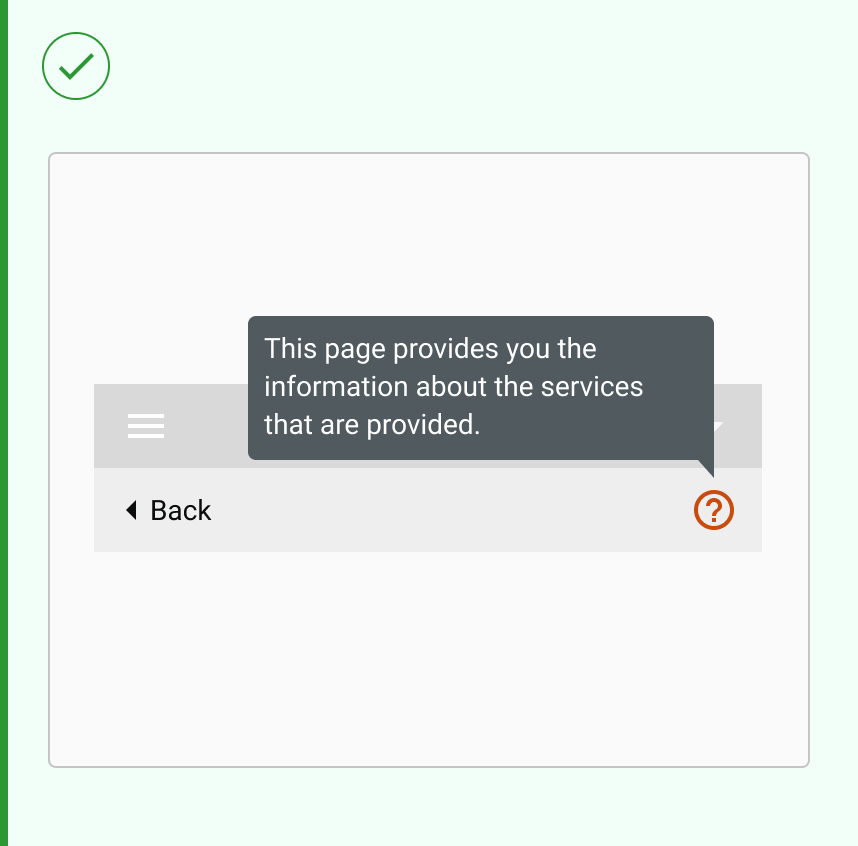
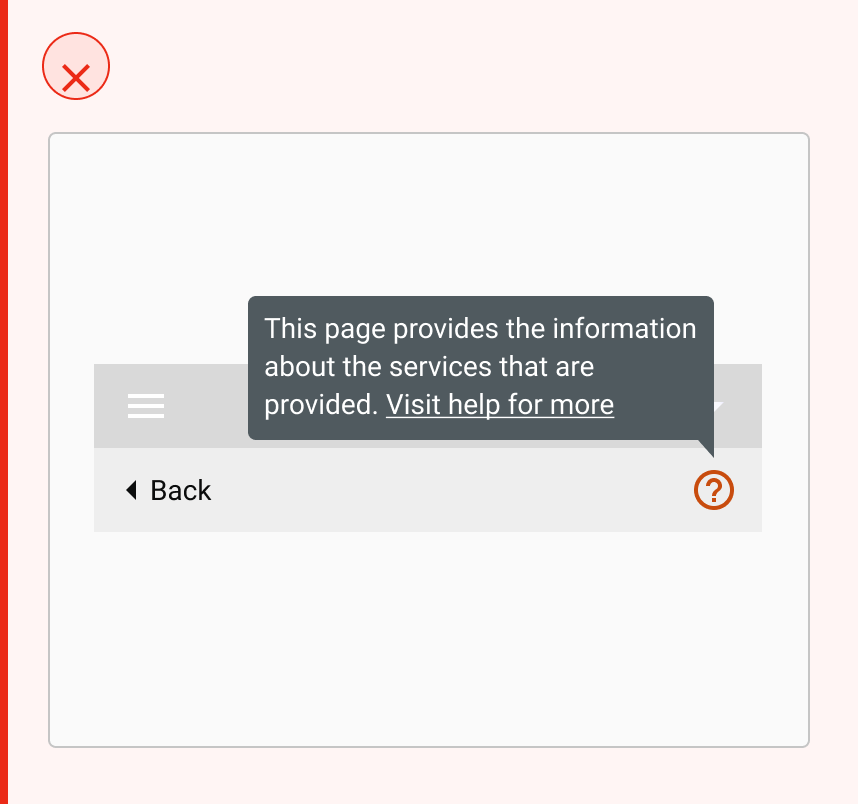
| <div><figure><img src="https://3868804918-files.gitbook.io/~/files/v0/b/gitbook-x-prod.appspot.com/o/spaces%2FegsIWleSdyH9rMLJ8ShI%2Fuploads%2F0fnMRQZX8hRhPNdf8fm5%2Fimage.png?alt=media&#x26;token=7212499d-e06f-4962-9093-b53c68e65818" alt=""><figcaption></figcaption></figure></div> | <p><strong>Use for compact information display</strong></p><p>Keep tooltips concise and clear, limiting the text to one or two short sentences for quick readability.</p><p>Avoid adding actions or links in tooltips, as they should only provide passive information and appear on hover or keyboard focus.</p> |
| ------------------------------------------------------------------------------------------------------------------------------------------------------------------------------------------------------------------------------------------------------------------------------------------ | ----------------------------------------------------------------------------------------------------------------------------------------------------------------------------------------------------------------------------------------------------------------------------------------------------------------- |
| <div><figure><img src="https://3868804918-files.gitbook.io/~/files/v0/b/gitbook-x-prod.appspot.com/o/spaces%2FegsIWleSdyH9rMLJ8ShI%2Fuploads%2FbPzYRB6GWGUlmyGaDkSc%2Fimage.png?alt=media&#x26;token=8d2574d6-236a-4635-9c7b-a62f54430209" alt=""><figcaption></figcaption></figure></div> |                                                                                                                                                                                                                                                                                                                   |

## Changelog

***

| Date         | Number  | Notes                                                                                           |
| ------------ | ------- | ----------------------------------------------------------------------------------------------- |
| Dec 15, 2024 | v-0.0.2 | <p>This component is added to the website.<br>This component is now individually versioned.</p> |

## Design Checklist

***

<table data-header-hidden><thead><tr><th width="129" data-type="checkbox"></th><th></th></tr></thead><tbody><tr><td>true</td><td><strong>All interactive states</strong> - Includes all interactive states that are applicable (hover, down, focus, keyboard focus, disabled).</td></tr><tr><td>true</td><td><strong>Accessible use of colours</strong> - Colour is not used as the only visual means of conveying information (WCAG 2.1 1.4.1)</td></tr><tr><td>true</td><td><strong>Accessible contrast for text</strong> - Text has a contrast ratio of at least 4.5:1 for small text and at least 3:1 for large text (WCAG 2.0 1.4.3).</td></tr><tr><td>true</td><td><strong>Accessible contrast for UI components</strong> - Visual information required to identify components and states (except inactive components) has a contrast ratio of at least 3:1 (WCAG 2.1 1.4.11).</td></tr><tr><td>true</td><td><strong>Keyboard interactions</strong> - Includes all interactive states that are applicable (hover, down, focus, keyboard focus, disabled).</td></tr><tr><td>false</td><td><strong>Screen reader accessible</strong> - All content, including headings, labels, and descriptions, is meaningful, concise, contextual and accessible by screen readers.</td></tr><tr><td>true</td><td><strong>Responsive for all breakpoints</strong> - Responsiveness for 3 breakpoints - Mobile, Tablet and Desktop</td></tr><tr><td>true</td><td><strong>Usage guidelines</strong> - Includes a list of dos and don'ts that highlight best practices and common mistakes.</td></tr><tr><td>false</td><td><strong>Writing guidelines</strong> - Content standards and usage guidelines for writing and formatting in-product content for the component.</td></tr><tr><td>true</td><td><strong>Defined variants and properties</strong> - Includes relevant variants and properties (style, size, orientation, optional iconography, decorative elements, selection states, error states, etc.)</td></tr><tr><td>true</td><td><strong>Defined behaviours</strong> - Guidelines for keyboard navigation and focus, layout management (including wrapping, truncation, and overflow), animations, and user interactions.</td></tr><tr><td>true</td><td><strong>Design Kit</strong> - Access to the design file for the component in Figma, multiple options, states, colour themes, and platform scales.</td></tr></tbody></table>