# Input Fields

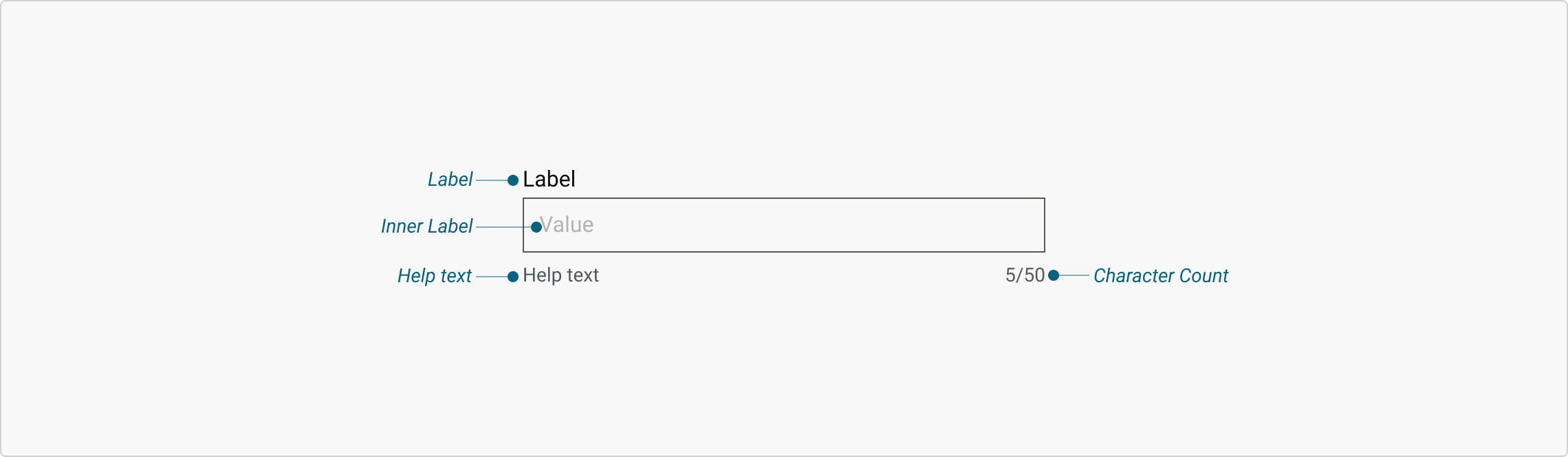
The Input Field is built to collect user-provided data in a structured and accessible manner. It supports a variety of formats from simple text to dates and numeric inputs, ensuring flexibility across services. Designed for clarity, consistency, and accessibility, each variant and property helps guide users through data entry with minimal friction, promoting better accuracy.

<figure><img src="https://3868804918-files.gitbook.io/~/files/v0/b/gitbook-x-prod.appspot.com/o/spaces%2FegsIWleSdyH9rMLJ8ShI%2Fuploads%2FI9okUvspX4j7BNP9qyAo%2Fimage.png?alt=media&#x26;token=25ede857-c032-4f52-904c-770619432cb9" alt=""><figcaption></figcaption></figure>

{% tabs %}
{% tab title="Component React" %}

```
// Sample code

<TextInput
  name="username"
  type="text"
  placeholder="Enter your username"
  value={username}
  onChange={(e) => setUsername(e.target.value)}
/>
```

{% endtab %}

{% tab title="Component Flutter" %}

```
// Sample code

InputField(
                        wrapLabel: true,
                        type: InputType.text,
                        label: 'Label',
                        helpText: "Help text',
                        isRequired: false,
                        innerLabel: 'Inner Label',
                        isDisabled: false,
                        readOnly: false,
                      )
```

{% endtab %}

{% tab title="Component Design" %}

{% endtab %}
{% endtabs %}

## Anatomy

***

<figure><img src="https://3868804918-files.gitbook.io/~/files/v0/b/gitbook-x-prod.appspot.com/o/spaces%2FegsIWleSdyH9rMLJ8ShI%2Fuploads%2FhxnQ69hXR7DJu9E0QLiZ%2Fimage.png?alt=media&#x26;token=cc27bcad-8db5-4c23-be94-e61e327ceee5" alt=""><figcaption></figcaption></figure>

## Variants

***

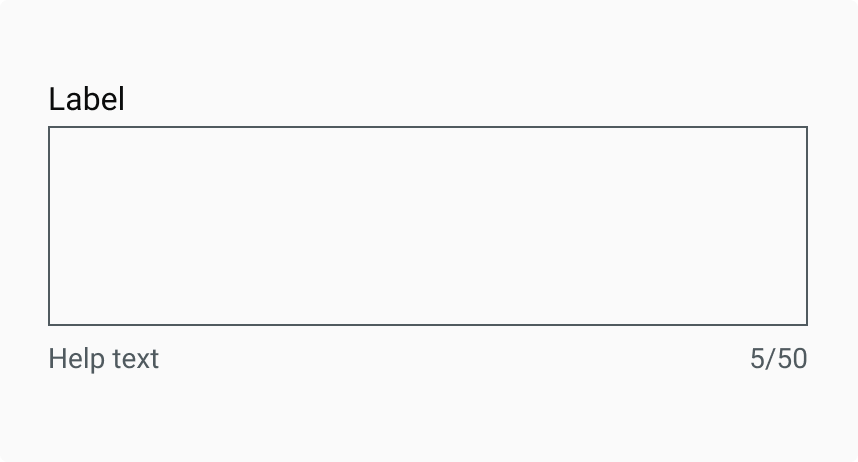
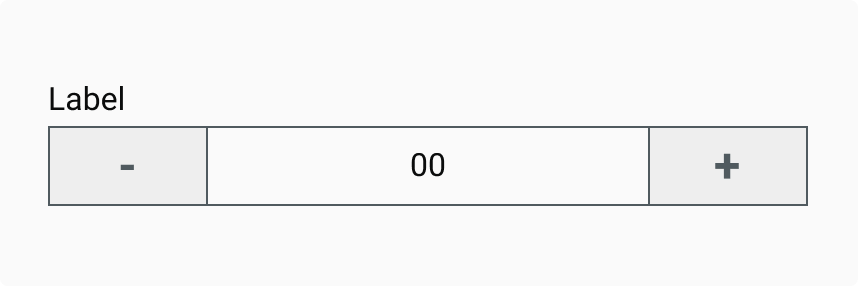
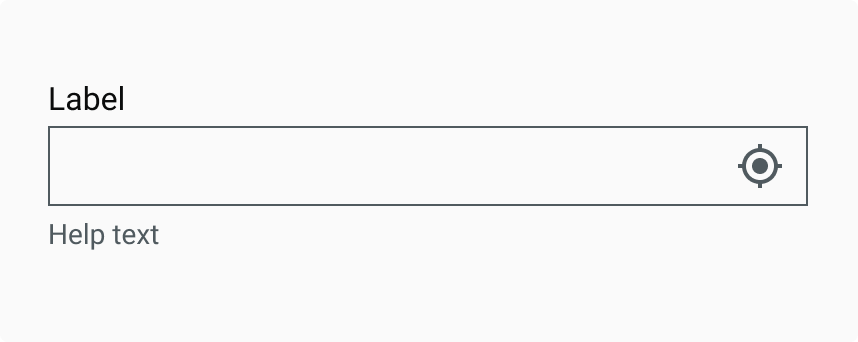
<table data-header-hidden><thead><tr><th width="321"></th><th></th></tr></thead><tbody><tr><td><div><figure><img src="https://3868804918-files.gitbook.io/~/files/v0/b/gitbook-x-prod.appspot.com/o/spaces%2FegsIWleSdyH9rMLJ8ShI%2Fuploads%2FNH6mEGbLLCgrC4UB6gNh%2Fimage.png?alt=media&#x26;token=876ca178-7964-4e9b-8719-2db4293df63c" alt=""><figcaption></figcaption></figure></div></td><td><p><strong>Simple Text</strong></p><p>A basic field for short text entries like names or search queries, designed for quick and easy input.</p></td></tr><tr><td><div><figure><img src="https://3868804918-files.gitbook.io/~/files/v0/b/gitbook-x-prod.appspot.com/o/spaces%2FegsIWleSdyH9rMLJ8ShI%2Fuploads%2FxmwYMsLIIe1cqnPZIOnZ%2Fimage.png?alt=media&#x26;token=c6f6a38c-8d58-4e49-ad50-d7d684f1ca53" alt=""><figcaption></figcaption></figure></div></td><td><strong>Text with Prefix</strong><br> Includes a fixed prefix (e.g., "$" or country code) to indicate formatting without extra labels.</td></tr><tr><td><div><figure><img src="https://3868804918-files.gitbook.io/~/files/v0/b/gitbook-x-prod.appspot.com/o/spaces%2FegsIWleSdyH9rMLJ8ShI%2Fuploads%2FB3L2FBJ8vgf8Sj8DL9oE%2Fimage.png?alt=media&#x26;token=0a9fd4bf-5e03-43f0-bd1f-205fb038aa67" alt=""><figcaption></figcaption></figure></div></td><td><p><strong>Text with Suffix</strong></p><p>Features a static suffix (e.g., "%" or "kg") to show units or formatting at a glance.</p></td></tr><tr><td><div><figure><img src="https://3868804918-files.gitbook.io/~/files/v0/b/gitbook-x-prod.appspot.com/o/spaces%2FegsIWleSdyH9rMLJ8ShI%2Fuploads%2Fs9NA7gz2C1D9J8108O76%2Fimage.png?alt=media&#x26;token=0827506d-ae84-48c8-af86-9d6fffed14ae" alt=""><figcaption></figcaption></figure></div></td><td><p><strong>Text Area</strong></p><p>A larger, multi-line input for extended responses like comments or addresses, with adjustable height.</p></td></tr><tr><td><div><figure><img src="https://3868804918-files.gitbook.io/~/files/v0/b/gitbook-x-prod.appspot.com/o/spaces%2FegsIWleSdyH9rMLJ8ShI%2Fuploads%2FL1zhkd832xPoBARibPJx%2Fimage.png?alt=media&#x26;token=569f84e9-7255-4bab-96bf-cde9e7983542" alt=""><figcaption></figcaption></figure></div></td><td><p><strong>Numeric</strong></p><p>Accepts only numbers, ideal for quantities, prices, or any numerical data entry with built-in validation.</p></td></tr><tr><td><div><figure><img src="https://3868804918-files.gitbook.io/~/files/v0/b/gitbook-x-prod.appspot.com/o/spaces%2FegsIWleSdyH9rMLJ8ShI%2Fuploads%2FW1BgJbfgBW5Ur4Yu4wBf%2Fimage.png?alt=media&#x26;token=75d6fc5c-050c-4ebe-8ecd-71d22a283ac9" alt=""><figcaption></figcaption></figure></div></td><td><p><strong>Date</strong></p><p>Supports date selection (with an optional calendar picker) and enforces consistent formatting for submissions.</p></td></tr><tr><td><div><figure><img src="https://3868804918-files.gitbook.io/~/files/v0/b/gitbook-x-prod.appspot.com/o/spaces%2FegsIWleSdyH9rMLJ8ShI%2Fuploads%2FRNcHMfXQEgu7eFqwGLqg%2Fimage.png?alt=media&#x26;token=b3c5df5d-809e-4958-a749-2af1b373988f" alt=""><figcaption></figcaption></figure></div></td><td><p><strong>Time</strong></p><p>Captures hours and minutes, either via text entry or a time picker, ensuring accurate time-based data.</p></td></tr><tr><td><div><figure><img src="https://3868804918-files.gitbook.io/~/files/v0/b/gitbook-x-prod.appspot.com/o/spaces%2FegsIWleSdyH9rMLJ8ShI%2Fuploads%2FLSVqDeaYTXvU8WkLciO1%2Fimage.png?alt=media&#x26;token=a53e0f96-0351-4151-a66e-d9106f9306ab" alt=""><figcaption></figcaption></figure></div></td><td><p><strong>Password</strong></p><p>Masks entered text for security, commonly used in logins, with an option to temporarily reveal the password.</p></td></tr><tr><td><div><figure><img src="https://3868804918-files.gitbook.io/~/files/v0/b/gitbook-x-prod.appspot.com/o/spaces%2FegsIWleSdyH9rMLJ8ShI%2Fuploads%2F0MNvGEmWFFJCn1ezAHK9%2Fimage.png?alt=media&#x26;token=248ad5c4-f250-4804-aa22-238ae747365a" alt=""><figcaption></figcaption></figure></div></td><td><p><strong>Location</strong></p><p>Helps users enter addresses or landmarks, often with autocomplete or map integration for accuracy.</p></td></tr></tbody></table>

## Properties

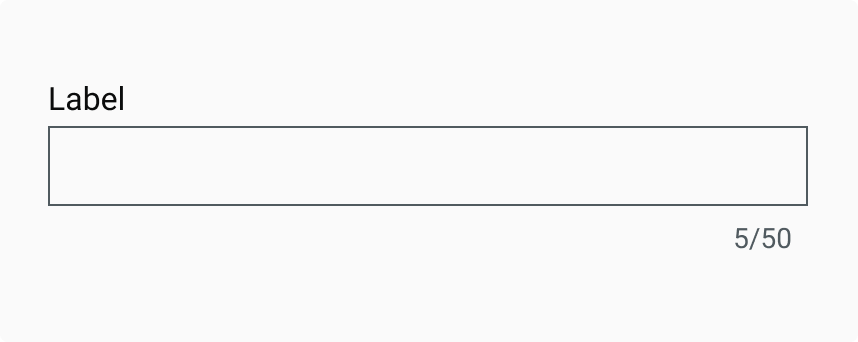
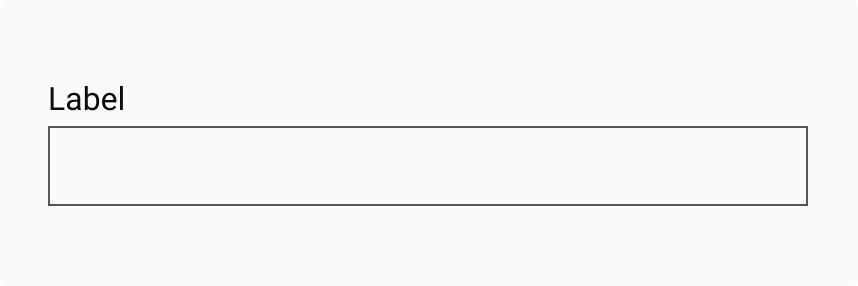
<table data-header-hidden data-full-width="false"><thead><tr><th></th><th></th></tr></thead><tbody><tr><td><strong>Disabled</strong><br>A non-interactive, muted field that shows unavailable or non-applicable data (e.g., due to user role or prior selections). Content remains visible for context.<br></td><td><div><figure><img src="https://3868804918-files.gitbook.io/~/files/v0/b/gitbook-x-prod.appspot.com/o/spaces%2FegsIWleSdyH9rMLJ8ShI%2Fuploads%2FjISP260cV55b3SkVk7Yv%2Fimage.png?alt=media&#x26;token=a738dec6-6dbd-4a8f-a096-e2a56ab2fffe" alt=""><figcaption></figcaption></figure></div></td></tr><tr><td><strong>Non Editable</strong><br>Displays uneditable content (e.g., system-generated values) in a clear, static format to prevent modification.</td><td><div><figure><img src="https://3868804918-files.gitbook.io/~/files/v0/b/gitbook-x-prod.appspot.com/o/spaces%2FegsIWleSdyH9rMLJ8ShI%2Fuploads%2Fbv2sHNvSXk41g6aNADmH%2Fimage.png?alt=media&#x26;token=dfc4b412-0650-4a44-9b83-590dbf733f47" alt=""><figcaption></figcaption></figure></div></td></tr><tr><td><p><strong>Error</strong></p><p>Highlights invalid input with visual cues (e.g., red outline + message) to guide corrections without confusion.</p></td><td><div><figure><img src="https://3868804918-files.gitbook.io/~/files/v0/b/gitbook-x-prod.appspot.com/o/spaces%2FegsIWleSdyH9rMLJ8ShI%2Fuploads%2Fd5DWOrfwPpH4qwR2hcDg%2Fimage.png?alt=media&#x26;token=32be6e12-b2f5-4de2-85e1-e84fe7af8ac8" alt=""><figcaption></figcaption></figure></div></td></tr><tr><td><p><strong>Inner Label</strong></p><p>A temporary hint inside the field that disappears on input, providing compact guidance.</p></td><td><div><figure><img src="https://3868804918-files.gitbook.io/~/files/v0/b/gitbook-x-prod.appspot.com/o/spaces%2FegsIWleSdyH9rMLJ8ShI%2Fuploads%2FgwlmS0j2uuwkO2myQ3zs%2Fimage.png?alt=media&#x26;token=b6b1d6f5-03a1-42f3-ab42-be97a63f117f" alt=""><figcaption></figcaption></figure></div></td></tr><tr><td><p><strong>Label</strong></p><p>Always visible above the input for clarity and accessibility, ensuring users understand the field's purpose.</p></td><td><div><figure><img src="https://3868804918-files.gitbook.io/~/files/v0/b/gitbook-x-prod.appspot.com/o/spaces%2FegsIWleSdyH9rMLJ8ShI%2Fuploads%2F0tkqSYFsWjNn2yXkirz4%2Fimage.png?alt=media&#x26;token=bae974c3-b0b7-454b-9b7d-97fed0d37d1c" alt=""><figcaption></figcaption></figure></div></td></tr><tr><td><p><strong>Character Count</strong></p><p>Displays current/maximum characters to help users stay within length limits for constrained inputs.</p></td><td><div><figure><img src="https://3868804918-files.gitbook.io/~/files/v0/b/gitbook-x-prod.appspot.com/o/spaces%2FegsIWleSdyH9rMLJ8ShI%2Fuploads%2F3wSYdpU1Fw8L39wD6w9H%2Fimage.png?alt=media&#x26;token=be09add2-7bcb-4a9e-9f05-e61aab806c0d" alt=""><figcaption></figcaption></figure></div></td></tr></tbody></table>

## Property Configuration Table

Each design component offers a range of configurable options. These options are intentionally platform-agnostic, allowing implementations to adapt and tailor them to align with the specific requirements of the chosen framework.

{% tabs %}
{% tab title="React" %}

<table><thead><tr><th width="257">Property</th><th>Value</th><th>Default</th></tr></thead><tbody><tr><td>type</td><td>text</td><td>-</td></tr><tr><td>value</td><td>text</td><td>no</td></tr><tr><td>watch</td><td>yes/no</td><td>no</td></tr><tr><td>onChange</td><td>yes/no</td><td>-</td></tr><tr><td>step</td><td>number</td><td>-</td></tr><tr><td>populators</td><td>yes/no</td><td>-</td></tr><tr><td>nonEditable</td><td>yes/no</td><td>no</td></tr><tr><td>iconFill</td><td>yes/no</td><td>no</td></tr><tr><td>disabled</td><td>yes/no</td><td>no</td></tr><tr><td>onIconSelection</td><td>number</td><td>no</td></tr><tr><td>customClass</td><td>yes/no</td><td>no</td></tr><tr><td>errorStyle</td><td>text</td><td>no</td></tr><tr><td>className</td><td>yes/no</td><td>no</td></tr><tr><td>error</td><td>yes/no</td><td></td></tr><tr><td>textInputStyle</td><td>yes/no</td><td></td></tr><tr><td>required</td><td>yes/no</td><td></td></tr><tr><td>validation</td><td>yes/no</td><td></td></tr><tr><td>ValidationRequired</td><td>yes/no</td><td></td></tr><tr><td>name</td><td>yes/no</td><td></td></tr><tr><td>id</td><td>yes/no</td><td></td></tr><tr><td>placeholder</td><td>yes/no</td><td></td></tr><tr><td>maxlength</td><td>yes/no</td><td></td></tr><tr><td>minlength</td><td>yes/no</td><td></td></tr><tr><td>inputRef</td><td>yes/no</td><td></td></tr><tr><td>style</td><td>yes/no</td><td></td></tr><tr><td>defaultValue</td><td>yes/no</td><td></td></tr><tr><td>max</td><td>yes/no</td><td></td></tr><tr><td>min</td><td>yes/no</td><td></td></tr><tr><td>pattern</td><td>yes/no</td><td></td></tr><tr><td>title</td><td>yes/no</td><td></td></tr><tr><td>autoFocus</td><td>yes/no</td><td></td></tr><tr><td>onBlur</td><td>yes/no</td><td></td></tr><tr><td>allowNegativeValues</td><td>yes/no</td><td></td></tr><tr><td>onFocus</td><td>yes/no</td><td></td></tr><tr><td>config</td><td>yes/no</td><td></td></tr><tr><td>signature</td><td>yes/no</td><td></td></tr><tr><td>signatureImg</td><td>yes/no</td><td></td></tr></tbody></table>
{% endtab %}

{% tab title="Flutter" %}

<table><thead><tr><th>Property</th><th width="209">Value</th><th>Default</th></tr></thead><tbody><tr><td>type</td><td>InputType</td><td>InputType.text</td></tr><tr><td>label</td><td>String</td><td>-</td></tr><tr><td>initialValue</td><td>String</td><td>-</td></tr><tr><td>innerLabel</td><td>String</td><td>-</td></tr><tr><td>helpText</td><td>String</td><td>-</td></tr><tr><td>readOnly</td><td>bool</td><td>false</td></tr><tr><td>isDisabled</td><td>bool</td><td>false</td></tr><tr><td>editable</td><td>bool</td><td>false</td></tr><tr><td>prefixText</td><td>String</td><td>-</td></tr><tr><td>suffixText</td><td>String</td><td>-</td></tr><tr><td>suffixIcon</td><td>IconData</td><td>-</td></tr><tr><td>keyboardType</td><td>TextInputType</td><td>-</td></tr><tr><td>onChange</td><td>void Function(String)</td><td>-</td></tr><tr><td>inputFormatters</td><td>List&#x3C;TextInputFormatter></td><td>-</td></tr><tr><td>onSuffixTap</td><td>void Function(String)</td><td>-</td></tr></tbody></table>
{% endtab %}
{% endtabs %}

## Interaction State

***

<table data-header-hidden data-full-width="false"><thead><tr><th></th><th></th></tr></thead><tbody><tr><td><strong>Mousedown State</strong><br>When a user presses down on the input field to begin entering text, the field responds by slightly darkening its background colour. This immediate visual feedback reinforces the interactivity of the component, signalling to the user that the input field is active and ready to receive input.<br></td><td><div><figure><img src="https://3868804918-files.gitbook.io/~/files/v0/b/gitbook-x-prod.appspot.com/o/spaces%2FegsIWleSdyH9rMLJ8ShI%2Fuploads%2FbqR84ufArKsIIh2VxUck%2Fimage.png?alt=media&#x26;token=1e9d2c9c-bad0-49bc-a691-9e998f56670c" alt=""><figcaption></figcaption></figure></div></td></tr></tbody></table>

## Behaviours

|                                                                                                                                                                                                                                                                                            |                                                                                                                                                                                                                                                                             |
| ------------------------------------------------------------------------------------------------------------------------------------------------------------------------------------------------------------------------------------------------------------------------------------------ | --------------------------------------------------------------------------------------------------------------------------------------------------------------------------------------------------------------------------------------------------------------------------- |
| <div><figure><img src="https://3868804918-files.gitbook.io/~/files/v0/b/gitbook-x-prod.appspot.com/o/spaces%2FegsIWleSdyH9rMLJ8ShI%2Fuploads%2FSHC65GYT4lFYi8yDzcKN%2Fimage.png?alt=media&#x26;token=5e1f7174-b477-40a1-b5ef-a7e5a64c6510" alt=""><figcaption></figcaption></figure></div> | <p><strong>Auto Resize (for Text Area variant)</strong></p><p>The text area dynamically expands vertically as the user types more lines of content. This prevents the need for internal scrollbars and allows users to view their full input without leaving the field.</p> |

***

## Usage Guide

***

| <div><figure><img src="https://3868804918-files.gitbook.io/~/files/v0/b/gitbook-x-prod.appspot.com/o/spaces%2FegsIWleSdyH9rMLJ8ShI%2Fuploads%2Fg2czZ274KwY203Z5UJjf%2Fimage.png?alt=media&#x26;token=e7a2592a-2a13-46f0-a3f2-e722664e5bcd" alt=""><figcaption></figcaption></figure></div> | <p><strong>Use a Label to Explain the Contents</strong></p><p>Always include a visible, descriptive label above the input field to indicate what information is required. This ensures accessibility and clarity for all users.  </p><p></p><p>Placeholder text should only serve as an example or hint, not replace a label. Relying on placeholder text as a label can cause usability issues, as it disappears when users start typing and is harder to read due to low contrast.</p> |
| ------------------------------------------------------------------------------------------------------------------------------------------------------------------------------------------------------------------------------------------------------------------------------------------ | ---------------------------------------------------------------------------------------------------------------------------------------------------------------------------------------------------------------------------------------------------------------------------------------------------------------------------------------------------------------------------------------------------------------------------------------------------------------------------------------- |
| <div><figure><img src="https://3868804918-files.gitbook.io/~/files/v0/b/gitbook-x-prod.appspot.com/o/spaces%2FegsIWleSdyH9rMLJ8ShI%2Fuploads%2F39YhNzWUlh7EuwrzHMDa%2Fimage.png?alt=media&#x26;token=ed7f638d-ad8c-4362-b0b0-f60c0bd863c2" alt=""><figcaption></figcaption></figure></div> |                                                                                                                                                                                                                                                                                                                                                                                                                                                                                          |

## Changelog

***

| Date         | Number  | Notes                                                                                           |
| ------------ | ------- | ----------------------------------------------------------------------------------------------- |
| Dec 15, 2024 | v-0.0.2 | <p>This component is added to the website.<br>This component is now individually versioned.</p> |

## Design Checklist

***

<table data-header-hidden><thead><tr><th width="129" data-type="checkbox"></th><th></th></tr></thead><tbody><tr><td>true</td><td><strong>All interactive states</strong> - Includes all interactive states that are applicable (hover, down, focus, keyboard focus, disabled).</td></tr><tr><td>true</td><td><strong>Accessible use of colours</strong> - Colour is not used as the only visual means of conveying information (WCAG 2.1 1.4.1)</td></tr><tr><td>true</td><td><strong>Accessible contrast for text</strong> - Text has a contrast ratio of at least 4.5:1 for small text and at least 3:1 for large text (WCAG 2.0 1.4.3).</td></tr><tr><td>true</td><td><strong>Accessible contrast for UI components</strong> - Visual information required to identify components and states (except inactive components) has a contrast ratio of at least 3:1 (WCAG 2.1 1.4.11).</td></tr><tr><td>true</td><td><strong>Keyboard interactions</strong> - Includes all interactive states that are applicable (hover, down, focus, keyboard focus, disabled).</td></tr><tr><td>false</td><td><strong>Screen reader accessible</strong> - All content, including headings, labels, and descriptions, is meaningful, concise, contextual and accessible by screen readers.</td></tr><tr><td>true</td><td><strong>Responsive for all breakpoints</strong> - Responsiveness for 3 breakpoints - Mobile, Tablet and Desktop</td></tr><tr><td>true</td><td><strong>Usage guidelines</strong> - Includes a list of dos and don'ts that highlight best practices and common mistakes.</td></tr><tr><td>false</td><td><strong>Content guidelines</strong> - Content standards and usage guidelines for writing and formatting in-product content for the component.</td></tr><tr><td>true</td><td><strong>Defined variants and properties</strong> - Includes relevant variants and properties (style, size, orientation, optional iconography, decorative elements, selection states, error states, etc.)</td></tr><tr><td>true</td><td><strong>Defined behaviours</strong> - Guidelines for keyboard navigation and focus, layout management (including wrapping, truncation, and overflow), animations, and user interactions.</td></tr><tr><td>true</td><td><strong>Design Kit</strong> - Access to the design file for the component in Figma, multiple options, states, colour themes, and platform scales.</td></tr></tbody></table>