# SMS Template Approval Process
## Overview
According to TRAI’s regulation on unsolicited commercial communication, all telecoms must verify every SMS content before delivering it (Template scrubbing). For this, all the businesses using SMS must register Entities, SenderIDs, and SMS templates on a centralised DLT portal.
## Steps
Below are the steps to register the SMS template in a centralised DLT portal and to add the template in the SMS country portal (Service provider).
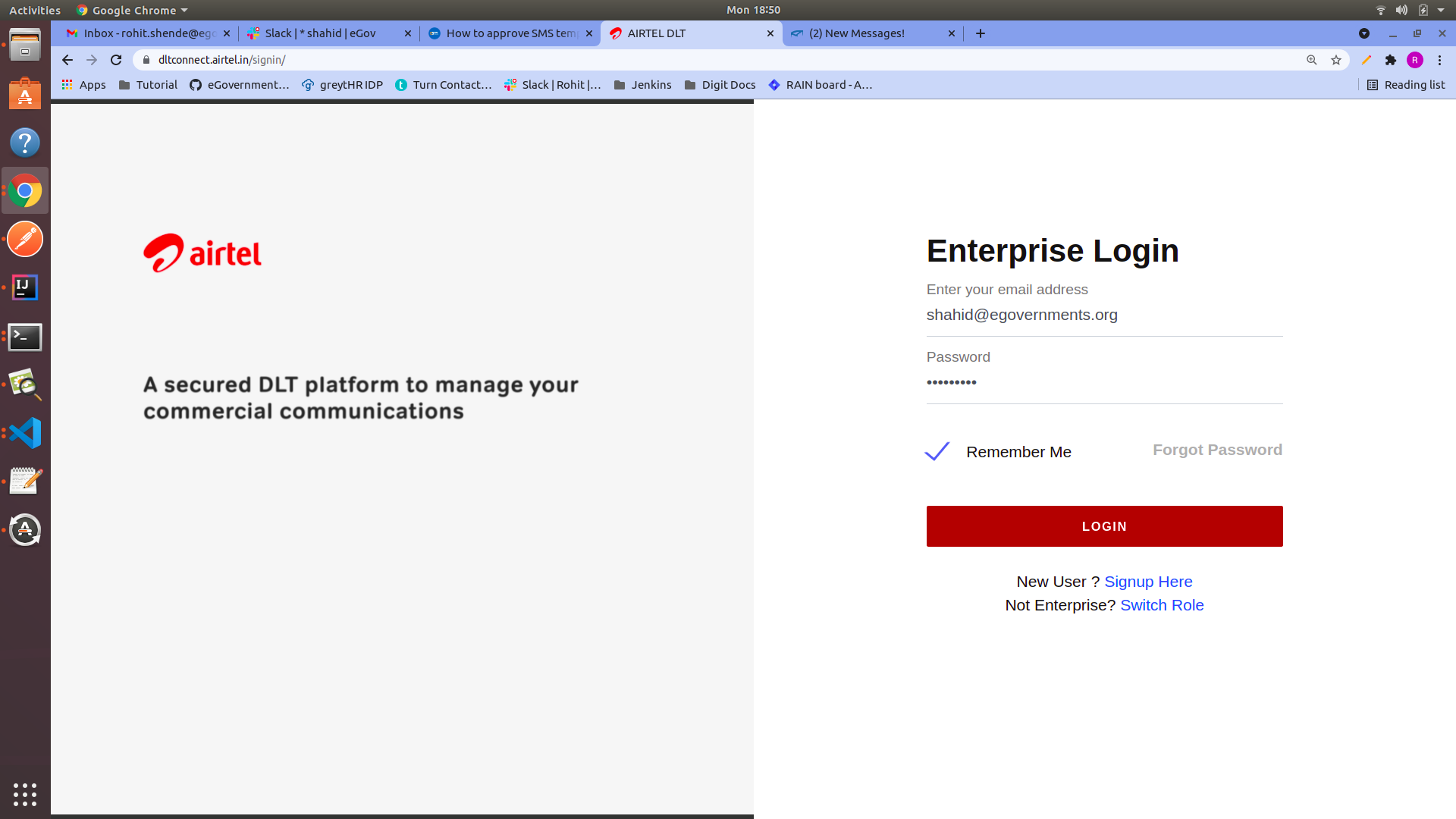
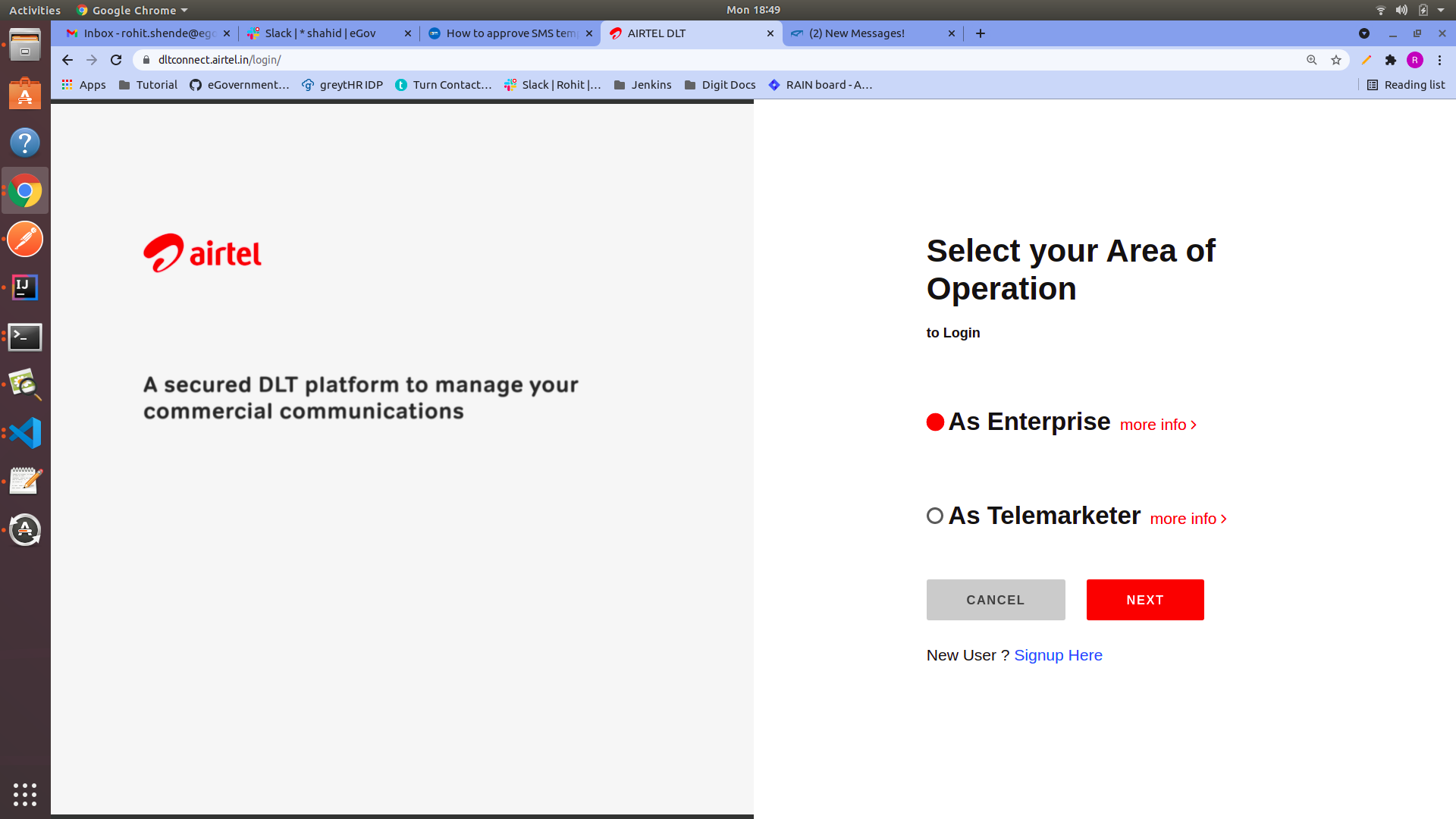
**Step 1:** Visit the **Airtel DLT portal** ([AIRTEL DLT](https://dltconnect.airtel.in/login/) ) and select your area of operation as **Enterprise** then click on next.
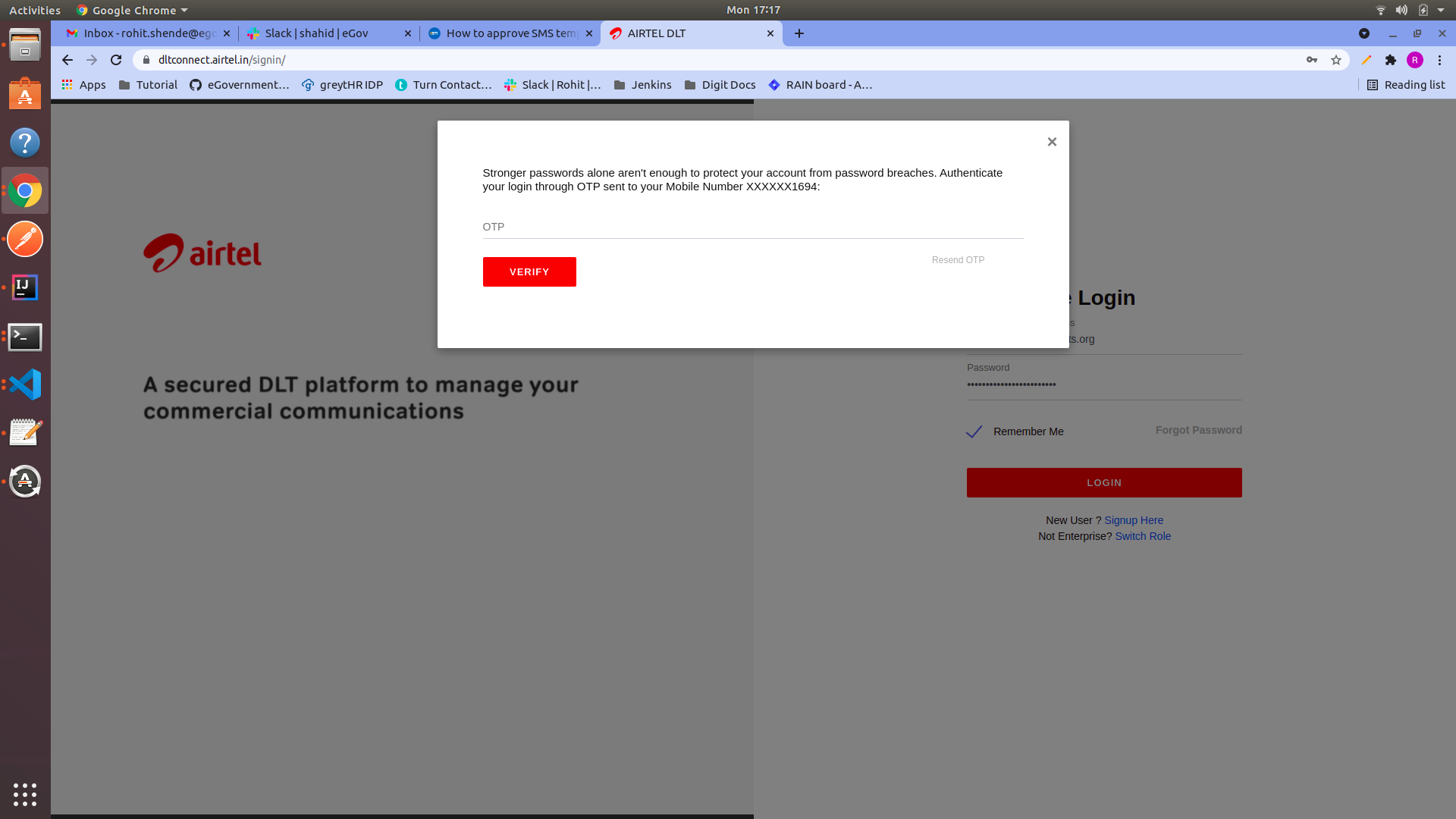
**Step 2:** Login into the portal by entering the proper credentials and OTP.
{% hint style="info" %}
Contact the HR manager for the credentials and the OTP.
{% endhint %}
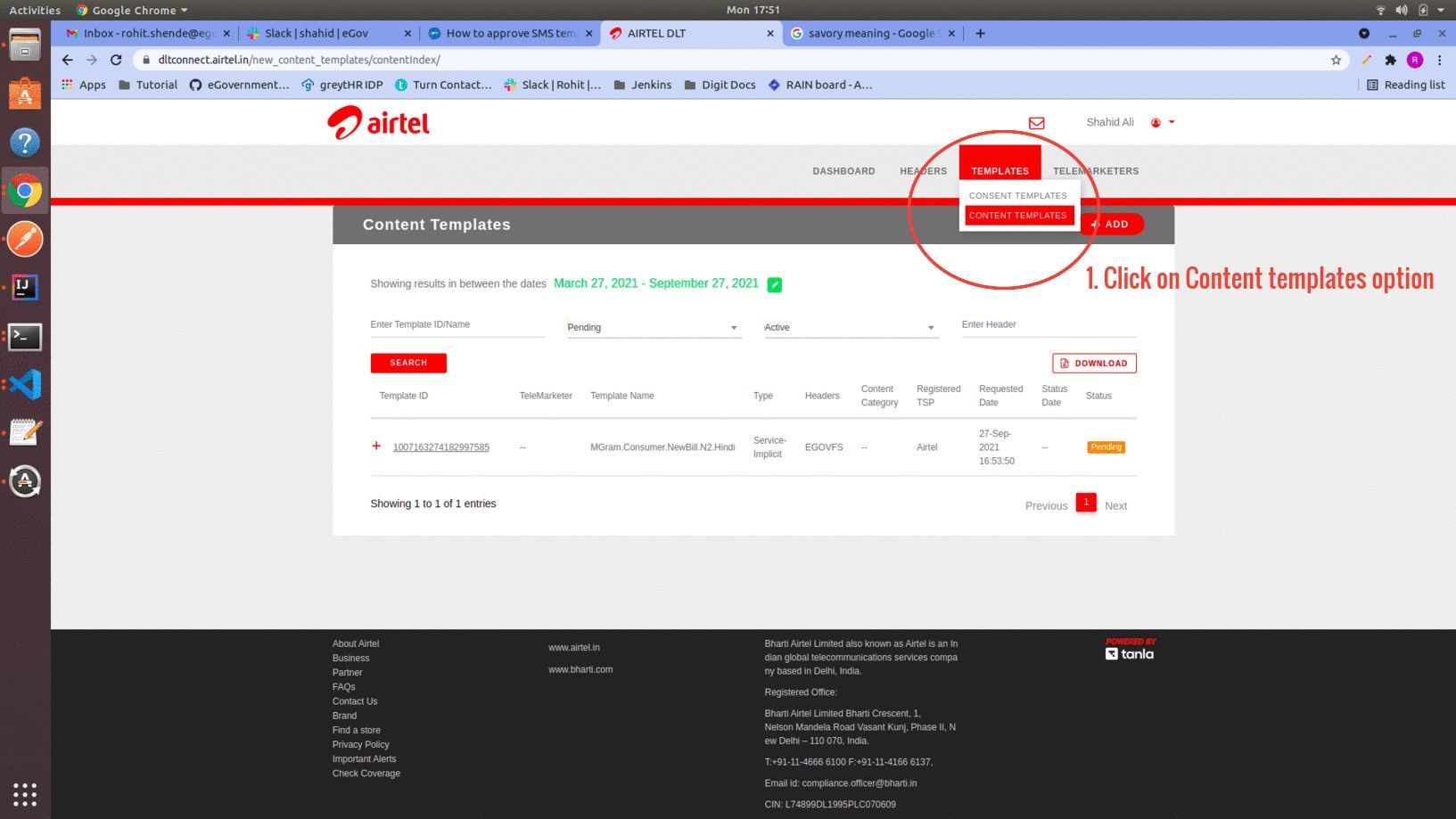
**Step 3:** Select the **Template** from the option and click on **Content Templates**.
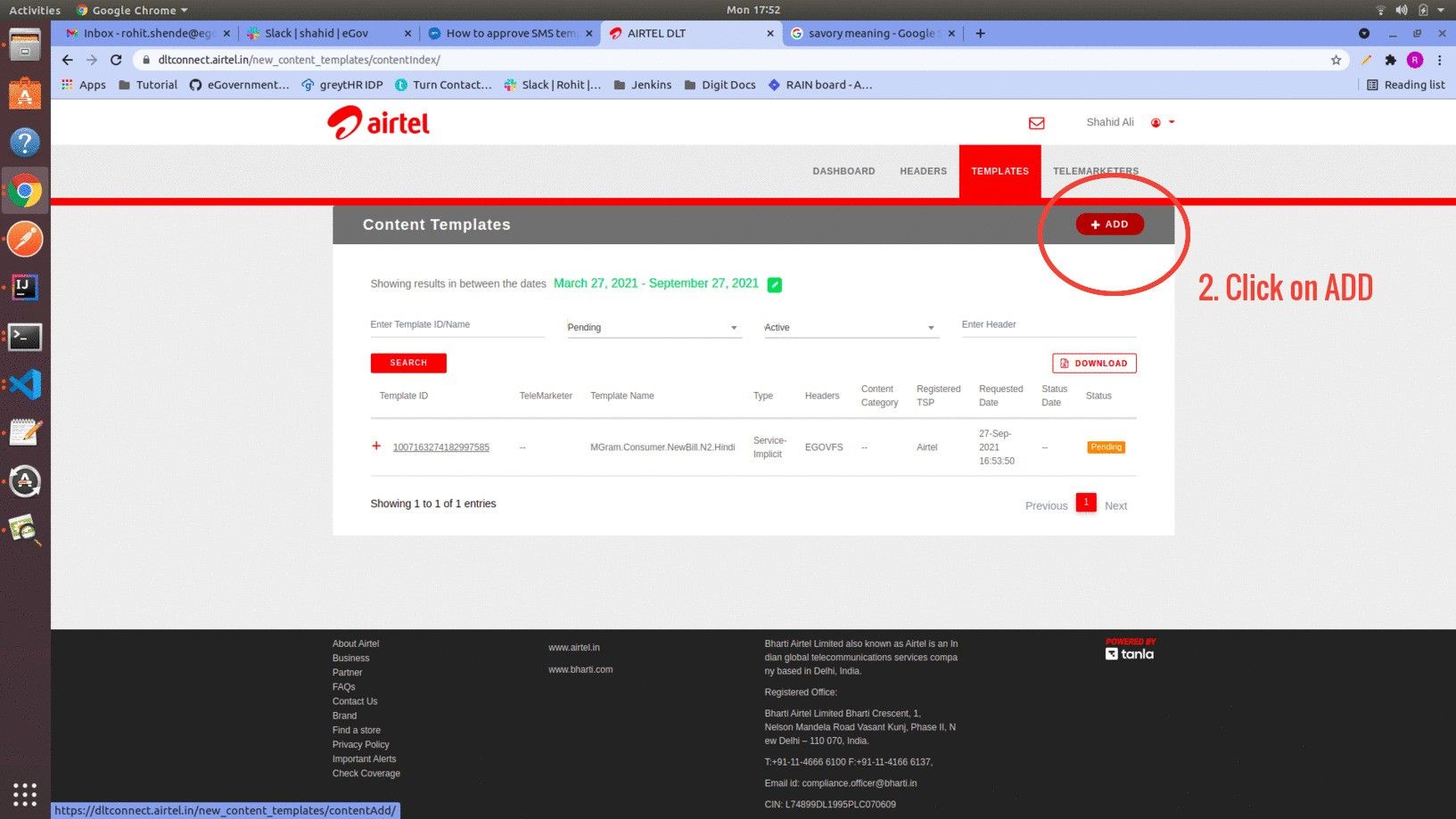
Click on the **Add** button to go to the next section.
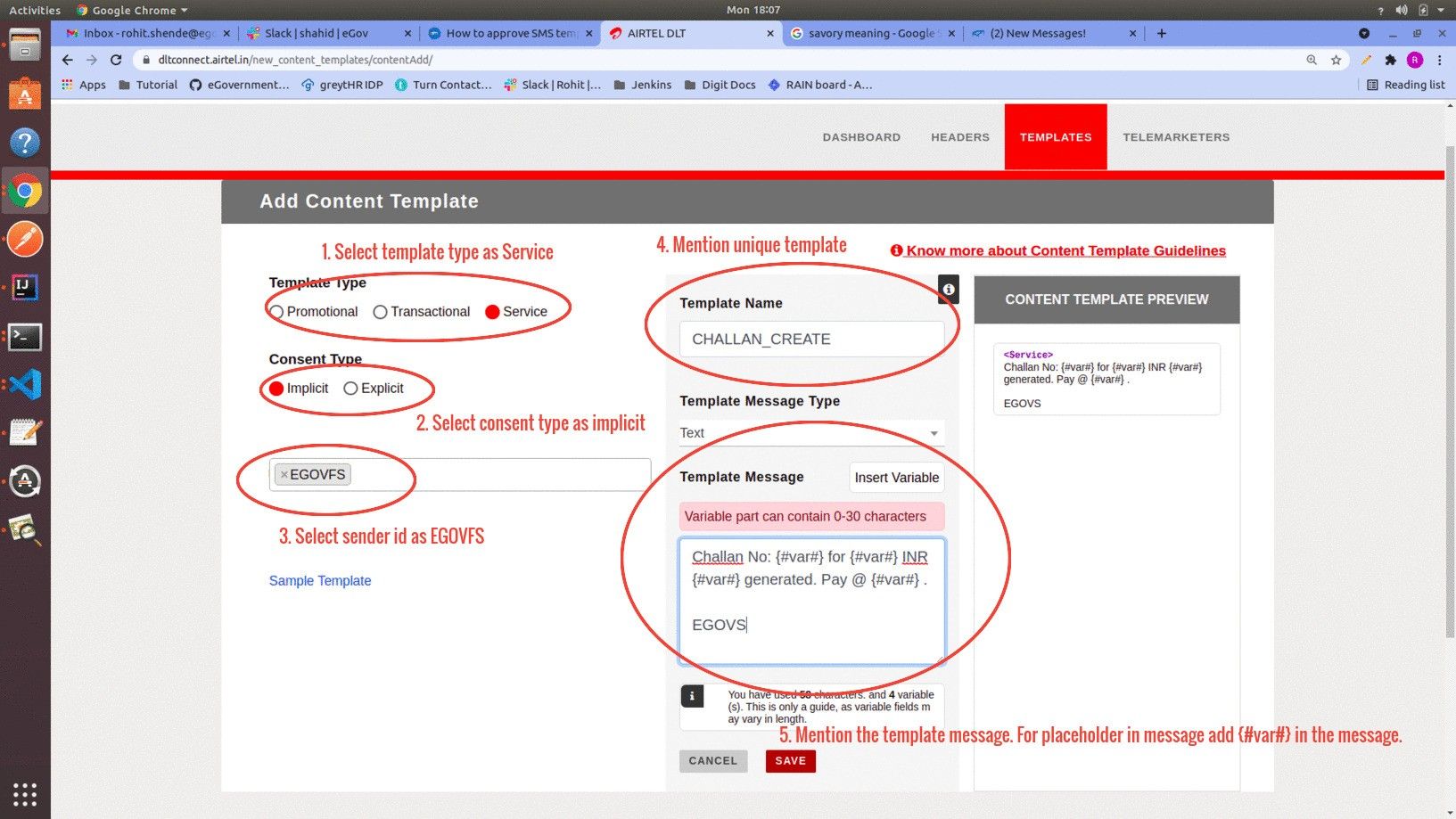
**Step 4:** Select the option mentioned in the image below.
{% hint style="info" %}
Note:\
a) For placeholder text (dynamic text in message) mention **{#var#}** in the message. Each **{#var#}** can contain 0-30 characters. If dynamic text is supposed to cross 30 characters in length, then two **{#var#}** have to be mentioned side by side. Now the dynamic text can be up to 60 characters.\
**Example**:- *Hi Citizen,*\
\&#xNAN;*Click on this link to pay the bill {#var#}{#var#}*\
\
\&#xNAN;*EGOVS*\
\
b) Mentioning EGOVS at the end of every message is mandatory.\
\
c) Select the Template message Type as Regional if the message is in any other language besides English.
{% endhint %}
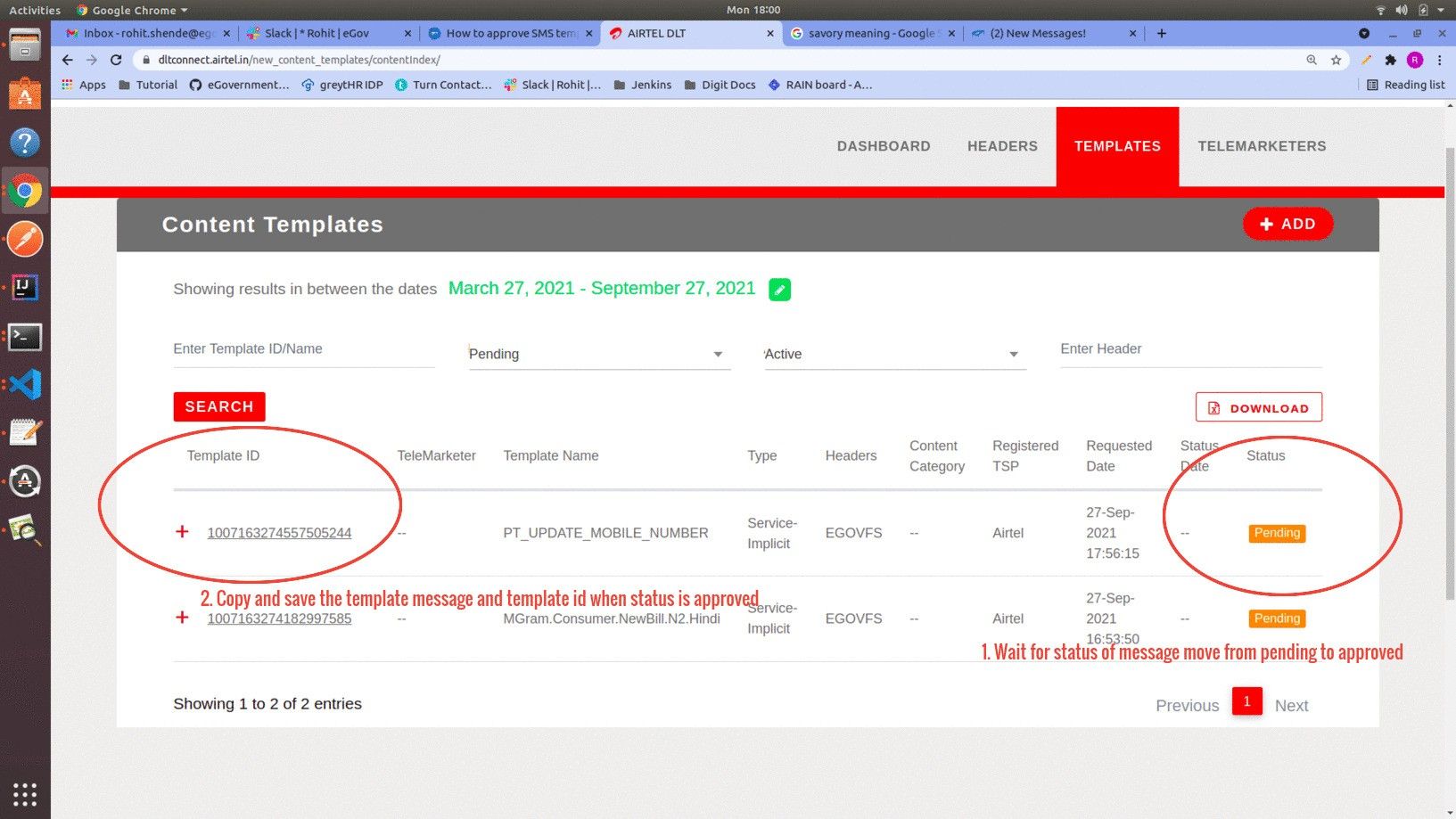
After clicking on the Save button, the template is added to the portal. Wait for the approval of the template.\
Once the template gets approved save the template ID and the message.
**Step 5:** Repeat the process from **Step 3** to **Step 4** to register the template in the DLT portal.
{% hint style="info" %}
Note: The below steps are to add approved templates in the SMS Country web portal. These steps might vary between service providers but the data required for any service provider would be the same.
{% endhint %}
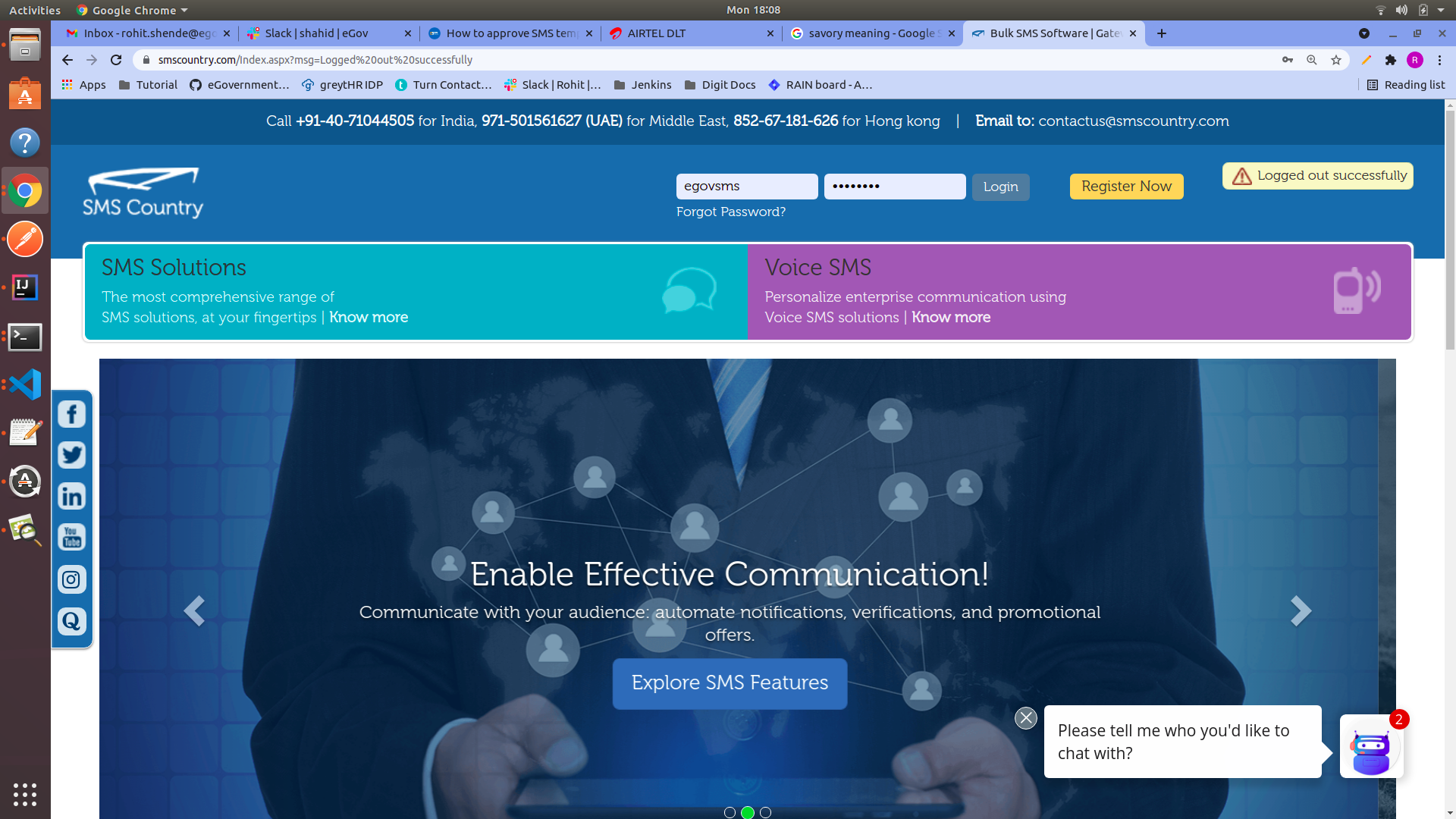
**Step 6:** Enter the credentials to log into the SMS Country portal.
{% hint style="info" %}
Contact the HR manager for the credentials.
{% endhint %}
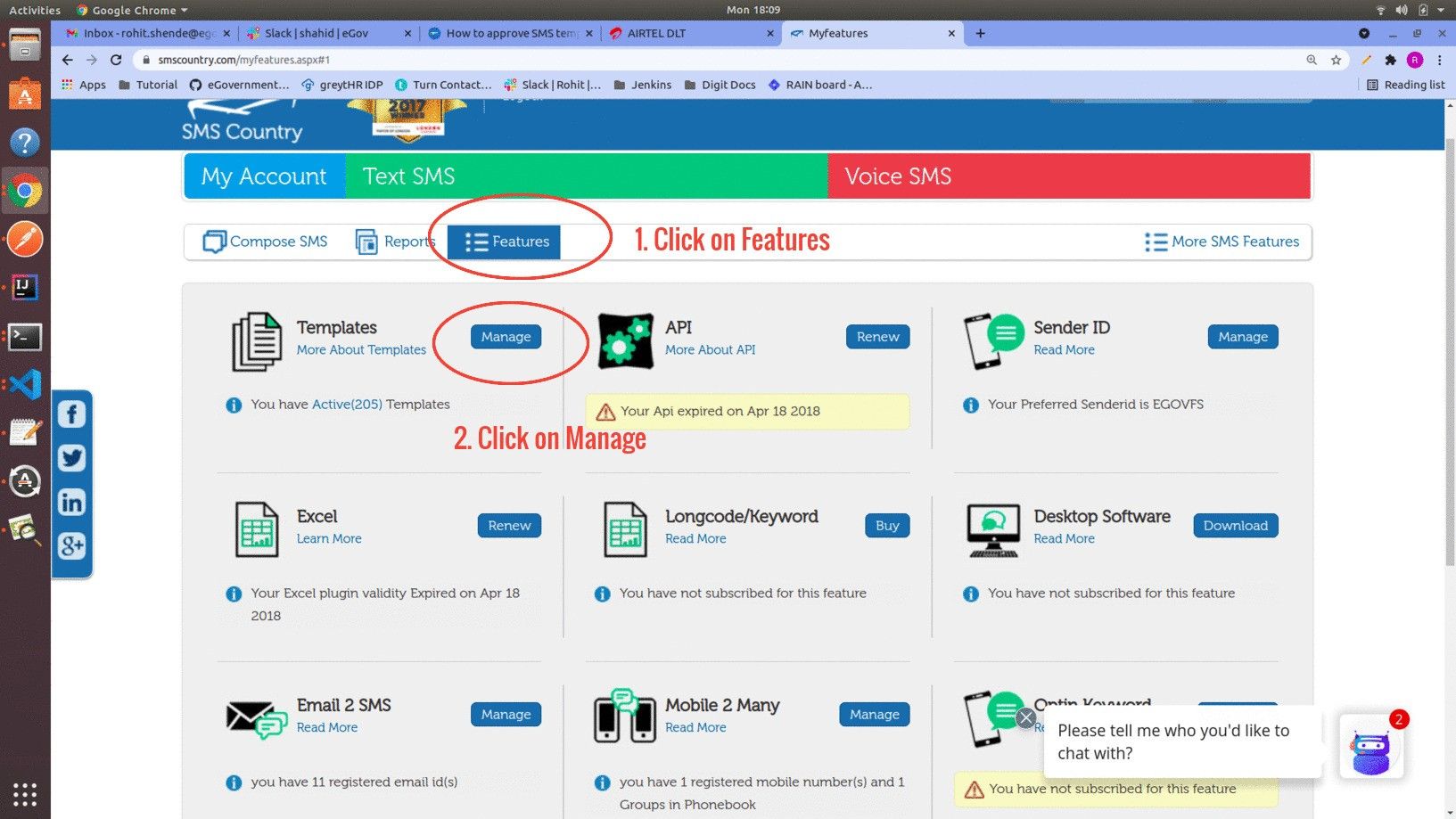
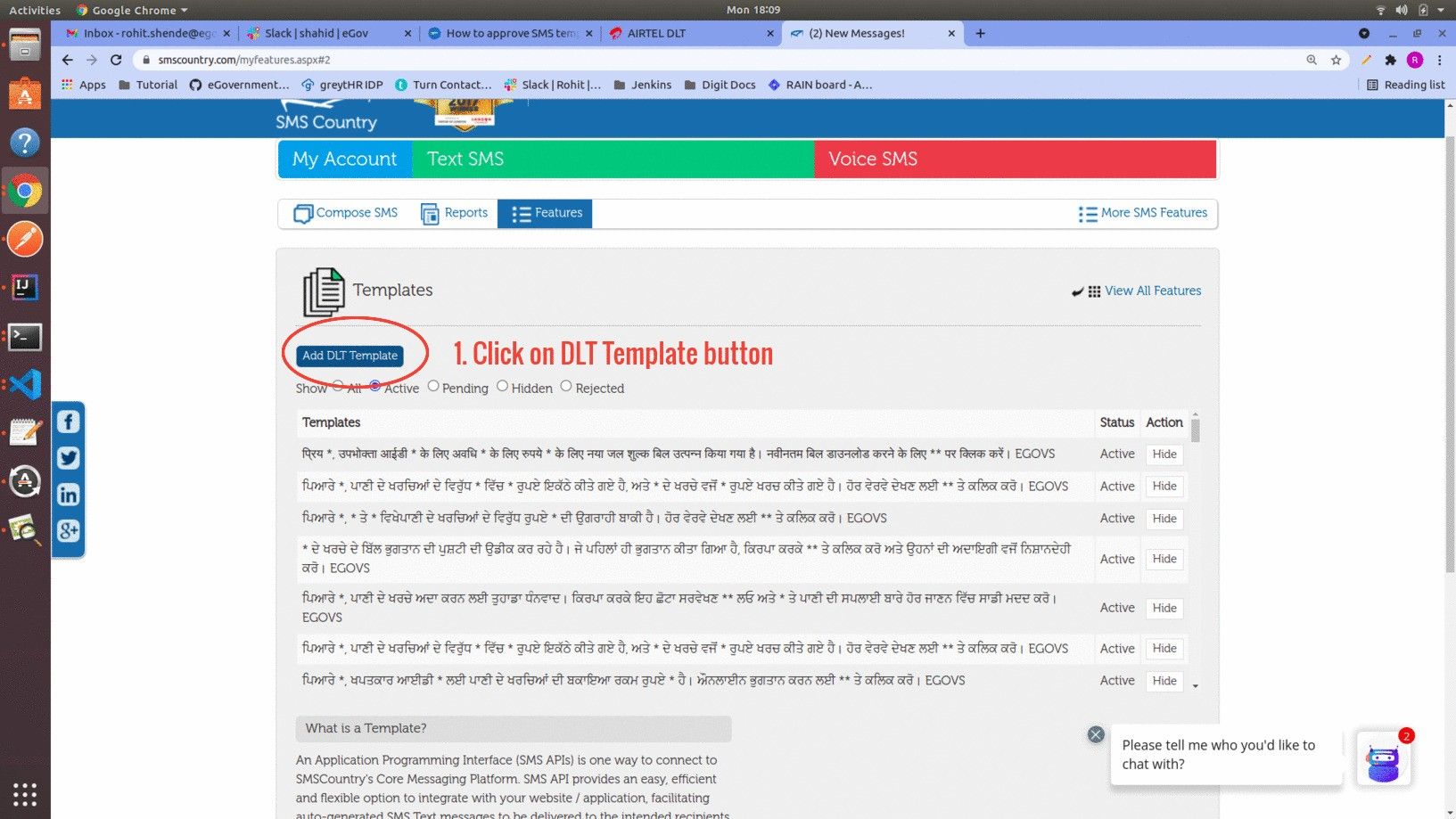
**Step 7:** Select the option Features, then click on the Manage button under the Template section.
Then click on the **Add DLT Template** button.
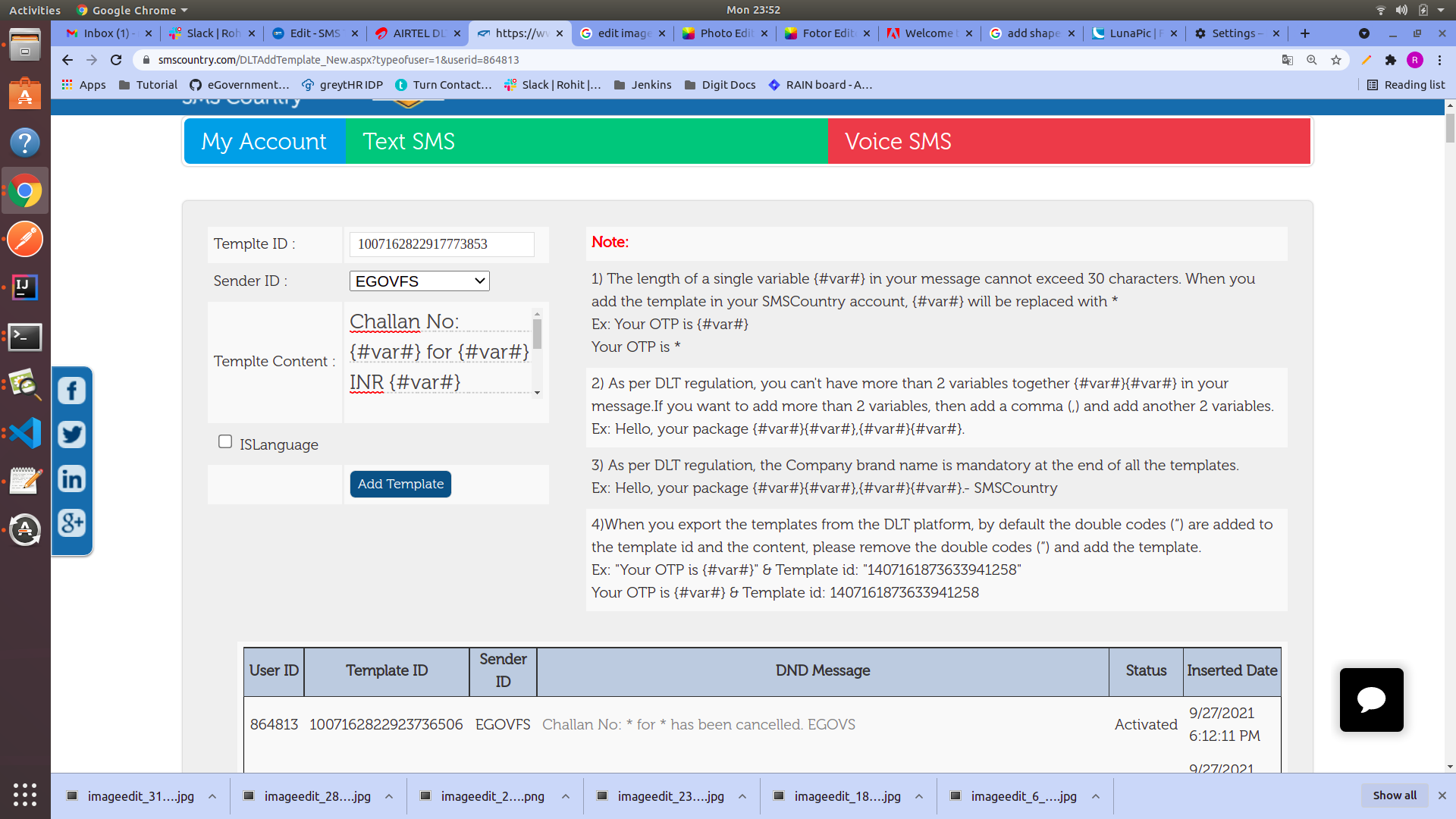
**Step 8:** Mention the template ID and message of the approved template which we saved earlier in step 4. Select the Sender ID as **EGOVFS.**
After adding all the above details click on **Add Template** button.\
The DLT-approved template is added to the SMS Country portal and is ready to use.
{% hint style="info" %}
Select the ISLanguage check box if the message is in any other language besides English.
{% endhint %}
**Step 9:** Repeat **Step 7** and **Step 8** to add the approved template in the SMS Country portal.
---
# Agent Instructions: Querying This Documentation
If you need additional information that is not directly available in this page, you can query the documentation dynamically by asking a question.
Perform an HTTP GET request on the current page URL with the `ask` query parameter:
```
GET https://docs.digit.org/platform/platform/digit-how-tos/sms-template-approval-process.md?ask=
```
The question should be specific, self-contained, and written in natural language.
The response will contain a direct answer to the question and relevant excerpts and sources from the documentation.
Use this mechanism when the answer is not explicitly present in the current page, you need clarification or additional context, or you want to retrieve related documentation sections.
 AIRTEL DLT](https://dltconnect.airtel.in/login/) ) and select your area of operation as **Enterprise** then click on next.