For the complete documentation index, see llms.txt. This page is also available as Markdown.

Functional Specifications

Business requirements for iFIX

Make sure to read this in conjunction with the following documents:

  1. iFIX Bluebook

  2. iFIX Pitch Deck

Overview

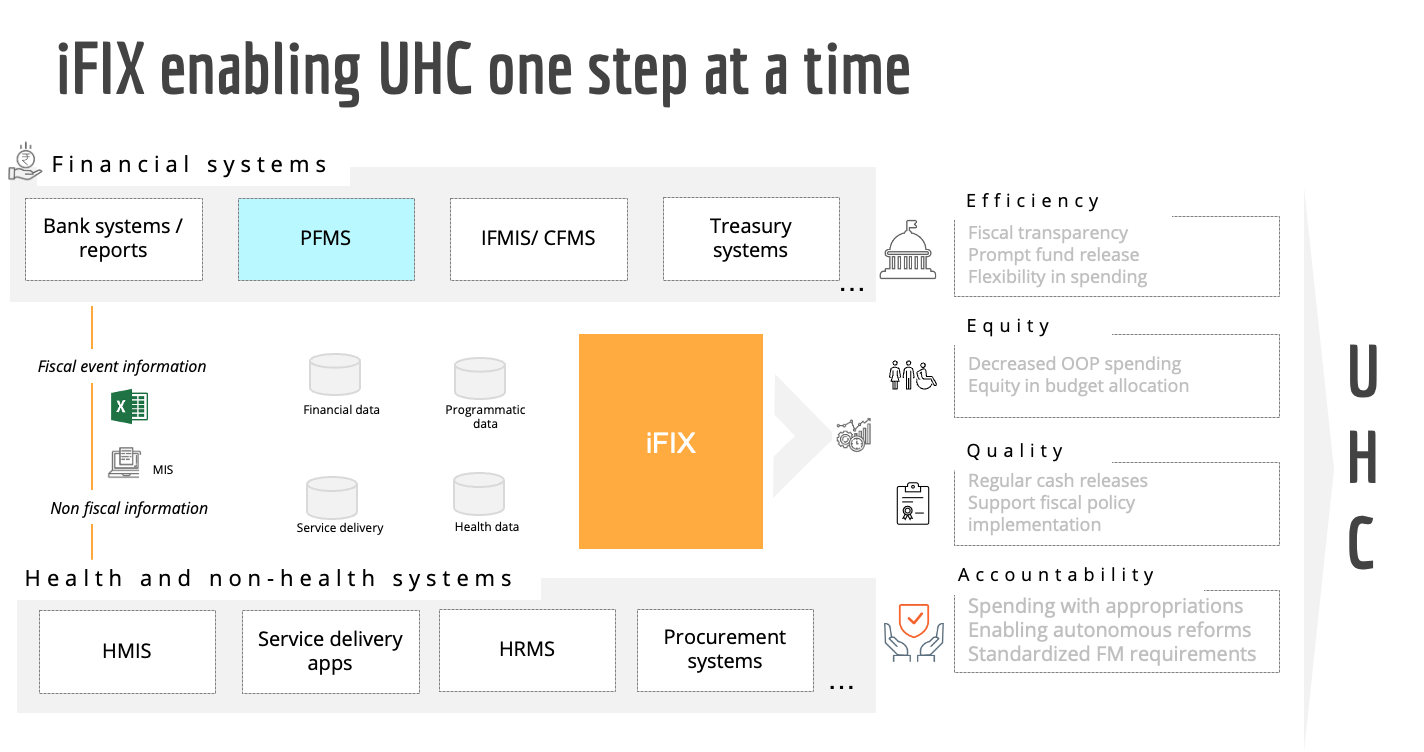
This page provides the details of the fiscal event-based approach for building out iFIX as an information exchange platform. These details are used to define the technical specifications for iFIX and the functional specifications that are open for validation and inputs internally and from the ecosystem.

Abbreviations & Common Terms

AD

Administrative Department

ADFA

Assistant Director, Finance & Accounts

BCO

Budget Controlling Officer

BFC

Budget Finalisation Committee

BE

Budget Estimate

COA

Chart of Accounts

CS

Central Sector Schemes

CSS

Centrally Sponsored Schemes

DDO

Drawing & Disbursement Officer

DPR

Detailed Project Report

DWSS

Department of Water Supply and Sanitation

FD

Finance Department

FFC

Fifteenth Finance Commission

HoD

Head of the Department

IFMS

Integrated Financial Management System

RE

Revised Estimate

SNA

Single Nodal Account

SPS

State Plan Schemes

Scope

The specifications have been defined from the lens of a sub-national government (state in the current context) and will be limited to interactions from a financial information perspective. The interactions in the scope of the current draft are:

  1. State Finance Department (FD) and Central (National) Government

  2. State Finance Department (FD) and Line Department(s)[1] at state

  3. State Line Department’s interactions with other line departments

  4. State Line Department’s interactions with government autonomous bodies including local government and/or non-government agencies

The current draft of specifications was built using publicly available information and inputs from the Department of Water Supply and Sanitation (DWSS), Punjab, and the Finance Department, Punjab.

Financial information-related interactions of the Central Government with other Central Line Departments are out of the scope of the current draft.

For further details on the context of this document and our approach to reimagining Public Finance Management refer to the Bluebook.

Fiscal Events-Based Approach

The broad objective of iFIX is to enable the flow of reliable and verifiable fiscal information on time. Recognizing the multiplicity of unique types of information flows in the current PFM system, iFIX aims to simplify the information flow network. The key driver of this simplification is the application of standardised formats for fiscal information exchange. To arrive at a crystallised set of formats and protocols covering all fiscal information exchanges follow the steps below:

  • Step 1 - Define what is a fiscal event (and its types) or what is the scope of relevant fiscal information from an iFIX perspective (refer to Fiscal Events Based Approach section)

  • Step 2 - Document the current public finance management processes at a generic level, i.e. defined using actors, verbs, inputs and outputs to ensure they are representative of all minor variants of the process at the level of various sub-national governments in India. (refer to tables in Inferring Fiscal Events from As-is-Process Flows, columns 1-6)

  • Step 3 - Apply the definition of the fiscal event to the current processes to collapse or abstract the fiscal event essence of the whole process to a set of fiscal events. (refer to tables in Inferring Fiscal Events from As-is-Process Flows, columns 7-9).

  • Step 4 - Extract the current data attributes used for fiscal information exchange to define the format for fiscal information exchange. (refer to tables in Inferring Fiscal Events from As-is-Process Flows, columns 10)

Definition of Fiscal Event

Events that trigger the generation of relevant fiscal information, at any stage in the budget cycle, are termed fiscal events. To be classified as a fiscal event, the event will need to meet one of the following criteria:

Transaction-Based Fiscal Events: Such fiscal events are triggered when there is fiscal information being generated due to an actual change of hands of a financial asset or in simple words due to a financial transaction.

Non-Transactional Fiscal Events: While numerous non-transactional events occur throughout the budget cycle, these are termed Fiscal events only if they meet at least one of the following criteria:

  • Minimum Degree of Finality: A non-transactional event will be considered a fiscal event only when the action resulting from or the document produced from the event has definitive implications for the budgetary cycle. Examples:

    1. A draft of the budget that has been prepared at the state line department level (DDO) and sent to the next competent authority (BCO) for approval will trigger a fiscal event. The reason for this is that it is assumed that the line department at its level has done the calculations for arriving at a final figure which then needs to be approved by the next competent authority.

    2. For any payments to be made out of state treasury, any verbal/ email-based intra-Finance department go-ahead (between State Treasury and Cash Planning Department) to make the payment will not be considered a Fiscal Event. Only the generation of Payment Advice to the concerned bank will trigger a fiscal event.

  • Change in ability to claim/ use/ dispose of a financial asset: A non-transactional event will be considered a fiscal event if it results in (de-)authorizing a certain individual or entity to claim/ utilize/ dispose of a financial asset. Examples:

    1. Allocation of the budget by the department to respective DDOs authorises the DDOs to utilize the funds as planned in the budget and will trigger a fiscal event.

Types of Fiscal Events

The fiscal information generated during each fiscal event needs to be recorded in a specific format for exchange. Based on the current budgetary practices and guidelines followed at the sub-national and national levels in India, the fiscal events triggered during the budget cycle can be classified into four major types:

  1. Revenue Receipts: Revenue receipts comprise receipts that do not result in the creation of a liability on the government. The total revenue receipts include the State’s Own Tax and Non-Tax revenues and Grants-in-Aid and Share in Central Taxes from the Government of India. The non-tax revenues consist mainly of interest and dividends on investments made by the Government, fees and other receipts for services rendered by the Government.

  2. Capital Receipts: The capital receipts are loans raised by the Government from the public (these are termed as market loans), borrowings by the Government through the sale of Treasury Bills, the loans received from Central Government and bodies, disinvestment receipts and recoveries of any loans and advances given.

  3. Revenue Expenditure: Revenue expenditure is for the normal running of different Government Departments and for the rendering of various services, making interest payments on debt, meeting subsidies, grants in aid, etc. Broadly, the expenditure which does not result in the creation of assets for the Government of India is treated as revenue expenditure. All grants given by the State are also treated as revenue expenditure even though some of the grants may be used for the creation of capital assets.

  4. Capital Expenditure: Capital payments consist of capital expenditure on the acquisition of assets like land, buildings, machinery, and equipment, as well as investments in shares, etc., and loans and advances made by the State Government to boards, corporations and other institutions.

Fiscal Event - Sub-Types

Further within each major type of fiscal event, there are varied types of events. To enable information exchange using an easily understandable and standardised format, subtypes of fiscal events are identified based on the similarity in nature of fiscal information generated due to these events.

This event results in fiscal information containing a high-level view regarding the amount of receipts/ expenditure expected/needed.

Revenue receipts - ☑️

Capital receipts - ☑️

Revenue expenditure - ☑️

Capital expenditure - ☑️

Event resulting in fiscal information containing a detailed view regarding how the estimated receipts/ expenditure will be met/ utilized.

Revenue receipts - ☑️

Capital receipts - ☑️

Revenue expenditure - ☑️

Capital expenditure - ☑️

Event resulting in fiscal information containing a request for transfer or payment of money into the government account.

Revenue receipts - ☑️

Capital receipts - ☑️

Revenue expenditure -

Capital expenditure -

Event resulting in fiscal information containing a request for transfer or payment of money out of the government account.

Revenue receipts -

Capital receipts -

Revenue expenditure - ☑️

Capital expenditure - ☑️

Event resulting in fiscal information containing banking transaction initiation details for any fund transferred into the government account.

Revenue receipts - ☑️

Capital receipts - ☑️

Revenue expenditure -

Capital expenditure -

Event resulting in fiscal information containing banking transaction initiation details for any fund transferred out of the government account.

Revenue receipts -

Capital receipts -

Revenue expenditure - ☑️

Capital expenditure - ☑️

Event resulting in fiscal information containing banking transaction completion details for any fund transferred out of the government account.

Revenue receipts -

Capital receipts -

Revenue expenditure - ☑️

Capital expenditure - ☑️

Event resulting in fiscal information containing banking transaction completion details for any fund transferred into the government account.

Revenue receipts - ☑️

Capital receipts - ☑️

Revenue expenditure -

Capital expenditure -

Application of Fiscal Event Framework to As-Is-Processes

Overview of Budget Cycle

The Budget Cycle comprises the following stages:

  1. Budget Planning

  2. Budget Preparation

  3. Budget Approval

  4. Budget Allocation

  5. Budget Execution

  6. Budget Accounting

  7. Budget Auditing

Additionally, budget planning is an activity that sits outside of the Budget Cycle and takes place throughout the year based on need. Examples:

  • A scheme/project announced by a state government official can happen at any point of the year, the planning for which begins right after the announcement. Thereafter, all the required approvals happen and estimates are prepared accordingly which then feed into the budget preparation phase of the budget cycle

  • Planning for already approved projects and planning to get approval

Inferring Fiscal Events from As-is-Process Flows

Budget Planning

Process for Planning for the New Projects/ Schemes (for Revenue and Capital Expenditure)

Actors (2)

Department/s

Input (3)

Announcement of the new Project/ Scheme by Chief Minister/ Department Minister

Verb & Noun (4)

Create project/scheme

Output (5)

New Project/ Scheme created

Attributes (6)

Announcement Date, Place, Project/Scheme Name, Department Name, Financial Year, Announcement By

Does it trigger a fiscal event (7)

N

Fiscal Event Type (8)

-

Data Attributes for iFIX (10)

DPR Preparation and Approval

CORE: Name of project, Type of Project, Goal & Objectives (Outcome) of the Project, Work Plan, Source of funding, Major milestones, Outputs of each activity, Cost of each Activity, Total Cost of the Project

ANCILLARY: Administrative Approval Date, Approved By, Approval Remarks, Rejection Remarks,

Actors (2)

HoD

Input (3)

New Project/ Scheme created

Verb & Noun (4)

Draft Detailed Project Report

Output (5)

Drafted DPR

Attributes (6)

Name of project, Type of Project, Goal & Objectives (Outcome) of the Project, Work Plan, Source of funding, Major milestones, Outputs of each activity, Cost of each Activity, Total Cost of the Project

Does it trigger a fiscal event (7)

Y

Fiscal Event Type (8)

Plan

Fiscal Event Sub Type (9)

DPR

Actors (2)

Administrative Department (AD)

Input (3)

Drafted DPR

Verb & Noun (4)

Review DPR

Output (5)

Approved DPR

Attributes (6)

Administrative Approval Date, Approved By, Remark

Does it trigger a fiscal event (7)

Y

Fiscal Event Type (8)

Plan

Fiscal Event Sub Type (9)

DPR

Actors (2)

Administrative Department (AD)

Input (3)

Drafted DPR

Verb & Noun (4)

Review the DPR

Output (5)

Rejected DPR

Sent to HoD for review

Attributes (6)

Remarks for rejecting the DPR

Does it trigger a fiscal event (7)

Y

Fiscal Event Type (8)

Plan

Fiscal Event Sub Type (9)

DPR

Actors (2)

Chief Minister/ Department Minister

Input (3)

Approved DPR

Verb & Noun (4)

Review the DPR

Output (5)

Approved DPR with administrative sanction

Attributes (6)

Administrative sanction date, Approved By, Remark

Does it trigger a fiscal event (7)

Y

Fiscal Event Type (8)

Plan

Fiscal Event Sub Type (9)

DPR

Actors (2)

Chief Minister/ Department Minister

Input (3)

Approved DPR

Verb & Noun (4)

Review the DPR

Output (5)

Rejected DPR

Sent to AD for review

Attributes (6)

Remarks for rejecting the DPR

Does it trigger a fiscal event (7)

Y

Fiscal Event Type (8)

Plan

Actors (2)

AD/ HoD

Input (3)

Approved DPR with administrative sanction

Verb & Noun (4)

Prepare Financial sanction proposal

Prepare case for financial sanction

Output (5)

Financial sanction proposal

Attributes (6)

Project Name, total Budget, Multi Year Plan, Financial Year, Project Start Year, Project Duration, Remark, Proposed COA, Amount

Does it trigger a fiscal event (7)

Y

Fiscal Event Type (8)

Plan

Data Attributes for iFIX (10)

Financial Sanction Preparation and Approval

CORE: Name of project, Type of Project, Goal & Objectives (Outcome) of the Project, Work Plan, Mode of funding, Funding Agency, Major milestones, Outputs of each activity, Cost of each Activity, Total Cost of the Project

ANCILLARY: Administrative Approval Date, Approved By, Approval Remarks, Rejection Remark

Actors (2)

FD/Planning Department

Input (3)

Financial sanction proposal

Verb & Noun (4)

Review financial sanction proposal

Output (5)

Approved, Generate Financial Sanction

Attributes (6)

Financial Year, Sanction No., Sanction Date, Sanction Amount, COA

Does it trigger a fiscal event (7)

Y

Fiscal Event Type (8)

Plan

Actors (2)

FD/Planning Department

Input (3)

Financial sanction proposal

Verb & Noun (4)

Review Financial Sanction

Output (5)

Rejected

Objection sent to HoD for consideration and review

Attributes (6)

Remarks for rejecting financial proposal

Does it trigger a fiscal event (7)

Y

Fiscal Event Type (8)

Plan

Actors (2)

AD/ HoD

Input (3)

Approved DPR with financial sanction

Verb & Noun (4)

Prepare plan for budget provision and send to the FD via BFC

Output (5)

Budget provision[2] (as RE for the current fiscal year)

Attributes (6)

Department Name, Project Name, Project Amount,

Financial Year,

COA

Does it trigger a fiscal event (7)

Y

Fiscal Event Type (8)

Plan

Budget Preparation

Budget Preparation for Revenue Receipt

Actors

Finance Department

Verb & Noun

Issue Budget Circular along with Budget Calendar

Budget Circular is issued to all departments inviting estimates of expenditure (Revenue) of the respective department

Output

Budget Circular along with budget calendar issued

Attributes

Department name, annual revenue expenditure estimates (BE and RE both), Demand for Grant details, Details of competent authority (BCO, DDO), dates

Does it trigger a fiscal event?

N

Fiscal event type

-

Data attributes for iFIX

-

Actors

Estimating Officer / DDO/HoD

Input

Budget Circular

Verb & Noun

Prepare expenditure (Revenue) estimates

Estimating officers prepare Budget Estimate for current FY and Revised Estimate for previous FY based on historic trends, projection of future demand and effect of any policy change to be formulated by the department/State

Output

Budget Estimate for current FY and Revised Estimate for previous FY created

Attributes

Department Name, COA details, estimated revenue expenditure, changes in pay scale,, no. of employee, electricity tariffs, interest rates etc,

Does it trigger a fiscal event?

Y

Fiscal event type

Estimate

Data attributes for iFIX

Inputs for Department Level Proposed Budget

CORE: Department Name, COA details, estimated revenue expenditure

ANCILLARY: changes in pay scale,, no. of employee, electricity tariffs, interest rates etc,

Actors

Estimating Officer / DDO

Input

Budget and Revised Estimated

Verb & Noun

Upload on IFMS

Output

Budget and Revised Estimates uploaded on IFMS

Attributes

Department Name, COA details, estimated revenue expenditure

Does it trigger a fiscal event?

Y

Fiscal event type

Estimate

Actors

HoD

Input

Budget and Revised Estimates prepared by DDO

Verb & Noun

Scrutinize the estimates

Output

Approved/rejected/modified estimates

Attributes

Department Name, COA details, estimated revenue expenditure

Does it trigger a fiscal event?

Y

Fiscal event type

Estimate

Data attributes for iFIX

Department Level Proposed Budget

CORE: Department Name,COA, estimated revenue expenditure

ANCILLARY: Remarks for cuts and modifications introduced by HoD, AD etc.

Actors

AD

Input

Approved estimates by HoD

Verb & Noun

Scrutinize the estimates

Output

Approved/rejected/modified estimates

Attributes

Department Name, COA details, estimated revenue expenditure

Does it trigger a fiscal event?

Y

Fiscal event type

Estimate

Actors

Finance Department

Input

Approved estimates by AD

Verb & Noun

Form Budget Finanilization Committee to scrutinize the submitted estimates

Output

Approved/rejected/modified estimates by BFC

Attributes

Department Name, COA details, estimated revenue expenditure

Does it trigger a fiscal event?

Y

Fiscal event type

Estimate

Data attributes for iFIX

State Level Proposed Budget

CORE: Department Name,COA, estimated revenue expenditure

ANCILLARY: Remarks for cuts and modifications introduced by BFC, Cabinet etc.

Actors

Finance Department

Input

Approved estimates by BFC

Verb & Noun

Prepare budget documents for submission to cabinet for approval

FD makes any necessary changes to the received estimates and consolidate s department-wise detailed estimates

Output

Budget documents

Attributes

Department Name,COA, estimated revenue expenditure

Does it trigger a fiscal event?

Y

Fiscal event type

Estimate

Actors

Finance Department

Input

Approved estimates by BFC

Verb & Noun

Communicate details of finalized estimates to concerned ADs of departments for information

Output

Consolidated department-wise estimates

Attributes

Department Name, COA details, estimated revenue expenditure

Does it trigger a fiscal event?

Y

Fiscal event type

Estimate

Actors

Finance Department

Input

Budget documents

Verb & Noun

Prepare memorandum based on the budget documents and submit

to the Cabinet for approval

Output

Memorandum containing all budget documents

Attributes

Multiple Documents - Annual Financial Statement, Expenditure Budget, Budget At A Glance

Does it trigger a fiscal event?

N

Fiscal event type

-

Data attributes for iFIX

-

Budget Preparation for Capital Expenditure - Capital Outlay

Actors

Planning Department

Verb & Noun

Issue planning Circular along with meeting Calendar

Planning circular is issued to all departments inviting ceiling of expenditure (Project/Scheme) of the respective department

Output

Planning Circular along with meeting calendar issued

Attributes

Department Name,

Meeting Date

Does it trigger a fiscal event

N

Fiscal event type

-

Data attributes for iFIX

-

Actors

Department HoD

Input

Discussion on ceiling for New project/Scheme

Verb & Noun

Planning Dept given the budget ceiling

In the discussion, planning department define the ceiling for the budget preparation for the respective department

Output

Defined the Budget ceiling for new project/Scheme

Attributes

Department name, annual New capital/Project expenditure ceiling,, Details of competent authority (HoD, DDO), dates

Does it trigger a fiscal event

N

Fiscal event type

-

Data attributes for iFIX

-

Actors

Finance Department

Verb & Noun

Issue Budget Circular along with Budget Calendar

Budget Circular is issued to all departments inviting estimates of expenditure (capital) of the respective department

Output

Budget Circular along with budget calendar issued

Profile with all relevant details created which can be edited, enabled, disabled

Attributes

Department name, annual capital outlay estimates (BE and RE both), Demand for Grant details, Details of competent authority (BCO, DDO), dates

Does it trigger a fiscal event

N

Fiscal event type

-

Data attributes for iFIX

-

Actors

Estimating Officer / DDO/HoD

Input

Budget Circular

Verb & Noun

Prepare expenditure (Capital) estimates under the defined ceiling by the planning dept.

Estimating officers prepare Budget Estimate for current FY and Revised Estimate for previous FY based on historic trends, projection of future demand and effect of any policy change to be formulated by the department/State

Output

Budget Estimate for current FY and Revised Estimate for previous FY created

Attributes

Department Name, COA details, estimated capital outlay

Does it trigger a fiscal event

Y

Fiscal event type

Estimate

Data attributes for iFIX

Inputs for Department Level Proposed Budget

CORE: Department Name, COA details, estimated capital outlay

ANCILLARY: None

Actors

Estimating Officer / DDO

Input

Budget and Revised Estimated

Verb & Noun

Upload on IFMS

Output

Budget and Revised Estimates uploaded on IFMS

Attributes

Department Name, COA details, estimated capital outlay

Does it trigger a fiscal event

Y

Fiscal event type

Estimate

Actors

HoD

Input

Budget and Revised Estimates prepared by DDO

Verb & Noun

Scrutinize the estimates

Output

Approved/rejected/modified estimates

Attributes

Department Name, COA details, estimated capital outlay

Does it trigger a fiscal event

Y

Fiscal event type

Estimate

Data attributes for iFIX

Department Level Proposed Budget

CORE: Department Name, COA details, estimated capital outlay

ANCILLARY: Remarks for cuts and modifications introduced by HOD, BCO, Planning Department etc.

Actors

AD

Input

Approved estimates by BCO

Verb & Noun

Scrutinize the estimates

Output

Approved/rejected/modified estimates

Attributes

Department Name, COA details, estimated capital outlay

Does it trigger a fiscal event

Y

Fiscal event type

Estimate

Actors

Planning Department

Input

Approved estimated by AD

Verb & Noun

Scrutinize the estimates

Output

Approved/rejected/modified estimates

Attributes

Department Name, COA details, estimated capital outlay

Does it trigger a fiscal event

Y

Fiscal event type

Estimate

Actors

Finance Department

Input

Approved estimates by PD

Verb & Noun

Form Budget Finanilization Committee to scrutinize the submitted estimates

Output

Approved/rejected/modified estimates by BFC

Attributes

Department Name, COA details, estimated capital outlay

Does it trigger a fiscal event

Y

Fiscal event type

Estimate

Data attributes for iFIX

State Level Proposed Budget

CORE: Department Name, COA details, estimated capital outlay

ANCILLARY: Remarks for cuts and modifications introduced by BFC, Cabinet etc.

Actors

Finance Department

Input

Approved estimates by BFC

Verb & Noun

Prepare budget documents for submission to cabinet for approval

FD makes any necessary changes to the received estimates and consolidate department-wise detailed estimates

Output

Budget documents

Attributes

Department Name,COA, estimated capital outlay

Does it trigger a fiscal event

Y

Fiscal event type

Estimate

Actors

Finance Department

Input

Approved estimates by BFC

Verb & Noun

Communicate details of finalized estimates to concerned ADs of departments for information

Output

Consolidated department-wise estimates

Attributes

Department Name, COA details, estimated capital outlay

Does it trigger a fiscal event

Y

Fiscal event type

Estimate

Actors

Finance Department

Input

Budget documents

Verb & Noun

Prepare memorandum based on the budget documents and submit

to the Cabinet for approval

Output

Memorandum containing all budget documents

Attributes

Multiple Documents - Annual Financial Statement, Expenditure Budget, Budget At A Glance

Does it trigger a fiscal event

N

Fiscal event type

-

Data attributes for iFIX

-

Budget Approval

Budget Approval from Legislature (Same process for Revenue and Capital nature Receipts and Expenditures)

Actors

Finance Department

Input

Memorandum containing all budget documents

Verb & Noun

Present to the Legislative Assembly

Output

Budget speech of the FM

Attributes

Priorities of the Government, Current status of some important existing schemes, New schemes and programmes to be launched during the ensuing year, Tax/Tariff proposals and reliefs to be granted, if any, Summary of Revised Estimates and Budget Estimates

Does it trigger a fiscal event

N

Fiscal event type

-

Fiscal event sub type

-

Data attributes for iFIX

-

Actors

Finance Department

Input

Memorandum containing all budget documents

Verb & Noun

General discussion on the budget as a whole and/or on any question of principle or policy involved therein

Output

Tabling of the Budget Documents

Attributes

Not Applicable

Does it trigger a fiscal event

N

Fiscal event type

-

Fiscal event sub type

-

Data attributes for iFIX

-

Actors

Finance Department

Input

Memorandum containing all budget documents

Verb & Noun

Vote on Demand for Grants

Output

Voted Demand for Grants

Attributes

Demand No., Department Name, COA, Amount for BE, RE and Actuals

Does it trigger a fiscal event

N

Fiscal event type

-

Fiscal event sub type

-

Data attributes for iFIX

-

Actors

Finance Department

Input

Demand for Grants

Verb & Noun

Introduce Appropriation Bill

Output

Appropriation Bill

Does it trigger a fiscal event

N

Fiscal event type

-

Fiscal event sub type

-

Data attributes for iFIX

-

Actors

Finance Department

Input

Appropriation Bill

Verb & Noun

Obtain Governor’s assent

Output

Appropriation Act

Does it trigger a fiscal event

N

Fiscal event type

-

Fiscal event sub type

-

Data attributes for iFIX

-

Actors

Finance Department

Input

Appropriation Act

Verb & Noun

Issue a circular authorising incurring of expenditure as per guidelines contained in the Appropriation Act

Output

Circular containing details as per the Appropriation Act

Does it trigger a fiscal event

N

Fiscal event type

-

Fiscal event sub type

-

Data attributes for iFIX

-

Actors

Finance Department

Input

Appropriation Act

Verb & Noun

Issue notification in the Official Gazette

Output

Gazette notification

Does it trigger a fiscal event

N

Fiscal event type

-

Fiscal event sub type

-

Data attributes for iFIX

-

Budget Allocation

Communication and Distribution of funds (Same process for Revenue and Capital nature Expenditure)

Actors

Finance Department

Input

Circular containing details as per the Appropriation Act

Verb & Noun

Upload budget for department on IFMS

Output

Budget by department

There is detailed information of allotments placed at the disposal of each department during the budget year

Attributes

Department name, Department code, COA heads, amount, financial year, authorization authority with details

Does it trigger a fiscal event

Y

Fiscal event type

Estimate

Data attributes for iFIX

State Level Approved Budget

CORE: Department name, Department code, COA heads, amount, financial year

ANCILLARY: Authorization authority with details

Actors

Finance Department

Input

Circular containing details as per the Appropriation Act

Verb & Noun

Send the minutes of the meeting of BFC to the concerned AD

Output

Minutes of the BFC

Attributes

Department name, Department code, COA heads, amount, financial year, authorization authority with details

Does it trigger a fiscal event

N

Fiscal event type

-

Data attributes for iFIX

-

Actors

AD

Input

Minutes of the BFC

Verb & Noun

Issue orders for DDO-wise estimates

Output

Order to prepare DDO wise estimates

Attributes

Department name, Department code, COA heads, amount, financial year, authorization authority with details

Does it trigger a fiscal event

N

Fiscal event type

-

Data attributes for iFIX

-

Actors

HoD

Input

Order to prepare DDO wise estimates

Verb & Noun

Prepare DDO wise estimates

Output

DDO wise estimates available on IFMS

Attributes

Department name, Department code, COA heads, amount, financial year, authorization authority with details, DDO Name and Code

Does it trigger a fiscal event

Y

Fiscal event type

Estimate

Fiscal event sub type

Approved Estimate

Data attributes for iFIX

DDO Level Approved Budget

CORE: Department name, Department code, COA heads, amount, financial year, DDO Name and Code

ANCILLARY: Authorization Authority with Details

Actors

DDO

Input

DDO wise estimates available on IFMS

Verb & Noun

View allocation on IFMS

Output

DDO receives details of allotments provided for expenditure

Attributes

Department name, Department code, COA heads, amount, financial year, DDO Name and Code

Does it trigger a fiscal event

Y

Fiscal event type

Estimate

Fiscal event sub type

Approved Estimate

Budget Execution

Request for Release of Funds from State Treasury - Scheme-related Capital Expenditure

Release of funds to DDO

Actors

DDO

Input

60% of first tranche of project/scheme funds utilized

Verb & Noun

Prepare Utilization Certificate

Output

Utilization Certificate

Attributes

Department name, department code, Vendor name, project details, work done against total deliverable, amount sanctioned, amount utilized, balance amount, DDO name and DDO code

Does it trigger a fiscal event

N

Fiscal event type

-

Data attributes for iFIX

-

Actors

HoD/AD

Input

Utilization Certificate

Verb & Noun

Review utilization certificate

Output

Approved, forward to FD with demand request

Attributes

Department name, department code, Vendor name, project details, work done against total deliverable, amount sanctioned, amount utilized, balance amount, amount requested (next tranche), DDO name and DDO code

Does it trigger a fiscal event

N

Fiscal event type

-

Data attributes for iFIX

-

Actors

FD

Input

Utilization Certificate, and demand request

Verb & Noun

Review utilization certificate and demand request

Output

Approve next tranche

Amount reflected on IFMS, visible to HoD

Attributes

Approved UC + Department name, department code, amount, COA

Does it trigger a fiscal event

Y

Fiscal event type

Demand

Data attributes for iFIX

Demand Request by DDO

CORE: Department name, department code, amount, COA, DDO name and DDO code

ANCILLARY: (Approved UC: Department name, department code, Vendor name, project details, work done against total deliverable, amount sanctioned, amount utilized, balance amount, DDO name and DDO code)

Actors

HoD

Input

Approved next tranche information

Verb & Noun

Inform to respective DDO

Output

Amount reflected on IFMS, visible to DDO

Attributes

Department name, department code, amount, COA, DDO name and DDO code

Does it trigger a fiscal event

Y

Fiscal event type

Demand

Work awarded to the vendor

Actors

HoD/DDO

Input

Approved DPR with financial sanction

Verb & Noun

Invite bids from vendor/contract for work

Review process of tender

Output

Bid invitation

Attributes

Bid Reference no. Department name, Project details, date of bid invitation, selection/eligibility criteria Bid Reference no.

Does it trigger a fiscal event

N

Fiscal event type

-

Data attributes for iFIX

-

Actors

HoD/DDO

Input

Bid invitation

Verb & Noun

Award work to a vendor/contractor

Output

Work awarded to vendor/contractor

Attributes

Bid Reference no. , Vendor name, date of award of work, Project details - name, terms and conditions, deliverables expected, vendor account details, Tender value, Contract rate

Does it trigger a fiscal event

Y

Fiscal event type

Plan

Data attributes for iFIX

Work Allocation to Vendor

CORE: Bid Reference No., Contract Reference No., Vendor Name, Vendor account details, Tender value, Contract rate, Date of award, Project Name

ANCILLARY: Project Details- Terms and Conditions, Deliverables expected

Actors

HoD/DDO

Input

Contract sign

Verb & Noun

Create Work order/purchase order

Output

Work Execution start

Attributes

Bid Reference no., Contract Reference No., Vendor name, date of award of work, project details - name, terms and conditions, deliverables expected, vendor account details, Tender value, Contract rate

Does it trigger a fiscal event

Y

Fiscal event type

Plan

Work bill payment to the vendor

Actors

Vendor

Input

Work execution

Verb & Noun

Execute work and submit bill with Physical report of assign work

Output

Physical report with invoice bill

Attributes

Vendor name, date of award of work, project details - terms and conditions, deliverables expected, vendor account details, physical report, tender value, contract rate, invoice amount, date

Does it trigger a fiscal event

Y

Fiscal event type

Bill

Data attributes for iFIX

Bill Generation by Vendor

CORE: Work order reference, Bill date, Name of vendor, Bill amount (Gross, Deduction, Net), Bill type, Bank account details

ANCILLARY:

(Physical Report: Vendor name, date of award of work, project details - terms and conditions, deliverables expected, vendor account details, physical report, tender value, contract rate, invoice amount, date)

Actors

Vendor

Input

Eligibility criteria (Milestones, MRN, PO)

Verb & Noun

Submit bill

Bill submitted with an invoice covering letter as per the work done on the deliverable designed

Output

Acknowledge bill receipt

When bill is submitted, receiving received from DDO on the invoice covering letter

Attributes

Work order reference, Bill date, Name of vendor, Bill amount (Gross, Deduction, Net), Bill type, Vendor Bank account details

Does it trigger a fiscal event

Y

Fiscal event type

Bill

Actors

DDO

Input

Vendor bill

Verb & Noun

Review bill

DDO reviews the invoice against set rules/norms (verification process)

Output

Verified vendor bill

Attributes

Project name, Sanction, Cost, Deliverable, Timeline,

Bill amount against work done, Vendor Bank account details

Does it trigger a fiscal event

Y

Fiscal event type

Bill

Data attributes for iFIX

Bill Generation by DDO

CORE: Bill date, Name of vendor, Bill amount (Gross, Deduction, Net), Bill type, COA head, DDO code, Department code, Vendor Bank account details, Reference No.

ANCILLARY: Token No., Treasury rules, Bill approval status, Approval or Rejection Remarks, Relevant Fields from Physical Report (Project name, Sanction, Cost, Deliverable, Timeline,

Bill amount against work done, Vendor Bank account details)

Actors

DDO

Input

Verified vendor bill

Verb & Noun

Generate bill (government format)

Bill generated by DDO based on verified bill

Output

Bill available in department system

Bill available for sharing/uploading on treasury system

Attributes

Bill date, Name of vendor, Bill amount (Gross, Deduction, Net), Bill type, COA head, DDO code, Department code, Vendor Bank account details . Reference No.

Does it trigger a fiscal event

Y

Fiscal event type

Bill

Actors

Treasury

Token Section

Input

Bill received from DDO

Verb & Noun

Assign token number and audit officer

Output

Bill tagged with token number reflected in Treasury system

Attributes

Token number (Bill No.), date,

gross amount, deduction, net amount, COA head,

DDO code, Department code,

Vendor Bank account details

Does it trigger a fiscal event

Y

Fiscal event type

Bill

Actors

Treasury

Audit Section - auditor, accountant and treasury officer

Input

Bill with token number

Verb & Noun

Audit bill (as per treasury rules)

Output

Bill status - approved or rejected, with remark

Attributes

Treasury rules,

bill approval status (approved or rejected, with remark)

Does it trigger a fiscal event

Y

Fiscal event type

Bill

Actors

Treasury

Audit Section

Input

Rejection criteria

Verb & Noun

Create intimation (with details for reason for rejection)

Output

Status and rejection criteria is reflected in Department Bill system

Attributes

Remarks

DDO reviews the remarks, rectifies the bill, and sends again to treasury for payment

Does it trigger a fiscal event

Y

Fiscal event type

Bill

Actors

Treasury

Payment Section

Input

Bill - approved

Verb & Noun

Generate payment advice

Output

Payment advice pushed to banking system

Attributes

Token number, date,

gross amount, deduction, net amount, COA head,

DDO code, Department code,

Vendor Bank account details

Does it trigger a fiscal event

Y

Fiscal event type

Payment

Data attributes for iFIX

Payment Advice Generation

CORE: Token number, date,

gross amount, deduction, net amount, COA head,

DDO code, Department code,

Vendor Bank account details

ANCILLARY: Payment Advice Status, Remarks

Actors

RBI/Bank

Input

Payment advice receipt

Verb & Noun