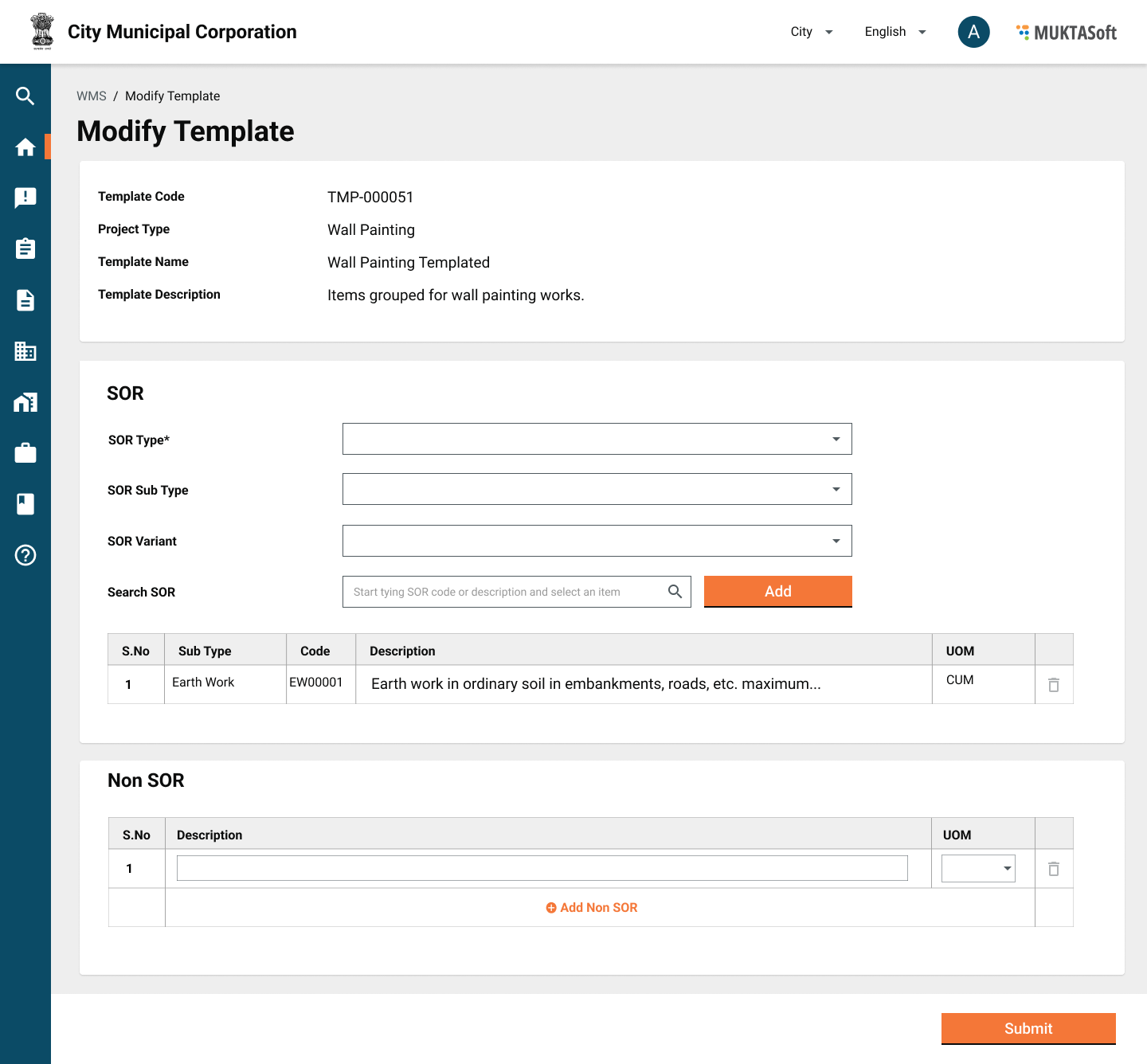
| Sr. No. | Field | Description |
| 1 | Code | A unique code generated for template. |
| 2 | Project Type | Project type |
| 3 | Name | Name given to template. |
| 4 | Description | The description, describing the template in detail. |
| 5 | Is Active | Status of template, Active/ Inactive. |
| 6 | SORs | |
| 6.1 | Sr. No. | Serial number. |
| 6.2 | Sub Type | SOR sub type |
| 6.3 | SOR Code | SOR code |
| 6.4 | Description | SOR description |
| 6.5 | Unit | Unit of measurement |
| 7 | Non SORs | |
| 7.1 | Sr. No. | Serial number. |
| 7.2 | Description | Non SOR description |
| 7.3 | Unit | Unit of measurement |