# Project

## Overview

Projects are the first work entity defined by the State/Department/ULB or any executing authority. This consists of basic details like IDs, descriptions, addresses, sub-project details, project types, start and end dates etc.&#x20;

Projects may not focus on just construction or civil works. Examples of projects - a health campaign, office decoration, a pre-contractual phase with an IT vendor for new software, new service delivery initiatives etc.

<mark style="color:blue;">**Users:**</mark> <mark style="color:blue;"></mark><mark style="color:blue;">Junior Engineer or Assistant Engineer who creates Works Projects for the ULB/Department</mark>

## Features & Scope

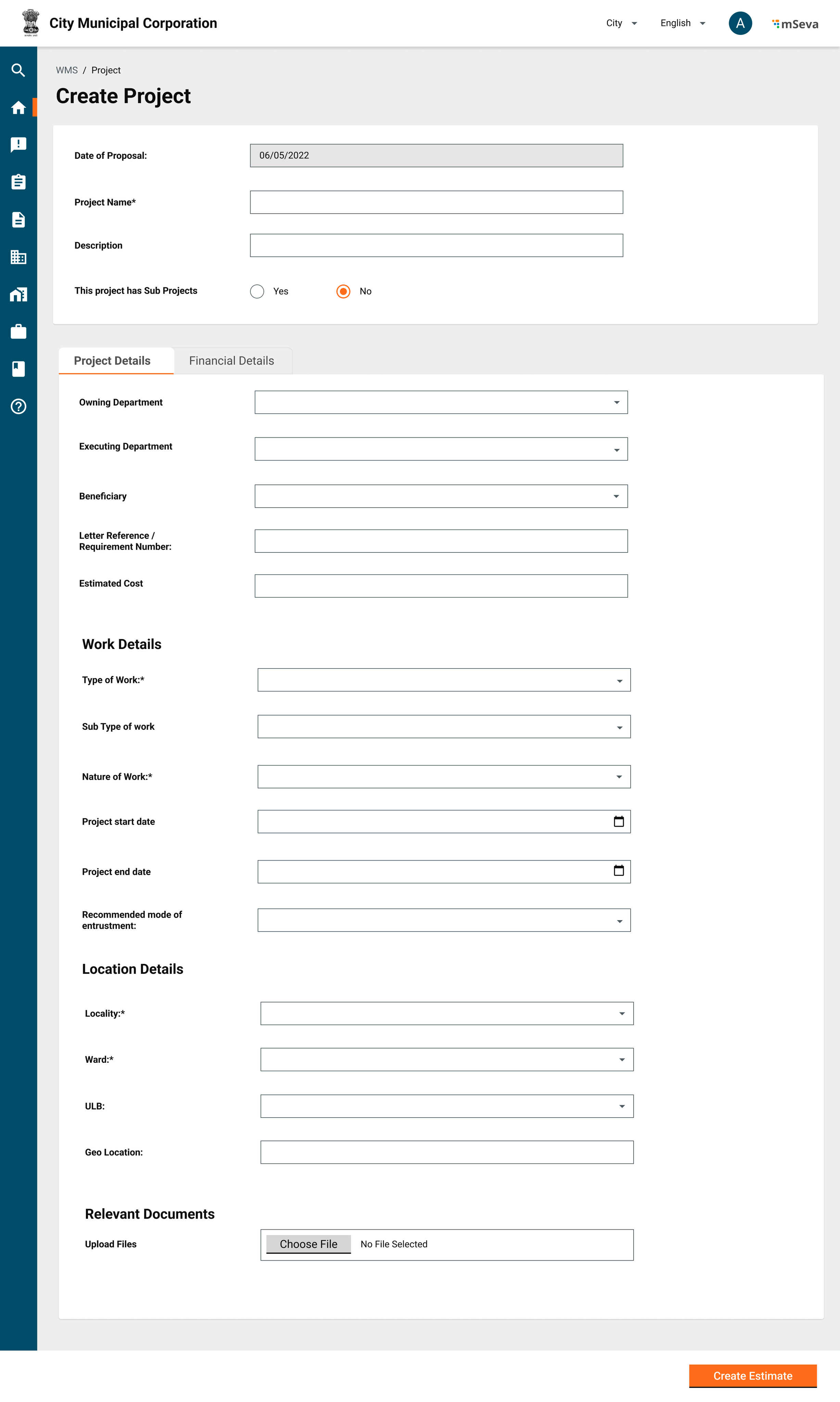
1. JE creates projects with the below-mentioned attributes.
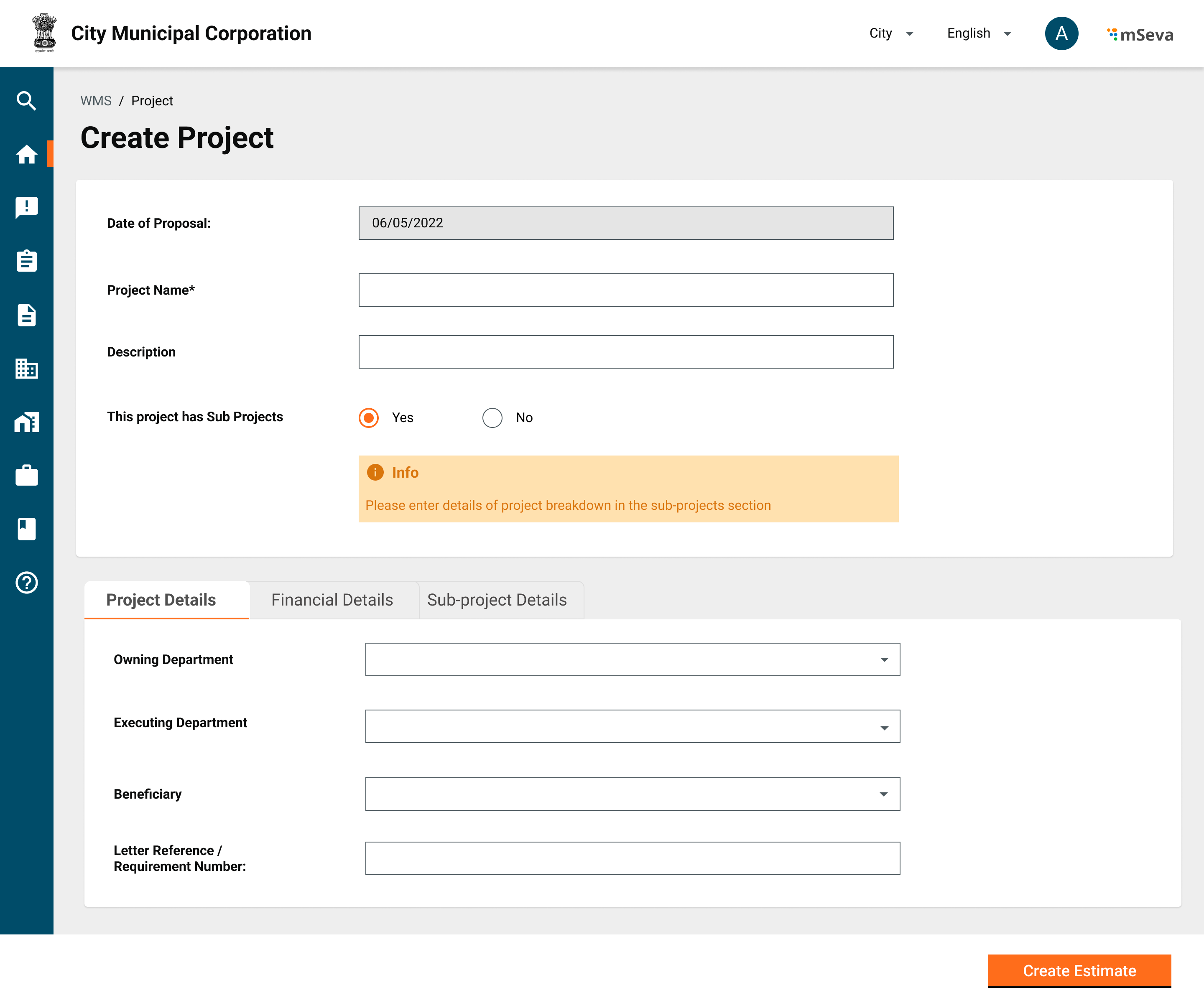
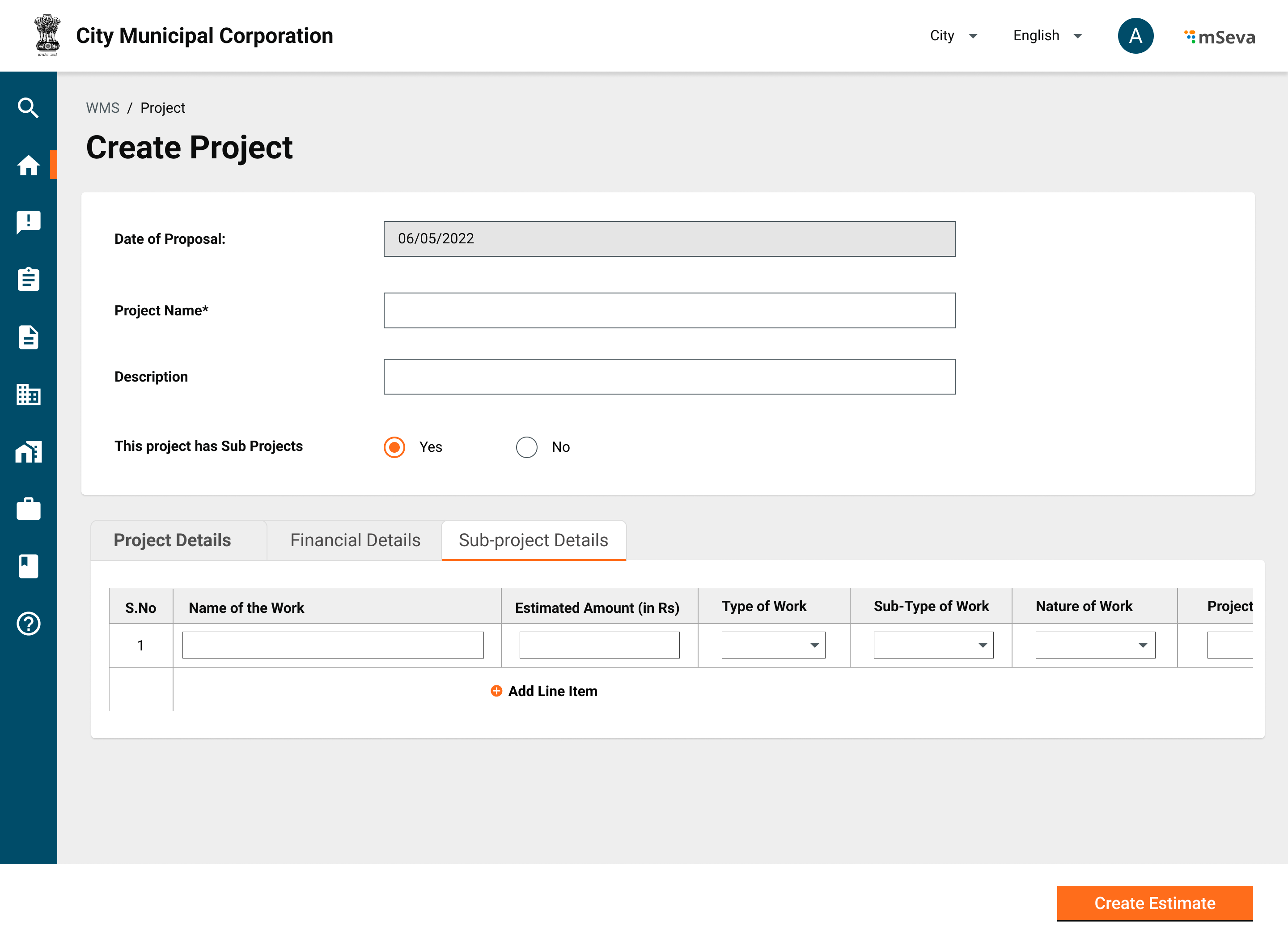
2. A project can have sub-projects as well depending on the way of executing the project.
   * When a project is divided into sub-projects, each will have the same attributes to be captured as the main project.
3. A project can be sent for approval depending on the need.
   * Usually, the administrative sanction is done on projects by EO. Post approval, detailed and abstract estimates are done.
     * Once the admin sanctions the project, the fund is also blocked for the respective heads of accounts.
     * Project status -
       * Created
       * In progress
       * Approved
       * Rejected
       * Cancelled
4. Once a project is created on the UI, the system generates a unique ID for each project/sub-project.
   * ID: PROJ/\<ULB/Department Code>/\<Year>/\<month>/\<Date>/\<running sequence number>
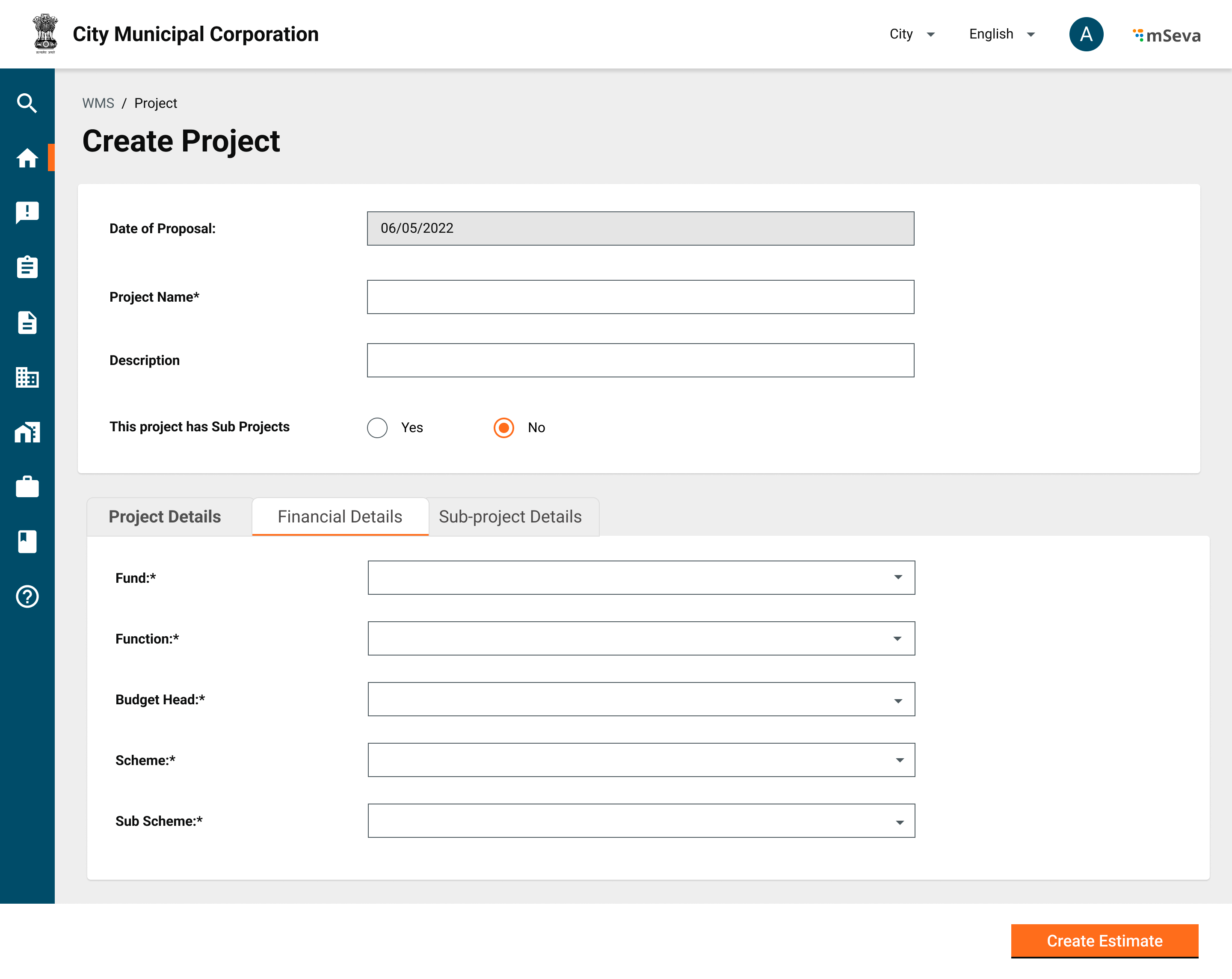
5. The project details capture the financial information such as the funding source for the project. These details, however, are not part of the Project Service but are captured as part of the Program Service.

## Masters

The table below provides the list of project attributes.

<table><thead><tr><th width="176">Field</th><th width="138">Data Type</th><th width="145">Required (Y/N)</th><th>Validations / Comments</th></tr></thead><tbody><tr><td>Id</td><td>NA</td><td>Y</td><td>System generated UUID</td></tr><tr><td>Name</td><td>Alphanumeric</td><td>Y</td><td>MinChar 2 - Max Char - NA<br>Ex - Construction of School Building</td></tr><tr><td>Project Type</td><td>MDMS Data</td><td>Y</td><td>Should be pre-defined master data<br>Ex - Building</td></tr><tr><td>Project Sub Type</td><td>MDMS Data</td><td>N</td><td>Should be pre-defined master data. Estimate templates are linked to a project subtype<br>Ex - School Building</td></tr><tr><td>Project Group</td><td>MDMS Data</td><td>Y</td><td>Should be pre-defined master data. Contract &#x26; Assetisation terms are defined based on this value.<br>Ex - Capital Works</td></tr><tr><td>Address</td><td></td><td>Y</td><td>Address of the main project.</td></tr><tr><td>Proposed Start date</td><td>Date</td><td>N</td><td></td></tr><tr><td>Proposed End date</td><td>Date</td><td>N</td><td></td></tr><tr><td>Parent</td><td>ID</td><td>N</td><td>Parent Project ID</td></tr><tr><td>Status</td><td>MDMS Data</td><td>Y</td><td>Created, Rejected, Cancelled, In-progress, Completed</td></tr><tr><td>Owning Department</td><td>MDMS Data</td><td>Y</td><td></td></tr><tr><td>Reference No</td><td>Alphanumeric</td><td>N</td><td>MinChar 2 - Max Char - NA<br><br>Reference No to Offline File if any</td></tr><tr><td>Description</td><td>Alphanumeric</td><td>N</td><td>MinChar 2 - Max Char - NA<br><br>Description of the Project</td></tr><tr><td>Documents</td><td>Attachments</td><td>N</td><td>Upto 5 Documents each of 5 MB<br><br>Document Attachments</td></tr></tbody></table>

The following primary masters are defined by this module and used for validations. Other common masters such as department, tenant etc..are also used by this module.

<table><thead><tr><th width="151">Module Name</th><th width="158">Master Name</th><th>Sample Data</th></tr></thead><tbody><tr><td>works</td><td>ProjectType</td><td><a href="https://github.com/egovernments/works-mdms-data/blob/UAT/data/statea/works/ProjectType.json">https://github.com/egovernments/works-mdms-data/blob/UAT/data/statea/works/ProjectType.json</a></td></tr></tbody></table>

## Use Cases

A project can be divided into multiple sub-projects, each with its own workflows/business requirements defined.&#x20;

## Mockups

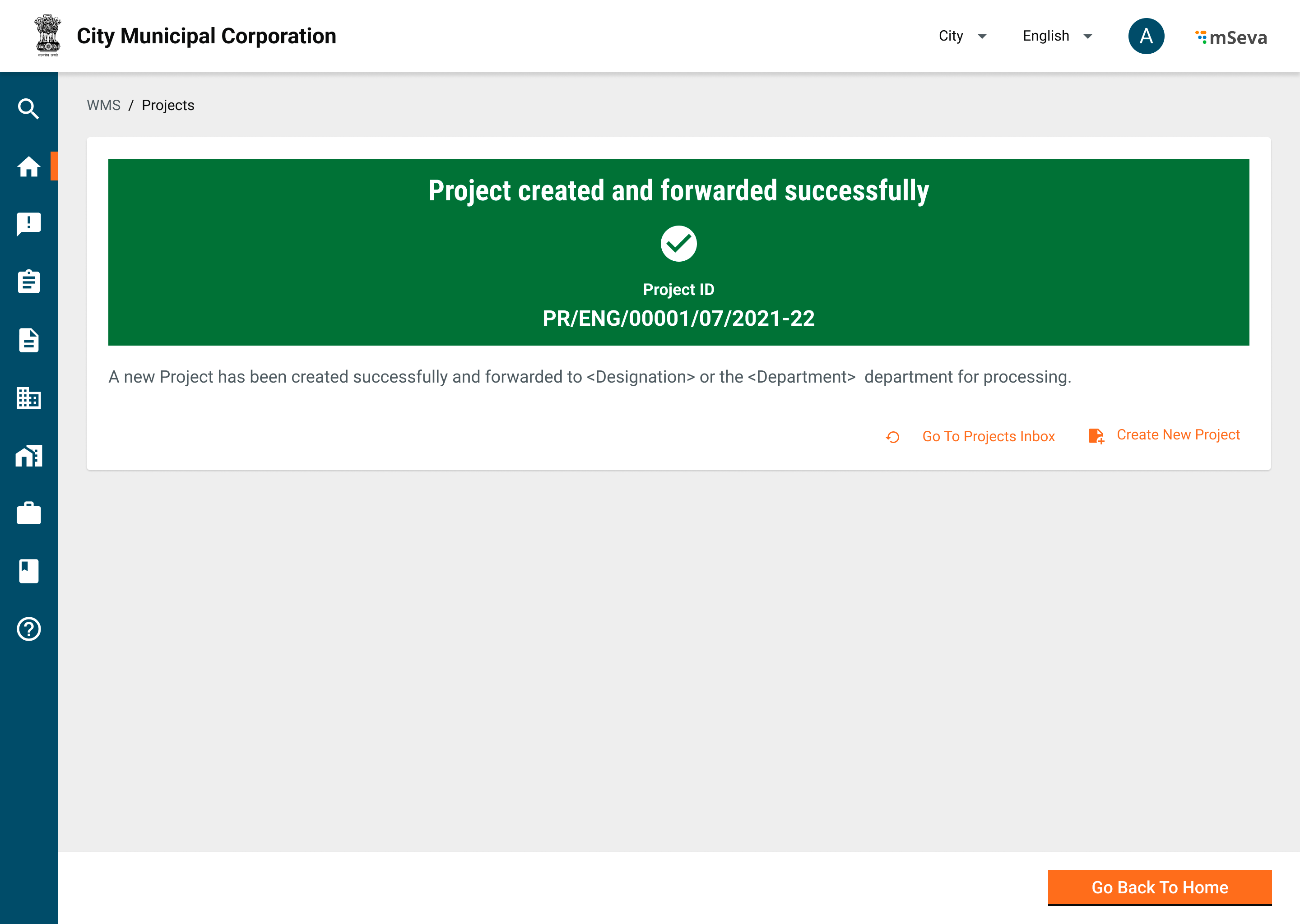
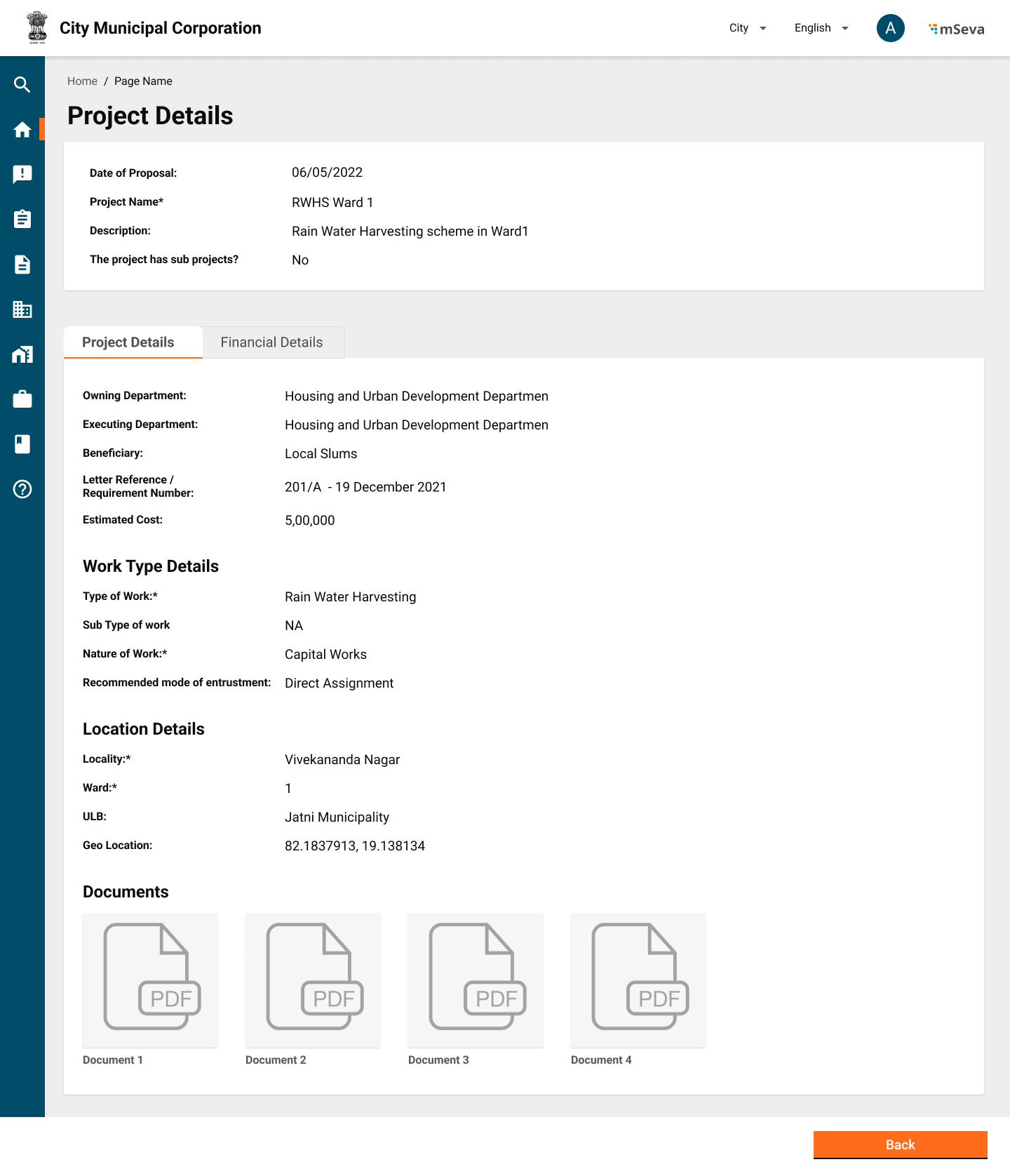
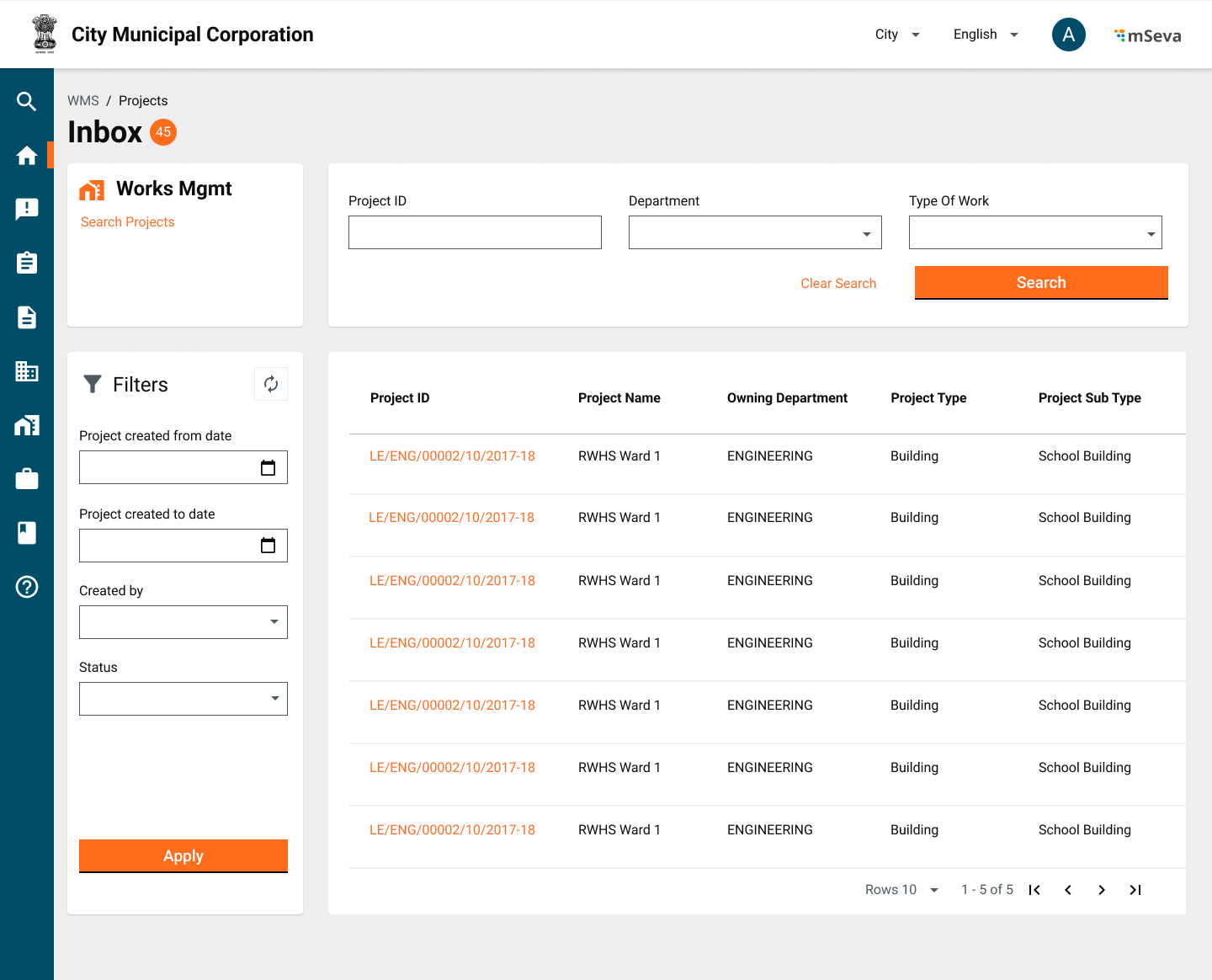
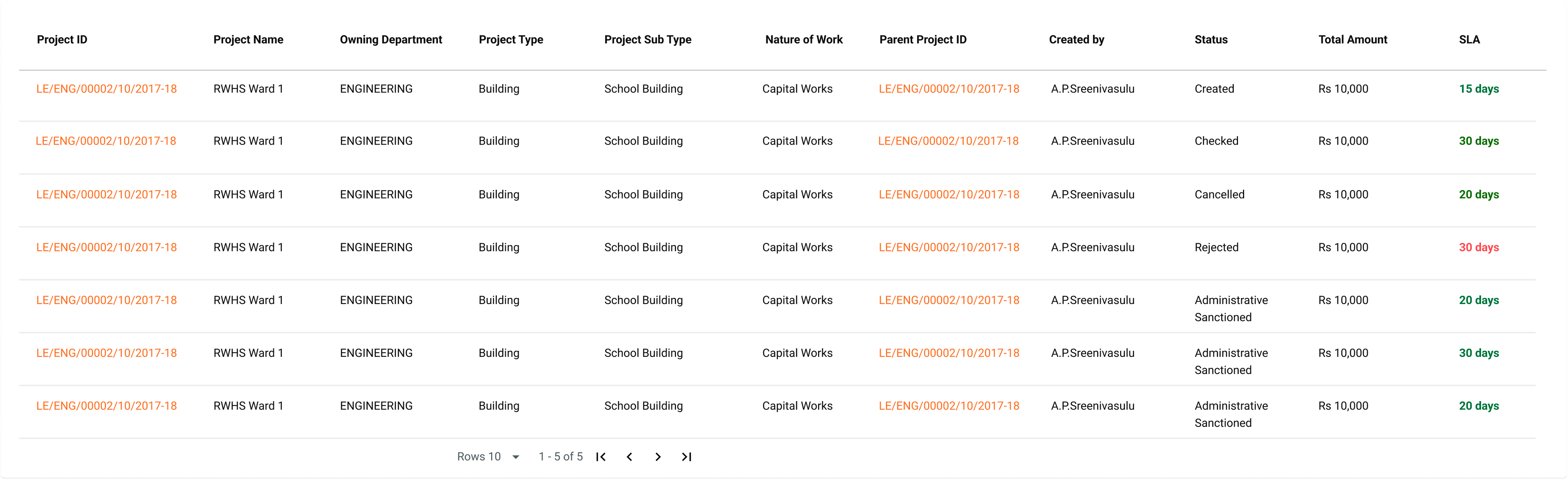
<table data-header-hidden><thead><tr><th width="314">Description</th><th>Mockups</th></tr></thead><tbody><tr><td>Create Project with no sub projects</td><td><img src="/files/SsArT9OBuVDJqPzxVmXR" alt=""></td></tr><tr><td>Create Project with Sub projects</td><td><img src="/files/ksKyqOVtqyH4ImOit8Oi" alt=""></td></tr><tr><td>Capturing Financial details of project (Part of Program service)</td><td><img src="/files/d4Nn8gM0AS8P9eWeLN2G" alt=""></td></tr><tr><td>Capturing Sub Project Details</td><td><img src="/files/keIkKeWgZSAa2BvkeYL2" alt=""></td></tr><tr><td>Project Created Successfully</td><td><img src="/files/LPZrIp4SBorhC4BUyYWd" alt=""></td></tr><tr><td>View Project</td><td><img src="/files/CdHfEZeBIb0qU0NefHf8" alt=""></td></tr><tr><td>Projects Inbox</td><td><img src="/files/uq4wr88kB4aZniqSXVh4" alt=""></td></tr><tr><td>Inbox Table</td><td><img src="/files/v7bC4S0A7bNkAPhdO1Vc" alt=""></td></tr></tbody></table>

## Related Topics

* [Technical specifications - Project](/works/platform/architecture/low-level-design/services/project.md)
* [Project module service configuration](/works/setup/configure-works/service-configuration/project.md)
* [Project module UI configuration](/works/reference-implementations/muktasoft-v2.2/deployment/configuration/ui-configuration/modules/project.md) - for MuktaSoft
* [Project user stories](/works/reference-implementations/muktasoft-v2.2/specifications/functional-requirements/user-stories/time-extension.md) - for MuktaSoft
* [Employee user manual on using the Project module](/works/reference-implementations/muktasoft-v2.2/implementation/training-resources/user-manual/web-application-user-manual/project.md) - for MuktaSoft


---

# Agent Instructions: Querying This Documentation

If you need additional information that is not directly available in this page, you can query the documentation dynamically by asking a question.

Perform an HTTP GET request on the current page URL with the `ask` query parameter:

```
GET https://docs.digit.org/works/specifications/functional-specifications/project.md?ask=<question>
```

The question should be specific, self-contained, and written in natural language.
The response will contain a direct answer to the question and relevant excerpts and sources from the documentation.

Use this mechanism when the answer is not explicitly present in the current page, you need clarification or additional context, or you want to retrieve related documentation sections.