# Build & Deploy
Follow the instructions [here](https://docs.digit.org/digit-ui/build/broken-reference) to set up the job pipeline. Ignore the steps not applicable to the frontend.
{% hint style="info" %}
Instructions here are provided assuming CD/CI has been set up using the DIGIT ci-as-code module.
{% endhint %}
Build
Method - 1 (Through Jenkins):\
Go to the Jenkins build page. Click on digit-ui under the folder path mentioned below. The entire UI module is built as a monolith. Since this module is also part of the same monolith, the whole UI module must be rebuilt and redeployed.\
`frontend/micro-ui/digit-ui/`
 Click on `Build with parameter`. Select the feature branch name by searching for it in the search box on the right side of the screen. Click on Build.
 Once the build is successful, open the console output and find the Docker image that has been built. Copy the Docker image ID.
 **Method - 2 (Recommended through GitHub actions):**
* Navigate to GitHub Actions\

* Click on build pipeline\

* Click on the Run workflow dropdown\

* Select the branch name and module from the dropdown and hit the Run workflow button
* Once the build is successful, copy the build image name from the summary.
Note: Make sure the "build.yaml" file is available under the .github/workflows folder.
**Method - 2 (Recommended through GitHub actions):**
* Navigate to GitHub Actions\

* Click on build pipeline\

* Click on the Run workflow dropdown\

* Select the branch name and module from the dropdown and hit the Run workflow button
* Once the build is successful, copy the build image name from the summary.
Note: Make sure the "build.yaml" file is available under the .github/workflows folder.
Deploy
Link:-
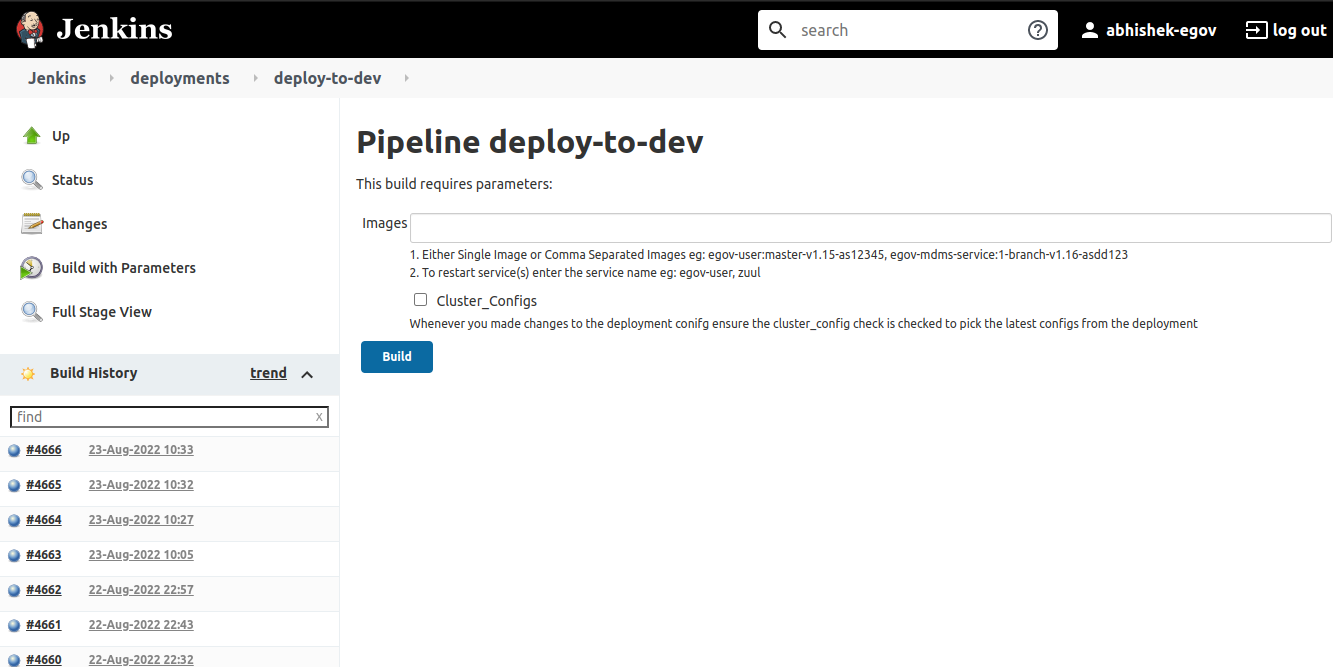 * Copy the Docker image IDs from the previous step and paste them in the above box.
* Click on "Build". Once the image is deployed, you will see a message as shown below:
* Copy the Docker image IDs from the previous step and paste them in the above box.
* Click on "Build". Once the image is deployed, you will see a message as shown below:
