
Language Selection
1. Overview
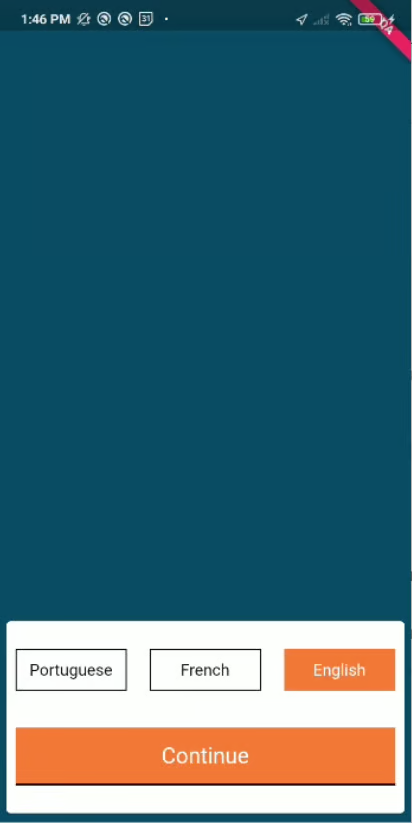
The Language Selection screen in the DIGIT HCM allows users to choose their preferred language before accessing application features. This ensures a personalised user experience, supporting multi-lingual interfaces as per the localisation configurations.
2. Workflow Details
App Launch: The language selection screen is presented immediately after launching the app.
Display Available Languages: The screen fetches and displays the list of available languages from the localisation MDMS configuration.
User Selection: The user selects their desired language.
Set Locale: The selected language is saved in the application’s state (usually in Redux or local storage).
Localisation Load: All subsequent UI screens are rendered in the selected language using the appropriate localisation files.
Proceed: User is navigated to the next screen (e.g., login or onboarding).
3. Technical Implementation
Configuration Source:
Language options are configured in the MDMS under
common-masters>localization.The UI reads the available languages from this MDMS configuration.
UI Component:
Typically implemented as a separate React component (e.g.,
LanguageSelection).Uses a radio group or button group to display language choices.
On selection, it triggers a state update and persists the choice.
State Management:
The selected language is stored in Redux or local storage.
The app uses this value to fetch and display localisation bundles.
Localisation Module Integration:
On language change, the localisation module reloads the appropriate translation files.
Sample MDMS Language Config:
4. API Role Action Mapping
Relevant APIs:
MDMS API to fetch localisation master data:
/egov-mdms-service/v1/_searchLocalisation API to fetch translation bundles:
/localization/messages/v1/_search
Role Action Mapping:
The language selection screen does not require user authentication or specific roles, as it is accessible before login.
However, the APIs used must be accessible to the
ANONYMOUSrole (i.e., no authentication required).In the MDMS and localisation action configuration:
Ensure these endpoints are mapped to allow public/anonymous access.
Sample role-action mapping:
Reference Links
Was this helpful?